
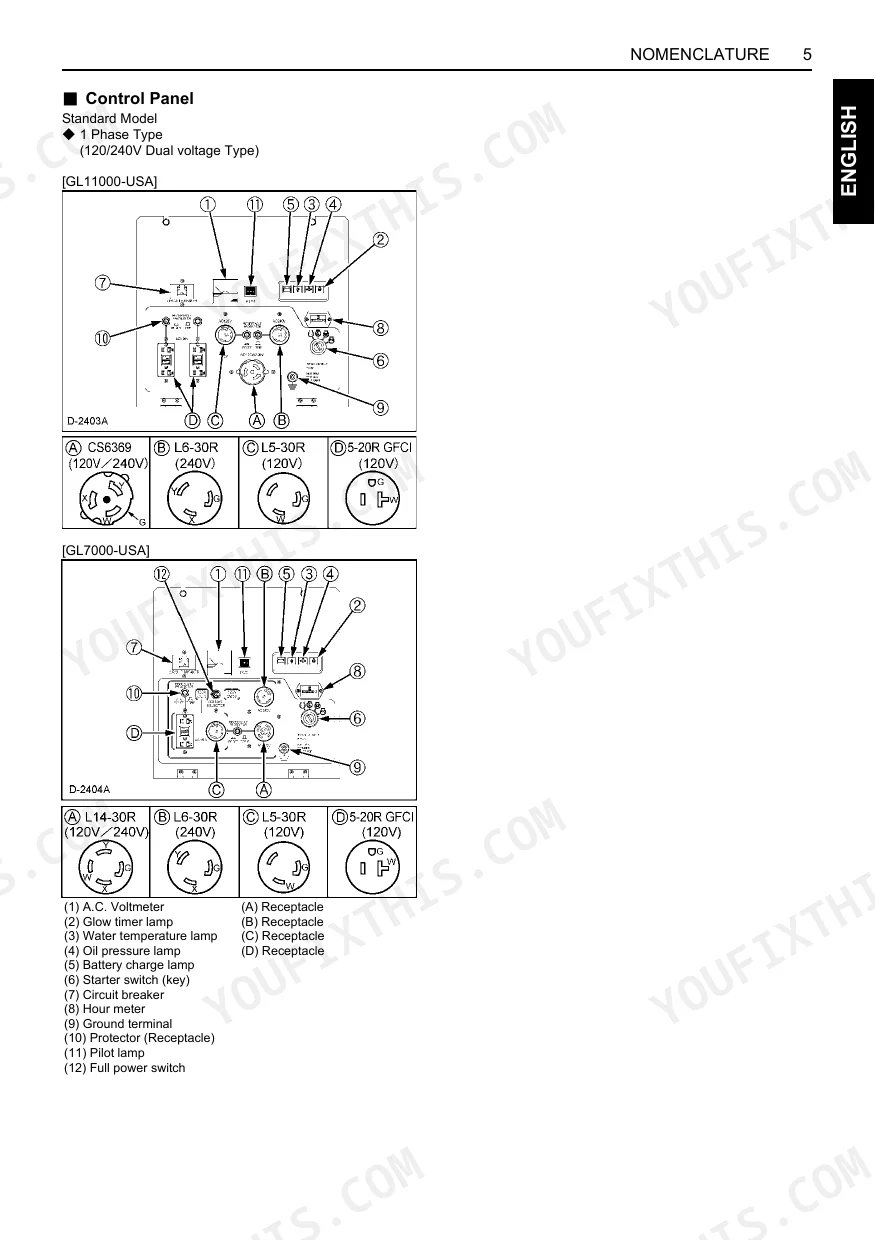
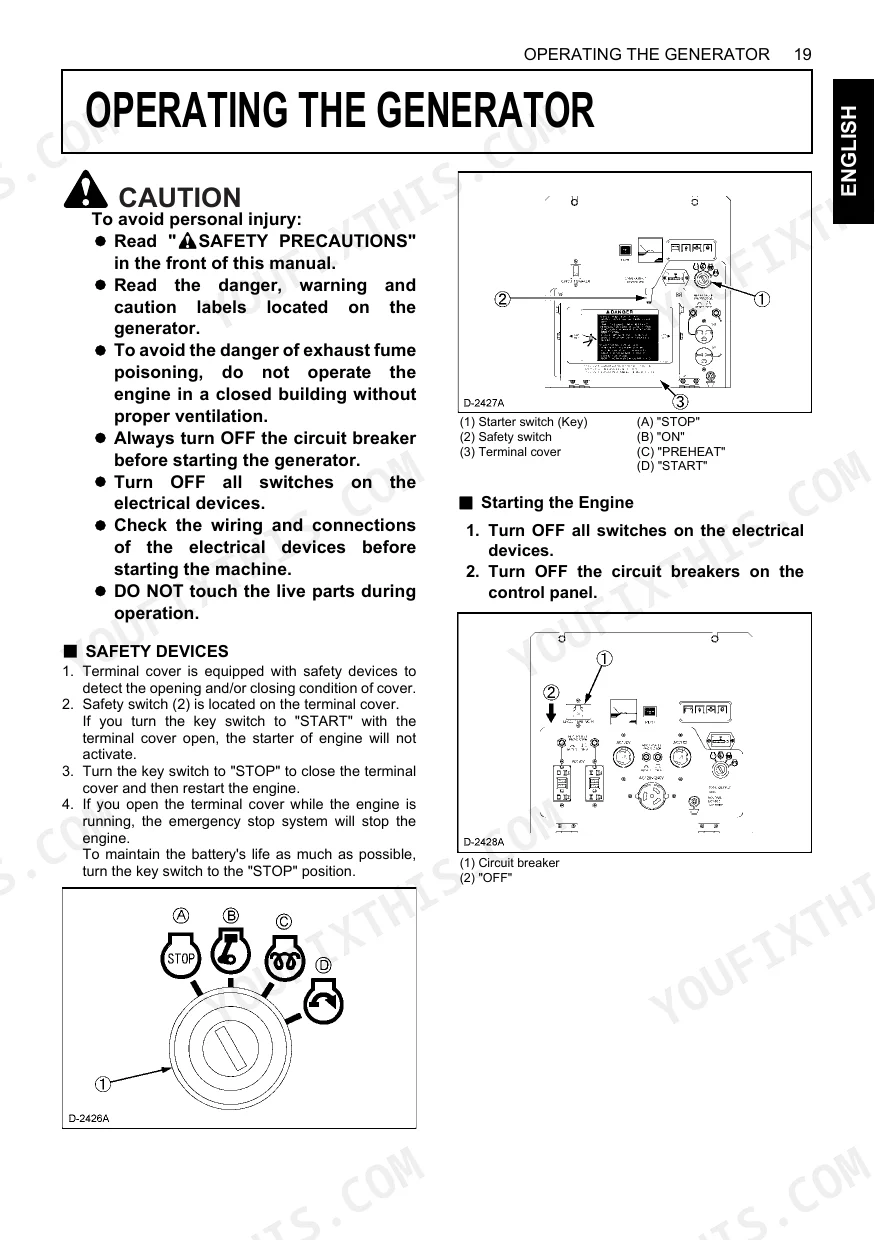
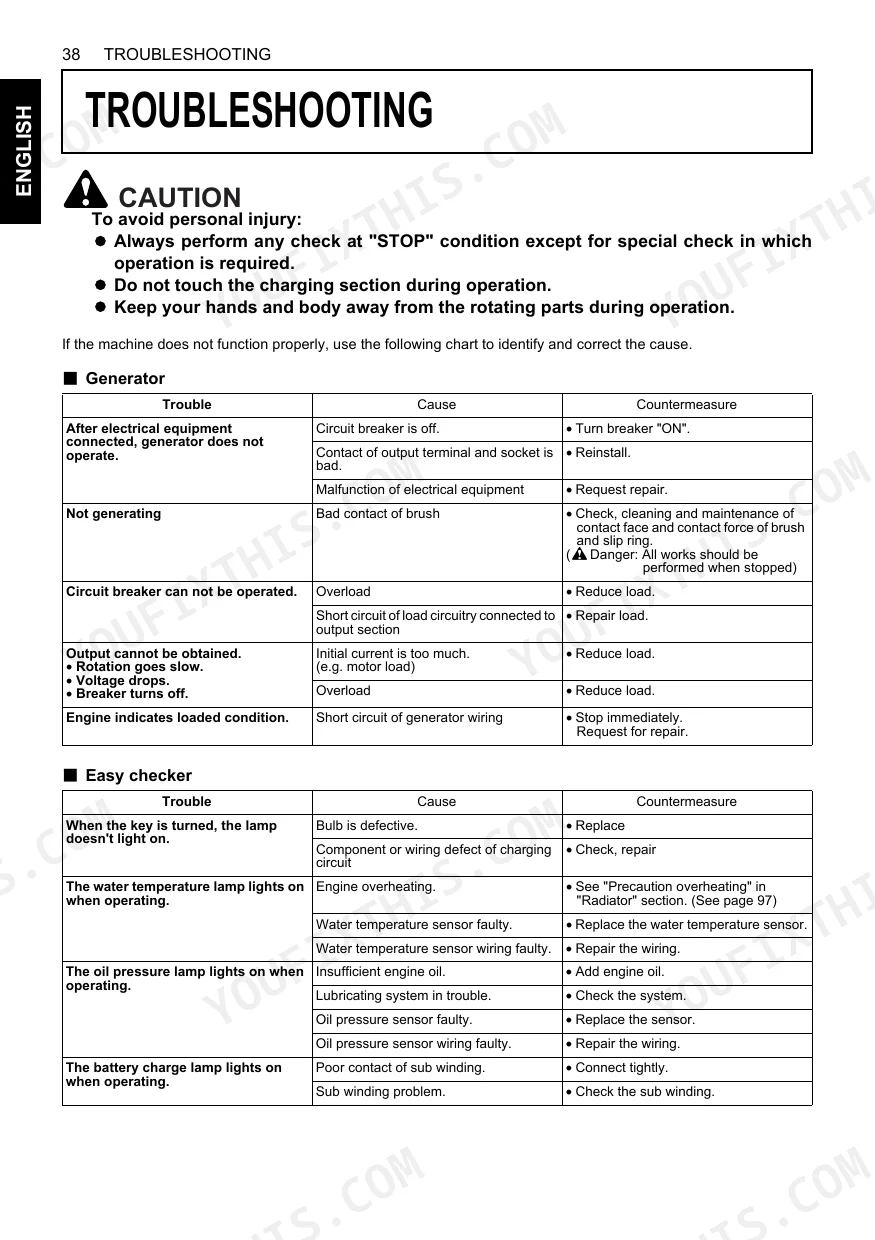
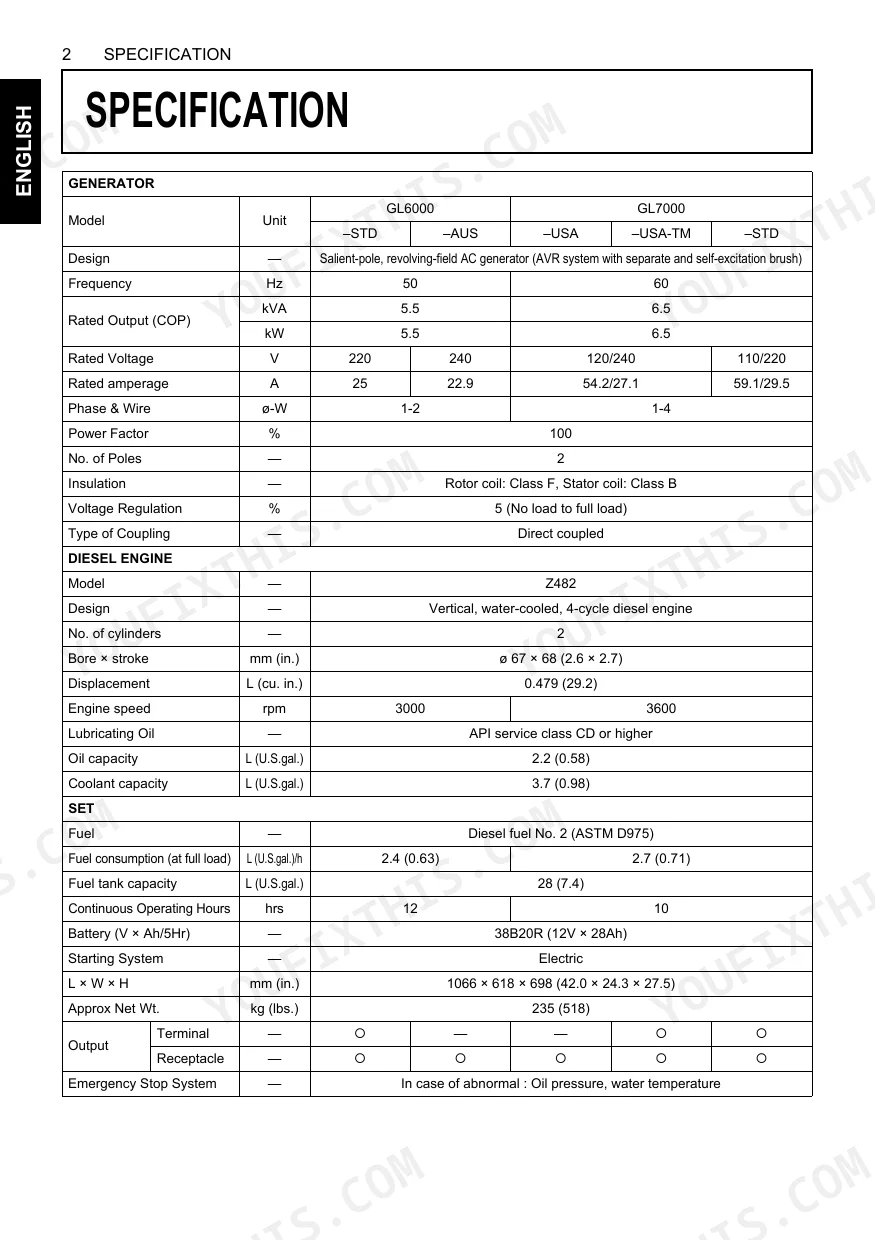
Every procedure in this Kubota GL6000–GL11000 Series Operator Manual (OEM #G3102-8916-3) serves one outcome: keeping your diesel generator running safely and on schedule, whether you operate a GL6000-STD, GL7000-USA, GL9000-AUS, or GL11000-USA. The 62 pages open with seven pages of safety precautions, including labeled warning and caution decal identification. From there the book maps out full control panel layouts for every voltage variant (120V, 240V, 110V/220V, and dual-voltage selector models), plus step-by-step load connection diagrams for receptacle, terminal, and AUS output configurations. Service intervals are laid out plainly: clean the air cleaner element every 50 hours, inspect the fan belt every 100 hours, and replace it every 800 hours. Belt deflection should sit at 12–14 mm under a 98 N load. Ten wiring diagrams break down each model by voltage, from GL6000-STD (220V) through GL11000-STD (110V/220V). Skip the forum threads; download it to any device and get back on line.
What's Inside This Kubota GL6000–GL11000 Series Operator Manual
| System | Pages | Key Topics |
|---|---|---|
| Servicing of Generator | 13 | - |
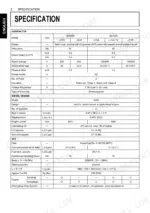
| Specifications | 14-15 | - |
| Nomenclature | 16-19 | - |
| Ground Fault Circuit Interrupter (GFCI) Receptacle | 20-21 | - |
| Preparation to Supply the Electric Power | 22-23 | - |
| Connecting the Load | 24-27 | - |
| Pre-Operation Check | 28-30 | - |
| Operating the Generator | 31-34 | - |
| Service Intervals | 35-36 | - |
| Periodic Service | 37-48 | - |
| Transporting / Storage | 49 | - |
| Troubleshooting | 50-51 | - |
| Automatic Start / Stop Unit (A S/S Unit) | 52 | - |
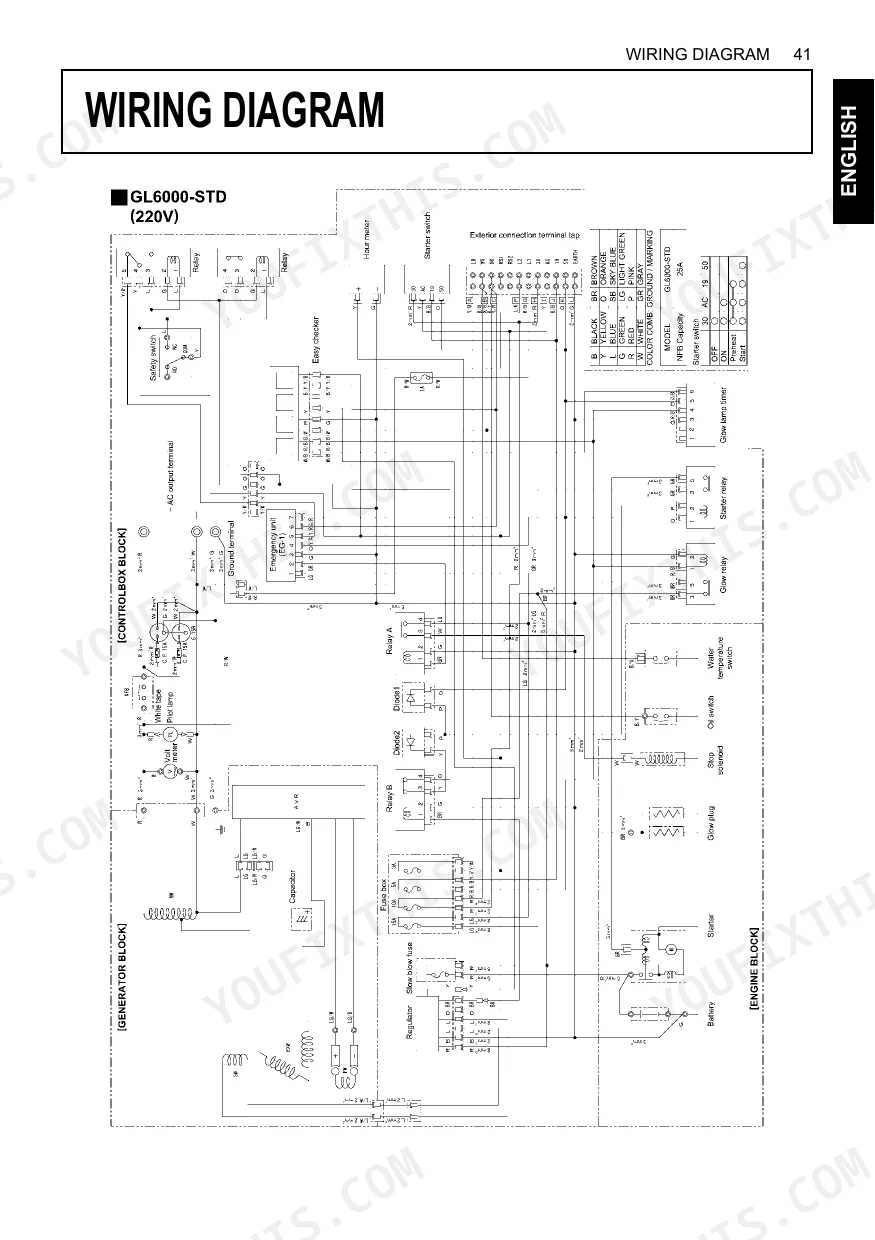
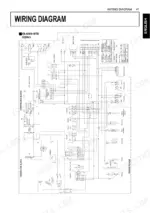
| Wiring Diagram | 53-62 | Gl6000-Std, Gl6000-Aus, Gl7000-Usa, Gl7000-Usa-Tm, Gl7000-Std, Gl9000-Std, Gl9000-Aus, Gl11000-Usa |
Quick Reference Specifications
| Specification | Value | Page |
|---|---|---|
| All Models | ||
| Fan belt tension (deflection) | 12 to 14 mm (0.47 to 0.55 in.) under load of 98 N (22.1 lbs.) | p. 48 |
| Fan belt check interval | Every 100 hours | p. 35 |
| Air cleaner element cleaning interval | Every 50 hours | p. 35 |
| Air cleaner element replacement interval | Every 1500 hours | p. 35 |
| Fuel filter pot cleaning interval | Every 100 hours | p. 39 |
| Fuel filter cleaning interval | Every 200 hours | p. 35 |
| Radiator hoses and clamp bands check interval | Every 200 hours | p. 35 |
| Water jacket (radiator interior) cleaning interval | Every 800 hours | p. 35 |
| Starter motor continuous running limit | 10 seconds | p. 32 |
| Lubricating oil type | API service class CD or higher | p. 14 |
| GL6000-STD, GL6000-AUS, GL7000-USA, GL7000-USA-TM, GL7000-STD | ||
| Battery model (GL6000, GL7000) | 38B20R (12V × 28Ah) | p. 14 |
| GL9000-STD, GL9000-AUS, GL11000-USA, GL11000-USA-TM, GL11000-STD | ||
| Battery model (GL9000, GL11000) | 55B24R (12V × 36Ah) | p. 15 |
Kubota GL6000–GL11000 Series Common Problems This Manual Covers
Kubota GL6000 engine cranks but will not start after the fuel tank runs dry p. 39
Check the fuel level and, if the 28 L (7.4 U.S. gal) tank on page 14 is empty, fill it. Open the air vent plug to bleed the fuel system. Clean the fuel filter pot every 100 hours, shown on page 39, to keep fuel flowing freely.
Manual Section: Periodic ServiceStarter motor overheats or stops engaging after extended continuous cranking in cold weather p. 32
Stop cranking right away. Hold starter motor continuous running to 10 seconds maximum, as instructed on page 32, then wait at least 30 seconds between attempts so the motor can cool. Confirm the battery electrolyte specific gravity falls between 1.270 and 1.290 per page 29.
Manual Section: Operating the GeneratorWater temperature warning lamp illuminates and coolant boils over under heavy load p. 48
Verify fan belt tension deflection sits at 12 to 14 mm (0.47 to 0.55 in.), shown on page 48, while inspecting the cooling system. Drain and flush the radiator, then refill with a 50% LLC and 50% clean soft water mixture per the specifications on page 45.
Manual Section: Periodic ServiceOil pressure drop warning lamp triggers and engine automatically shuts down during operation p. 40
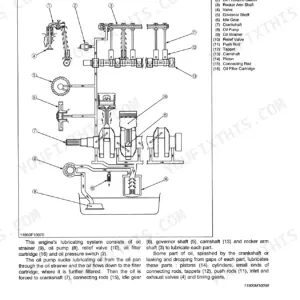
Pull the dipstick and confirm the oil level is correct. Change the engine oil after the initial 50 hours of operation, detailed on page 40, and refill with API service class CF, CF-4, CG-4, CH-4, or CI-4 oil per the chart on page 36.
Manual Section: Periodic ServiceFrequently Asked Questions
How do I reset the GFCI on a Kubota GL6000 / GL7000 / GL11000 generator?
First unplug all appliances from the GFCI receptacle. Run the engine and switch power ON at the circuit breaker, then press the "RESET" button firmly into the GFCI unit until you hear an audible click. A proper reset leaves the button flush with the surface of the "TEST" button.
Why does the RESET button on the Kubota generator GFCI keep popping out?
A "RESET" button that extends during operation points to a faulty GFCI. The other likely cause is fault insulation or wet wiring inside the appliance or its cord creating a short circuit, so check those first.
What should I do if the Kubota generator GFCI will not reset?
When the GFCI will not reset, contact your KUBOTA dealer for assistance. Before you call, unplug all appliances and try pressing the reset button firmly one more time.
How do I clear a Kubota generator fault or electrical shutdown?
Begin by switching OFF every connected load, then turn OFF the circuit breakers. If an overload tripped the breaker, lighten the load before switching the breaker back ON. For anything else, see the troubleshooting table on page 50.
What format is this Kubota GL6000–GL11000 Series manual in?
Instant PDF download. The full 62-page searchable Operator Manual lands in your hands the moment payment clears. Open it on a laptop, tablet, or phone right there in the shop.
Am I able to print pages from this Kubota GL6000–GL11000 Series manual?
Absolutely. No DRM or copy protection. Print the whole manual or just the pages you need. Any home or office printer works.
Does this Kubota GL6000–GL11000 Series Operator Manual have electrical diagrams?
Yes. This operator manual includes a basic wiring/connection diagram (pp. 53–62) covering the generator’s electrical connections. Full workshop-grade circuit schematics, connector pinouts, and detailed circuit descriptions are in the separate GL-series Workshop Manual.
Document Quality
This document is a high-quality scanned PDF with an accurate OCR layer, allowing you to search and copy the full text. All text throughout the manual is crisp and consistently easy to read, with no blurry or faded sections. Diagrams and illustrations, while raster images, are clear and well-defined, and their labels are fully readable. The pages are clean with no noticeable scan artifacts, stains, marks, or skewed content. There is one completely blank page (page 12) present in the document.



Reviews
There are no reviews yet.