
Operating a Kubota L2350 requires knowing the exact factory specifications and service intervals. This 68-page operator's manual PDF (OEM #32310-19712) outlines every daily procedure, safety warning, and maintenance schedule for your tractor. The document includes a detailed instrument panel walkthrough explaining each dashboard indicator, alongside crucial safety protocols for PTO hazards, slope operation, and road travel. Maintenance procedures are organized by interval, covering daily checks, 100-hour oil changes, and 400-hour transmission fluid replacements. Operators will find exact fluid capacities, implement weight limits, and a 3-point hitch control reference chart. Verify rear wheel bolts are torqued to 215 N·m (160 ft-lbs) and set brake pedal free travel to 20-30 mm before leaving the yard. Bookmarked sections allow quick navigation to startup sequences, implement specs, or service charts directly from a mobile device.
What's Inside This Kubota L2350 Manual
| System | Pages | Key Topics |
|---|---|---|
| Universal Symbols | 3 | Safety Alert Symbol, Diesel Fuel, Fuel-Level, Engine-Rotational Speed, Hourmeter/Elapsed Operating Hours, Engine Coolant-Temperature, Diesel Preheat/Glow Plugs, Parking Brake |
| Safe Operation | 7-12 | Before Operating The Tractor, Driving The Tractor On The Road, Parking The Tractor, Operating The PTO, Using 3-Point Hitch, Servicing The Tractor, Danger |
| Servicing Of Tractor | 13 | Tractor Identification Plate, Tractor Serial Number, Engine Serial Number |
| Specifications | 14-15 | Specification Table, Traveling Speeds, Model |
| Implement Limitations | 16-17 | Tread With Farm Tires, Actual Figures, Lower Link End Max Hydraulic Lifting Capacity Wo, Implement Weight, Max Drawbar Load, Trailer Loading Weight, Implement, Remarks |
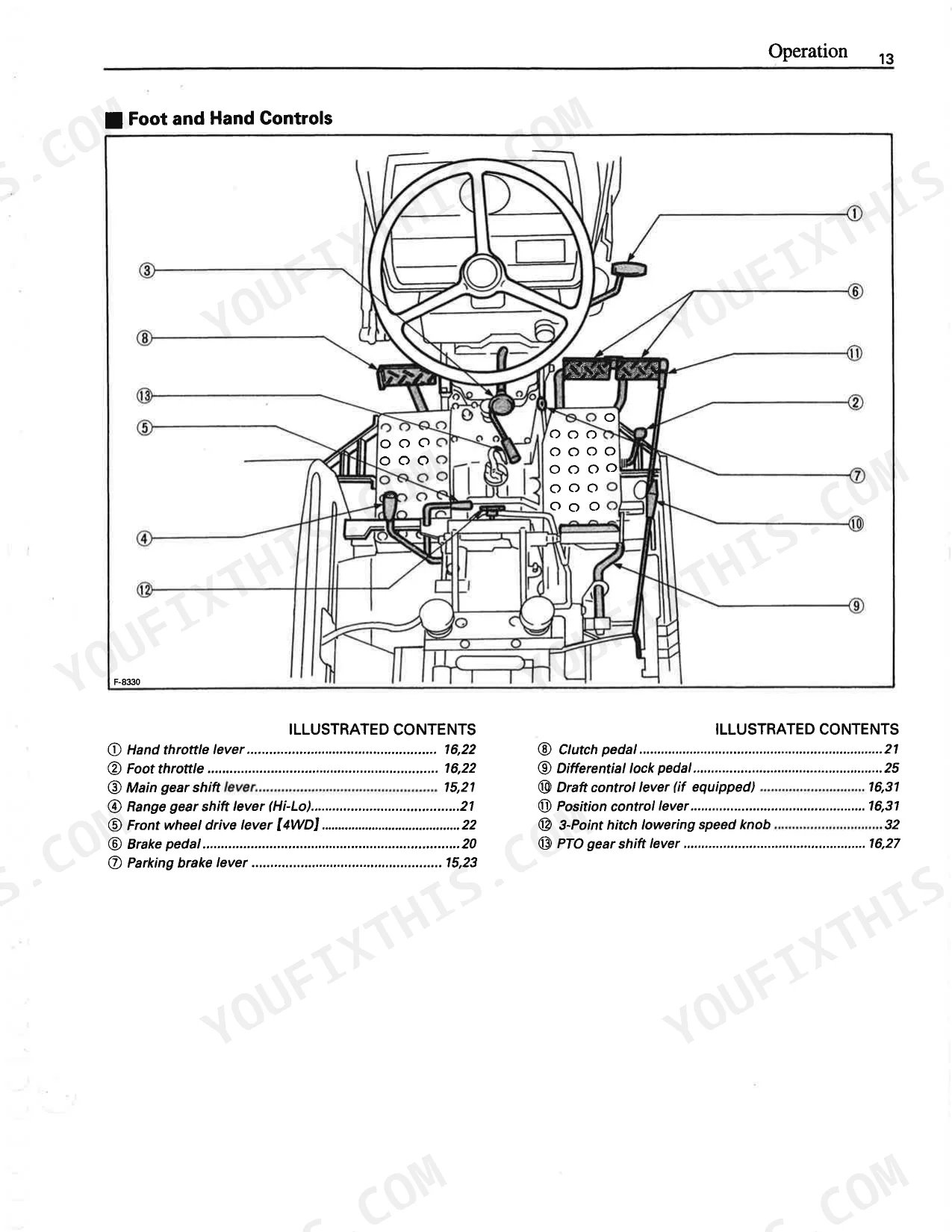
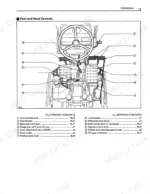
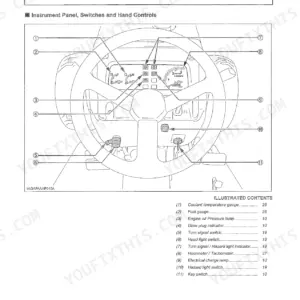
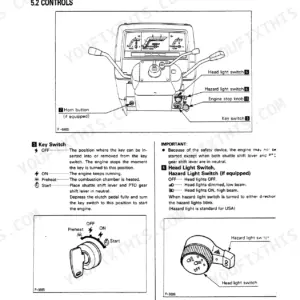
| Instrument Panel And Controls | 18-19 | Foot And Hand Controls |
| Pre-Operation Check | 20 | Daily Check, Check Item, Walk Around Inspection |
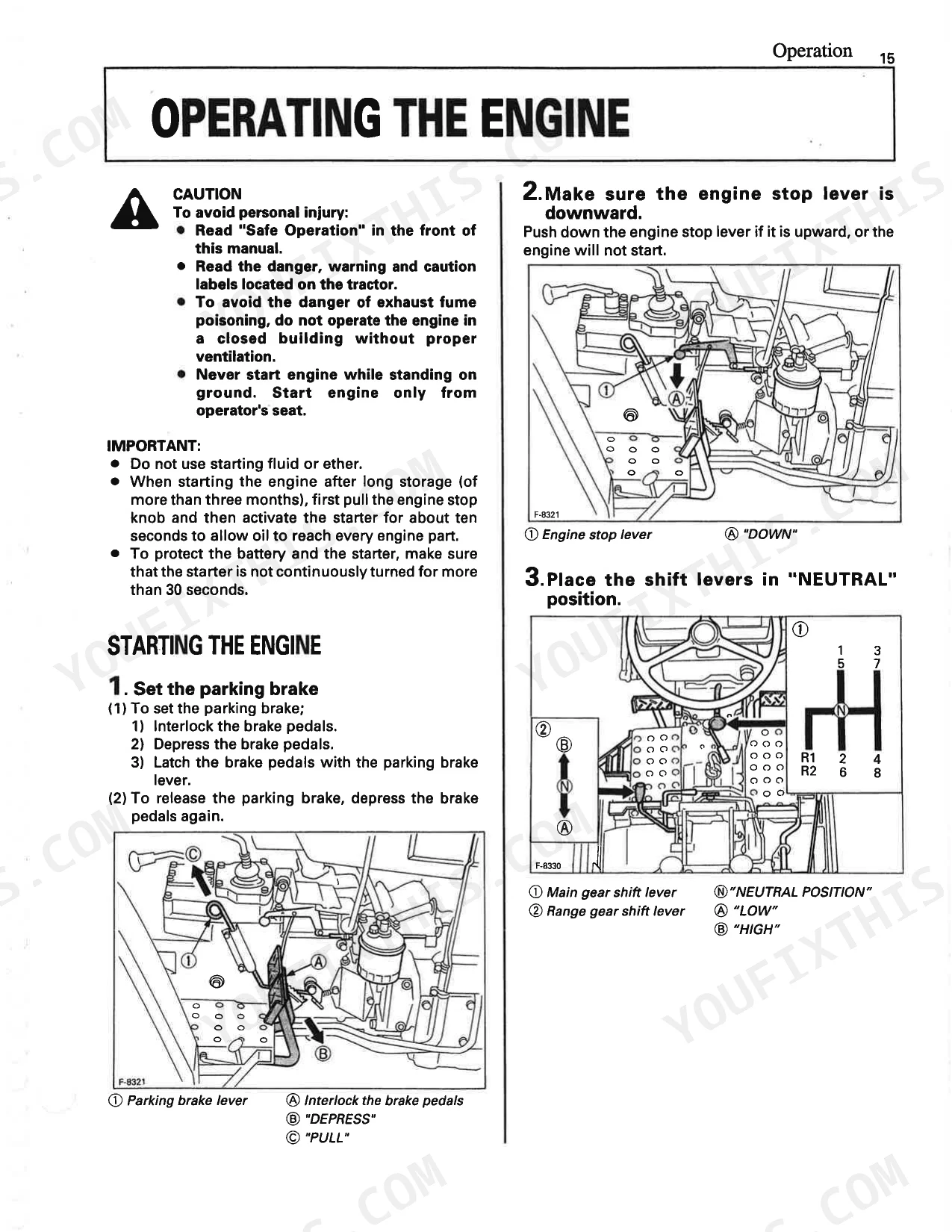
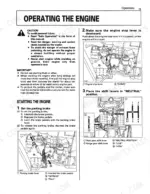
| Operating The Engine | 21-24 | Starting The Engine (Set The Parking Brake, Make Sure The Engine Stop Lever Is Downward, Place The Shift Levers In "NEUTRAL" Position, Place The PTO Gear Shift Lever In "OFF" Position, Place The Hydraulic Control Lever In "LOWEST" Position, Set The Throttle Lever To About 1/2 Way, Insert The Key Into The Key Switch And Turn It "ON", Preheating The Engine, Turn The Key To "START" Position And Release When The Engine Starts, Check To See That Engine Oil And Electrical Charge Lamps Are "OFF", Release The Clutch Pedal) |
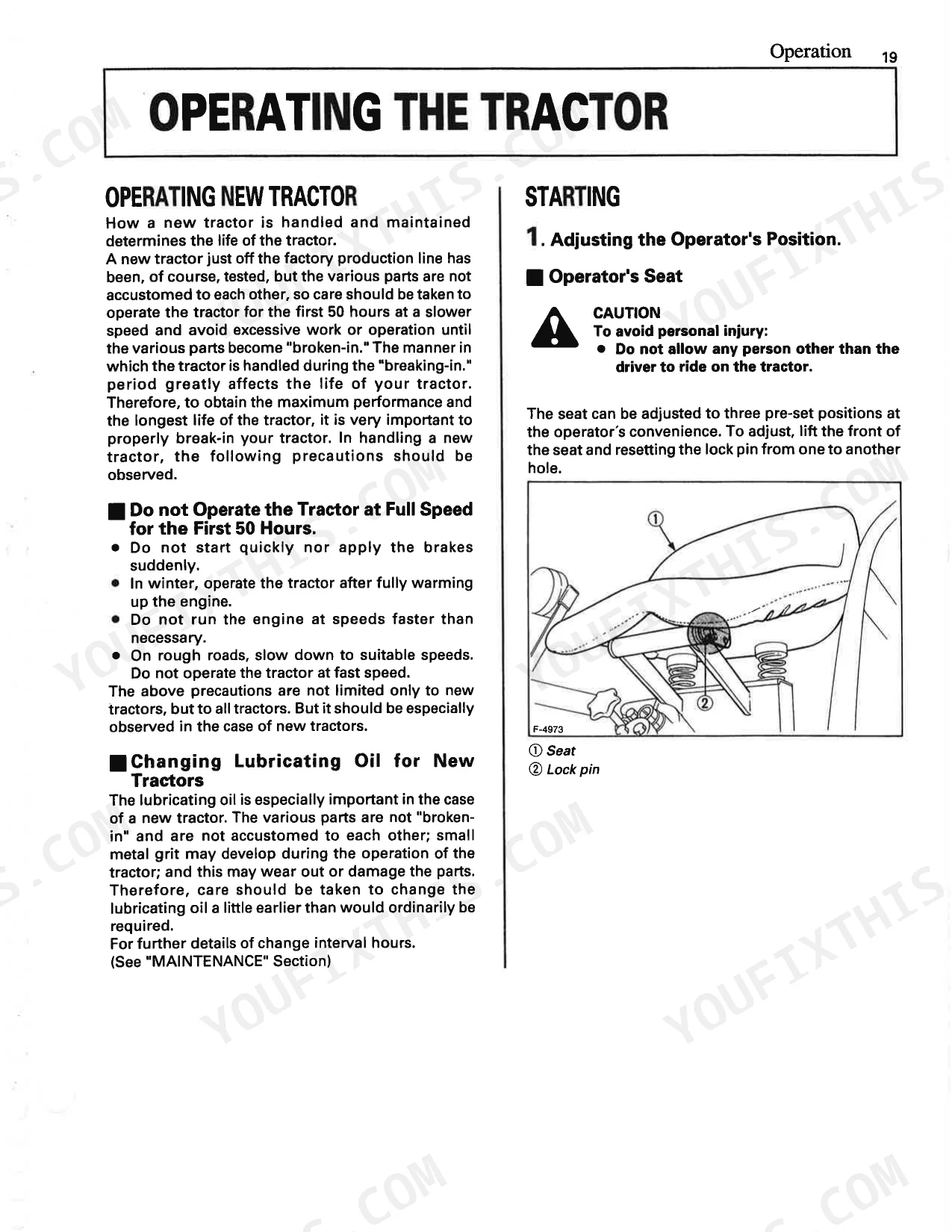
| Operating The Tractor | 25-32 | Operating New Tractor |
| PTO | 33 | PTO Operation, PTO Gear Shift Lever, PTO Shaft Cover And Shaft Cap |
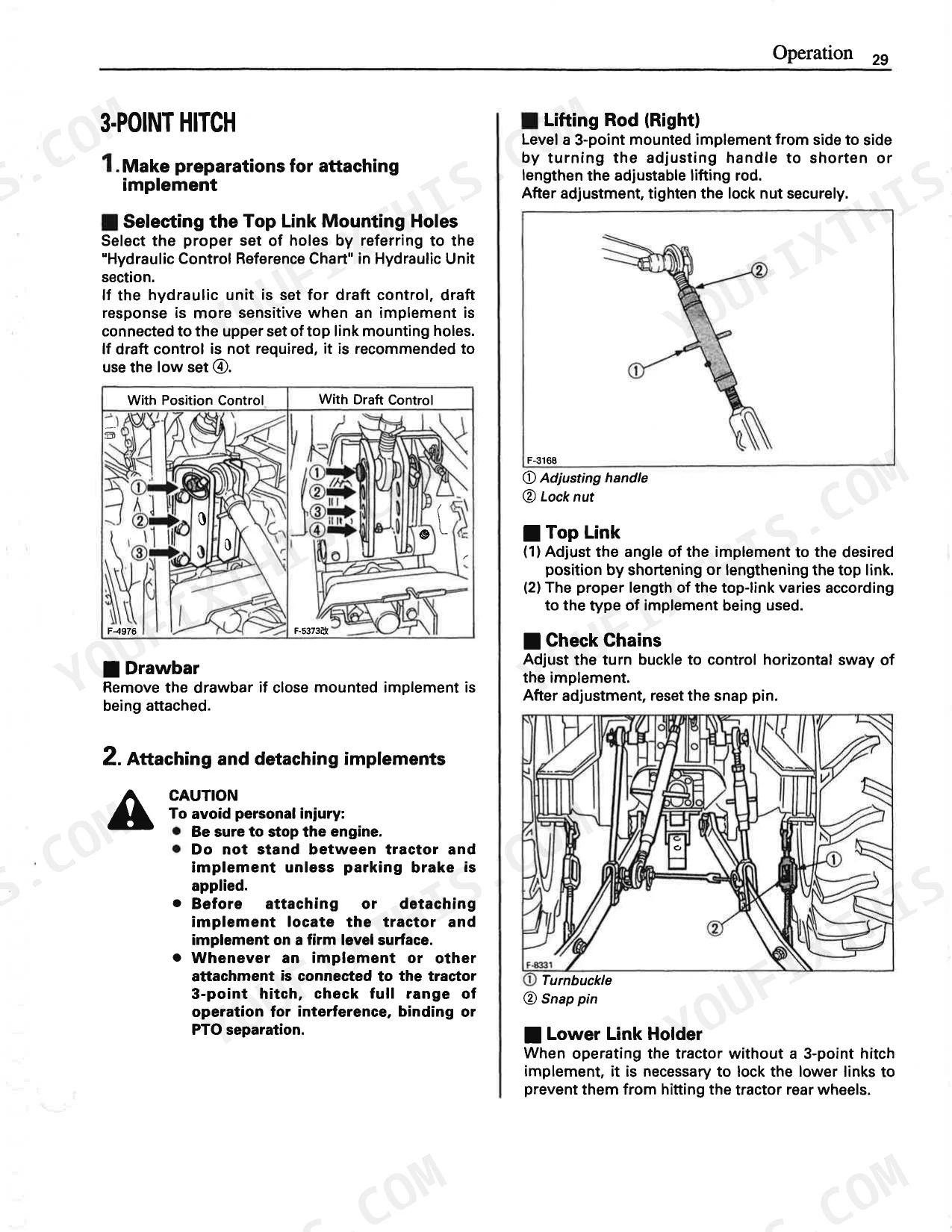
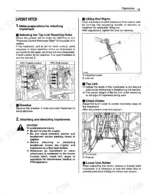
| Three-Point Hitch & Drawbar | 34-36 | Top Link, Lifting Rod, Check Chains, Turnbuckle, Lower Link, Lower Link Holder, Drawbar, 3-Point Hitch |
| Hydraulic Unit | 37-39 | 3-Point Hitch Control System (Position Control, Draft Control, Float Control [With Draft Control], Float Control [With Position Control]), 3-Point Hitch Lowering Speed |
| Tires, Wheels And Ballast | 40-43 | Tires (Inflation Pressure), Wheel Adjustment (Front Wheels, Rear Wheels), Ballast (Front Ballast, Front End Weights, Rear Ballast, Rear Wheel Weights), Liquid Ballast In Rear Tires |
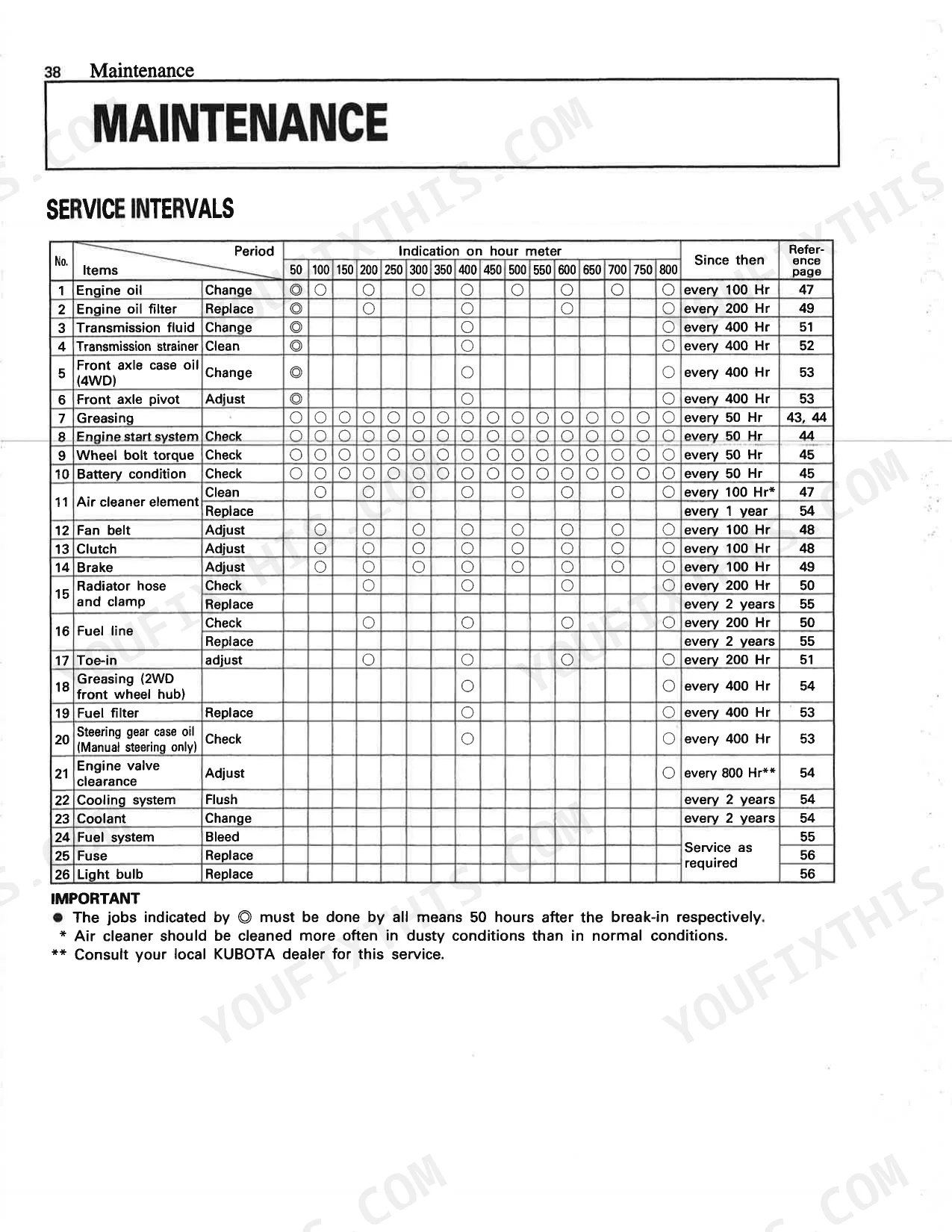
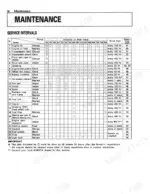
| Maintenance | 44-45 | Service Intervals, Lubricants, Engine Oil |
| Periodic Service | 46-62 | How To Open The Hood (Engine Side Cover) |
| Storage | 63 | Tractor Storage, Removing The Tractor From Storage, Clutch Lock Plate |
| Troubleshooting | 64 | Engine Troubleshooting, Engine Is Difficult To Start Or Won't Start, Insufficient Engine Power |
| Options | 65-66 | Double Element Air Cleaner, SMV Emblem, Work Light |
| Kubota Corporation Is… | 67 | - |
| Kubota Tractor Corporation | 68 | Rops Seatbelt |
Quick Reference Specifications
| Specification | Value | Page |
|---|---|---|
| Front wheel bolt torque | 137 N·m (100ft·lbs) | p. 35 |
| Rear wheel bolt torque | 215 N·m (160ft-lbs) | p. 35 |
| Proper brake pedal free travel | 20 to 30 mm (0.8 to 1.2 in.) | p. 49 |
| Battery TYPE | 75D26L-MF | p. 46 |
| Battery Volts | 12 v | p. 46 |
| Engine PTO Power | 15.3 kW (20.5 HP) | p. 14 |
| Fuel Tank Capacity | 29 L (7.7 U.S. gals.) | p. 14 |
| Engine Crankcase Oil Capacity (with filter) | 6.3 L (6.7 U.S. qts.) | p. 14 |
| Transmission Case Fluid Capacity | 28 L (7.4 U.S. gals.) | p. 14 |
| Hydraulic System Pressure | 15.2 MPa (2205 psi) | p. 14 |
| Fan Belt Tension Deflection | 7 to 9 mm (0.28 to 0.34 in.) | p. 48 |
| Clutch Pedal Free Travel | 20 to 30 mm (0.8 to 1.2 in.) | p. 49 |
Kubota L2350 Common Problems This Manual Covers
Kubota L2350 clutch pedal feels spongy or free travel is out of spec p. 49
Verify clutch pedal free travel measures 20 to 30 mm (0.8 to 1.2 in.) at the pedal pad. Use a ruler to check the distance before and after pressing to the resistance point. Adjust the linkage rod at the clutch pedal bracket if the travel falls outside this specification. Inspect the pedal pivot pin for wear during this process.
Manual Section: Periodic ServiceEngine difficult to start in cold weather, glow plug light stays on longer than usual p. 23
Turn the key to ON and wait for the preheat indicator to go out before cranking. In temperatures below 5°C, allow a full preheat cycle. Check battery condition: a 12V unit rated at 52 A.H should hold charge above 12.4V at rest. If the battery indicator turns white (page 51), charge or replace the battery before attempting repeated cold starts.
Manual Section: Operating The EngineFrequently Asked Questions
How do I start a Kubota L2350 in cold weather?
To start a Kubota L2350 in cold weather, fully depress the clutch pedal and turn the key to the "preheat" position until the glow plug indicator turns red. For temperatures over 0°C (32°F), preheat for 20 to 30 seconds, and for 0 to -5°C (32 to 23°F), preheat for 40 to 60 seconds. After preheating, turn the key to "START" and release when the engine starts. Additionally, warm up the engine for at least 10 minutes, or longer depending on ambient temperature, before applying load to ensure proper oil circulation.
What transmission fluid should I use in a Kubota L2350?
For the transmission case of a Kubota L2350, you should use KUBOTA SUPER UDT fluid. The transmission case has a capacity of 28 liters (29.6 U.S. gallons). This fluid is essential for proper hydraulic system operation and transmission lubrication.
How quickly can I access this Kubota L2350 manual after buying?
You get a 68-page searchable PDF that downloads instantly after checkout. Open it on your laptop, tablet, or phone — bring it right to the shop floor.
Is this Kubota L2350 Owner's Manual printable?
Yes. The PDF has no DRM restrictions — print any page or section you need for your shop. Works with any standard printer.
Document Quality
This document is a scanned PDF, but it includes an OCR layer, so you can search and copy the full text. The text quality is generally crisp and readable throughout the manual. All diagrams and illustrations are scanned images, which means they will pixelate if you zoom in significantly, but their labels remain readable. Pages are mostly clean with minimal scan artifacts, and there are two blank pages (6 and 66) that serve as filler.


Reviews
There are no reviews yet.