New Holland DC70, DC80, DC100 Crawler Dozer Service Manual (incl. Wiring)

$24.95

Model: DC70 | DC70 LGP | DC80 | DC80 LGP | DC100 | DC100 LGP
Type: Crawler Dozer
Serial: DC70 13041068-up | DC70 LGP 13045016-up | DC80 13141056-up | DC80 LGP 13145096-up | DC100 13111002-up | DC100 LGP 13115001-up
310 Pages·15 MB·Searchable PDF·English·Print-Ready
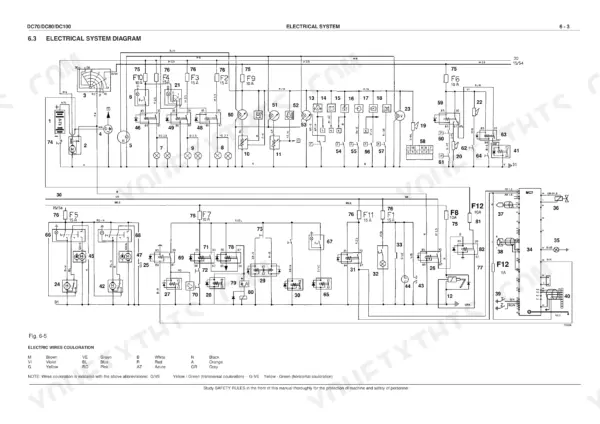
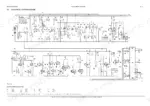
  • Wiring Diagrams
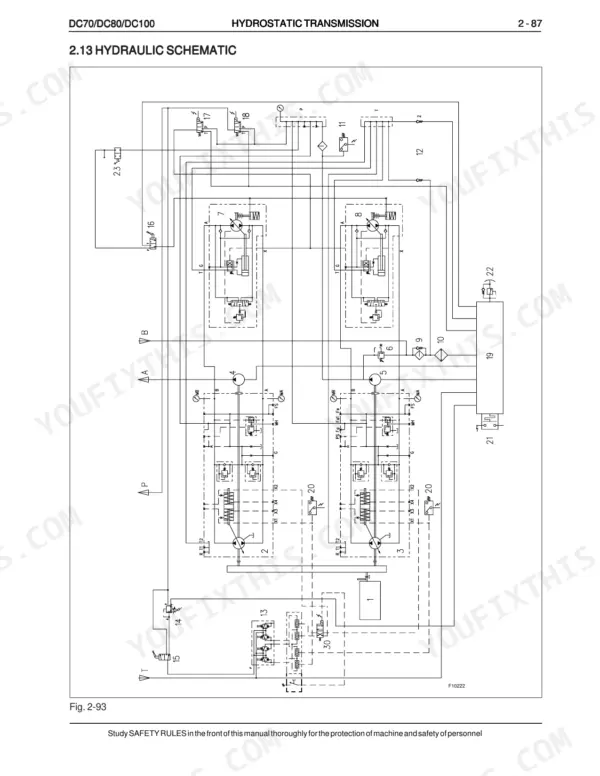
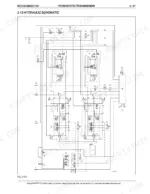
  • Hydraulic Schematics
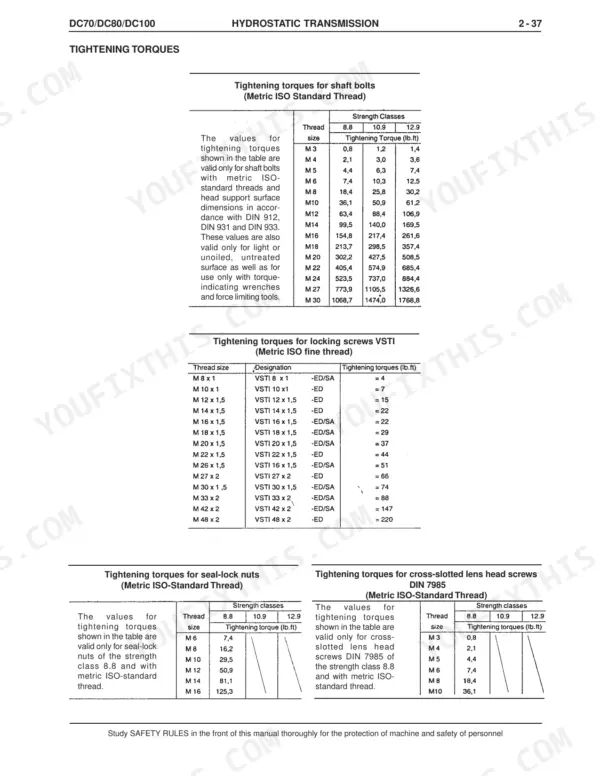
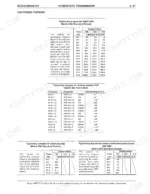
  • Torque Specs
  • Bookmarks
Preview Sample Pages (PDF)
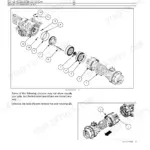
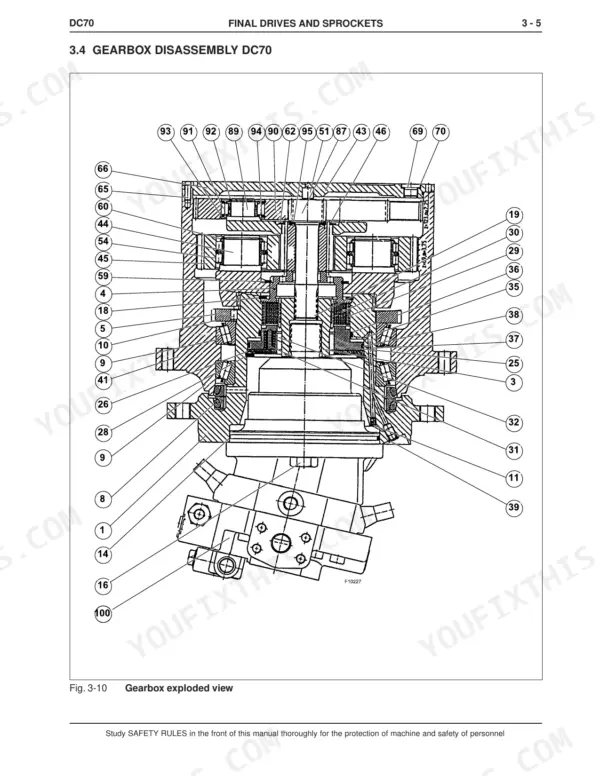
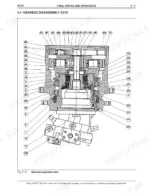
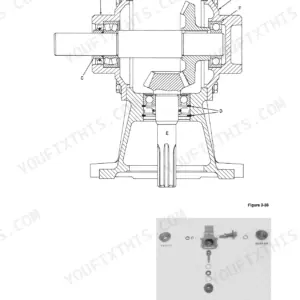
New Holland DC70, DC80, DC100 gearbox exploded view diagram for final drive disassembly.
New Holland DC70, DC80, DC100 Crawler Dozer Service Manual (incl. Wiring) $24.95

Instant Download 24/7

  • Works on PC, Mac, tablet, and phone.
  • Download once, keep forever


Guaranteed Safe Checkout
Visa Mastercard PayPal Apple Pay Google Pay

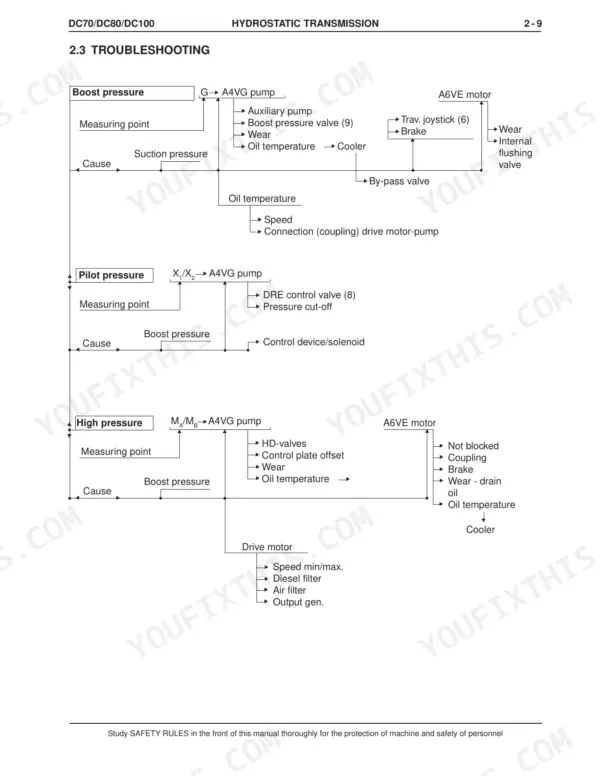
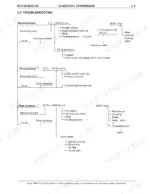
This 310-page New Holland DC70, DC80, and DC100 Crawler Dozer Service Manual (OEM #75131001) covers the LGP variants too, breaking down the hydrostatic transmission, final drives, and undercarriage from the ground up. Open it and you get the electrical system diagram with full wiring layouts, hydraulic schematics for the lifting, angle, and tilt cylinder circuits, and a troubleshooting section that walks you through the travelling hydraulic pump and solenoid valves step by step. Set your boost pressure to 20 bar (290 PSI) at idle and 33 bar (478 PSI) at max engine speed, and keep gearbox oil under 90-95°C during intermittent runs. No more chasing a hydrostatic drive that keeps overheating with guesswork and a heat gun. Bookmarked by section so you can jump straight from Undercarriage to Electrical without hunting, this PDF opens on your laptop or phone right at the machine.

What's Inside This New Holland DC70, DC80, DC100 Manual

SystemPagesKey Topics
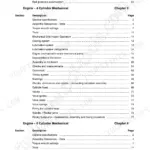
Generalities7-52Safety Rules, Technical Data Tables, General Instructions, Diagnostic Checks, Units of Measure
Engine53Manufacturer's Manual Reference
Hydrostatic Transmission55-144General Description, Installation, Troubleshooting, Hydraulic Motor, Travelling Hydraulic Pump, Solenoid Valves
Final Drives and Sprocket145-198Description, Disassembly, Sprocket Inspection, Gearbox Disassembly, Brake Check, Gearbox Lubrication, Hydraulic Motor
Undercarriage199-246General Description, Troubleshooting, Track Chains, Track Release and Adjuster Mechanism, Track Idler Wheels, Track Bottom Rollers, Track Carrier Rollers
Hydraulic System for Bulldozer Equipment247-288Description and Operating, Lifting Cylinder System, Angle Cylinder System, Tilt Cylinder System, Distributor, Pump, Solenoid Valves, C-Frame
Electrical System289-309Safety Rules, Main Parts Location, Electrical System Diagram, Fuses, Microprocessor MC7, Control Panel, Rotation Angle Sensor

Quick Reference Specifications

SpecificationValuePage
All Models
Nominal boost pressure at engine idle speed20 bar / 290 PSIp. 122
Peak boost pressure at engine max. speed33 bar / 478 PSIp. 122
Max. oil temperature for pump coupler105° C / 221° Fp. 134
Max. oil temperature for gearbox (intermittent)90-95°C / 194-203°Fp. 186
Engine Oil Capacity10 Lp. 40
Radiator Cap Pressure0.75 bar / 75 kPap. 24
Max. Towing Speed2 km/h / 1.24 miles/hp. 123
DC70
Gearbox Oil Capacity3 L / 0.78 gallonsp. 186
Track Chain Master Link Torque150 Nm / 110 ft-lbp. 205
DC80/DC100
Gearbox Oil Capacity4.5 L / 1.18 gallonsp. 186
DC80
Track Chain Master Link Torque250 Nm / 180 ft-lbp. 206
DC100
Track Chain Master Link Torque350 Nm / 252 ft-lbp. 207

New Holland DC70, DC80, DC100 Common Problems This Manual Covers

New Holland DC80 hydrostatic drive loses propulsion completely, machine won't move under power

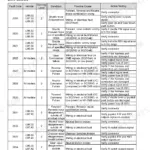
Check the hydrostatic transmission troubleshooting chart. Test boost pressure at engine idle; it should read 20 bar (290 PSI) and climb to 33 bar (478 PSI) at max engine speed on page 122. If pressure is low or absent, pull the drive motor and inspect the rotor distributor assembly for scoring or wear, this is the most common cause of total propulsion loss and usually means the rotating group needs replacement.

Manual Section: Hydrostatic Transmission Troubleshooting
Track drive shifts erratically or suddenly loses power to one track under load

Drain a sample of hydrostatic fluid and check for contamination or metal fines before doing anything else. Refer to the troubleshooting procedures to isolate whether the fault is pump-side or motor-side. If flow is inconsistent, run the hydraulic pump flow test described and compare output against a known-good side; a worn pump or motor bearing will show up as flow that falls off under load.

Manual Section: Hydrostatic Transmission Troubleshooting
Hydrostatic drive overheats repeatedly and triggers thermal shutdown during operation

Shut down and let the system cool, then check the cooling circuit for debris packed against the heat exchanger fins. Pump coupler oil temperature is rated to a max of 105° C (221° F) on page 134, and gearbox oil should not exceed 90-95° C (194-203° F) intermittently per page 186. If temps climb past these limits repeatedly, clean the cooler core and verify fan blades are not cracked or loaded with debris before returning to service.

Manual Section: Hydrostatic Transmission p. 134
Insufficient traction or pulling force even though engine runs fine

Verify boost pressure first using the commissioning checks; low boost pressure starves the drive motor and mimics a traction problem. Also inspect the undercarriage for elongated pin holes or worn bushings per the major malfunction list on page 204, since stretched track chain robs pulling force just as easily as a hydraulic fault does.

Manual Section: Undercarriage Major Malfunctions p. 204
Track chain wears unusually fast or master link keeps loosening

Check track tension against the adjustment procedure on page 214 first; a chain running too loose or too tight accelerates wear on pins and bushings. When reinstalling a master link on a DC80, torque it to 250 Nm (180 ft-lb) with lubrication per page 206; DC70 units call for 150 Nm (110 ft-lb) on page 205. Under-torquing the master link is a common reason it walks loose again within a few hours of operation.

Manual Section: Track Chain Tension Inspection and Adjustment p. 214
Engine RPM sensor reads incorrectly, causing hunting idle or throttle response lag

Inspect the revolution sensor mounting for a bent bracket or debris in the gap first. Set the mechanical air gap to 0.5 mm (0.19 in) per the adjustment spec on page 309, then check the electrical output voltage matches spec at that gap. If readings still drift, run the electronic control unit self-learning reset covered on page 302 to relearn the throttle lever position.

Frequently Asked Questions

How to reset error codes on New Holland DC70, DC80, DC100 dozers?

The manual describes a "self-learning" procedure for the electronic control unit, which is performed for malfunctioning due to engine revolutions/hydraulic power settings or part replacements. This involves disconnecting power controls, starting the engine, pushing the throttle forward, waiting for a warning light to blink, then gradually pulling the throttle back within 30 seconds until max engine speed is reached, and finally releasing the switch. p. 302

How to reset hydraulic system on New Holland DC70 LGP dozer?

To reset the hydraulic system, adjust the mechanical "zero position" by connecting manometers to MA and MB and ensuring both indicate the same pressure value. For boost pressure, connect a manometer to "G" to "P" inlet manifold and adjust the nominal pressure to 20 bar / 290 PSI at engine idle speed, and peak pressure to 33 bar / 478 PSI at engine max. speed. p. 121

How to reset hydraulic pressure on New Holland DC80 LGP?

To reset the hydraulic pressure, connect a manometer to the "G" to "P" inlet manifold and adjust the nominal pressure to 20 bar / 290 PSI at engine idle speed. The peak pressure should be set to 33 bar / 478 PSI at engine max. speed. p. 122

How to reset engine fault on New Holland DC100?

The manual describes a "self-learning" procedure for the electronic control unit, which is performed for malfunctioning due to engine revolutions/hydraulic power settings or part replacements. This involves disconnecting power controls, starting the engine, pushing the throttle forward, waiting for a warning light to blink, then gradually pulling the throttle back within 30 seconds until max engine speed is reached, and finally releasing the switch. p. 302

What format is this New Holland DC70–DC100 Series manual in?

Instant PDF download. You get the full 310-page searchable Service Manual immediately after payment. Open it on your laptop, tablet, or phone right in the shop.

Can I print this New Holland DC70–DC100 Series manual?

No restrictions at all. Print individual pages, full chapters, or the entire manual. The PDF is completely unlocked.

Can I find wiring schematics in this New Holland DC70–DC100 Series manual?

Yes, this New Holland DC70–DC100 Series Service Manual includes complete electrical wiring diagrams, wire routing, and connector pinouts.

BrandNew Holland
ModelDC70, DC70 LGP, DC80, DC80 LGP, DC100, DC100 LGP
Machine TypeCrawler Dozer
Manual TypeService Manual
LanguageEnglish
FormatSearchable PDF (Digital Download)
Pages310
File Size15 MB
Manual No.75131001
Serial RangeDC70 13041068-up, DC70 LGP 13045016-up, DC80 13141056-up, DC80 LGP 13145096-up, DC100 13111002-up, DC100 LGP 13115001-up
Wiring DiagramsYes
Hydraulic SchematicsYes
Torque SpecificationsYes
Bookmarked / IndexedYes

Reviews

There are no reviews yet.

Be the first to review “New Holland DC70, DC80, DC100 Crawler Dozer Service Manual (incl. Wiring)”

Your email address will not be published. Required fields are marked *