
Need the factory operating reference for your Kubota M6040, M7040, M8540, or M9540? All 45 pages of this Kubota M7040 Operator Manual PDF cover four models in one document, from first start to field work. You get 10 pages of safety procedures covering slope operation, PTO hazards, and road travel, plus 6 pages breaking down every instrument panel control: shuttle shift lever, brake pedal, LCD monitor, PTO clutch controls, and remote hydraulic valve levers. Twelve pages of operating procedures walk you through starting sequences, PTO engagement, 3-point hitch setup, and drawbar configuration. Change your hydraulic oil filter every 300 hours and your fuel filter every 400 hours; front wheel bolts torque to 260-304 N-m, rear to 343-402 N-m (M8540 and M9540). Every hour your tractor sits idle costs you money. Download now, bookmark any section, and get back to work.
What's Inside This Kubota M6040–M9540 Series Operator Manual
| System | Pages | Key Topics |
|---|---|---|
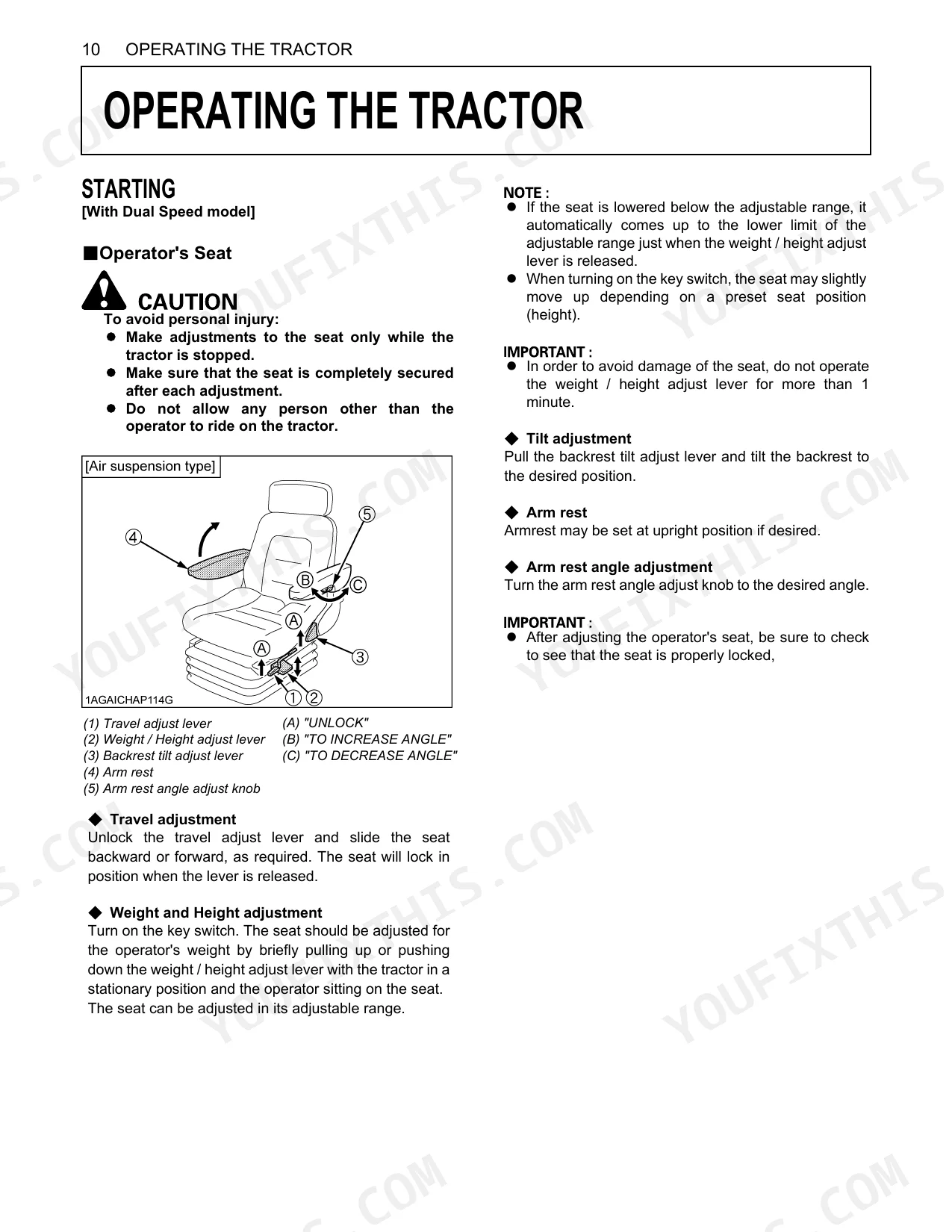
| Safe Operation | 5-14 | Before Operating The Tractor, Seat Belt, Working, Starting, Safety For Children, Operating On Slopes, Driving The Tractor On The Road, Parking The Tractor |
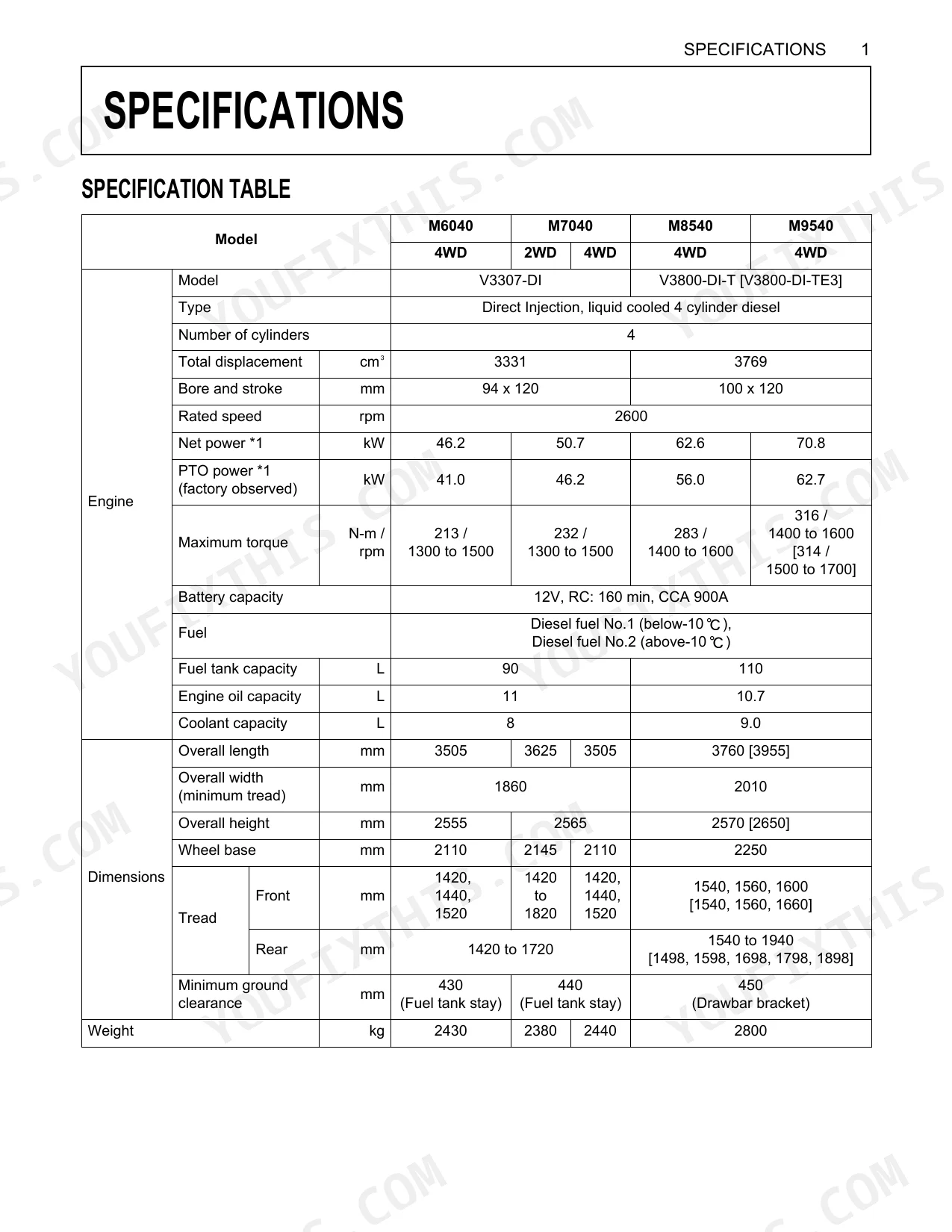
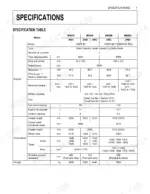
| Specifications | 15-17 | Specification Table, Engine, Dimensions, Weight, Traveling System, Traveling Speeds, Transmission Type |
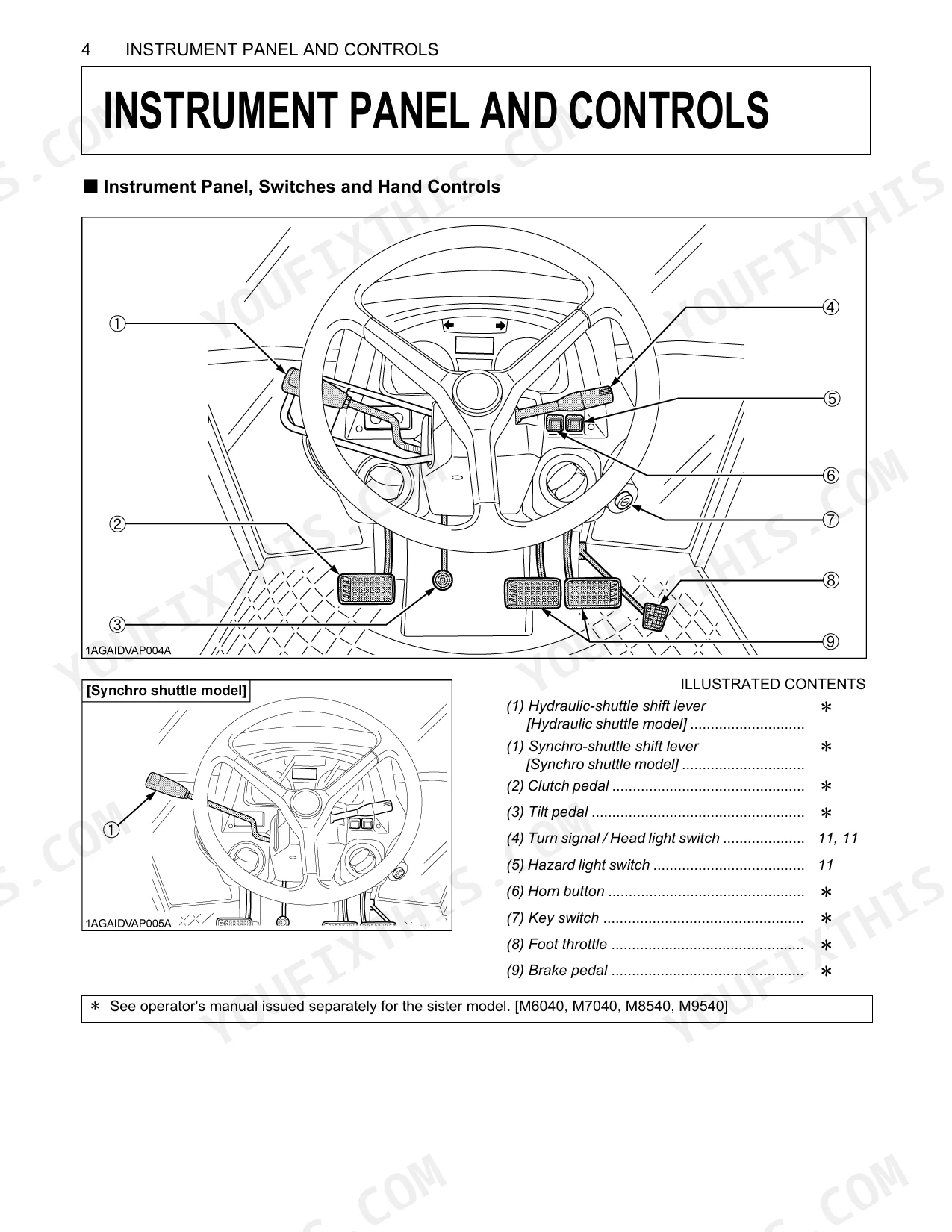
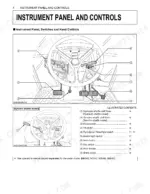
| Instrument Panel and Controls | 18-23 | shuttle shift lever, gear shift levers, brake pedal, clutch pedal, LCD monitor, indicators, PTO controls, remote control valve lever |
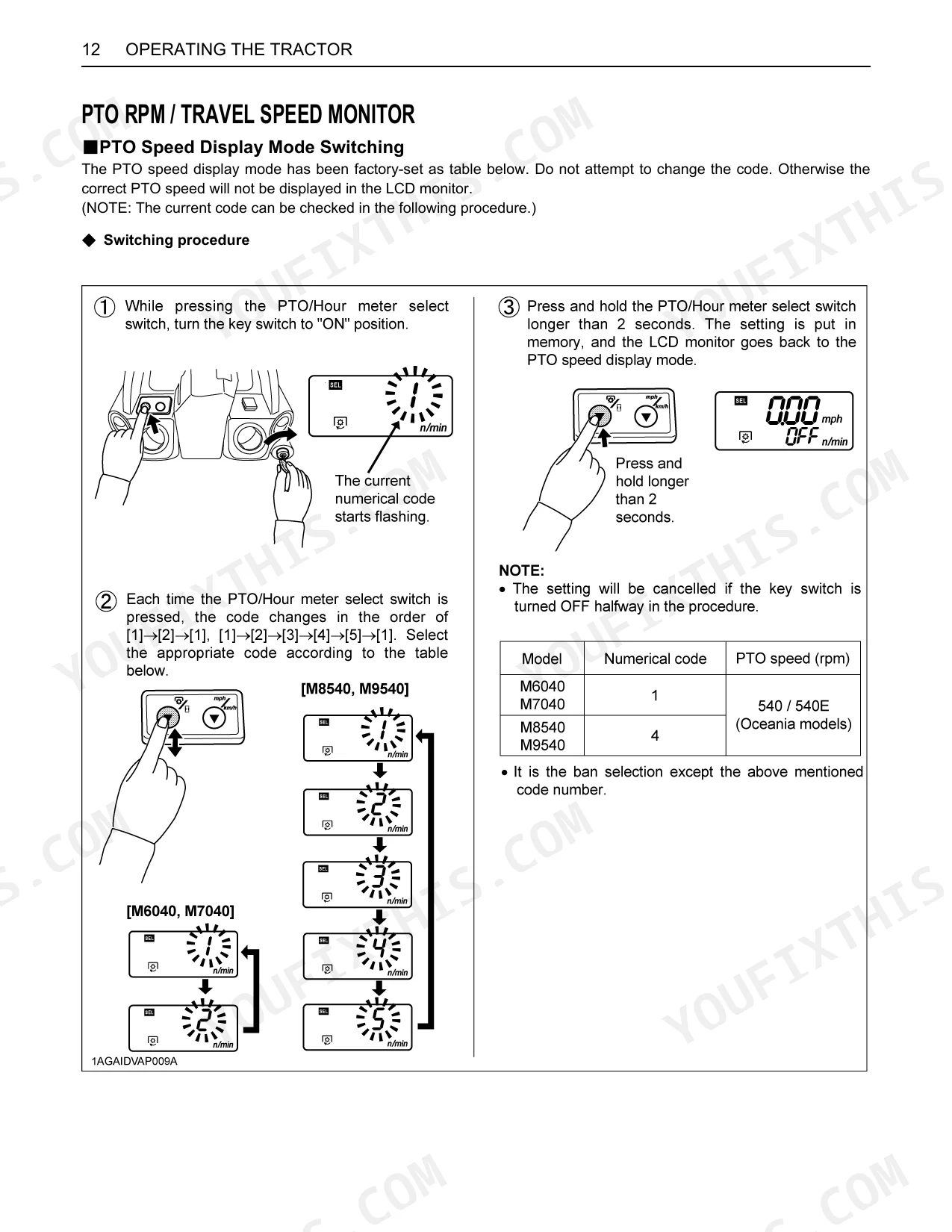
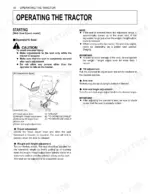
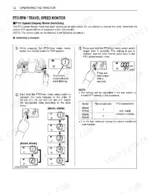
| Operating the Tractor | 24-28 | Starting, PTO RPM / Travel Speed Monitor, Parking, Operating Techniques |
| PTO | 29-31 | PTO Operation, PTO Gear Shift Lever, PTO Clutch Control Lever, PTO Clutch Control Switch, PTO Clutch Indicator, To Turn Off, LCD Monitor Message |
| Point Hitch & Drawbar | 32-33 | 3-Point Hitch, Remote Hitch Up / Down Lever, Drawbar, Drawbar Length, Pivot Pin, Swing Drawbar |
| Hydraulic Unit | 34-35 | Remote Hydraulic Control System, Remote Control Valve Lever, Remote Control Valve, Remote Control Valve Lever With Double Acting Valve |
| Tires, Wheels and Ballast | 36-38 | Tires |
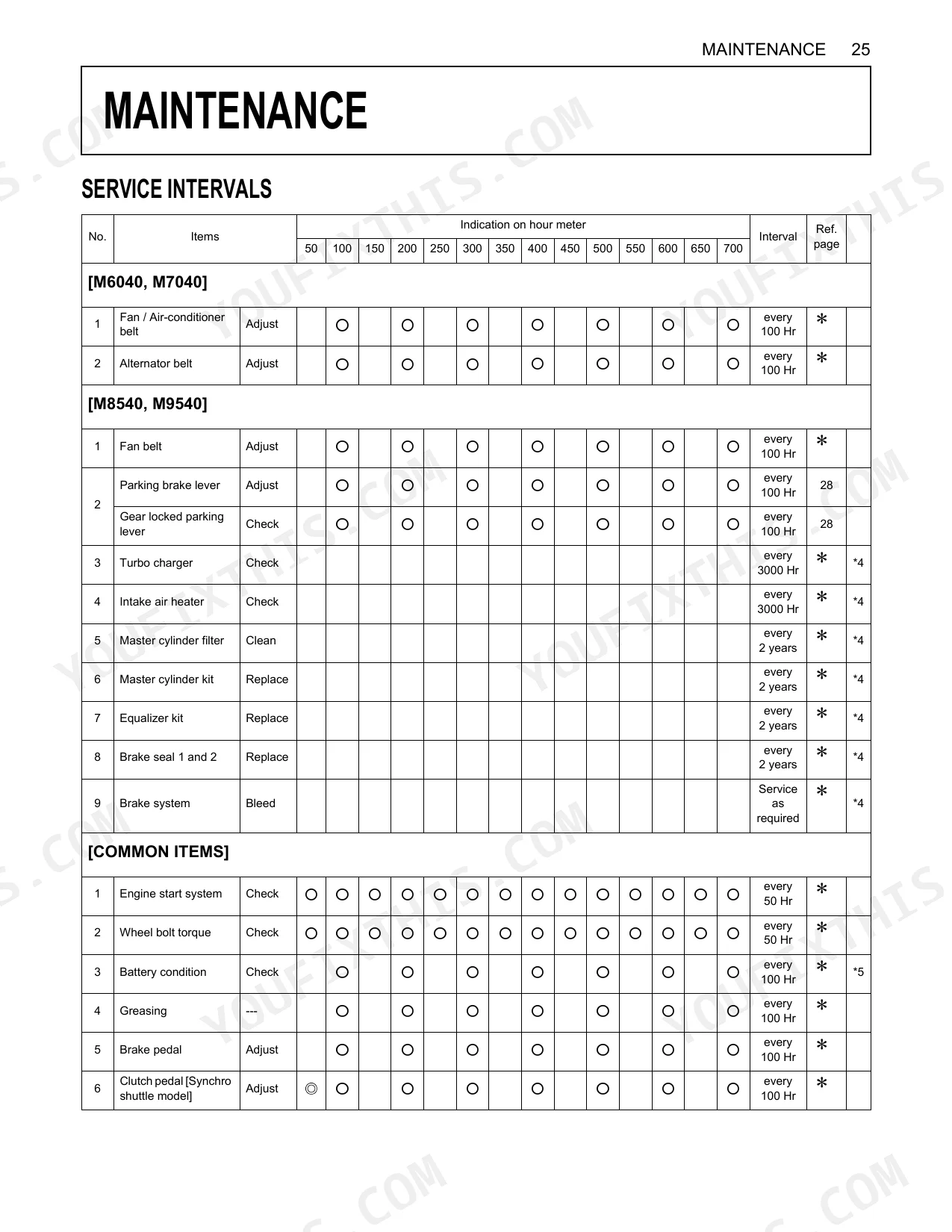
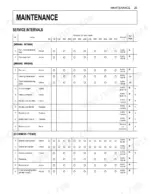
| Maintenance | 39-44 | Service Intervals, Periodic Service, Every 100 Hours, Parking Brake Lever, Checking Gear Locked Parking Lever, Service As Required, Replacing Fuse, Replacing Light Bulb |
| Options | 45 | Double Acting Remote Hydraulic Control Valve With Detents And Self-Cancelling, Flow Control Valve Kit |
Quick Reference Specifications
| Specification | Value | Page |
|---|---|---|
| M8540, M9540 | ||
| Rear wheel bolt torque (wheel to hub) | 343 to 402 N-m (35.0 to 41.0 kgf-m) | p. 38 |
| Front wheel bolt torque | 260 to 304 N-m (26.5 to 31 kgf-m) | p. 37 |
| Hydraulic pump capacity | 64.3 L/min | p. 16 |
| All Models | ||
| Hydraulic oil filter replacement interval | every 300 Hr | p. 40 |
| Fuel filter replacement interval | every 400 Hr | p. 40 |
| Battery capacity | 12V, RC: 160 min, CCA 900A | p. 15 |
| Battery specifications | 105E41R 12V, AMP. HR (5HR) 80, AMP. HR (20HR) 100, RESERVE CAPACITY (MIN) 160, BCI CCA 900, EN CCA 800 | p. 11 |
| Rated Engine Speed | 2600 rpm | p. 15 |
| M6040, M7040 | ||
| Hydraulic pump capacity | 41.6 L/min | p. 16 |
| Fuel Tank Capacity | 90 L | p. 15 |
| Engine Oil Capacity | 11 L | p. 15 |
| Max. 3-Point Hitch Lifting Force (lower link end) | 1900 kg | p. 16 |
Kubota M6040–M9540 Series Common Problems This Manual Covers
Kubota M6040 tractor will not start or turns over slowly in cold weather. p. 11
Check the battery specifications on page 11. Verify the replacement battery meets the required 900 CCA and 160 minutes reserve capacity. Inspect the terminals for corrosion, then verify the main system fuse on page 42 is intact before attempting another cold start.
Manual Section: MaintenanceRemote hydraulic attachments feel weak, sluggish, or unresponsive during normal daily operation. p. 16
Test the remote hydraulic system performance. Check the fluid level and ensure the pump delivers the rated 41.6 L/min capacity for M6040 and M7040 models. Replace the hydraulic oil filter every 300 Hr as outlined in the maintenance intervals on page 39.
Manual Section: MaintenanceHydraulic remote couplers leak fluid or are extremely difficult to connect when swapping implements. p. 9
Stop the engine and relieve system pressure before disconnecting hydraulic lines, as instructed on page 9. Verify the hydraulic system pressure does not exceed 19.1 MPa for M6040 and M7040 models (page 16). Inspect remote control valve couplers (page 20, 21, 23) for damage or wear.
Manual Section: Safe OperationFront axle noise or vibration when driving at travel speeds on hard surfaces. p. 36
Inspect the front wheel hardware and bearings. Torque the front wheel bolts to 260 to 304 N-m using a calibrated wrench. Review the tire inflation guidelines on page 36 to ensure the front 6.50-16 tires are correctly inflated to exactly 320 kPa.
Manual Section: Tires, Wheels and BallastFrequently Asked Questions
How do I reset the Kubota M6040/M7040/M8540/M9540 warning light or fault code?
The manual describes a specific warning light for the air cleaner. If the air cleaner indicator lamp (11) on the instrument panel comes on, it indicates a clogged air cleaner. To address this, the air cleaner element should be cleaned, as detailed in the "Cleaning Air Cleaner Primary Element" section under "EVERY 100 HOURS" in "PERIODIC SERVICE".
Why won’t my Kubota M8540 start with the key and how do I reset the starter circuit?
The tractor engine will not start if the PTO clutch control switch is in the engaged "ON" position. Ensure the PTO clutch control lever is in the "OFF" position before attempting to start the engine.
What are the replacement specifications for Hydraulic filters?
The hydraulic oil filter should be replaced every 300 hours according to the "SERVICE INTERVALS" table. For further details or specific replacement parts, it is recommended to consult your local KUBOTA Dealer.
How quickly can I access this Kubota M6040–M9540 Series manual after buying?
Immediate download of the complete 45-page searchable Operator Manual. Access it on any device — laptop at your desk or phone in the field.
Are there any print restrictions on this Kubota M6040–M9540 Series manual?
Absolutely. No DRM or copy protection. Print the whole manual or just the pages you need. Any home or office printer works.
Document Quality
This document is a scanned PDF with an OCR layer, allowing you to search and copy text. The text quality is consistently crisp and easy to read across all pages. Diagrams and illustrations are raster images, but they are clear, and all labels are readable. The pages are clean, showing no scan artifacts, stains, marks, or skew. There are no notable blank or filler pages present.
Reviews
There are no reviews yet.