
Part of the Kubota Repair Manuals.
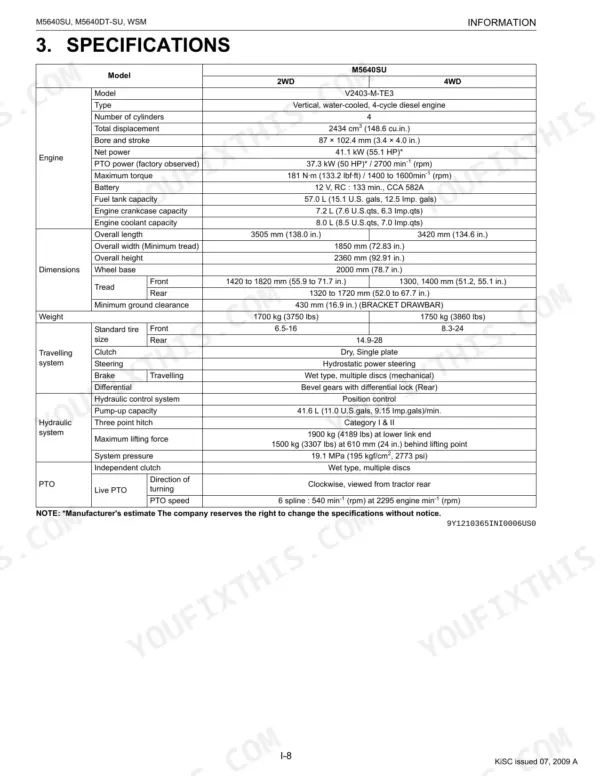
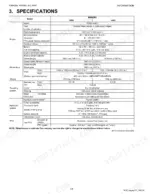
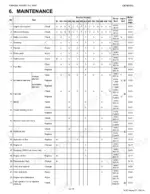
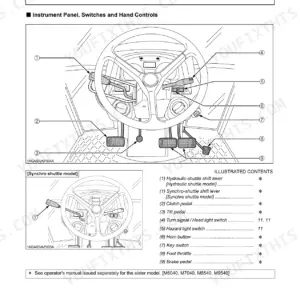
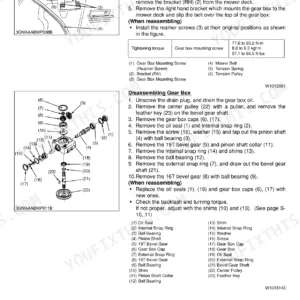
This Kubota workshop manual covers the M5640SU and M5640DT-SU utility tractors, both built around the V2403-M-TE3 diesel engine. Across 358 pages it walks servicing personnel through the mechanism, adjustment, and full repair of every major system on these machines.
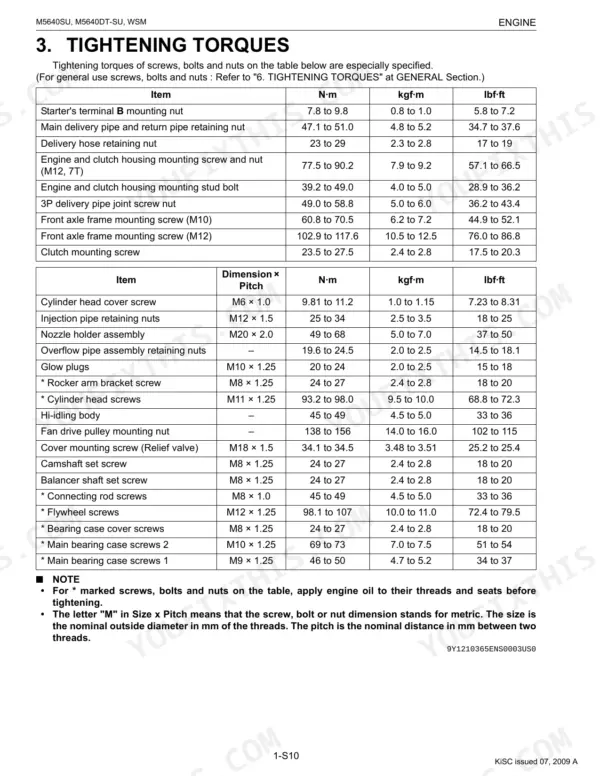
Sections run from engine teardown and clutch service to the transmission, rear and front axle, brakes, steering, hydraulics, and the complete electrical system with wiring diagrams. Each area carries troubleshooting charts, servicing specifications, and tightening torques, so you can diagnose a fault and rebuild to factory figures.
Whether you are chasing a no-start, fixing sluggish hydraulics, or setting valve clearance, this PDF gives you the same information Kubota supplies its dealer technicians. It is a repair-level document, not a basic operator guide, aimed at owners and independent mechanics doing their own work.
What's Inside This Kubota M5640SU, M5640DT-SU Manual
| System | Pages | Key Topics |
|---|---|---|
| I Information | 3-14 | |
| G General | 15-83 | Tractor Identification, General Precautions, Handling Precautions for Electrical Parts and Wiring, Lubricants, Fuel and Coolant, Tightening Torques, Check and Maintenance |
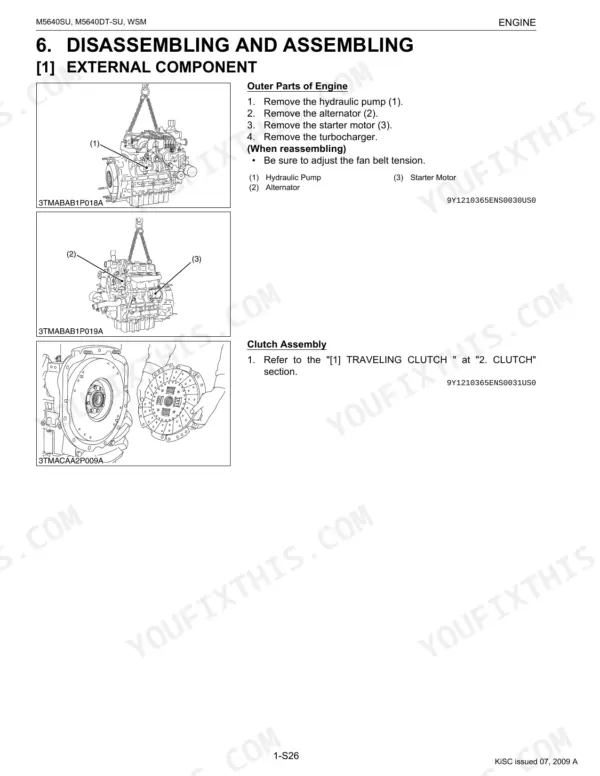
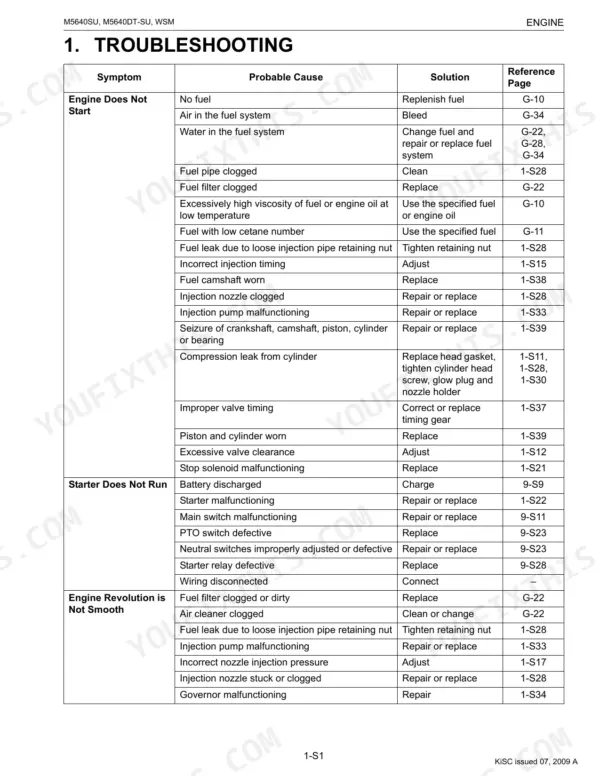
| Engine | 84-149 | EGR (Exhaust Gas Recirculation) System, EGR Valve, EGR Cooler, Engine Body, Lubricating System, Cooling System, Fuel System, Turbocharger |
| Clutch | 150-176 | Travelling Clutch, PTO Clutch, Clutch Pedal, Clutch Disc, Diaphragm Spring, Pressure Plate, PTO Clutch Valve, PTO Clutch Pack |
| Transmission | 177-213 | 4WD Model, 2WD Model, Traveling System, PTO System, Shift Linkage Mechanism, Four Wheel Drive Section |
| Rear Axle | 214-225 | Planetary Gear, Rear Axle Nut, Rear Axle Cover |
| Brakes | 226-236 | Brake Shaft, Brake Plate, Brake Disc, Cam Plate, Brake Cam, Brake Cam Lever, Brake Pedal, Brake Pedal Shaft |
| Front Axle | 237-264 | Front Wheel, Differential Case, Pinion Shaft, Spiral Bevel Pinion Shaft, Bevel Gear, Front Axle Cover, Front Gear Case |
| Steering | 265-284 | Steering Mechanism, Steering Controller, Power Steering Hydraulic Pump, Steering Cylinder (4WD Model), Steering Cylinder (2WD Model) |
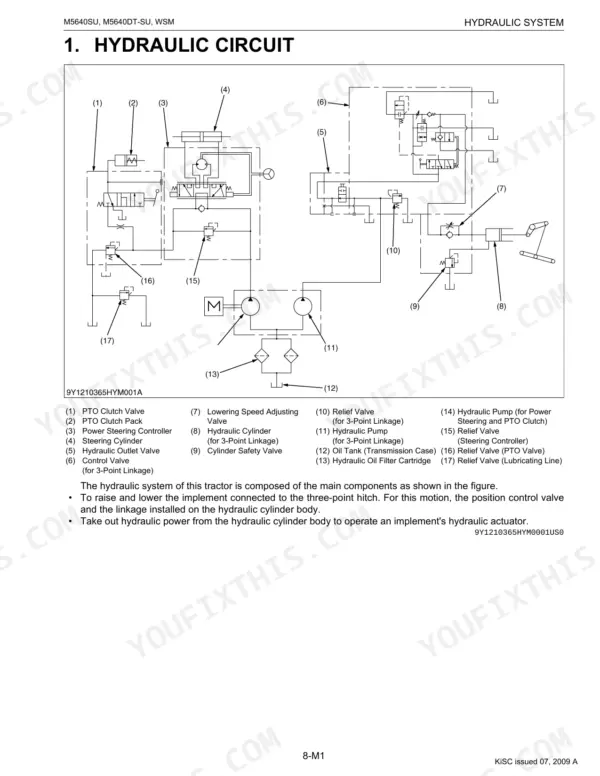
| Hydraulic System | 285-308 | Hydraulic Circuit, Hydraulic Pump, Relief and Safety Valve, Position Control Linkage, Hydraulic Cylinder, Position Control |
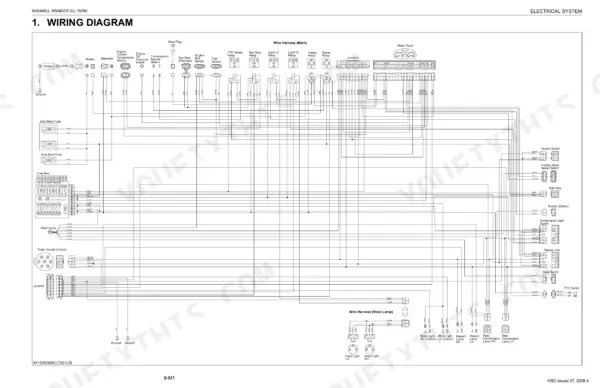
| Electrical System | 309-358 | Wiring Diagram, Starting System, Charging System, Lighting System, Meter Panel, Opc (Operator Presence Control) |
Documents This Manual Refers To
The manufacturer cites these publications by number. We carry them:
Quick Reference Specifications
| Specification | Value | Page |
|---|---|---|
| M5640SU, M5640DT-SU (4WD model) | ||
| Front wheel mounting nut (4WD) | 168 to 196 N·m (17.1 to 20.0 kgf·m, 124 to 145 lbf·ft) | p. 36 |
| M5640SU, M5640DT-SU (2WD model) | ||
| Front axle mounting bolt (2WD) | 124 to 147 N·m (12.6 to 15.0 kgf·m, 91.5 to 108.9 lbf·ft) | p. 75 |
| All Models | ||
| Cylinder head screws | 93.2 to 98.0 N·m (9.5 to 10.0 kgf·m, 68.8 to 72.3 lbf·ft) | p. 98 |
| M10 (7T) general use screws, bolts and nuts | 48 to 55 N·m (4.9 to 5.7 kgf·m, 36 to 41 lbf·ft) | p. 28 |
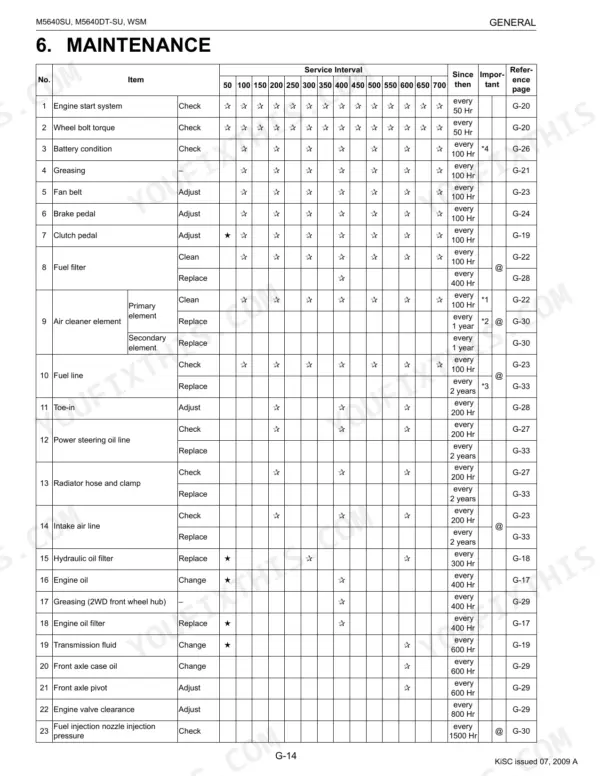
| Fuel filter replacement interval | every 400 Hr | p. 30 |
| Engine oil filter replacement interval | every 400 Hr | p. 30 |
| Engine oil filter tightening | Tighten the filter quickly until it contacts the mounting surface. Tighten filter by hand an additional 1/2 turn only. | p. 33 |
| Hydraulic oil filter replacement interval | every 300 Hr | p. 30 |
| Hydraulic oil filter tightening | Tighten filter by hand an additional 1/2 turn only. | p. 34 |
| Air cleaner primary element cleaning interval | every 100 Hr | p. 30 |
| Air cleaner primary element replacement interval | every 1 year | p. 30 |
| Radiator cap pressure fall time | More than 10 seconds for pressure fall from 88 to 59 kPa (from 0.9 to 0.6 kgf/cm², from 13 to 9 psi) | p. 102 |
Kubota M5640SU, M5640DT-SU Common Problems This Manual Covers
Engine cranks but will not start
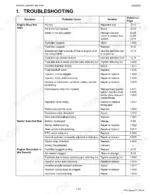
Air in the fuel system, clogged filters, or an injection fault often keeps these tractors from firing. The Engine section provides troubleshooting charts and the servicing specifications needed to work through fuel delivery step by step.
Manual Section: 1 Engine p. 84Slow or weak hydraulics
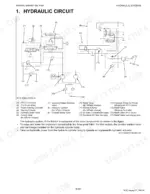
Loss of lift speed or three point hitch response usually traces to low or contaminated fluid, a clogged filter, or a worn pump or relief valve. The Hydraulic System section covers the circuit, pump, and relief and safety valve.
Manual Section: 8 Hydraulic System p. 285Transmission hesitation or loss of drive
Hesitation, lost drive, or unusual noise can come from oil condition, linkage adjustment, or internal wear. The Transmission section gives troubleshooting, servicing specifications, and disassembly and assembly procedures.
Manual Section: 3 Transmission p. 177PTO does not engage or slips
A PTO that will not engage or slips under load points to clutch linkage adjustment or a worn clutch pack. The Clutch section covers adjustment, servicing specifications, and rebuild of the clutch assembly.
Manual Section: 2 Clutch p. 150Overheating under load
Low coolant, a blocked radiator, a fan belt problem, or a faulty thermostat can push engine temperature up under load. The Engine section includes the checking and adjusting procedures for the cooling components.
Manual Section: 1 Engine p. 84No start from a safety switch or interlock
A no-crank condition can come from the operator presence control or a starting circuit fault rather than the engine itself. The Electrical System section covers the wiring diagram, starting system, and OPC.
Manual Section: 9 Electrical System p. 309Frequently Asked Questions
Which tractors does this manual cover?
It covers the Kubota M5640SU and M5640DT-SU tractors, both powered by the V2403-M-TE3 diesel engine.
Is this a workshop manual or an operator manual?
This is a workshop, or service-level, manual. It covers the mechanism, servicing, and maintenance across the engine, clutch, transmission, axles, brakes, steering, hydraulics, and electrical systems, not just basic operation.
Does it include cylinder head and torque specifications?
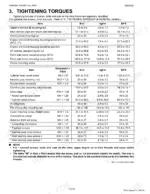
Yes. The Engine section lists servicing specifications and tightening torques, including the cylinder head screws, so you can rebuild to factory figures. p. 84
Are wiring diagrams included?
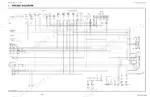
Yes. The Electrical System section includes the wiring diagram along with the starting, charging, lighting, and meter panel systems. p. 309
How quickly can I access this manual after buying?
It's a 358-page searchable PDF, and it downloads the moment you buy. Read it on a phone, tablet, or shop PC while you're under the hood. No shipping, no waiting.
Can I print specific sections of this manual?
Yes. Printing works from any reader and any printer, for your own shop use.
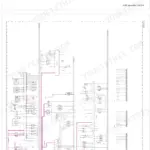
Does this Kubota M5640SU manual show the machine's wiring?
Yes. You'll find full electrical schematics with wire routing diagrams, connector identification, and circuit descriptions.




Reviews
There are no reviews yet.