
Part of the Kubota Repair Manuals.
This Kubota U35 and U35-3 workshop manual is the factory service documentation for these compact excavators, both built around the D1503-M-EBH diesel engine. It runs 273 pages and moves from body and engine identification, maintenance intervals, and fluid quantities through full disassembly and assembly of every major system.
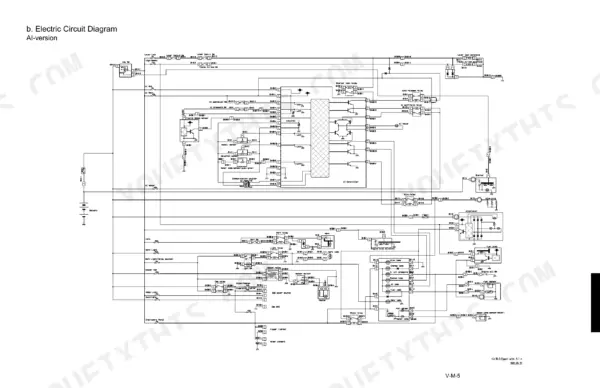
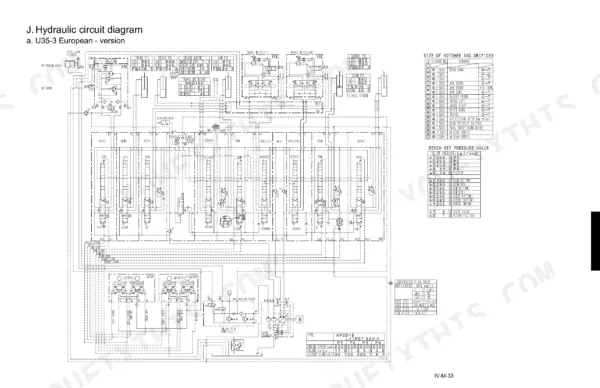
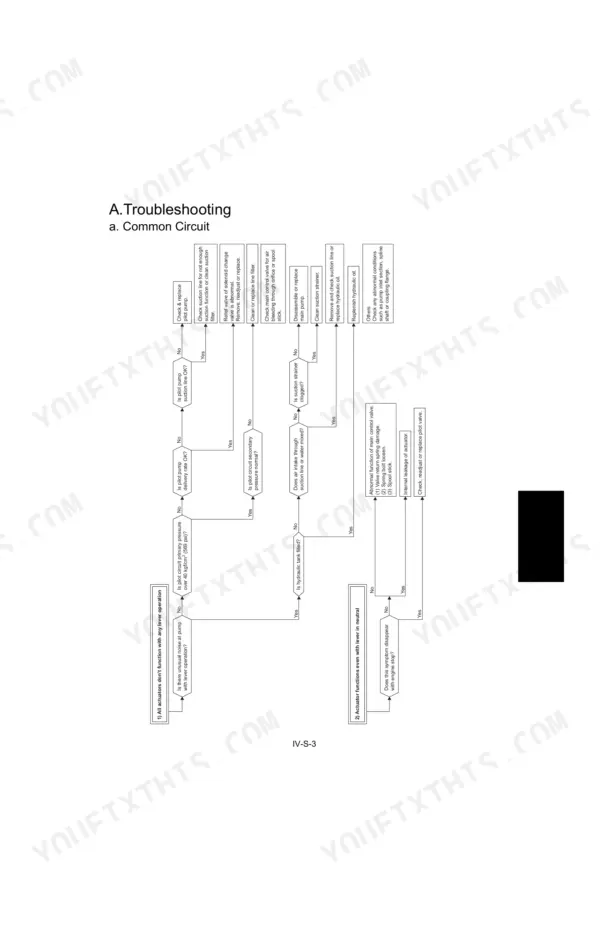
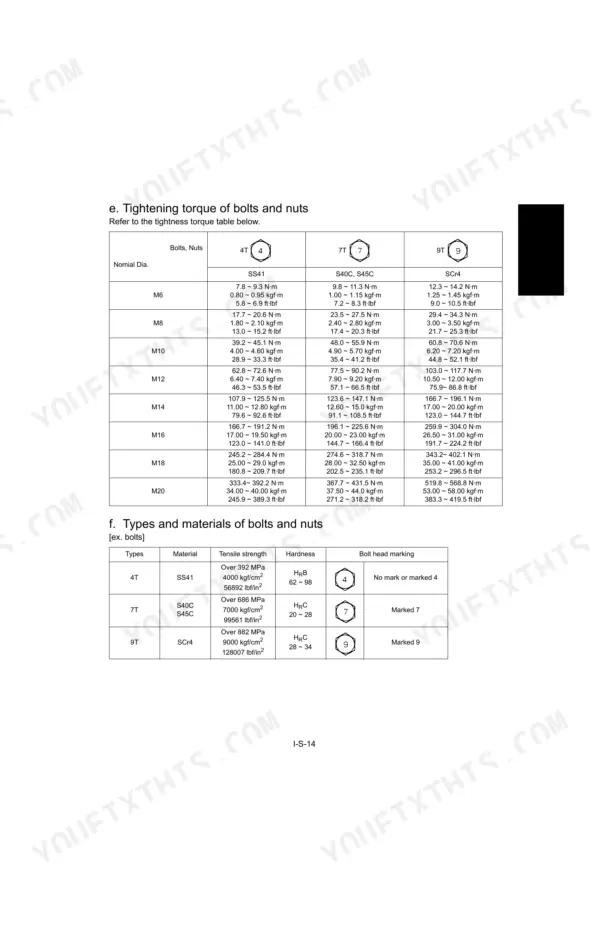
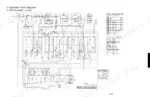
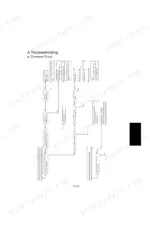
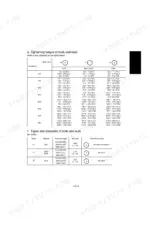
The book is split into mechanism and service sections for the machine body, engine, hydraulic system, and electrical system. You get hydraulic circuit diagrams, main pump and control valve specifications, electric circuit and wiring diagrams, tightening torque tables, and step by step troubleshooting flow charts.
Owners, independent mechanics, and restorers can use it to chase a crank but no start fault, rebuild the hydraulic pump or control valve, replace cab glass or a swivel bearing, service the undercarriage, or trace a wiring problem to its source. It is a downloadable PDF you can search on any device or print.
What's Inside This Kubota U35, U35-3 Manual
| System | Pages | Key Topics |
|---|---|---|
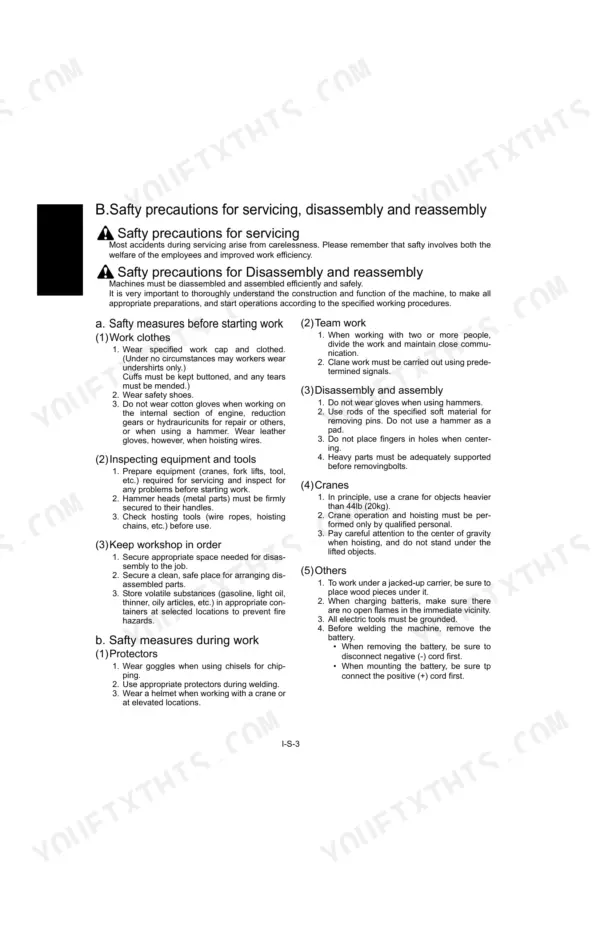
| General | 4-28 | Body and Engine Identification Marks, Safty Precautions for Servicing, Important Safty Process and Critical Functional Process, Maintenance Intervals, Water and Oil Quantity |
| Machine body(Mechanism Section) | 29-40 | Front Attachment, Greasing Points, Component Interchangeability, Bucket Interchangeability, Arm, Installing Direction of Dust Seal |
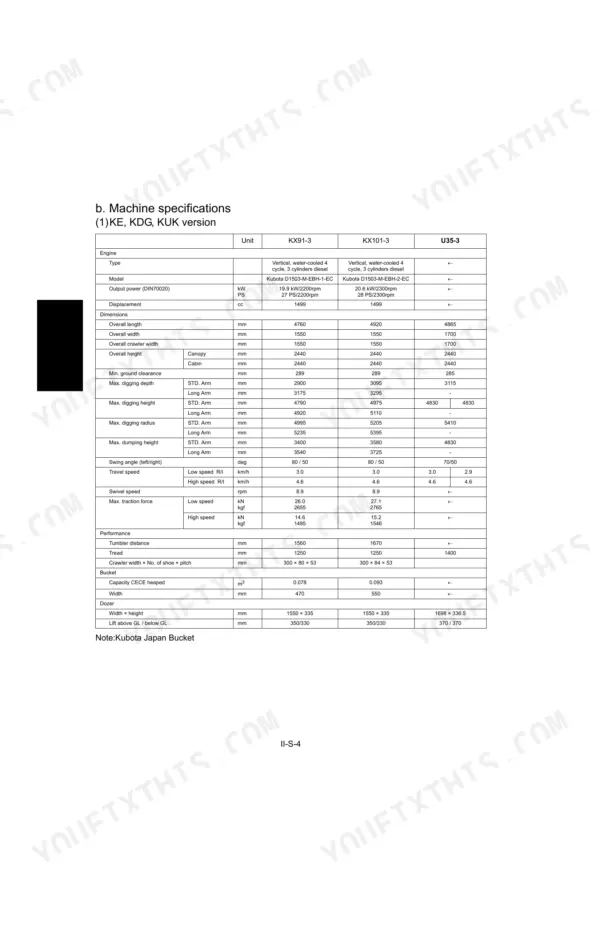
| Machine body(Service Section) | 41-92 | Specifications, Front Attachment, Upper Structure, Swivel Bearing Installation, Cab Glass Replacement Procedure, Under Carriage |
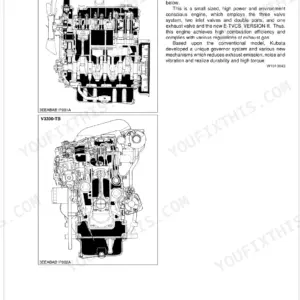
| Engine | 93-102 | Engine Mount, Radiator, Muffler, Pump Coupling, Fuel Hoses, Engine Overhaul |
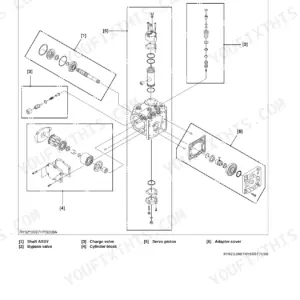
| Hydraulic system(Mechanism Section) | 103-138 | Features of Hydraulic System, Hydraulic System Specifications, Main Pump, Control Valve, Pilot Valve, Hydraulic Circuit Diagram |
| Hydraulic system(Service Section) | 139-190 | Troubleshooting, Specifications, Testing Instruments & Special Tools, Pump Flow, Pilot Pressure, Disassembling and Assembling |
| Electrical system(Mechanism Section) | 191-200 | A. Components and Harness Layout : U35, U35-3, B. Electric Circuit Diagram, C. Electric Wiring Diagram |
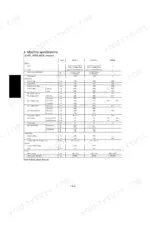
| Electrical system(Service Section) | 201-273 | Electrical Equipment Specifications, Wire Harness Installation, Troubleshooting, Troubleshooting Flow Chart, Engine Electrical System, Auto Idle System |
Quick Reference Specifications
| Specification | Value | Page |
|---|---|---|
| Travel motor relief valve tightening torque | 58.8 ~ 68.6 N·m (6.0 ~ 7.0 kgf·m) | p. 129 |
| Travel motor plug tightening torque | 58.8 ~ 68.6 N·m (6.0 ~ 7.0 kgf·m) | p. 129 |
| Hose screw tightening torque (1/8" Union nut section) | 7.8 ~ 11.8 N·m (0.8 ~ 1.2 kgf·m) | p. 15 |
| Joint bodies tightening torque (1/8" R (tapered thread)) | 19.6 ~ 29.4 N·m (2.0 ~ 3.0 kgf·m) | p. 15 |
| Starter switch nut tightening torque | 4.0 ~ 5.0 N·m (0.4 ~ 51 kgf·m) | p. 207 |
| Slow-blow fuse rating | 60A | p. 212 |
| Starter motor nominal voltage | 12 V | p. 203 |
| Starter motor nominal output | 1.4 kW | p. 203 |
| Glow plug resistance (at 20 °C) | 10 Ω | p. 203 |
| Glow plug tightening torque (Body: M10 × 1.25) | 20 ~ 25 N·m (2.0 ~ 2.5 kgf·m) | p. 203 |
| Coupler insertion pulling force (to check tightness) | 29.7 N (3 kg) or less force | p. 210 |
| Control box harness wiring clamp clearance | 200 mm up to the clamp | p. 211 |
Kubota U35, U35-3 Common Problems This Manual Covers
Engine cranks but will not start
A common failure on the U35 is the engine turning over without firing, usually traced to battery voltage not reaching the starter, a blown slow-blow fuse, a faulty starter switch, or a poor earth connection. The electrical service section walks the starting circuit test by test.
Manual Section: V. Electrical system(Service section) p. 201Hard or no crank condition
Intermittent or dead cranking often comes from a weak battery, a broken harness, a failed starter switch, or an internal starter motor fault. The troubleshooting flow charts isolate the failed component instead of replacing parts by guesswork.
Manual Section: V. Electrical system(Service section) p. 201Cold-start trouble from glow plugs
Difficult cold starts frequently point to a glow plug with abnormal resistance or an open circuit in the glow plug wiring. The engine electrical coverage gives the resistance check and the related circuit tests.
Manual Section: V. Electrical system(Service section) p. 201Weak or slow hydraulic response
Slow boom, arm, or travel action and loss of digging force usually trace to pump flow loss, pilot pressure that is out of spec, or a worn control valve. The hydraulic service section covers the pressure and flow tests needed to pin it down.
Manual Section: IV. Hydraulic system(Service section) p. 139Undercarriage and track wear
Excessive track sag, uneven roller wear, and travel motor problems are routine on machines worked hard in abrasive ground. The machine body service section covers the undercarriage and travel components.
Manual Section: II. Machine body(Service section) p. 41Engine oil or coolant leaks
Leaks and cooling issues around the engine mount, radiator, muffler, and fuel hoses show up with hours and vibration. The engine section covers removal and overhaul of these components.
Manual Section: III. Engine p. 93Frequently Asked Questions
Which machines does this manual cover?
It covers the Kubota U35 and U35-3 compact excavators, which share the same basic structure and functions across the KTC, KCL, KTA, and EU market versions. Both use the D1503-M-EBH diesel engine.
Does it include hydraulic pump and control valve specifications?
Yes. The hydraulic mechanism section documents the main pump, control valve, pilot valve, and the full hydraulic circuit diagram, so you can identify components before working on them. p. 103
Can I use it to diagnose a no-start fault?
Yes. The electrical service section covers the starting system, wiring, glow plugs, and troubleshooting flow charts to trace a crank-no-start back to the battery, fuse, switch, harness, or earth. p. 201
How do I get the manual after buying?
It is an instant digital download. After checkout you download the PDF and keep your own copy, with no waiting for a shipped disc or paper book.
What do I get after purchasing this Kubota U35 manual?
Immediate download of the complete 273-page searchable Workshop Manual. Open it on any device, whether that's the laptop at your desk or the phone in the field.
Can I print a copy of this Kubota U35 Workshop Manual for the shop?
You can. Print the sections you want for your own use and keep the file as your backup.
Can I trace circuits with this Kubota U35 manual?
Yes. Full electrical schematics are included, with wire colors, connector locations, and circuit descriptions.