
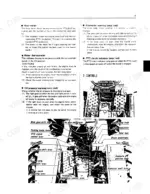
This operator's manual covers the Kubota M4500, M4500DT, M5500, M5500DT, M7500, and M7500DT tractors, including both two wheel drive and dual traction (DT) four wheel drive versions. It carries Kubota part number 3545899715 and runs 56 pages in English.
Inside you get servicing and identification details, the instrument panel and controls, engine operation and break in procedures, fuel and lubricant specifications, the full maintenance schedule, storage steps, complete specifications, and a wiring diagram. Capacities, adjustment values, and service intervals are listed for each model in the range.
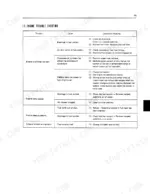
Use it to service and troubleshoot your tractor: set clutch and brake pedal free play, check fan belt tension, work through the battery and engine troubleshooting charts, and wire up the electrical system correctly. Delivered as a downloadable PDF you can view on any device or print for the shop.
Complete the set for your M4500–M7500 Series
- Parts Catalog: Kubota M4500DT Tractor Parts Catalog
- Parts Catalog: Kubota M5500DT Parts Catalog
- Repair Manual: Kubota M4000–M7500 Series Tractor Workshop Manual (incl. Wiring)
What's Inside This Kubota M4500–M7500 Series Operator Manual
| System | Pages | Key Topics |
|---|---|---|
| Servicing of Tractor | 8 | Identification Plate, Tractor Serial Number, Engine Serial Number, Kubota Tractor (Tractor Serial No., Engine Serial No., Date of Purchase) |
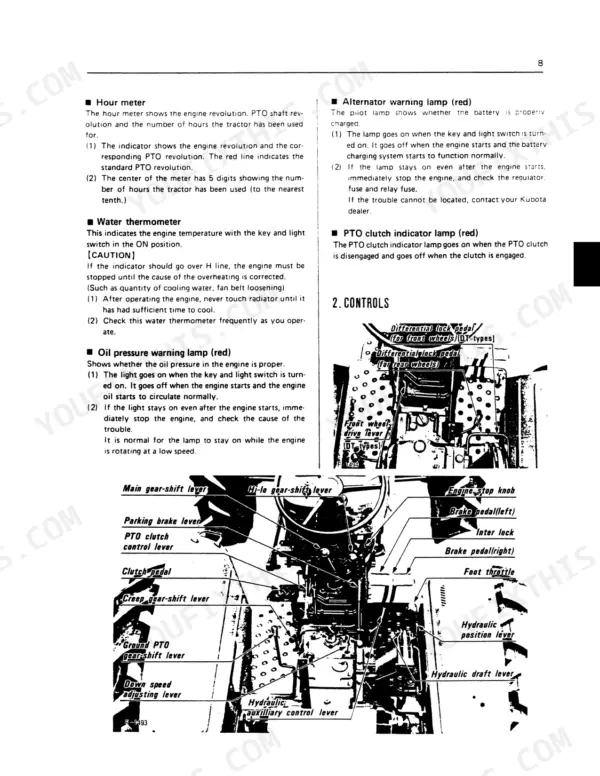
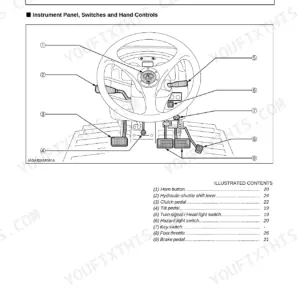
| Instruments and Controls | 13-18 | Instrument Panel (Key and Light Switch, Starter/Preheating Switch, Turn Signal Lamp Switch, Hour Meter, Water Thermometer, Oil Pressure Warning Lamp, Alternator Warning Lamp, PTO Clutch Indicator Lamp) |
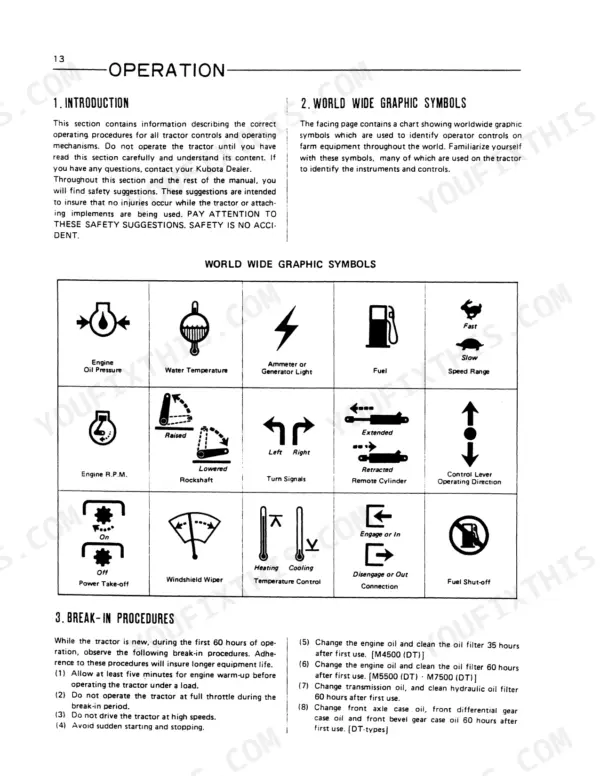
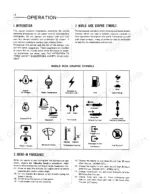
| Operation | 19-28 | Introduction, World Wide Graphic Symbols, Break-In Procedures, Prestarting Inspection, Starting and Stopping the Engine (Starting the Engine in Cold Weather) |
| Fuel and Lubricant Specifications | 29-34 | Fuels (Fuel Specifications, Fuel Storage, Filling the Tractor Fuel Tank), Lubricants, Fuel Specifications, Filling the Tractor Fuel Tank, Transmission Oil |
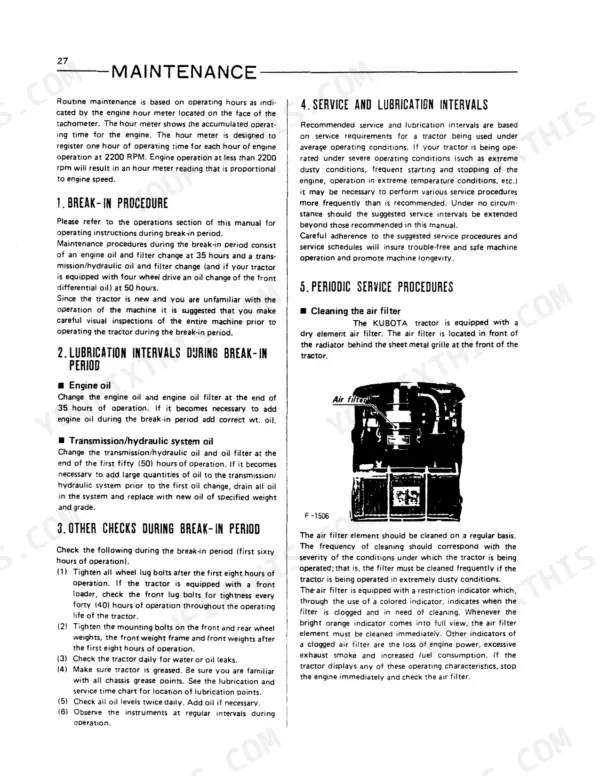
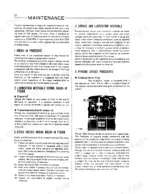
| Maintenance | 35-49 | Break-In Procedure, Lubrication Intervals During Break-In Period (Engine Oil, Transmission/Hydraulic System Oil), Other Checks During Break-In Period |
| Storage | 50 | Tractor Storage (Change the Engine Crankcase Oil and Oil Filter, Drain and Flush the Cooling System, Clean the Engine Air Filter, Run the Engine to Circulate Oil and Coolant, Fill the Fuel Tank with Fuel, Close Fuel Tank Petcock, Remove the Battery From the Tractor, Seal the Following with Heavy Gauge Plastic and Adhesive Tape, With All Implements Lowered to the Ground, Paint Exposed Metal Surfaces, Jack the Tractor Up and Place Blocks Under the Front and Rear Axle, Hold the Clutch Pedal in the Disengaged Position) |
| Specifications | 51-54 | Tractor Speed |
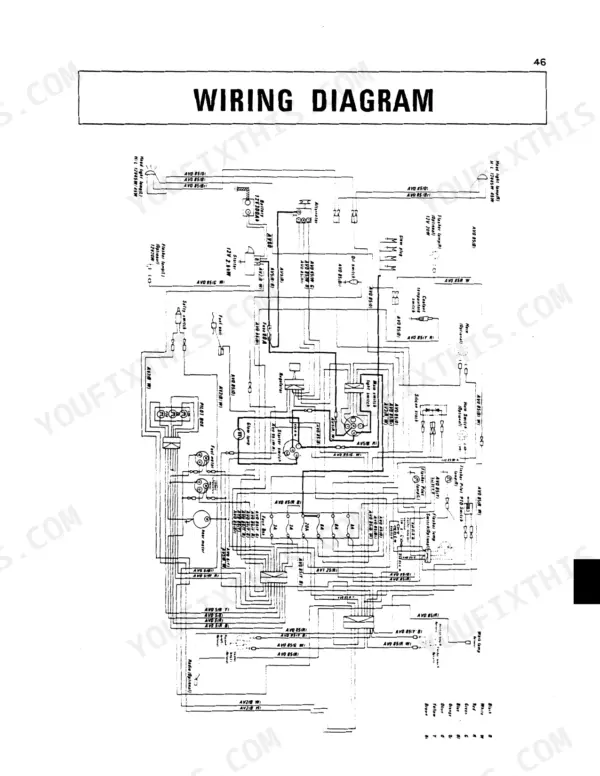
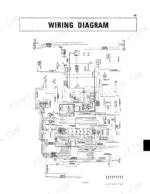
| Wiring Diagram | 55-56 | Head Light Lamp, Flasher Lamp, Glow Plug, Alternator, Battery, Starter, Coolant Temperature Switch, Horn |
Quick Reference Specifications
| Specification | Value | Page |
|---|---|---|
| M4500, M4500DT | ||
| Maximum torque (M4500, M4500DT) | 117.6 ft.lbs. (16.2 kgf-m; 158 N-m)/1400 rpm (23.3 r/s) | p. 52 |
| Battery capacity (M4500, M4500DT) | G160-10 (Dry, 12V 150AH (110Ah-20HR)) | p. 52 |
| Cooling system capacity | 8.9 Quarts (8.4ℓ) | p. 52 |
| M5500, M5500DT | ||
| Maximum torque (M5500, M5500DT) | 150.3 ft. lbs. (20.8 kgf-m; 204 N-m)/1400 rpm | p. 53 |
| M7500, M7500DT | ||
| Maximum torque (M7500, M7500DT) | 201.7 ft. lbs. (27.9 kgf-m; 273 N-m)/1400 rpm | p. 53 |
| M5500, M5500DT, M7500, M7500DT | ||
| Battery capacity (M5500, M5500DT, M7500, M7500DT) | NX300-15 (Dry; 12V 300AH) | p. 53 |
| M5500(DT), M7500(DT) | ||
| Fuel filter (1) elements replacement interval | 200 hours | p. 47 |
| M4500(DT), M5500(DT), M7500(DT) | ||
| Fuel filter cartridges replacement interval | 400 hours | p. 47 |
| All Models | ||
| Transmission/hydraulic system oil filter cleaning interval | 200 hours | p. 41 |
| Cooling system flushing interval | annually or every 800 hours | p. 42 |
| Fan belt deflection | 0.28 and 0.34 inches (7 to 9mm) | p. 46 |
| Fan belt tension check/adjust interval | 200 hours | p. 47 |
Kubota M4500–M7500 Series Common Problems This Manual Covers
Engine will not start or cranks weakly
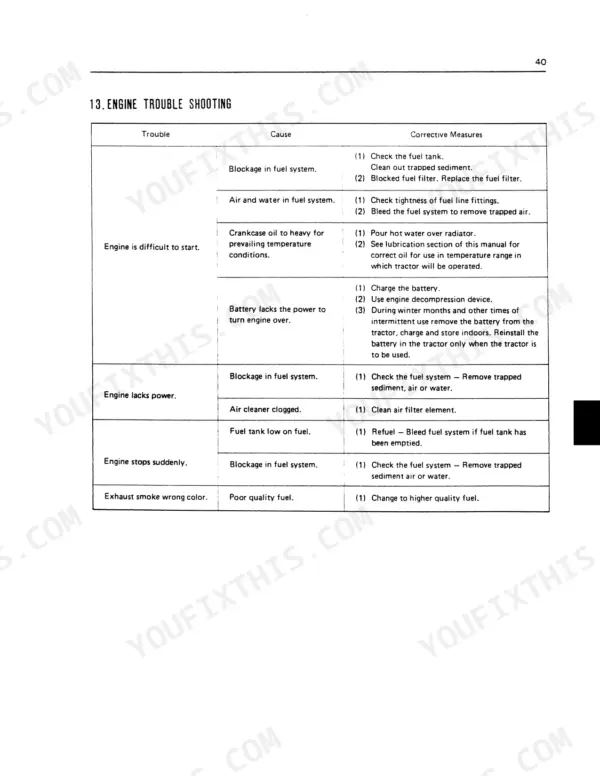
A no start or weak crank on the M4500 through M7500 usually traces to a weak or dead battery, corroded terminals, bad grounds, or a clogged fuel filter. The Maintenance section includes battery and engine troubleshooting charts to isolate the cause.
Manual Section: Maintenance p. 35Hard starting in cold weather
These tractors can be stubborn to start in the cold. The Operation section covers the correct starting and stopping procedure, including starting the engine in cold weather with the preheating system.
Manual Section: Operation p. 19Weak or slow hydraulics
Hydraulics that lift slowly or stall out often mean low fluid, an overdue fluid and filter service, or air in the system. The Maintenance section covers the transmission and hydraulic system service and filter cleaning interval.
Manual Section: Maintenance p. 35Warning lamp comes on
An oil pressure or alternator warning lamp lighting up signals a charging or lubrication fault that needs attention before more running. The Instruments And Controls section explains the warning lamps and what each one indicates.
Manual Section: Instruments And Controls p. 13Fuel contamination or storage problems
Dirty or poorly stored fuel leads to hard starting and rough running. The Fuel And Lubricant Specifications section covers fuel requirements, fuel storage, and filling the tank correctly.
Manual Section: Fuel And Lubricant Specifications p. 29Electrical accessories fail intermittently
Lights, gauges, or accessories that cut out point to a blown fuse, loose wiring, or a bad connection. The Wiring Diagram section maps the head light, flasher, glow plug, alternator, starter, and horn circuits.
Manual Section: Wiring Diagram p. 55Frequently Asked Questions
Which models does this manual cover?
It covers the Kubota M4500, M4500DT, M5500, M5500DT, M7500, and M7500DT tractors, both two wheel drive and DT four wheel drive, under part number 3545899715.
What is the engine oil capacity?
It varies by model: 13.4 qts for the M4500, 10.4 qts for the M5500, and 12.5 qts for the M7500. The Fuel And Lubricant Specifications section lists all capacities. p. 29
Does it list engine torque figures?
Yes. The Specifications section gives maximum torque for each model, such as 158 N-m for the M4500, 204 N-m for the M5500, and 273 N-m for the M7500. p. 51
What format is this manual in?
A 56-page Operator Manual in searchable PDF format, available the moment you complete checkout. View on computer, tablet, or phone, no shipping wait.
Are there any print restrictions on this manual?
Yes. The PDF has no DRM restrictions, print any page or section you need for your shop. Works with any standard printer.
Are there wiring harness diagrams in this Kubota M4500–M7500 Series manual?
Yes. The manual includes the overall electrical wiring diagram for the M4500, M5500, and M7500, showing circuit layout and wire routing. It is the operator-level wiring diagram, rather than the connector-level schematics you would find in a workshop manual.



Reviews
There are no reviews yet.