
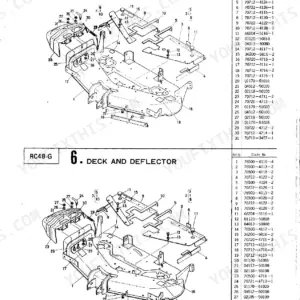
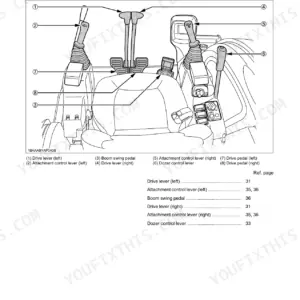
Part of the Kubota Operator Manuals.
This is the Kubota operator's manual for the RC54-71B and RC60-71B rotary mower decks that mount to a Kubota tractor. It is a 26-page reference delivered as a downloadable PDF you can read on a phone, tablet, or shop computer and print whenever you need a page out in the yard.
Inside you get the full setup and operating procedure: pre-assembly, mounting the mower to the tractor and removing it, front link and connecting rod adjustment, and how to get the best cut for your grass and ground conditions. It also carries the maintenance checklist, gear box oil service, greasing, a troubleshooting section, and winter storage instructions.
With it you can mount and adjust the deck correctly, keep the gear box and blades serviced, cure cutting problems like streaking and scalping, and store the mower properly over winter.
Complete the set for your RC54-71B, RC60-71B
- Parts Catalog: Kubota RC54-71B Tractor Mower Parts Catalog
- Parts Catalog: Kubota RC54-71B, RC60-71B Rotary Mower Parts Catalog
What's Inside This Kubota RC54-71B, RC60-71B Operator Manual
| System | Pages | Key Topics |
|---|---|---|
| Mower Safety Labels | 3 | Label 1 Part No 70720-4715-4 (Keep All Shields in Place, Stop Engine and Wait Until Blade Stops, Keep Hands, Feet and Clothing Away, Make Sure Area of Operation Is Clear, Stop Mower Blades When Crossing Gravel Drives) |
| Service | 7-8 | When in Need of Parts or of Service, Serial Number Is Located on the Right Side of the Deck, For Your Reference, Please Record the Serial Number |
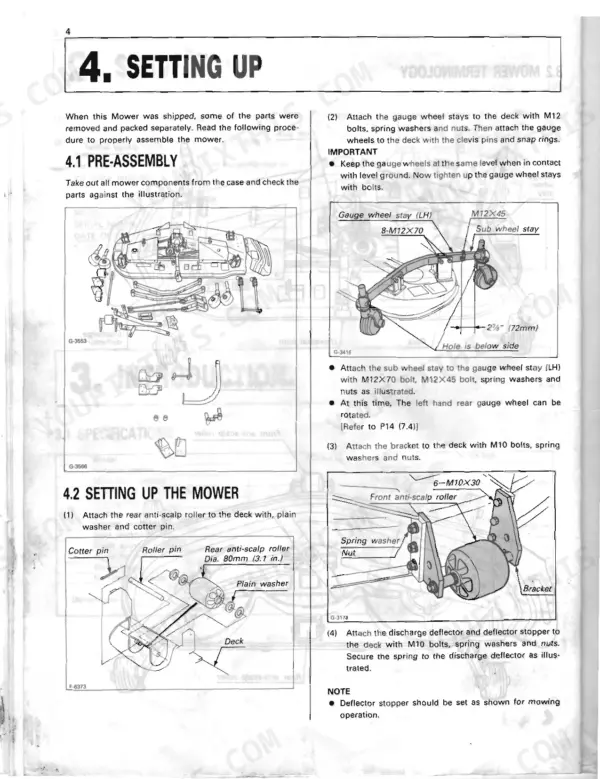
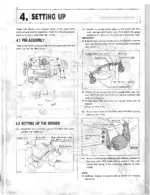
| Setting Up | 9-13 | Pre-Assembly (Take Out All Mower Components) |
| Mounting to the Tractor | 14-15 | Mounting the Mower to the Tractor, Removal of the Mower |
| Mower Adjustments | 16-17 | Front Link and Connecting Rod (Park the Tractor on Level Ground, Adjust the Height of the Four Mower Gauge Wheels, If the Front Wheels Are Not on the Ground, Attach the Front Link to the Mower, Start the Engine, Raise the Tractor Lower Links, Adjust the Turnbuckles of the Left and Right Connecting Rods) |
| Operation | 18-19 | Making the Most of Your Mower (Choose a Smooth Level Area, Size and Type of the Area to Be Mowed, Always Keep the Left Side of the Mower Toward Trees, Most Lawns Should Be Mowed to Approximately 2 to 3 Inches, On Thick or Springy Grass or Soft Ground, For Best Appearance, Grass Should Be Cut, Remove the Front Bars or Cut Grass Twice) |
| Maintenance | 20-23 | Maintenance Check List (Anything Unusual in Previous Day's Operation, Oil Leakage Check, Make Sure Blade Capscrews Are Tight, Blade Wear Check, All Hardware Check, Make Sure All Pins Are in Place, Mower Deck Cleaning, Gear Box Oil Change, Gear Box Oil Check, Greasing, Gear Box Oil Seal Change) |
| Troubleshooting | 24 | Discharge Chute Plugged, Streaking of Grass Uncut, Uneven Cut, Blades Scalping Grass, Belt Slipping, Excessive Vibration, Mower Loads Down Tractor |
| Long-Term Storage | 25 | Winter Storage (Remove the Mower Deck Covers, Slacken Off the Drive Belt Tensioner, Clean All Pulleys and Wipe with a Dry Cloth, Clean All Grass and Dirt From the Mower Deck Top) |
| Contact Information | 26 | Kubota Tractor Corporation (Western Division, Central Division, Northern Division, Southeast Division, Engine Division) |
Quick Reference Specifications
| Specification | Value | Page |
|---|---|---|
| All Models | ||
| M10 Bolt Tightening Torque | 39.2~45.1 N-m (31.1±2.2 ft-lbs) | p. 23 |
| Gear Box Oil Capacity | 0.4 ℓ (0.42 qts.) | p. 20 |
| Gear box oil change interval | first 50 hrs, then every 150 hrs | p. 20 |
| Blade bolt torque | 10 to 12 kgf·m (72 to 87 ft-lbs) | p. 22 |
| Anti-sway link nuts torque | 7.9 to 9.2 kgf·m (57.1~66.5 ft-lbs) | p. 13 |
| Stud bolt torque (mid hanger brackets) | 2 to 3 kgf·m (14.5~21.7 ft-lbs) | p. 11 |
| Recommended cutting height | 2 in (50 mm) | p. 18 |
| RC54-71B | ||
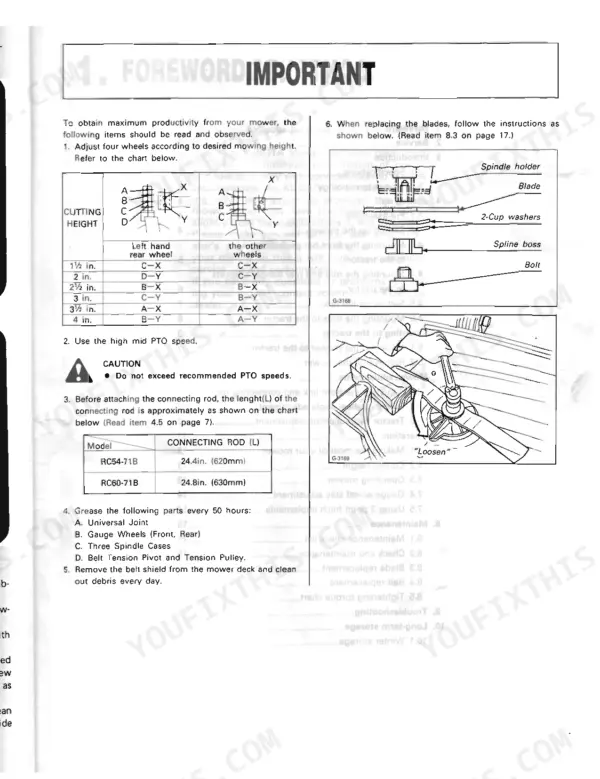
| Connecting rod length, RC54-71B | 24.4 in. (620 mm) | p. 4 |
| Cutting width, RC54-71B | 54 in. (1372 mm) | p. 7 |
| Blade spindle speed | 3216 rpm (53.6 r/s) | p. 7 |
| RC60-71B | ||
| Connecting rod length, RC60-71B | 24.8 in. (630 mm) | p. 4 |
| Cutting width, RC60-71B | 60 in. (1524 mm) | p. 7 |
Kubota RC54-71B, RC60-71B Common Problems This Manual Covers
Streaking or strips of uncut grass
Streaking usually comes from worn blades, low spindle speed, or ground speed set too fast for the conditions. The troubleshooting section lists streaking causes and the checks to make.
Manual Section: Troubleshooting p. 24Uneven cut height
A deck that cuts unevenly is often out of level because the gauge wheels or connecting rods are set wrong. The adjustments section covers the front link and connecting rod turnbuckles that level the deck.
Manual Section: Mower Adjustments p. 16Excessive vibration
Heavy vibration points to worn, bent, or unbalanced blades or loose blade capscrews. The maintenance checklist includes blade wear checks and confirming the blade capscrews are tight.
Manual Section: Maintenance p. 20Drive belt slipping
A belt that slips under load leaves the blades short of full cutting speed and streaks the grass. The troubleshooting section covers belt slipping among the cutting faults.
Manual Section: Troubleshooting p. 24Gear box oil low or leaking
A low or contaminated gear box can whine or fail if the oil is not checked and changed on schedule. The maintenance section covers the gear box oil check, oil change, and oil seal replacement.
Manual Section: Maintenance p. 20Rust and belt set from winter storage
Left dirty and under belt tension over winter, the deck can seize pulleys and take a set in the belt. The storage section covers slackening the tensioner and cleaning the deck before layup.
Manual Section: Long-Term Storage p. 25Frequently Asked Questions
Which mower models does this manual cover?
It covers the Kubota RC54-71B and RC60-71B rotary mower decks that mount to a Kubota tractor. It is the operator's manual for setup, mounting, operation, and maintenance.
What are the cutting widths for these mowers?
The RC54-71B cuts 54 in (1372 mm) and the RC60-71B cuts 60 in (1524 mm). The service and specification pages also list the blade spindle speeds for each model. p. 7
What is the gear box oil capacity and change interval?
The gear box holds 0.4 L (0.42 qts) and should be changed after the first 50 hours, then every 150 hours. The maintenance section covers the check and change procedure. p. 20
How do I get the manual after purchase?
You download the PDF immediately after purchase, with no shipping wait. You can save it to your own device and keep a copy for offline use.
What format is this manual in?
A 26-page Operator Manual in searchable PDF, ready the moment your checkout clears. Open it on a computer, tablet, or phone, with no shipping wait.
Can I print pages of this manual for my own shop?
Yes. Print the sections you need to take out to the shop for your own use. Standard letter or A4 paper works.








Reviews
There are no reviews yet.