
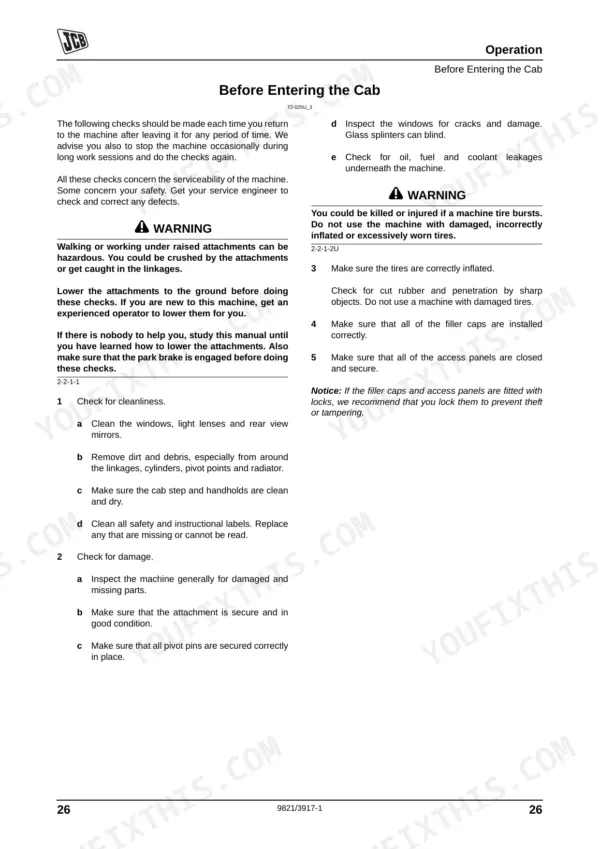
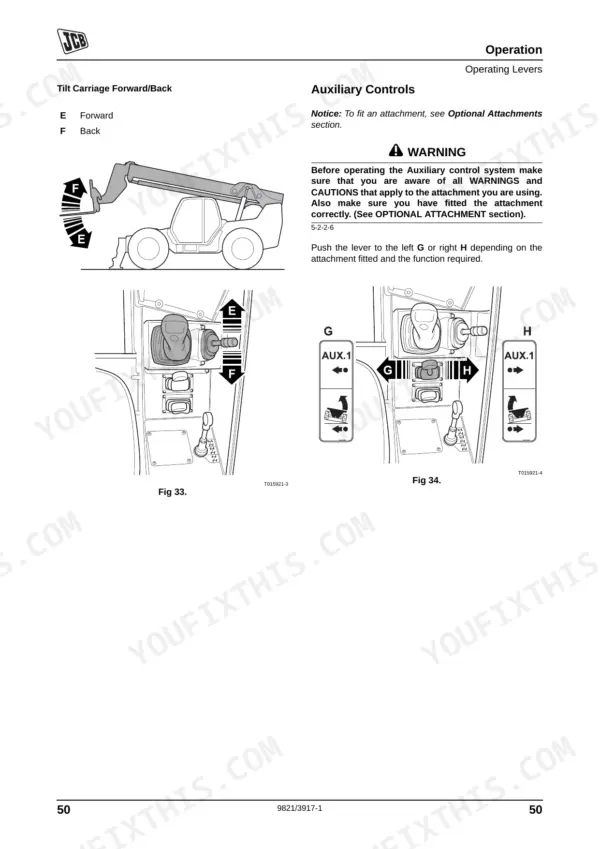
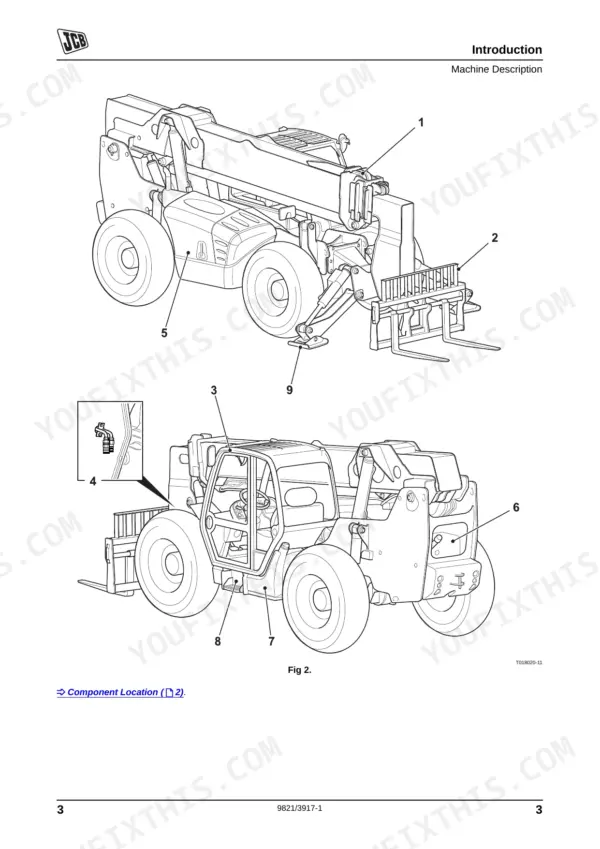
Master your daily walkarounds and routine service with this 210-page JCB 506-36 Operator Manual PDF (OEM #9821/3917), covering the entire 507-42, 509-42, 510-56, 512-56, and 514-56 Loadall lineup. Complete daily maintenance schedules, detailed load charts for safe lifting, and a full breakdown of cab controls and dashboard indicators are all here. Open up the routine service section to find exact fluid capacities, greasing points, and step-by-step operating procedures for the boom and Rear Axle Stabilization system. Swap the hydraulic oil filter every 500 hours and torque the front wheel nuts to 680 Nm before heading out to the job site. A downed machine kills your daily profit. Download this bookmarked file directly to your phone or tablet, find your maintenance intervals fast, and keep your site moving.
Other editions of this manual
- JCB 506-36, 507-42, 509-42, 510-56 Operator Manual Original price was: $31.99.$19.99Current price is: $19.99.
- JCB 506-36, 507-42, 509-42, 510-42, 510-56, 512-56, 514-56 Loadall Operator Manual Original price was: $26.99.$19.99Current price is: $19.99.
- JCB 506-36, 514-56, 507-42, 509-42, 510-56, 512-56 Operator Manual Original price was: $32.99.$19.99Current price is: $19.99.
What's Inside This JCB 506–514 Operator Manual
| System | Pages | Key Topics |
|---|---|---|
| Safety & Precautions | 9-10 | Safety Notices, Introduction, Operation, Operating Levers, Safety Equipment, Before Starting the Engine, Starting the Engine, Preparing the Machine for Travel, Getting the Machine Moving, Operating Practices, Important Information, Operator Manual, Safety Warnings |
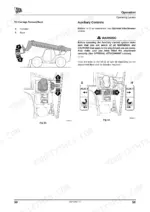
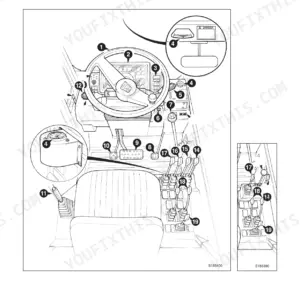
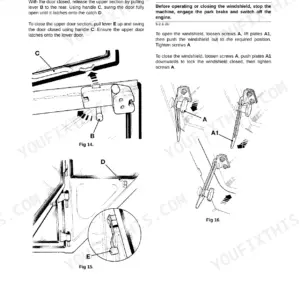
| Cab, Controls & Instruments | 35-69 | Entering and Leaving the Cab (Emergency Exit), Doors and Windows, Boom and Carriage Controls, Auxiliary Controls, Chassis Leveling Control, Stabilizer Controls, Control Locks, Load Charts, Boom Indicators (Inclinometer), Beacon, Fire Extinguisher |
| Pre-Start & Starting Procedures | 70-72 | Pre-Start Inspection, ROPS/FOPS Structure, Seat Belt, Steering Column, Park Brake, Forward/Reverse Lever, Engine Start, Accelerator Pedal, Starter Switch, Cold Climate Heater |
| Operating Procedures | 73-94 | Preparing for Road Travel, Preparing for Site Travel, Reverse Alarm, Limited Slip Differential (Lsd), Steer Mode, Brake Pedals, Working with the Boom, Ras (Rear Axle Stabilization) System, Interlock System, Danger Zone |
| Site Environment & Logistics | 95-102 | Operating in Low Temperatures, Operating in High Temperatures, Filling the Tank, Recovery Hitch, Lifting a Machine, Storage Area, Prepare the Machine for Storage |
| Maintenance Preparation & Lubrication | 105-129 | Health and Safety, Service Schedules, Checking for Damage, Cleaning the Machine, Greasing |
| Boom Structure | 130-142 | Access Panels, Boom |
| Electrical System | 143-149 | Rear Boom Cover, Central Access Panels, Cab Heater, Air Conditioning, Boom Chains |
| Engine & Fuel System | 150-164 | Park Brake, Foot Brake, Battery, Fuses, Relays, Engine Oil and Filter, Cooling System, Front End Accessory Drive Belt |
| Hydraulic & Transmission Systems | 165-194 | Hydraulic System, Transmission |
| Attachments & Specifications | 195-208 | Connecting/Disconnecting Hydraulic Hoses, Static Dimensions, Performance Dimensions, Lift Performance, Maximum Wading Depth, Tire Sizes and Pressures |
| Warranty & Service Records | 209-210 | Machine Service Record Sheet, Installation Checklist, 1st 100 Hrs./1 Month, 500 Hrs./6 Month, 1000 Hrs./12 Month, 2000 Hrs./24 Month |
Quick Reference Specifications
| Specification | Value | Page |
|---|---|---|
| Wheel Nut Torque (Front) | 680 Nm (500 lbf ft) | p. 179 |
| Wheel Nut Torque (Rear) | 680 Nm (500 lbf ft) | p. 179 |
| Hydraulic Oil Filter Replacement Interval | Every 500 Hours | p. 111 |
| Pilot Filter (if fitted) Replacement Interval | Every 500 Hours | p. 111 |
| Engine Oil and Filter Replacement Interval | Every 500 Hours | p. 110 |
| Air Cleaner Outer Element Replacement Interval | Every 500 Hours | p. 110 |
| Air Cleaner Inner Element Replacement Interval | Every 1000 Hours | p. 110 |
| Water Separator Fuel Filter Replacement Interval | Every 500 Hours | p. 110 |
| Engine Fuel Filter Replacement Interval | Every 1000 Hours | p. 110 |
JCB 506–514 Common Problems This Manual Covers
JCB 506-36 Loadall rear wheels lifting off ground when booming out with palletized load
Verify load weight does not exceed the maximum lift capacity of 2722 kg (6000 lb) listed on page 204. Inspect the attachment setup and renew any damaged load charts as instructed on page 65. Keep the boom retracted before moving.
Manual Section: Specifications p. 204Boom extends with a sudden jerking motion or makes loud clunking noises during operation
Inspect the boom wear pad clearance as detailed on page 191. Measure the gap and verify total side clearance is exactly 3.0mm (0.12in). Check these pads every 500 hours and apply specified grease to the boom sliding surfaces to prevent binding.
Manual Section: Routine Maintenance p. 191Clicking noise from the front or rear axles when shifting from forward to reverse
Torque all front and rear wheel nuts to 680 Nm (500 lbf ft) as specified on page 179. Check tire pressures and verify the gearbox oil level is filled to the 5 US Gal (19 Liters) capacity listed on page 115.
Manual Section: Routine Maintenance p. 179Engine lacks power under heavy lifting loads and produces black smoke from the exhaust
Replace the air cleaner outer element every 500 hours. Do not attempt to wash or clean the elements, as instructed on page 167. Drain the engine oil and fill to the maximum 3.9 US Gal (15 Liters) capacity shown on page 115.
Manual Section: Routine Maintenance p. 167Frequently Asked Questions
How do I reset the fault codes on a JCB Loadall telehandler?
To acknowledge a SERVICE error (warning fault), press the Information switch for 3 seconds. To scroll through existing fault codes, press the information button again. Critical faults cannot be acknowledged. p. 53
How do I clear the service light on a JCB 506-36 / 507-42 / 509-42 / 510-56 / 512-56 / 514-56?
To clear a service light, which indicates a warning fault (SERVICE error), press the Information switch for 3 seconds to acknowledge it. If a new warning occurs or a warning clears and re-occurs, the SERVICE message will be displayed again. p. 53
What does error code E... mean on a JCB telehandler?
The manual states that fault codes are specific to the active fault and can be used to aid fault diagnosis, but it does not provide a list of what specific "E..." error codes mean. It mentions an example fault code format like "SERVICE D001". p. 53
How do I reset the ECU / battery disconnect / immobilizer on a JCB telehandler?
The manual provides instructions for disconnecting and reconnecting the battery, stating to "Set all switches to OFF before disconnecting and connecting the battery" and "When reconnecting, fit the positive (+) lead first." However, it does not explicitly detail a procedure to "reset" the ECU or immobilizer. p. 143
What are the torque specs for JCB telehandler wheel nuts, boom pins, and hydraulic fittings?
The wheel nuts should be tightened to 680 Nm (500 lbf ft) for both front and rear. The hydraulic pilot filter cap should be torque tightened to 25 Nm (18 lbf ft). Torque specifications for boom pins are not explicitly provided. p. 189
Is this JCB 506-36 & variants Operator Manual a digital download?
Instant PDF download. You get the full 210-page searchable Operator Manual immediately after payment. Open it on your laptop, tablet, or phone right in the shop.
Am I able to print pages from this manual?
Yes. Print a chapter or just the pages for the job at hand, for use in your own shop. Any home or office printer works.
Reviews
There are no reviews yet.