
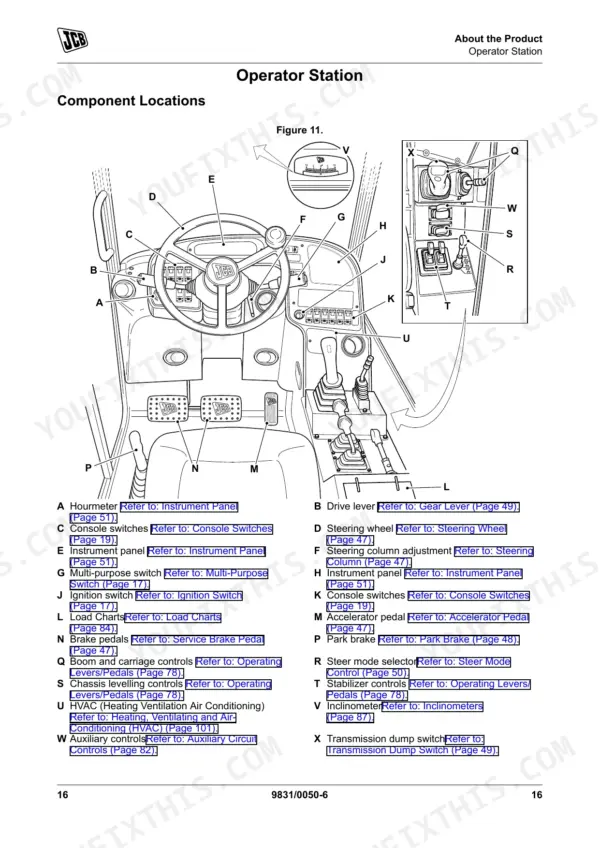
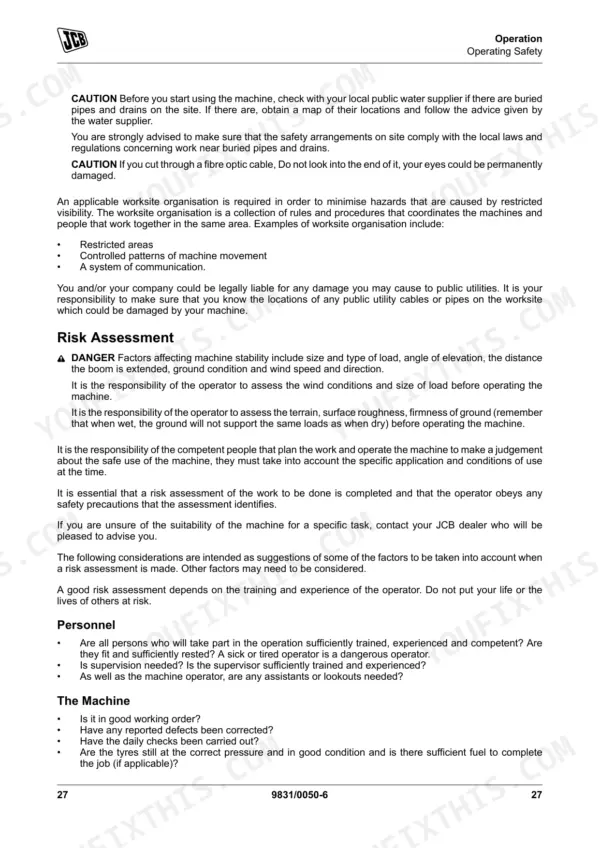
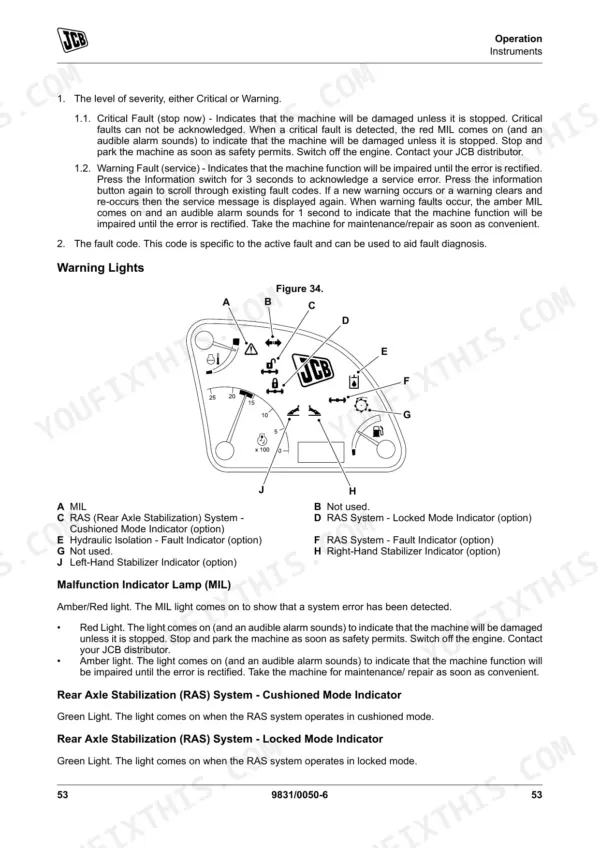
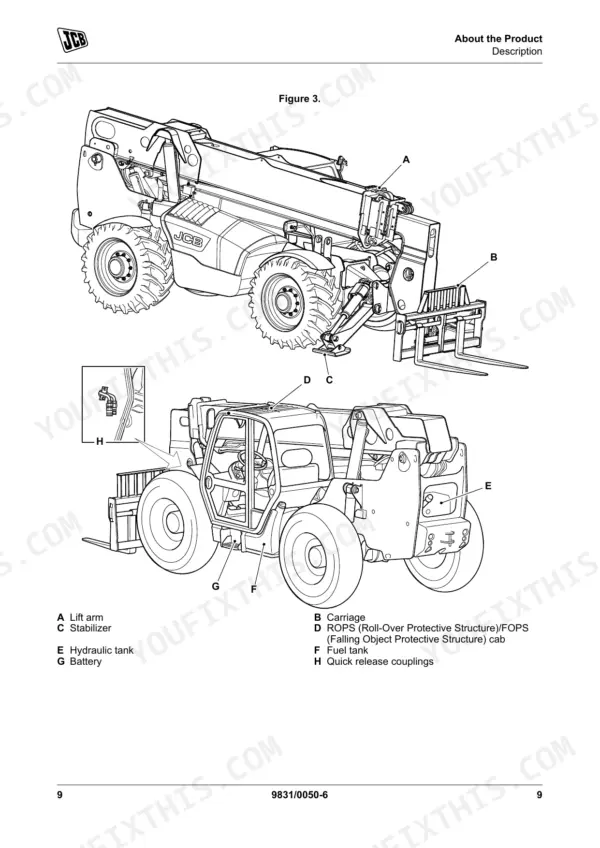
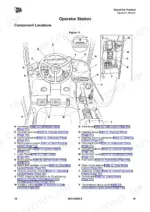
Keep your JCB LOADALL rough terrain variable reach truck running strong with this complete 304-page JCB 506-36 operator manual pdf (OEM #9831/0050), which also covers the 507-42, 509-42, 510-42, and 510-56 variants. You get a full breakdown of dashboard warning indicators, complete daily maintenance intervals, and step-by-step troubleshooting procedures for clearing system faults. Open the technical data section to find exact fluid capacities, risk assessment guidelines, and load charts tailored to your specific boom configuration. Secure the front and rear wheel nuts to 680 Nm and torque the axle fill plug to exactly 79 Nm before putting the machine to work. Stop relying on guesswork when a critical warning light flashes on a busy job site. Grab this bookmarked PDF file, jump straight to the factory answer on your smartphone or tablet, and keep your operation moving safely.
Complete the set for your 506-36 & variants
Other editions of this manual
- JCB 506-36, 507-42, 509-42, 510-56 Operator Manual Original price was: $31.99.$19.99Current price is: $19.99.
- JCB 506-36, 514-56, 507-42, 509-42, 510-56, 512-56 Operator Manual Original price was: $32.99.$19.99Current price is: $19.99.
- JCB 506-36, 514-56, 507-42, 509-42, 510-56, 512-56 Loadall Operator Manual Original price was: $31.99.$19.99Current price is: $19.99.
What's Inside This JCB 506-36 & variants Operator Manual
| System | Pages | Key Topics |
|---|---|---|
| Acronyms Glossary | 12 | Ccv Crankcase Ventilation, DEF Diesel Exhaust Fluid, ECU Electronic Control Unit, EGR Exhaust Gas Recirculation, ESOS Engine Shut-Off Solenoid, Fead Front End Accessory Drive |
| Operation | 35-118 | Operating Safety, Training, Fuel, Machine Condition, Machine Limits, Engine/Steering Failure, Exhaust Gases, Worksites |
| Attachments | 119-127 | Introduction (Attachments, Metal Splinters, Attachments for Your Machine), Side Shift Carriage, Side Tilt Carriage, Connecting/Disconnecting Hydraulic Hoses |
| Preservation and Storage | 128-134 | Cleaning (General, Preparation), Checking for Damage (General), Storage (General, Put Into Storage) |
| Maintenance | 135-206 | Introduction (General, Owner/Operator Support, Service/Maintenance Agreements, Initial Service and Inspection, Obtaining Spare Parts) |
| Technical Data | 207-281 | Dimensions (for:: 506-36 [T4F], 507-42 [T4F], 509-42 [T4F], 510-56 [T4F], 512-56 [T4F], 514-56 [T4F], 510-42 [T4F]) |
| Warranty Information | 282-304 | Service Record Sheet |
Quick Reference Specifications
| Specification | Value | Page |
|---|---|---|
| All Models | ||
| Service interval reset | Not specified for operator reset | p. 72 |
| Front Wheel Nut Torque | 680Nm (502lbf ft) | p. 242 |
| Rear Wheel Nut Torque | 680Nm (502lbf ft) | p. 242 |
| Axle fill/level plug torque | 79Nm (58lbf ft) | p. 242 |
| Brake System Fluid change interval | 2000 hours | p. 158 |
| Park Brake check/adjust interval | 10 hours | p. 158 |
| Engine Oil and Filter change interval | 500 hours | p. 155 |
| Engine Oil and Filter change interval (arduous conditions) | 250 hours | p. 157 |
| Air Cleaner Outer Element change interval | 500 hours | p. 155 |
| Air Cleaner Inner Element change interval | 1000 hours | p. 155 |
| 507-42 [T4F], 509-42 [T4F], 510-42 [T4F], 510-56 [T4F], 512-56 [T4F], 514-56 [T4F] | ||
| Hydraulic Isolation - Fault Indicator reset procedure | Set the sway and stabilizer controls to the neutral (central) position. The light should go out. | p. 65 |
| 506-36 [T4F] | ||
| Reversing alarm/lights fuse rating | 10 A | p. 249 |
JCB 506-36 & variants Common Problems This Manual Covers
JCB 506-36 LOADALL dripping fluid under the engine area and low oil level on the dipstick
Inspect the engine bay for loose fittings and check the dipstick on level ground. Fill the engine with approved oil up to the 15 L maximum capacity listed on page 235. Change the oil and filter every 500 hours, or every 250 hours in arduous conditions.
Manual Section: Maintenance p. 235Foot brake pedal goes to the floor or lacks firm pressure during daily inspection
Check the brake fluid reservoir daily for proper level and inspect lines for visible leaks. Drain and replace the brake system fluid every 2000 hours as specified on page 158. Test the service brakes before entering the worksite to verify firm pedal resistance.
Manual Section: Maintenance p. 158Hydraulic isolation fault indicator light stays illuminated on the cab display after startup
Set the sway and stabilizer controls to the neutral central position as shown on page 65. Verify the hydraulic tank has sufficient fluid up to the 128 L capacity. Inspect hoses for damage before operating the boom to ensure safe machine function.
Manual Section: Operation p. 65Rough ride during transport or pneumatic tires looking noticeably low on air pressure
Check the tire inflation with a calibrated gauge before operating. Inflate tires to 83 PSI for the 514-56 model as noted on page 275. Verify all front and rear wheel nuts are tightened to the required 680 Nm torque specification to prevent wheel separation.
Manual Section: Technical Data p. 275Frequently Asked Questions
How do I reset the JCB telehandler fault code?
To acknowledge and clear a service fault code, press the Information switch for 3 seconds. The fault code will remain displayed until it is acknowledged by pressing the information button, after which the service message will be cleared. p. 65
What does the JCB Loadall error code mean?
The fault log display screen shows the fault code, time, date, engine hours, and the number of times the fault has been active. Faults are displayed in colors indicating their severity: critical faults are red, warning faults are yellow, and trivial faults are gray, which aids in fault diagnosis. p. 65
How do I clear the JCB service light?
To clear the service light, which indicates a service fault, press the Information switch for 3 seconds to acknowledge the error. The service message will then be cleared from the display, but the underlying fault should still be rectified. p. 65
What are the torque specs for the JCB 506-36/507-42/509-42/510-42/510-56/512-56/514-56?
The torque specifications include: ROPS/FOPS mounting bolts at 205Nm (151lbf ft), Front and Rear Wheel Nut Torque at 680Nm (502lbf ft), Step/Battery Compartment Cover mounting bolts at 25Nm (18lbf ft), Sump Drain Plug and Filter Housing Drain Plug at 40-60Nm (29-44lbf ft), and Axle fill/level plug torque at 79Nm (58lbf ft). p. 242
How do I reset the JCB transmission warning?
When a transmission warning light comes on and an audible alarm sounds, the only way to cancel the alarm is to set the starter switch to 'off'. It is crucial to rectify the fault before operating the machine again to prevent damage. p. 63
Is this JCB 506-36 & variants Operator Manual a digital download?
Instant PDF download. You get the full 304-page searchable Operator Manual immediately after payment. Open it on your laptop, tablet, or phone right in the shop.
Am I able to print pages from this manual?
Yes. Print a chapter or just the pages for the job at hand, for use in your own shop. Any home or office printer works.
Reviews
There are no reviews yet.