
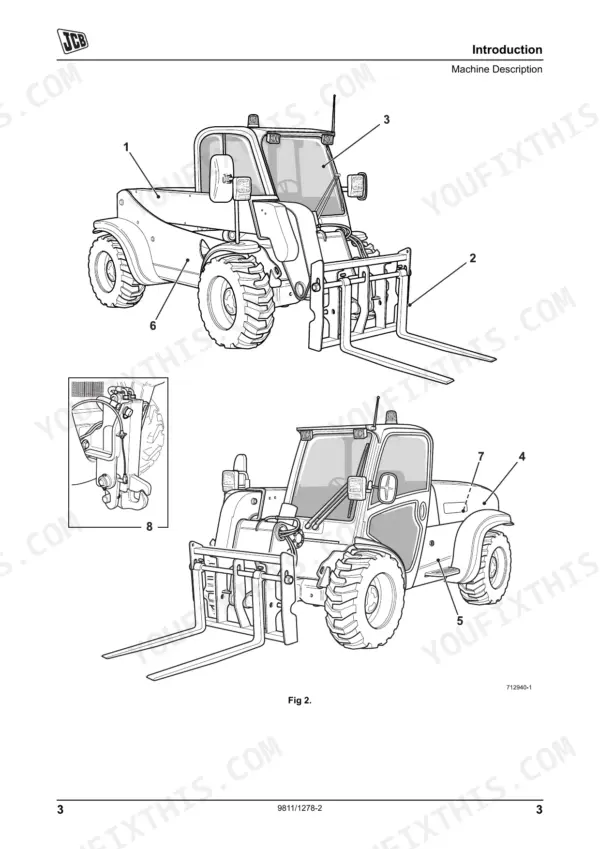
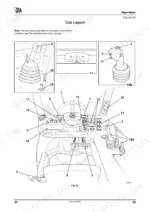
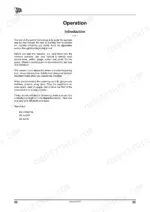
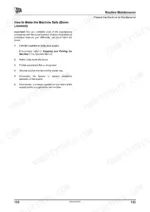
Mastering the daily operation and routine maintenance of your 2007 JCB Loadall starts directly with this 228-page JCB 524-50, 527-55 operator manual PDF (OEM #9811/1278). Inside, you get highly detailed load charts, complete cab control breakdowns, and step-by-step service intervals to keep the machine running right. Open the file to find clear procedures for greasing the boom structure, confirming exact fluid capacities, and operating optional Q-Fit attachments safely on the job site. Verify your boom wear pads are swapped out before they hit 11 mm thick, and ensure the wheel nuts are tightened to exactly 680 Nm during your weekly inspections. Ignorance destroys heavy equipment faster than hard work. Grab this bookmarked file, drop it onto your phone or tablet, and give your crew the factory answers they need to work safely.
Complete the set for your 524-50, 527-55
- Repair Manual: JCB 520-40, 524-50, 527-55 Service Manual (incl. Wiring)
Other edition of this manual
- JCB 520-40, 524-50, 527-55 Loadall Operator Manual Original price was: $30.99.$19.99Current price is: $19.99.
What's Inside This JCB 524-50, 527-55 Operator Manual
| System | Pages | Key Topics |
|---|---|---|
| Safety Notices | 9-10 | Important Information, Operator Manual, Safety Warnings |
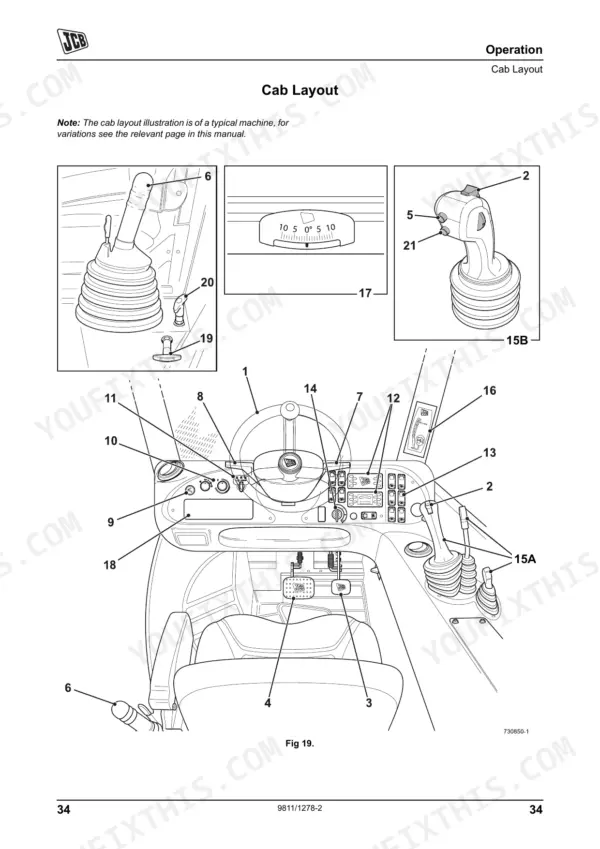
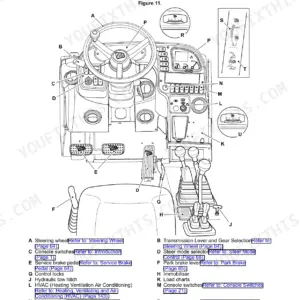
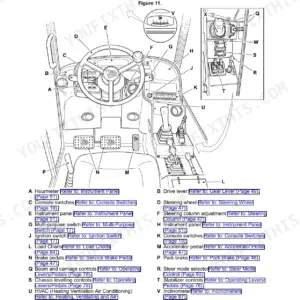
| Operation | 35-124 | Introduction, Before Entering the Cab, Entering and Leaving the Cab (Emergency Exit), Doors and Windows (Opening Closing: Upper Door Section) |
| Routine Maintenance | 125-200 | Fluids, Lubricants and Capacities (Coolant Mixtures, Fuel), Prepare the Machine for Maintenance (Introduction, How to Make the Machine Safe) |
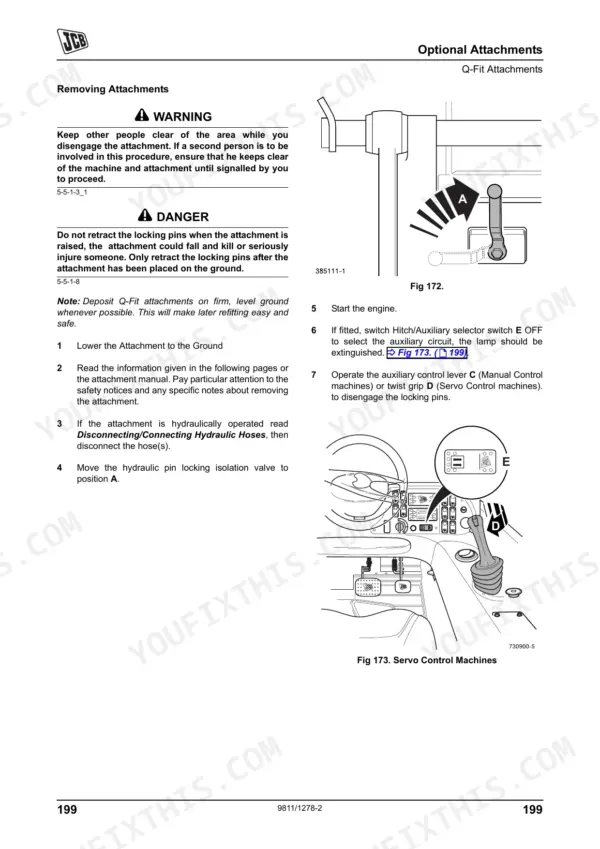
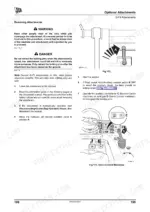
| Optional Attachments | 201-218 | Introduction, Attachments for Your Machine, Connecting/Disconnecting Hydraulic Hoses (Introduction, Quick Release Couplings), Q-Fit Attachments (Compact Tool Carrier) |
| Specifications | 219-226 | Static Dimensions, Table 9, Table 10, Performance Dimensions (Lift Performance), Table 11 Compact Tool Carrier (Loader Performance), Table 12 (Wind Loads) |
| Warranty Information | 227-228 | Machine Service Record Sheet, Installation Checklist, 500 Hrs./6 Month, 1000 Hrs./12 Month, 1500 Hrs./18 Month, 2000 Hrs./24 Month, 2500 Hrs./30 Month, 3000 Hrs./36 Month |
Quick Reference Specifications
| Specification | Value | Page |
|---|---|---|
| Wheel nut torque | 680 Nm | p. 195 |
| Boom wear pad replacement thickness | 11 mm (0.43 in) thick | p. 197 |
| Minimum hydraulic oil temperature for efficient operation | 10°C (50°F) | p. 75 |
| Seat Belt Replacement Interval | every three years | p. 43 |
| Maximum Load Centre | 600mm (24 inches) | p. 104 |
| Fuel Tank Capacity | 75 Litres (16.5 UK Gal) | p. 127 |
| Engine Oil Capacity (Max) | 15 Litres (3.3 UK Gal) | p. 127 |
| Hydraulic Tank Capacity | 70 Litres (15.4 UK Gal) | p. 127 |
| ROPS/FOPS Mounting Bolts Torque | 85 Nm (63 lbf ft) | p. 150 |
| Front Wheel Nut Torque | 680 Nm (500 lbf ft) | p. 195 |
| Boom Side Wear Pad Minimum Thickness | 11 mm (0.43 in) | p. 197 |
| Overall Height | 2100 mm (6 ft 11 in) | p. 219 |
JCB 524-50, 527-55 Common Problems This Manual Covers
JCB 524-50 sluggish attachment functions and boom control feels weak during cold morning startup
Check hydraulic fluid levels and verify the oil temperature is above 10°C (50°F) as shown on page 75. Inspect the boom side wear pads and replace them if they measure under the 11 mm (0.43 in) minimum thickness on page 197.
Manual Section: Routine Maintenance p. 197Clunking noise from cab roof area when driving over uneven terrain or lifting heavy loads
Inspect the cab structure for damage and check the torque specifications on page 150. Torque all ROPS/FOPS mounting bolts to exactly 85 Nm (63 lbf ft). Replace the operator seat belt if it exceeds the every three years interval listed on page 43.
Manual Section: Routine Maintenance p. 150Engine speed varies randomly under load and machine suffers from low power while driving
Drain the water separator and clean the engine fuel filter bowl. Fill the tank to its 75 Litres (16.5 UK Gal) capacity noted on page 127. Bleed the fuel system lines to remove trapped air before attempting to restart the machine.
Manual Section: Routine Maintenance p. 127Noticeable vibration in the steering wheel and front axle area while driving at transport speeds
Inspect front tires for severe cuts, abnormal wear, or embedded objects. Check the front wheel nut torque on page 195 and tighten all lug nuts in a cross pattern to exactly 680 Nm (500 lbf ft). Verify tire pressures match specifications.
Manual Section: Routine Maintenance p. 195Frequently Asked Questions
How do I reset the load control system on a JCB 527-55?
The Longitudinal Load Moment Indicator (LLMI) system will reset to its default settings (full volume and full brightness) when the starter key is switched to the off position. Additionally, if the system is in Emergency Override mode, it will return to Load Control mode when the machine is turned off and on again at the starter switch. p. 71
What does the LCS/load control warning mean on a JCB 527-55?
On a JCB 527-55, the Longitudinal Load Moment Indicator (LLMI) uses LEDs to indicate machine stability. An amber LED (Lit) signifies approaching machine stability limits and hydraulic functions slowing down. An amber LED (Flashing) indicates that Extend and Lower functions are disabled. A red LED illuminates and an audible warning activates when the load exceeds the maximum working limit, indicating the machine is at its limit of stability. p. 76
How do I clear error codes on a JCB 524-50?
If a fault code is displayed on the LLMI system, the audible alarm and fault code display will cancel after 10 seconds, but all LEDs will flash continuously as long as the fault remains. To attempt to clear the fault code, switch the starter key off and on again. If the fault clears, the display will return to normal; otherwise, contact your JCB distributor. p. 72
What are the torque specs for JCB 524-50 wheel nuts?
For the JCB 524-50, the wheel nut torque specifications are 680 Nm (500 lbf ft) for both the front and rear wheels. It is important to check these torques every two hours on new machines or whenever a wheel has been removed, until they remain correct. p. 195
how to reset JCB 527-55 fault code
If a fault code is displayed on the LLMI system, the audible alarm and fault code display will cancel after 10 seconds, but all LEDs will flash continuously as long as the fault remains. To attempt to clear the fault code, switch the starter key off and on again. If the fault clears, the display will return to normal; otherwise, contact your JCB distributor. p. 77
Is this JCB 524-50 manual a PDF I download?
Immediate download of the complete 228-page searchable Operator Manual. Access it on any device, from a laptop at your desk to a phone in the field.
Am I able to print pages from this manual?
Yes. Print the pages or sections you need for your own shop use. Any standard printer works.
Reviews
There are no reviews yet.