
Getting a new operator up to speed on your equipment requires the official 230-page JCB 520-40, 524-50, 527-55 Operator Manual PDF (OEM #9811/6000) detailing every cab control and daily service check for these Loadall machines. You get complete daily maintenance schedules, full dashboard indicator guides, and clear operating procedures for safe lifting. Open to the fluid sections to find exact lubricant capacities and detailed load charts for optional attachments like the skid steer hitch and four-in-one shovel. Secure the ROPS mounting bolts to 85 Nm and verify the wheel nuts are tightened to 680 Nm before heading to the job site. Handing over the keys means knowing the equipment is safe. Grab this bookmarked download, load it on your tablet, and keep your daily operations running without a hitch.
Complete the set for your 520-40, 524-50, 527-55
- Repair Manual: JCB 520-40, 524-50, 527-55 Service Manual (incl. Wiring)
Other edition of this manual
- JCB 524-50, 527-55 Loadall Operator Manual Original price was: $27.99.$19.99Current price is: $19.99.
What's Inside This JCB 520-40, 524-50, 527-55 Operator Manual
| System | Pages | Key Topics |
|---|---|---|
| Safety Notices | 9-10 | Important Information, Operator Manual, Safety Warnings |
| Introduction | 11-36 | About This Manual, Machine Description, Safety Check List, Safety Labels, Identifying Your Machine, Machine Security |
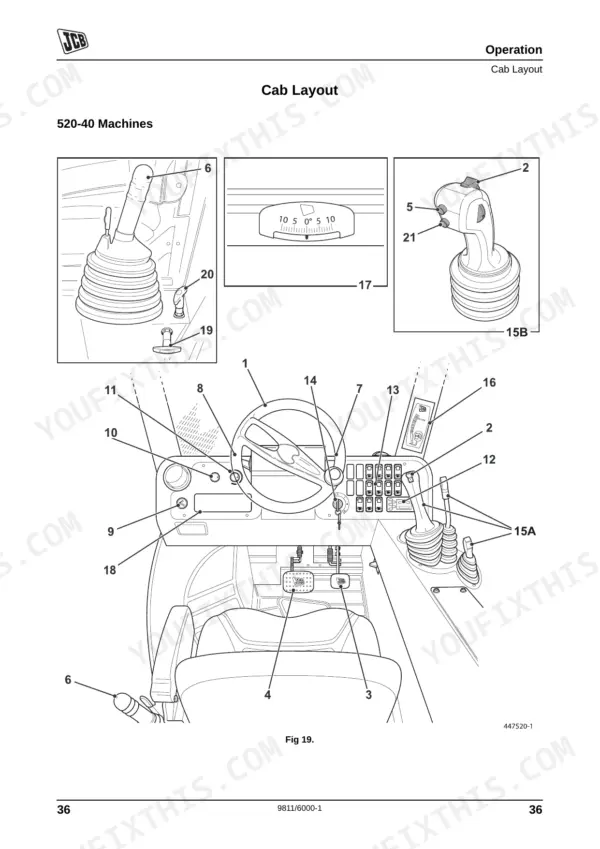
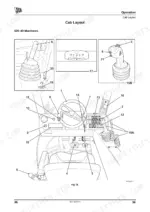
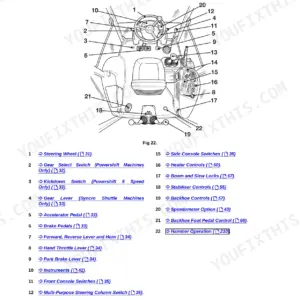
| Operation | 37-112 | Before Entering the Cab, Entering and Leaving the Cab, Emergency Exit, Doors and Windows, Seat Controls, Seat Belt, Cab Layout |
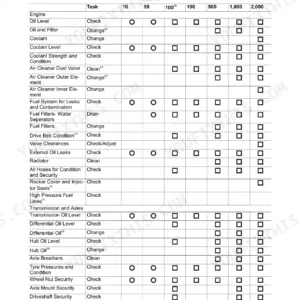
| Routine Maintenance | 113-192 | Service Requirements, Health and Safety, Service Schedules, Fluids, Lubricants and Capacities, Prepare the Machine for Maintenance, Cleaning the Machine, Checking for Damage |
| Optional Attachments | 193-210 | Attachments for Your Machine, Connecting/Disconnecting Hydraulic Hoses, Quick Release Couplings, Q-Fit Attachments, Skid Steer Hitch, Fork Mounted Hook, In-1 Shovel |
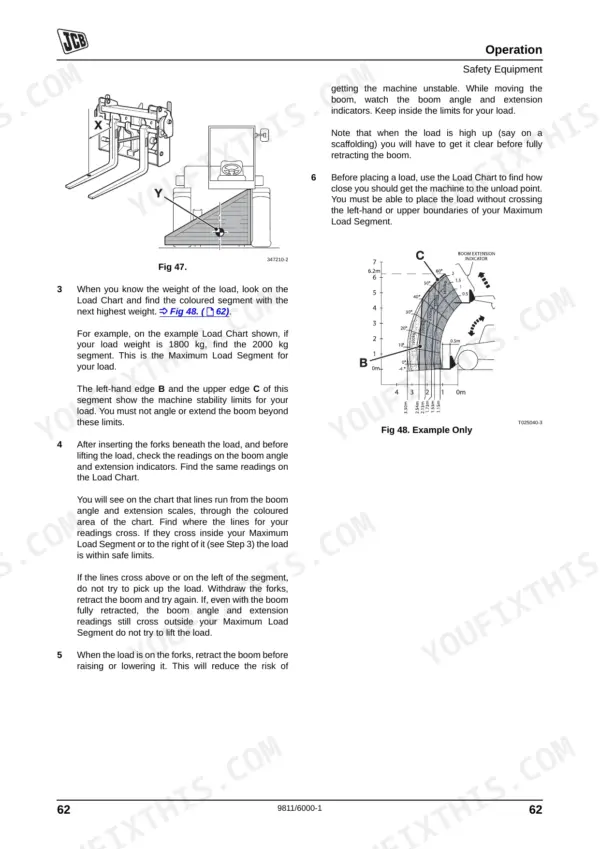
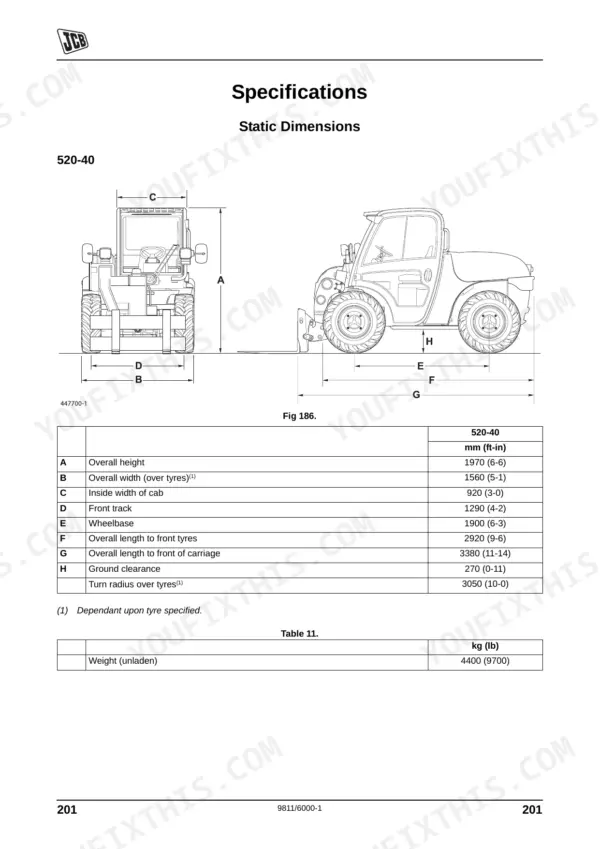
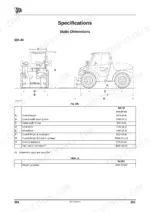
| Specifications | 211-222 | Static Dimensions, Performance Dimensions, Noise Data, Vibration Data, Tyre Sizes and Pressures, Trailer Towing, Load Charts |
| Warranty Information | 223-226 | Machine Service Record Sheet, Registration Information, P.I.N./Machine Serial Number, V.I.N., Engine Serial Number, Alpha Dot Security System |
| European Community Standards | 227-230 | Ec Declaration of Conformity, Machine Model and Serial Number, Typical Product Identification Number (Pin), En 1459:1998, Noise Data (Specification Section), Annex Vi - Procedure 1 |
Quick Reference Specifications
| Specification | Value | Page |
|---|---|---|
| Wheel Nut Torque | 680 Nm (500 lbf ft) | p. 187 |
| Axle Fill/Level Plug Torque | 79 Nm (60 lbf ft) | p. 184 |
| ROPS/FOPS Mounting Bolts Torque | 85 Nm | p. 138 |
JCB 520-40, 524-50, 527-55 Common Problems This Manual Covers
JCB 520-40 Loadall hard starting after sitting idle or engine turns over slowly
Inspect the battery connections and test the charging system. Check the alternator drive belt tension on page 155. Adjust the tensioner bracket to the belt slack value specified on page 155. Clean the battery terminals to ensure a strong connection before attempting a jump start.
Manual Section: Routine Maintenance p. 155Loss of travel speed or reduced pulling power on steep slopes or rough terrain
Verify the transmission fluid level is correct. Check the axle fluid levels on page 184 and inspect for leaks around the housings. When reinstalling the axle fill and level plugs, torque them to exactly 79 Nm (60 lbf ft) to prevent fluid loss and maintain hydrostatic drive.
Manual Section: Routine Maintenance p. 184Steering feels unaligned or machine pulls to one side during transport on paved roads
Align the wheels using the steering phasing procedure. Check the wheel nuts on page 187 to ensure they are secure. Torque all wheel nuts in a crisscross pattern to exactly 680 Nm (500 lbf ft). Inspect the tire pressures and adjust according to the load charts.
Manual Section: Routine Maintenance p. 187Excessive vibration or rattling noise coming from the cab roof structure during rough operation
Inspect the cab mounts and safety structure for loose hardware. Verify the ROPS and FOPS mounting bolts on page 138 are completely secure. Torque all protective structure mounting bolts to exactly 85 Nm to ensure operator safety and eliminate vibration noises during heavy material handling.
Manual Section: Routine Maintenance p. 138Frequently Asked Questions
How to reset JCB 520-40 fault codes?
When the Load Moment Indicator (LMI) system detects a fault, an audible alarm sounds and fault codes are displayed for approximately 10 seconds. To attempt to clear the fault, switch the starter key off and on again; if the fault does not clear, contact your JCB distributor. The display will return to normal when the fault clears. p. 77
How to clear JCB 527-55 error codes?
When the Load Moment Indicator (LMI) system detects a fault, an audible alarm sounds and fault codes are displayed for approximately 10 seconds. To attempt to clear the fault, switch the starter key off and on again; if the fault does not clear, contact your JCB distributor. The display will return to normal when the fault clears. p. 77
What do JCB telehandler diagnostic codes mean?
The manual lists five diagnostic fault codes for the Load Moment Indicator (LMI): Error Code 1 indicates a Transducer signal fault, Error Code 2 means Calibration out of range, Error Code 3 signifies Calibration required, Error Code 4 points to a Display unit faulty, and Error Code 5 indicates Low battery voltage (below 9 Volts). p. 77
How to reset JCB hydraulic fault alarm?
The Load Moment Indicator (LMI) activates an audible warning if the load nears or exceeds the maximum working limit, or if a system fault is detected. If fault codes are displayed, switch the starter key off and on again. If the fault does not clear, contact your JCB distributor. p. 77
How to reset JCB 527-55 error code
When the Load Moment Indicator (LMI) system detects a fault, an audible alarm sounds and fault codes are displayed for approximately 10 seconds. To attempt to clear the fault, switch the starter key off and on again; if the fault does not clear, contact your JCB distributor. The display will return to normal when the fault clears. p. 67
How quickly can I access this manual after buying?
Instant PDF download. You get the full 230-page searchable Operator Manual immediately after payment. Open it on your laptop, tablet, or phone right in the shop.
Is printing allowed for this JCB 520-40 Operator Manual?
Yes. Many mechanics print the section they need for their own shop and bring it to the bench.
Reviews
There are no reviews yet.