
Part of the JCB Operator Manuals.
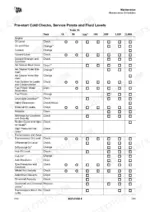
Need to dial in the daily service routines for your loader? This 200-page JCB 422ZX Operator Manual PDF (OEM #9831/3150) breaks down every pre-start inspection, dashboard indicator, and fluid check. Inside, you get complete operating procedures, risk assessment protocols, and a full section detailing scheduled maintenance intervals to keep your machine running strong. Open to the technical data chapters for exact fluid capacities, error code charts, and dashboard warning light breakdowns so you never have to second-guess a cab alarm. Verify your 500-70 R24 AG front tires are set to exactly 4 bar, and confirm the ROPS/FOPS mounting bolts are tightened to 270 N-m before hitting the job site. Guessing on daily maintenance only leads to broken equipment. Grab this bookmarked digital download, pull it up on your phone, and get the job done right.
What's Inside This JCB 422ZX Operator Manual
| System | Pages | Key Topics |
|---|---|---|
| Acronyms Glossary | 11-12 | Automatic Temperature Control, Controller Area Network, Diesel Exhaust Fluid, Electronic Control Unit, Engine Shut-Off Solenoid, Falling Object Protective Structure |
| Introduction | 13-18 | Safety |
| About the Product | 19-34 | Description (General, Intended Use, Log Moving/Object Handling, Optional Equipment and Attachments, Danger Zone, Main Component Locations) |
| Operation | 35-114 | Operating Safety (General, Worksite Safety, Risk Assessment), Walk-Around Inspection (General), Entering and Leaving the Operator Station (General, Emergency Exit) |
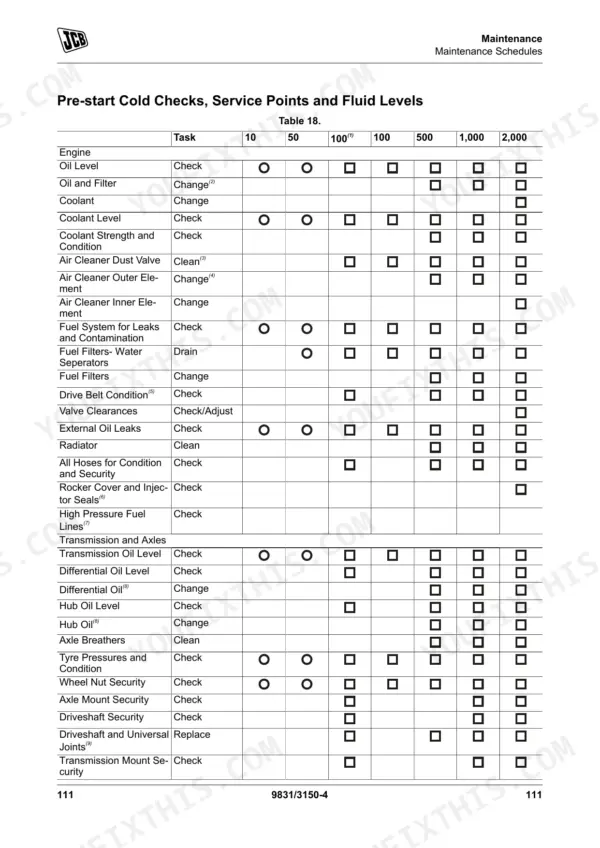
| Maintenance | 115-174 | Maintenance Safety, Maintenance Schedules, Maintenance Positions, Service Points, Access Apertures, Engine, Fuel System |
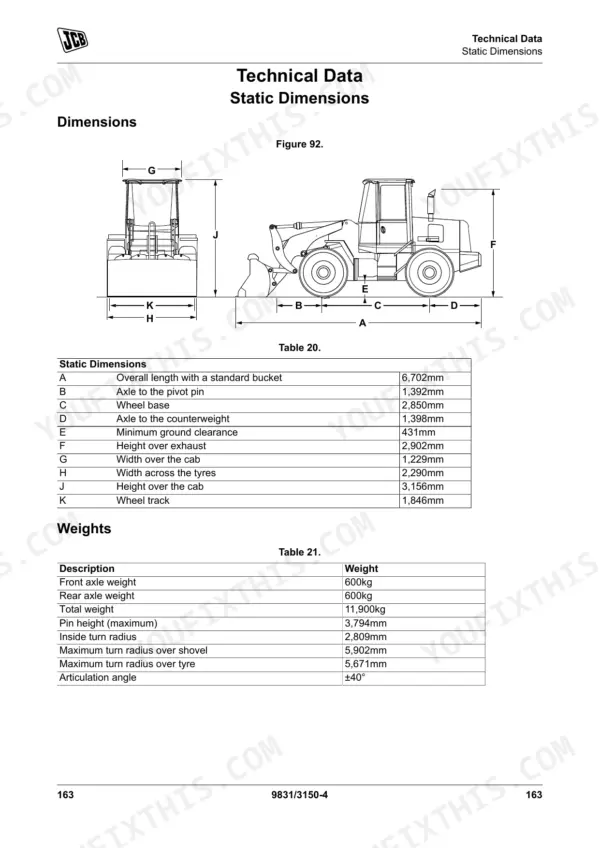
| Technical Data | 175-200 | Performance Dimensions, Fluids, Lubricants and Capacities, Electrical System, Warranty Information |
Quick Reference Specifications
| Specification | Value | Page |
|---|---|---|
| ROPS/FOPS Mounting bolts torque | 270N·m | p. 183 |
| Front Wheel Nut Torque | 600N·m | p. 183 |
| Primary Fuse 1 Rating (Reverse alarm, Beacon, Work lights, Brake light, Dip beam, Interior lights, Hazard warning lights) | 40A | p. 175 |
| Primary Fuse 2 Rating (Key start) | 30A | p. 178 |
| Tyre Pressure (500-70 R24 AG Tyre) - Front | 4bar | p. 71 |
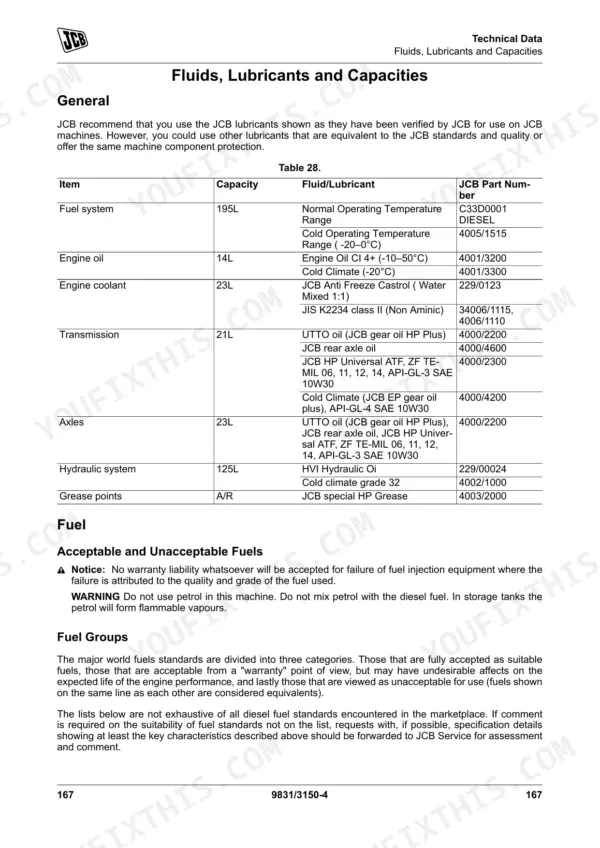
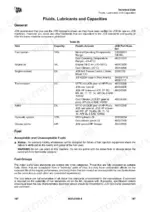
| Fuel system capacity | 195L | p. 179 |
| Engine oil capacity | 14L | p. 179 |
| Engine coolant capacity | 23L | p. 179 |
| Hydraulic system capacity | 125L | p. 179 |
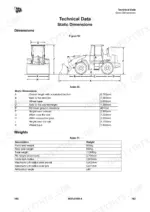
| Total machine weight | 11,900kg | p. 175 |
| Maximum dump angle | 45° | p. 176 |
JCB 422ZX Common Problems This Manual Covers
JCB 422ZX warning cluster light flashes on dashboard after startup and machine stops functioning
Inspect the electrical panel and check the fuse ratings in the maintenance section starting at page 173. Replace any blown fuse with one of the correct ampere rating as specified in the manual. Find and correct the underlying fault before installing a new fuse or operating the equipment.
Manual Section: Maintenance p. 173Uneven tire wear and steering instability visible on one side during daily walkaround inspection
Measure the front tire pressure using a reliable gauge. Verify the 500-70 R24 AG tyre inflation matches the 4bar specification found on page 71. Torque the front and rear wheel nuts to 600N·m as directed on page 183 to prevent further instability.
Manual Section: Operation p. 71Hydraulic auxiliary attachments are slow to respond or leak fluid at the quick hitch connection points
Inspect the auxiliary connections for dirt or damage. Check the technical data on page 179 and ensure the hydraulic system is filled to its 125L capacity. Replace any damaged hydraulic hoses with lines of the exact same size and pressure rating.
Manual Section: Technical Data p. 179Visible engine oil or coolant pooling under the loader frame before morning startup
Check the engine bay for leaking hoses or loose fittings. Drain the fluids and refill according to the technical data on page 179. Fill engine oil to the 14L capacity and engine coolant to the 23L capacity. Clean the cooling pack and inspect the ground for fresh drips.
Manual Section: Technical Data p. 179Frequently Asked Questions
How do I reset the JCB 422ZX error codes?
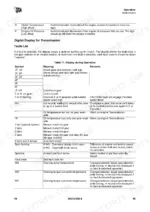
The manual advises that if any fault code appears in the display, the operator should stop the machine and consult their JCB dealer, as it is dangerous to ignore these errors. For AEB-Mode related issues, restarting the TCU (ignition off/on) after removing the AEB-Starter is required to clear calibration messages. p. 71
How do I reset service indicators on a JCB 422ZX?
The manual does not provide a procedure for the operator to reset service indicators or a service light. The 'First 100h Service' is to be completed by a JCB dealer, and service indicator resets are similarly a dealer task. p. 125
What do JCB 422ZX fault codes mean?
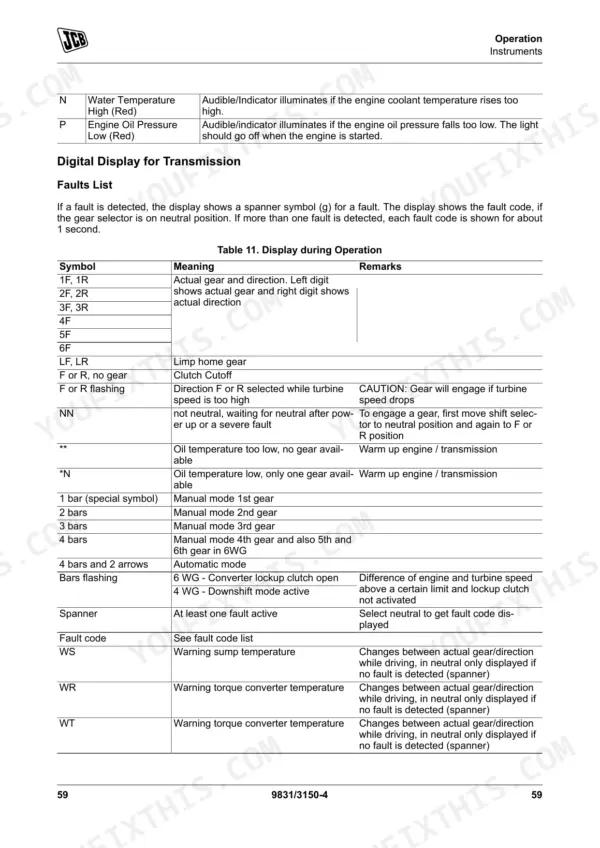
The JCB 422ZX manual provides tables detailing fault codes and their meanings. Operational display symbols indicate conditions such as limp-home gear mode or direction-selected-while-turbine-speed-is-too-high. Logical error codes cover faults such as engine speed input errors or output speed signal mismatches, often indicating sensor or connector issues. The manual directs the operator to stop the machine and consult a JCB dealer when any fault code appears. p. 71
How do I perform a hydraulic system reset on a JCB 422ZX?
The manual describes a procedure to discharge hydraulic pressure before maintenance, which involves operating related controls after stopping the engine and turning the ignition key to the off position. This releases residual pressure in the system. There is no separate 'hydraulic system reset' procedure for the operator. p. 165
How do I calibrate transmission settings on a JCB 422ZX?
The manual details an 'Inchpedal Calibration' procedure where the operator pushes the pedal slowly to its end position and holds it, then releases it slowly. If a problem occurs, the pedal should be released slowly and the procedure retried. For 'AEB-Mode' calibration, once complete the transmission stays in neutral and the TCU must be restarted (ignition off/on). p. 73
Is this JCB 422ZX Operator Manual a digital download?
A 200-page Operator Manual in searchable PDF format, available the moment you complete checkout. View on computer, tablet, or phone, with no shipping wait.
Can I print pages of this manual for my own shop?
Yes. Many mechanics print the section they need for their own shop and bring it to the bench.











Reviews
There are no reviews yet.