
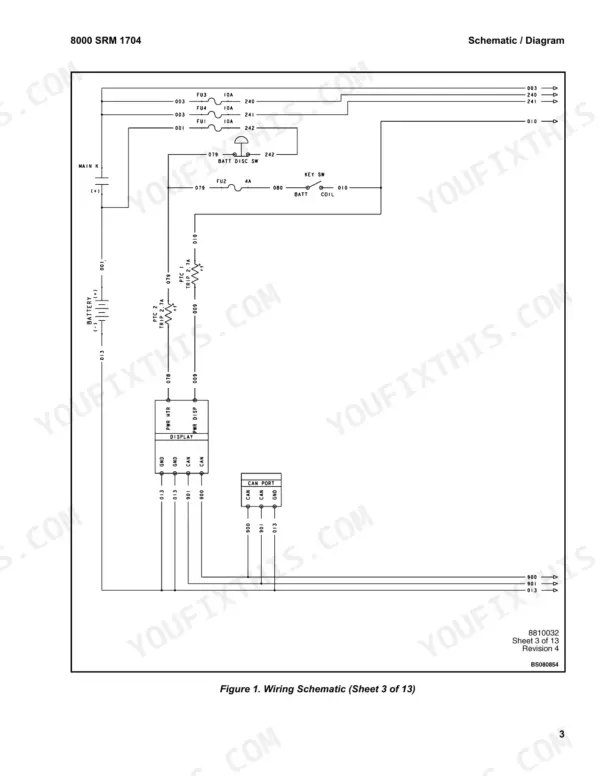
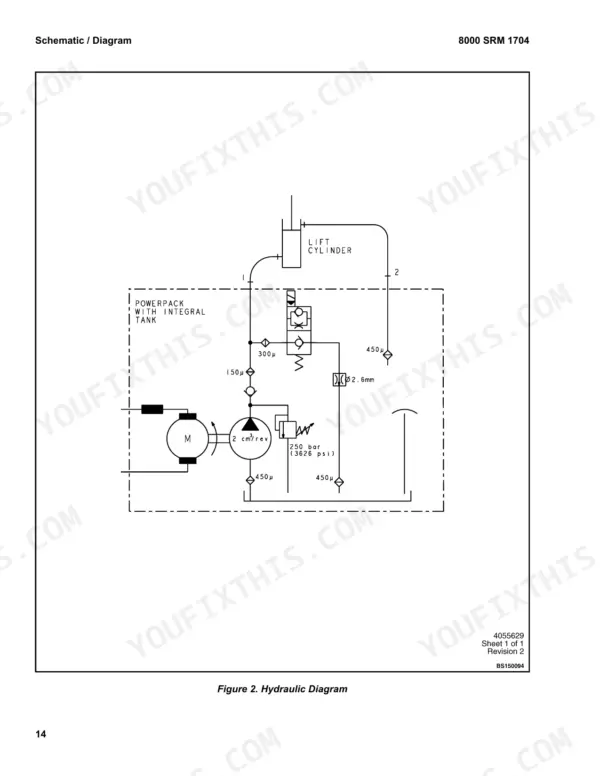
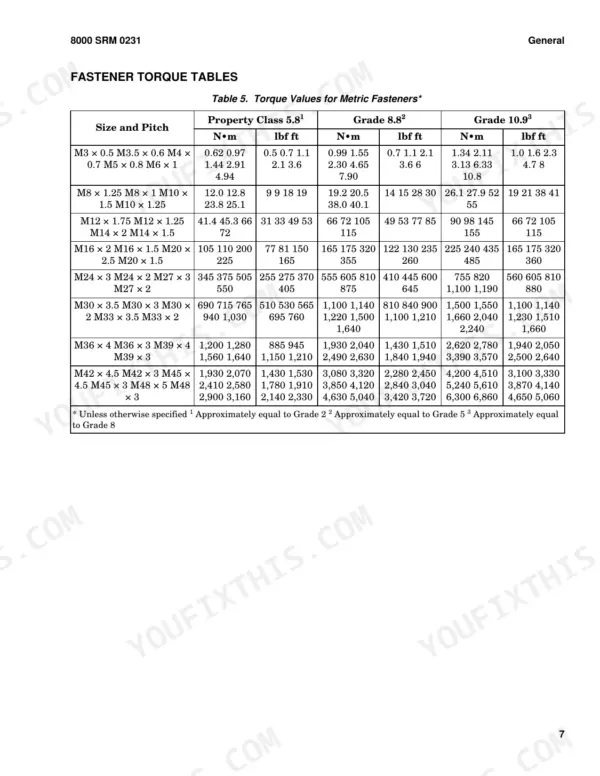
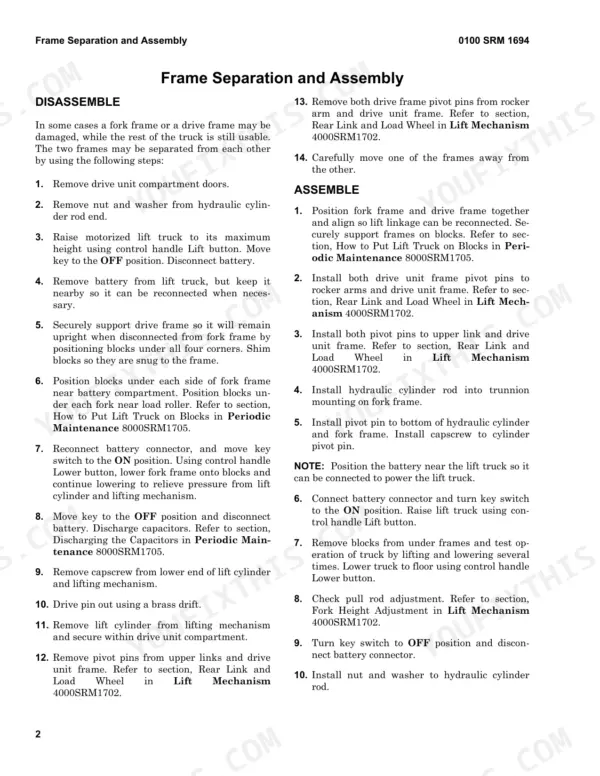
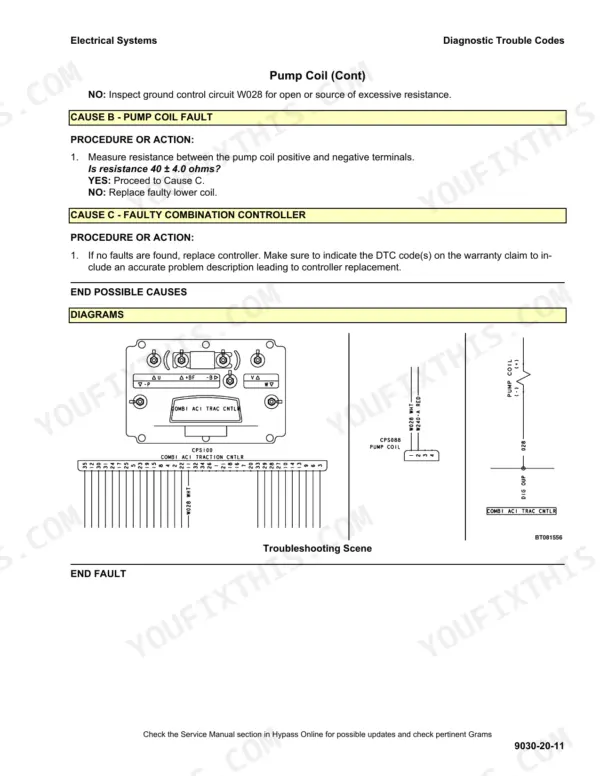
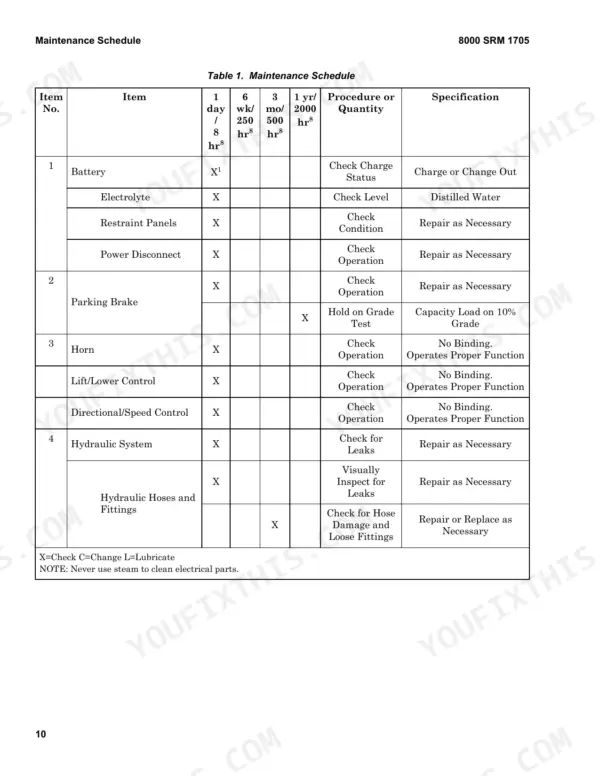
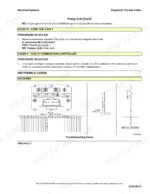
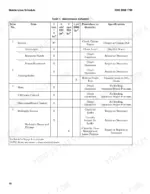
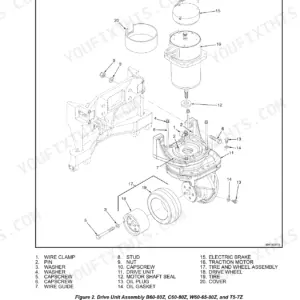
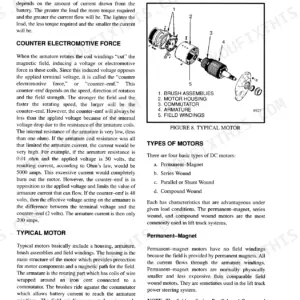
Pulling the steering motor, setting fork height at the pull rod and swapping a load wheel on the BE80ZHD or BE100ZHD electric lift truck are all written out in full in this 438-page Hyster BE80ZHD service manual PDF (OEM ID 4110875). Wiring schematics map the truck's electrical circuits, hydraulic schematics lay out the system routing, and the Controller Diagnostics section lists diagnostic trouble codes for tracing faults. The industrial battery chapter covers specific gravity, hydrometer checks, watering, charging and the battery's role as counterweight; periodic maintenance and fastener torque tables follow. Set your electromagnetic brake air gap between 0.20 and 0.40 mm (0.008 to 0.016 in.), then torque the traction motor slotted nut to 55 N·m (40.6 lbf ft). Ordering a steering proximity switch or new casters? Each has its own replacement procedure. One purchase, and this bookmarked, text-searchable file stays yours for as long as you run the truck.
What's Inside This Hyster BE80ZHD, BE100ZHD Manual
| System | Pages | Key Topics |
|---|---|---|
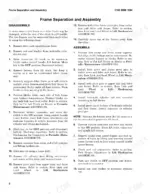
| Frame | 1-12 | Frame General, Frame Separation and Assembly |
| AC Motor Repair | 13-28 | Traction Motor Repair |
| Master Drive Unit | 29-48 | Master Drive Unit General, Master Drive Unit Maintenance |
| Steering Mechanism | 49-70 | Description, Steering Handle Assembly, Steering Controller (Description, Remove, Install), Steering Proximity Switch (Replace) |
| Brake System | 71-84 | Brake System General |
| Hydraulic Systems | 85-112 | Hydraulic Systems General |
| User Interface Supervisor Functions | 113-132 | User Interface General, Menu Navigation, Supervisor-Level Menu, Hour Meters, Performance Level 1, Operator Passwords, Software Versions |
| User Interface Service Technician | 133-172 | User Interface General, Service-Level Menu, Settings Menu, Error Log Menu, Diagnostics Menu, Calibration |
| Electrical System | 173-210 | Electrical System General |
| Industrial Battery | 211-238 | Lead-Acid Batteries, Specific Gravity, Chemical Reaction in a Cell, Electrical Terms, Battery Selection, Battery Voltage, Battery As a Counterweight |
| Lift Mechanism | 239-266 | Operation, Load Wheel (Remove, Install), Caster Adjustment (Casters), Caster Repair (Caster Replacement, Disassemble, Assemble), Rear Link and Load Wheel (Remove |
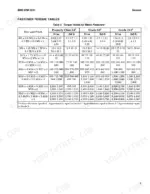
| Metric and Inch Fasteners | 267-286 | Fastener General |
| Capacities and Specifications | 287-298 | Capacities and Specifications General |
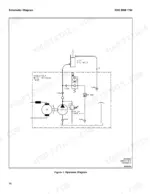
| Diagrams | 299-318 | Wiring Schematics |
| Periodic Maintenance | 319-354 | Periodic Maintenance General |
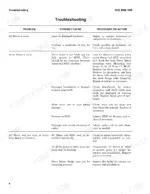
| Controller Diagnostics | 355-438 | Electrical Systems General Maintenance, Diagnostic Trouble Codes |
Every system also includes safety precautions.
Quick Reference Specifications
| Specification | Value | Page |
|---|---|---|
| Non-drive end cover bolts torque | 19 to 23 N·m (14 to 17 lbf ft) | p. 21 |
| Slotted nut torque | 55 N·m (40.6 lbf ft) | p. 22 |
| Air Gap Min | 0.20 mm (0.008 in.) | p. 79 |
| Air Gap Max | 0.40 mm (0.016 in.) | p. 79 |
| Pump Assembly Mounting Capscrews Torque | 38 to 41 N•m | p. 294 |
| Pump to Mounting Bracket Arm Capscrew Torque | 8 to 11 N•m | p. 294 |
| Voltage relay operating voltage | 2.37 volts | p. 230 |
| Battery temperature rise limit | 14°C (25°F) | p. 230 |
| Locking screw torque | 15 to 20 N•m (11 to 15 lbf ft) | p. 250 |
| Wheel lock nut torque | 34 to 47 N•m (25 to 35 lbf ft) | p. 251 |
| Caster preload | 7 mm (0.270 in.) | p. 247 |
| Traction Motor Weight | 42.5 kg (94 lb) | p. 18 |
Hyster BE80ZHD, BE100ZHD Common Problems This Manual Covers
Hyster BE80ZHD BE100ZHD brake does not release, does not hold, or will not apply
Turn the key switch OFF, disconnect the battery connector and discharge the capacitors before opening the drive unit compartment door, per the warning on page 18. Measure the brake air gap against 0.20 mm to 0.40 mm (0.008 to 0.016 in.). Check friction disk thickness against the 8.50 mm (0.33 in.) minimum on page 79. Torque brake mounting capscrews to 10.8 N·m (8 lbf ft).
Manual Section: Brake System Troubleshooting p. 79Lift pump motor does not operate, forks fail to raise, lift slowly, or fail to lower
Turn the key OFF, disconnect the battery and discharge the capacitor before testing pump motor circuits, as the page 17 warning requires. Do not use a screwdriver to discharge the traction motor controller. Work through the Lift Pump and Motor troubleshooting steps using the hydraulic schematic on page 316. Torque pump assembly mounting capscrews to 38 to 41 N·m and the pump to bracket arm capscrew to 8 to 11 N·m, page 294.
Manual Section: Lift Pump and Motor TroubleshootingController logs diagnostic trouble code 32001, 32033, 32053, 40060 or 40074 on the display
Turn the key switch OFF, disconnect the battery and discharge the controller capacitor before troubleshooting or connecting a handset or PC, as page 17 requires. Never short any controller or motor terminal to battery. Look up the code in the Controller Diagnostics reference and follow that DTC procedure step by step. Trace the circuits on the wiring diagram, page 305.
Manual Section: Electrical System Diagnostic Trouble CodesAC traction motor input pinion teeth chipped or bearing retainer housing feels rough when rotated
Disconnect the battery and discharge the capacitors, then lift the motor straight up with a rated hoist; it weighs 42.5 kg (94 lb) per page 18. Replace the pinion if teeth are chipped or worn. Replace the bearing and seal assembly as one part if rotation feels rough. Torque non-drive end cover bolts to 19 to 23 N·m (page 21), slotted nut to 55 N·m and motor capscrews to 23 N·m (page 22).
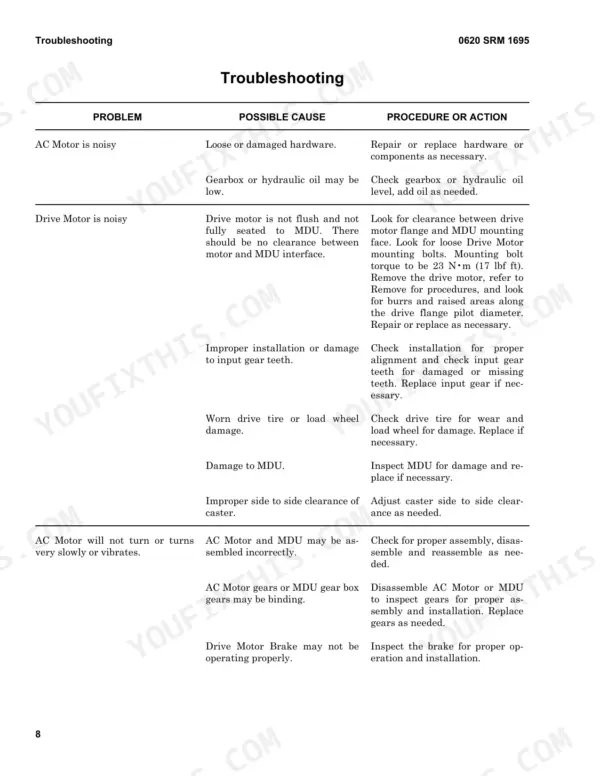
Manual Section: Traction Motor Repair p. 18Master drive unit AC motor will not turn, motor is noisy, or steering bearing binds
Disconnect the battery and discharge the traction motor controller capacitor before inspecting any component, per the warning on page 35. Work through the Master Drive Unit troubleshooting chart for the symptom you have. When refitting parts, torque the steering bearing to MDU capscrews to 34 N·m, traction motor to MDU capscrews to 23 N·m and the fill/drain plugs to 22 N·m, page 293.
Manual Section: Master Drive Unit TroubleshootingFrequently Asked Questions
How do you clear a traction controller fault on a Hyster BE80ZHD or BE100ZHD?
To clear a fault, first identify the status code on the display. After performing the necessary repairs, clear the status code and retest operation. If the fault is an internal fault (DTC xx099), re-key the vehicle to see if the code persists. p. 371
What are the replacement specifications for a 24 V traction battery on the Hyster BE80ZHD, BE100ZHD?
The battery must fit the battery compartment correctly and be within the maximum and minimum weight limits shown on the nameplate. For a 24V system, the battery capacity ranges from 375 to 930 Ampere Hours (Max), with weights ranging from 374.2 kg (825 lb) to 680.4 kg (1500 lb) depending on the compartment size. p. 295
What is the correct torque for the traction motor to MDU capscrews on a Hyster BE80ZHD, BE100ZHD?
The traction motor to MDU capscrews must be tightened to 23 N•m (17 lbf ft). p. 293
How often should the load wheel bearings be repacked?
The load wheel bearings should be repacked every 2000 hours or yearly, whichever comes first. p. 334
What is the correct relief valve pressure setting for the hydraulic system on the Hyster BE80ZHD, BE100ZHD?
The relief valve pressure setting for the BE80ZHD and BE100ZHD is 24.99 MPa (3625 psi). p. 291
Is this Hyster BE80ZHD manual a PDF I download?
This is a 438-page searchable PDF ready for immediate download. Works on any device, so pull it up on your phone while you're under the hood. No shipping, no waiting.
Am I free to print this Hyster BE80ZHD Service Manual?
Yes. Printing works from any reader and any printer, for your own shop use.


Reviews
There are no reviews yet.