
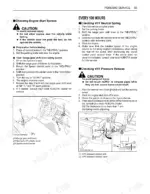
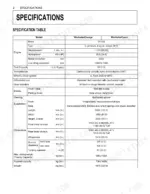
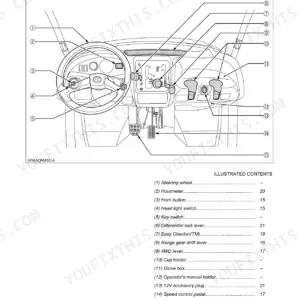
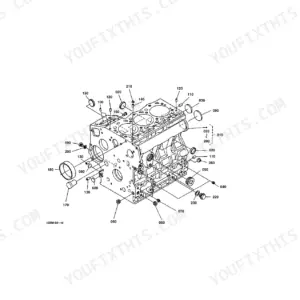
Part of the Kubota Repair Manuals.
This operator manual covers the Kubota RTV1140CPX diesel utility vehicle, powered by the Kubota D1105 engine. Across 104 pages it gives owners the operating, maintenance, and troubleshooting information needed to run and look after the vehicle.
You get the full operating sequence: pre-operation daily checks, starting and stopping the engine, driving techniques, using the convertible seating and cargo bed, and towing or transporting the vehicle safely. The specification and vehicle limitation tables list capacities, travelling speeds, and load ratings.
The maintenance chapters lay out service intervals and the periodic work due at the 50, 100, 200, and 300 hour points, covering fluids, filters, belts, and wheel service. A troubleshooting section addresses engine, battery, and machine faults such as overheating and loss of drive. It is a downloadable PDF you can print or keep on any device.
What's Inside This Kubota RTV1140CPX Manual
| System | Pages | Key Topics |
|---|---|---|
| Safe Operation | 9-22 | Before Operating the Vehicle, Operating the Vehicle, Hauling Loads in the Cargo Bed, Parking the Vehicle, Transporting, Servicing the Vehicle |
| Servicing of Vehicle | 23 | |
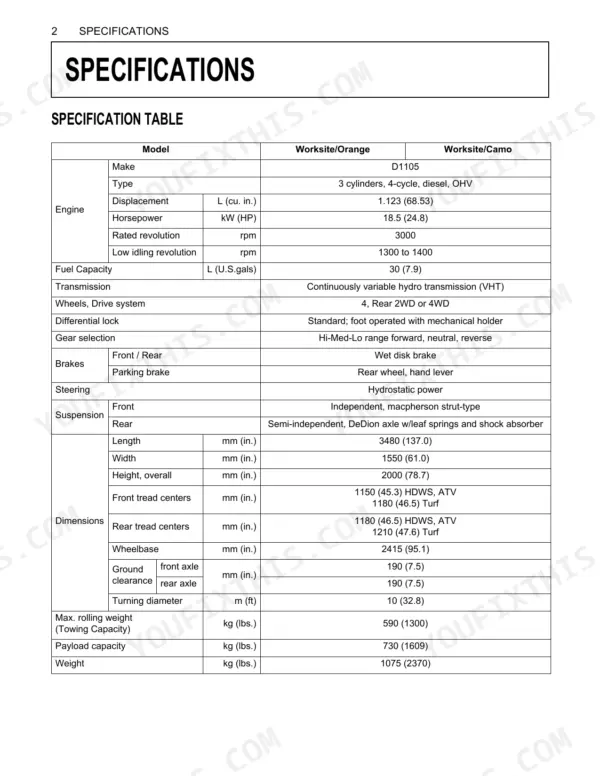
| Specifications | 24-25 | Specification Table, Travelling Speeds |
| Vehicle Limitations | 26 | Max. Cargo Loading Weight, Rear Trailer Hitch, Front Trailer Hitch, Max. Rolling Weight, Max. Tongue Weight |
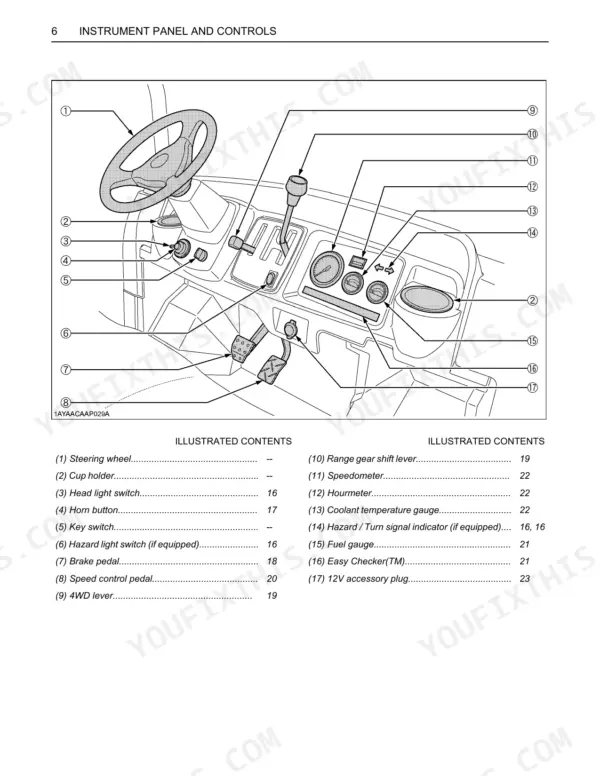
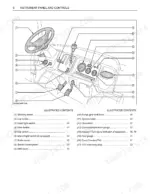
| Instrument Panel and Controls | 27-30 | Location of Parts |
| Pre-Operation Check | 31 | Daily Check |
| Operating the Engine | 32-36 | Starting the Engine, Stopping the Engine, Warming Up, Jump Starting |
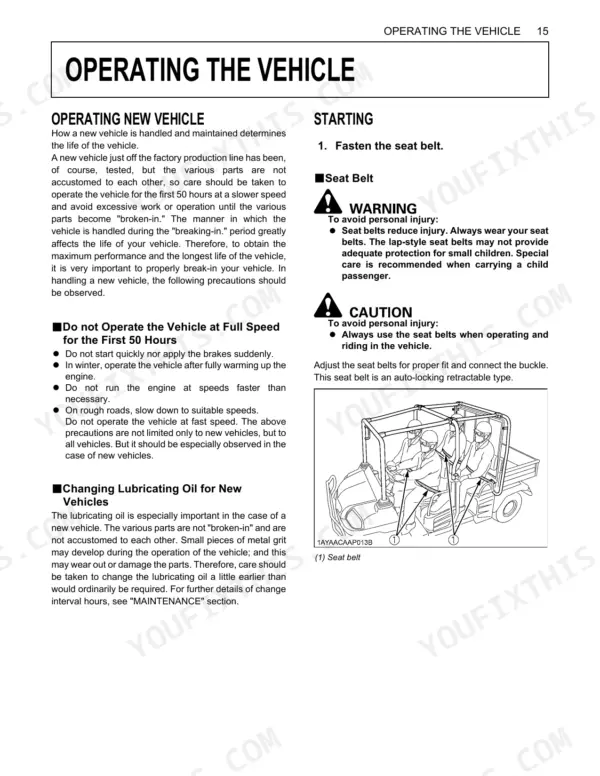
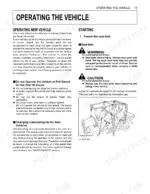
| Operating the Vehicle | 37-50 | Operating New Vehicle, Starting, Stopping, Check During Driving, Parking, Accessory, Operating Techniques |
| Seating and Cargo Bed | 51-55 | Cargo Bed, Changing Seating and Cargo Bed |
| Tires and Wheels | 56-57 | Tires, Wheels |
| Towing and Transporting | 58-59 | Rear Trailer Hitch, Front Trailer Hitch, Winch Mount Plate, Transport the Vehicle Safely |
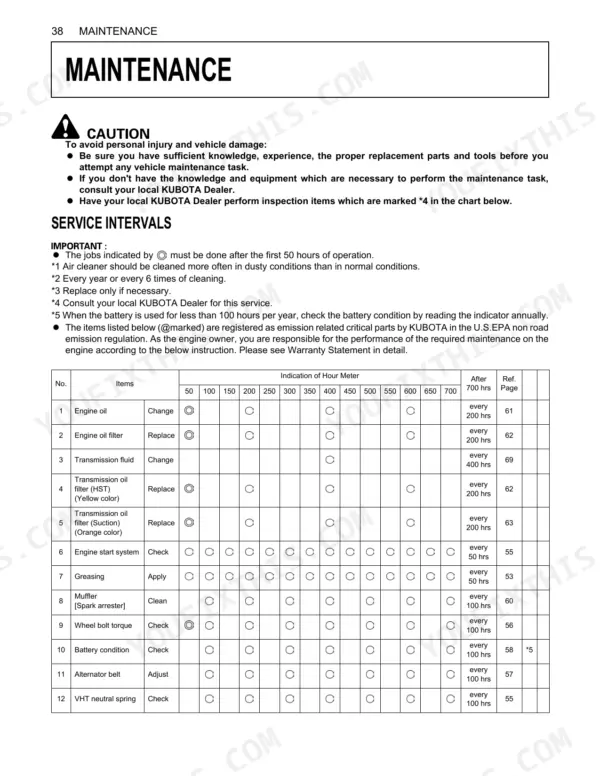
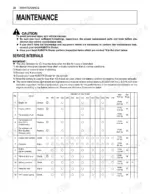
| Maintenance | 60-65 | Service Intervals, Lubricants, Fuel and Coolant |
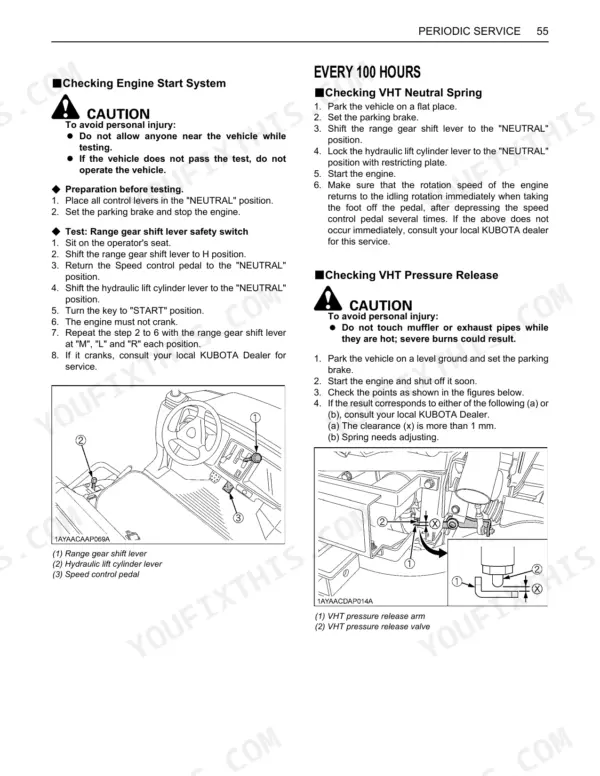
| Periodic Service | 66-97 | How to Open the Hood and Tilt the Seat, How to Raise the Carbo Bed, Jack Up Point, Daily Check, Every 50 Hours, Every 100 Hours, Every 200 Hours, Every 300 Hours |
| Storage | 98 | Vehicle Storage, Removing the Vehicle From Storage |
| Troubleshooting | 99-101 | Engine Troubleshooting, Battery Troubleshooting, Machine Troubleshooting |
| Options | 102 | Backup Beeper, Bed Liner, Cab Heater, Console Kit, Front Accessory Box, Front Heavy Load Springs |
Quick Reference Specifications
| Specification | Value | Page |
|---|---|---|
| Wheel bolt torque | 75 to 90 N-m (55.3 to 66.4 ft-lbs.) | p. 57 |
| Cleaning compressed air pressure | under 205 kPa (2.1 kgf/cm², 30 psi) | p. 56 |
| Replacement interval | Once yearly or after every sixth cleaning, whichever comes first | p. 56 |
| Capacity | 12 L (3.2 U.S.gals.) | p. 69 |
| Change interval | every 400 hrs | p. 60 |
| Hydraulic tank oil capacity | 14.5 L (15.3 U.S.qts.) | p. 85 |
| Hydraulic tank oil change interval | every 200 hrs | p. 60 |
| Type | Fresh clean water with anti-freeze | p. 63 |
| Long-life coolant service life | 2 years | p. 72 |
| Lubricant type | KUBOTA UDT or SUPER UDT fluid | p. 63 |
| Capacity (one side) | Ref. 0.15 L (0.16 U.S.qts.) | p. 68 |
Kubota RTV1140CPX Common Problems This Manual Covers
Overheating after extended driving
Owners report high coolant temperatures at normal speeds, usually from a debris-clogged radiator screen, low coolant, or restricted airflow. The periodic service section covers daily radiator screen cleaning and the cooling checks that prevent it.
Manual Section: Periodic Service p. 66No movement or loss of drive
A complete no-movement condition is commonly an HST or transmission fluid problem on these vehicles. The troubleshooting section walks through the machine symptoms and the checks that point to the cause.
Manual Section: Troubleshooting p. 99Engine or transmission fluid leaks
Worn seals, loose fittings, or damaged hoses show up as oil or coolant leakage underneath the vehicle. The pre-operation daily check calls for inspecting for leaks and confirming fluid levels before each use.
Manual Section: Pre-Operation Check p. 31Extensive routine maintenance
This vehicle needs regular fluid changes, filter replacement, and greasing, and skipping them leads to trouble. The maintenance section sets out the service intervals and the lubricants, fuel, and coolant to use.
Manual Section: Maintenance p. 60Loose wheel bolts or low tire pressure
Incorrect tire pressure and loose wheel bolts cause poor handling and uneven wear. The tires and wheels section gives the inflation pressure and wheel bolt torque so the running gear stays safe.
Manual Section: Tires and Wheels p. 56Hard starting or a flat battery
A weak or discharged battery is a frequent starting complaint on utility vehicles. The engine operation section covers starting, warming up, and the jump-starting procedure to get moving again safely.
Manual Section: Operating the Engine p. 32Frequently Asked Questions
Which vehicle does this manual cover?
It covers the Kubota RTV1140CPX diesel utility vehicle with the Kubota D1105 engine. It is the operator manual, focused on running, maintaining, and troubleshooting the vehicle rather than major repair work.
Does it list torque specs like wheel bolt torque?
Yes. The Tires and Wheels section gives the tire inflation pressure and wheel bolt torque, so you can service the running gear to the correct figures. p. 56
Does it include service intervals and maintenance?
Yes. The Maintenance section lays out the service intervals along with the lubricants, fuel, and coolant to use, and the periodic service chapter details the work due at each hour milestone. p. 60
Does it help with troubleshooting overheating or no drive?
Yes. The Troubleshooting section covers engine, battery, and machine faults, giving you a starting point for common issues such as overheating and loss of drive. p. 99
How quickly can I access this Kubota RTV1140CPX manual after buying?
Immediate download of the complete 104-page searchable Owner's Manual. Access it on any device, laptop at your desk or phone in the field.
Can I print specific sections of this Kubota RTV1140CPX Owner's Manual?
Yes. Print a chapter or just the pages for the job at hand, for use in your own shop. Any home or office printer works.





Reviews
There are no reviews yet.