

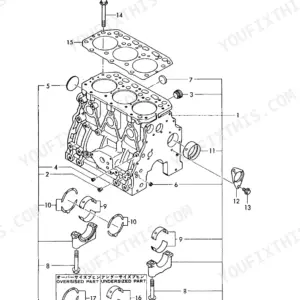
Part of the Yanmar Operator Manuals.
Drain the gear oil from an SD20 leg and its color tells you at a glance whether the outer seal is still keeping the sea out, and this 33-page Yanmar operator manual tells you what to do about it either way. It covers the SD20, SD50, and SD50-4T sail drives, with the approved engine combinations listed inside: 1GM10C, 2YM15, 3YM20, 3YM30, 3JH4E, 4JH4E, and 4JH3-TCE.
Guessing is expensive on a sail drive. The wrong oil grade wears gears you cannot see, an under-torqued propeller nut costs you the prop, and a skipped diaphragm check ends with water where lubricant should be. This manual replaces the guess with Yanmar's own numbers: reduction ratios, oil capacities, propeller nut torque, and service intervals.
It also walks through first startup, the alarm system check, the cooling water routine, oil changes with the boat in or out of the water, and wiring diagrams for each instrument panel type.
Complete the set for your Yanmar Sail-Drive & Marine Engine Series
- Repair Manual: Yanmar SD40–SD50 Series Sail Drive Unit Service Manual
Other edition of this manual
- Yanmar SD20, SD50 Operation Manual (incl. Wiring) Original price was: $28.99.$19.99Current price is: $19.99.
What's Inside This Yanmar Yanmar Sail-Drive & Marine Engine Series Operator Manual
| System | Pages | Key Topics |
|---|---|---|
| Introduction | 3 | Sail-Drive Models, Engine Models, Engine and Sail-Drive Combinations |
| For Your Safety | 4-6 | Safety Precautions for Inspection |
| Specifications | 7 | Reduction Gear System, Direction of Rotation, Reduction Ratio, Propeller Speed, Lubrication System, Dry Weight |
| Selecting Lubricating Oil | 8-9 | Choice of Lube Oil, Kind of Lube Oil, Lube Oil Viscosity |
| Starting the New Sail-Drive for the First Time | 10-15 | Filling with Lubricating Oil (SD20 and SD50/-4T), Check of Instrument Panel Alarm System, Remote-Control Device Check, Fitting for Fixed Propeller, Recommended Propeller Size |
| Method of Operation | 16-17 | Engine Cooling Water (SD20, SD50/SD50-4T) |
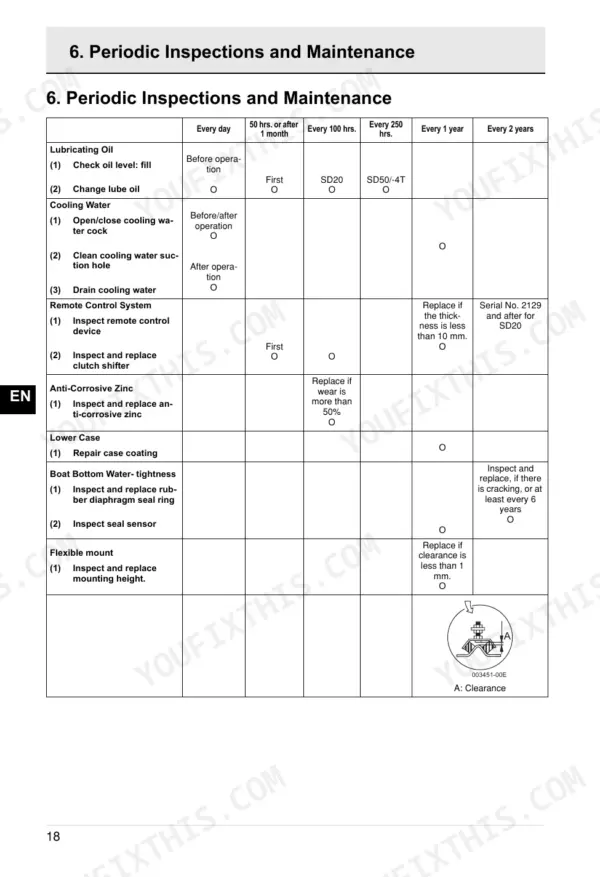
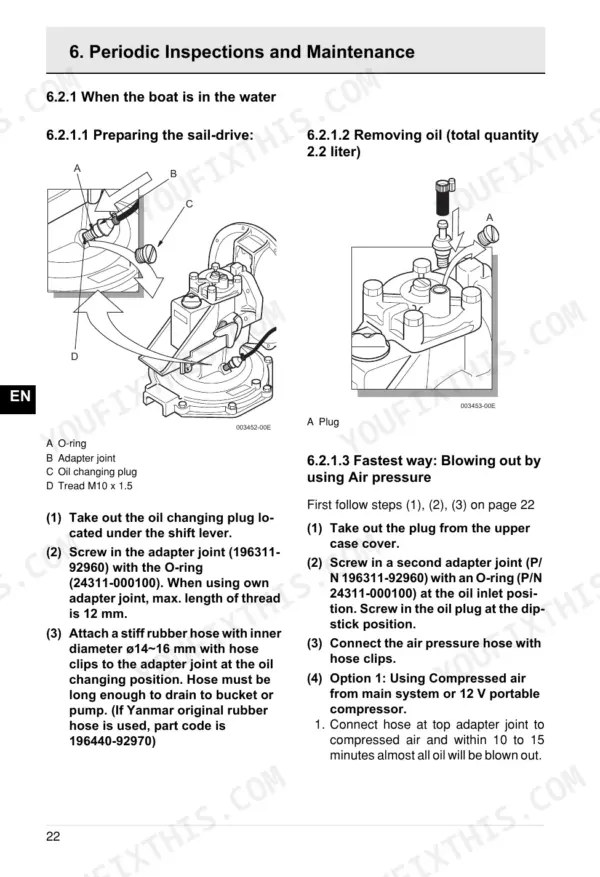
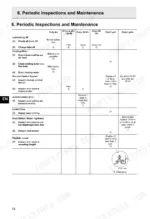
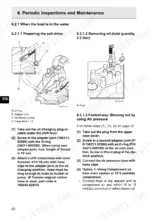
| Periodic Inspections and Maintenance | 18-30 | Lubricating Oil System (SD20, SD50/-4T), Procedure for Filling and Removing Oil in the Sail-Drive; SD50/-4T (When Boat: in the Water, Out of the Water) |
| Electrical Wiring Diagrams | 31-33 | Color Coding, A-Type Instrument Panel, B-Type Instrument Panel, B X B-Type Instrument Panel, C X B-Type Instrument Panel, Cross Sectional Area |
Quick Reference Specifications
| Specification | Value | Page |
|---|---|---|
| SD20 | ||
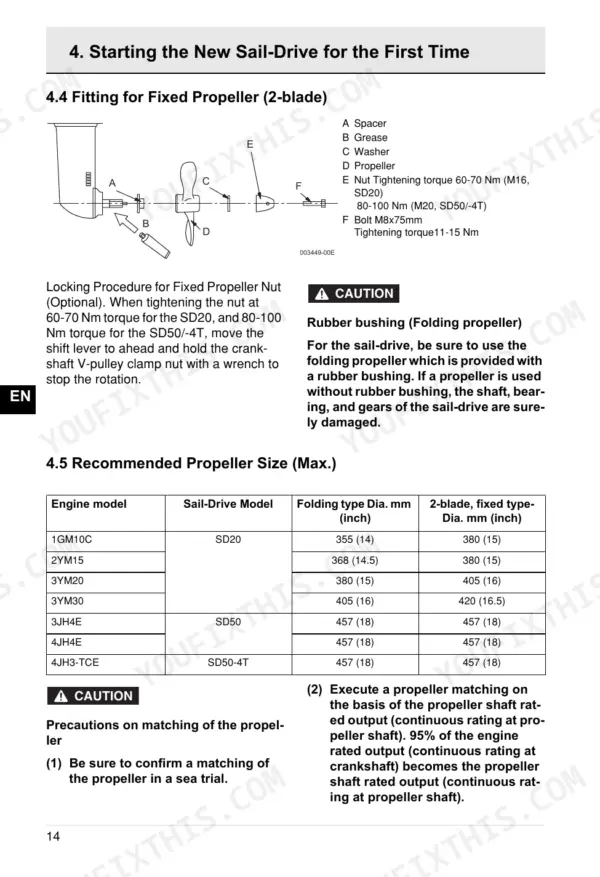
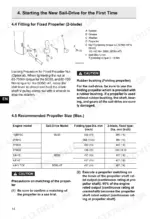
| Propeller Nut Tightening Torque, SD20 | 60-70 Nm | p. 14 |
| Lube Oil Change Interval, SD20 | first 50 hours of operation or after long storage, and every 100 hours of operation thereafter | p. 19 |
| Reduction Ratio Ahead, SD20 | 2.64 | p. 7 |
| Lubrication Oil Capacity (Long-reach Unit) | 2.5 L | p. 7 |
| Dry Weight | 30 Kg | p. 7 |
| SD50/SD50-4T | ||
| Propeller Nut Tightening Torque, SD50/SD50-4T | 80-100 Nm | p. 14 |
| Lube Oil Change Interval, SD50/SD50-4T | first 50 hours of operation or after long storage, and every 250 hours of operation thereafter | p. 20 |
| SD20 and SD50/-4T | ||
| Rubber Diaphragm Seal Ring Replacement Interval | at least every 6 years | p. 18 |
| SD50, SD50-4T | ||
| Reduction Ratio Ahead (SD50, SD50-4T) | 2.32 | p. 7 |
| All Models | ||
| Lubrication Oil Capacity (Standard Unit) | 2.2 L | p. 7 |
| SD50 | ||
| Lubrication Oil Capacity (Long-reach Unit, Extension 58) | 2.35 L | p. 7 |
| SD50-4T | ||
| Lubrication Oil Capacity (Long-reach Unit, Extension 100) | 2.45 L | p. 7 |
Yanmar Yanmar Sail-Drive & Marine Engine Series Common Problems This Manual Covers
Milky gear oil after a season
Water past the outer seal emulsifies the lube and attacks the gears from the inside. The maintenance section covers inspecting the rubber diaphragms and calls for the seal ring to be replaced at least every 6 years.
Manual Section: Periodic Inspections and Maintenance p. 18Shifter moves but the prop does not
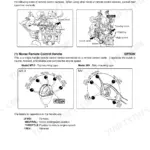
When the lever feels normal at the helm yet the drive will not take up, the remote-control linkage is the first thing to verify. The Remote-Control Device Check walks through confirming the cable and lever positions before you blame the drive itself.
Manual Section: Remote-Control Device Check p. 12Propeller nut backing off
A prop nut tightened by feel is how propellers get left on the seabed. The manual gives the actual figures: 60 to 70 Nm for the SD20's M16 nut and 80 to 100 Nm for the M20 nut on the SD50 and SD50-4T.
Manual Section: Fitting for Fixed Propeller (2-Blade) p. 14Wasted zinc and pitted casing
Owners report corrosion on these drives when the anode is neglected or the wrong antifouling is in play, and an aluminum case pits quickly once the zinc is gone. The Anticorrosive Zinc section covers inspection and replacement for the SD20 and SD50/SD50-4T.
Manual Section: Anticorrosive Zinc p. 29Wrong gear oil in the leg
Using whatever oil is on hand is a cheap decision with an expensive teardown at the end of it. This section specifies the choice, kind, and viscosity of lube oil Yanmar approves for the drive.
Manual Section: Selecting Lubricating Oil p. 8Weak cooling water flow
Raw water for the engine feeds through the sail drive, so a blocked intake shows up as overheating at the engine end. The Engine Cooling Water section covers the correct operating routine for the SD20 and the SD50/SD50-4T.
Manual Section: Engine Cooling Water p. 16Oil change without a haul-out
On the SD50 and SD50-4T the filling and draining procedure is different afloat than on the hard, and doing it the wrong way round makes a mess of the bilge. The manual gives both procedures step by step.
Manual Section: Procedure for Filling and Removing Oil in the Sail-Drive; SD50/-4T p. 21Frequently Asked Questions
Which sail drives and engines does this manual cover?
It covers the Yanmar SD20, SD50, and SD50-4T sail drives. The Introduction lists the approved engine and sail-drive combinations, covering the 1GM10C, 2YM15, 3YM20, 3YM30, 3JH4E, 4JH4E, and 4JH3-TCE engines. p. 3
What is the propeller nut torque for these drives?
The Fitting for Fixed Propeller section specifies 60 to 70 Nm for the SD20's M16 nut and 80 to 100 Nm for the M20 nut on the SD50 and SD50-4T. p. 14
How often should the sail drive oil be changed?
The Lubricating Oil System section calls for the first change at 50 hours of operation or after long storage, then every 100 hours on the SD20 and every 250 hours on the SD50 and SD50-4T. Standard units hold 2.2 L. p. 19
What do I get after purchasing this Yanmar SD20 & variants manual?
You get a 33-page searchable PDF that downloads instantly after checkout. Open it on your laptop, tablet, or phone, and bring it right to the shop floor.
Can I print this manual?
Yes. Many mechanics print the section they need for their own shop and bring it to the bench.
Reviews
There are no reviews yet.