
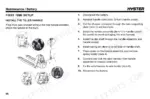
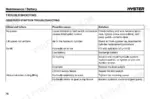
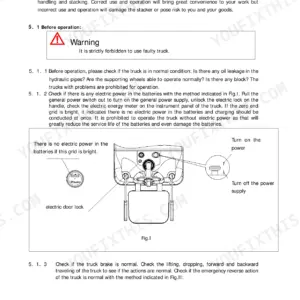
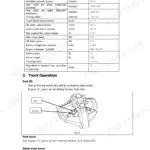
Issued by Hyster under document number 4291196, this 96-page Hyster PC1.5 operator manual PDF covers the electric pallet truck in its PC1.5 and PCS1.5UT versions, from first setup through daily use. A wiring diagram traces the electrical circuit, a hydraulic schematic shows the lift circuit, and fault code tables sit beside troubleshooting charts for no power, no lift, low lift speed and abnormal noise. Your operators also get stability principles, driving rules, preliminary checks and scheduled maintenance tables for brakes, hydraulics, wheels, tiller and gearbox. Full charge takes 3 hours for a 48V/15Ah lithium-ion battery on the 5A external charger, or 5 hours for the 10Ah pack on a 2A charger. Ordering a spare main fuse? Specify the 40A plug-in type. Bookmarks and a live text layer take you straight to the fault codes or the recharging procedure without paging through everything else.
What's Inside This Hyster PC1.5, PCS1.5UT Operator Manual
| System | Pages | Key Topics |
|---|---|---|
| Introduction | 3-10 | General Conditions, Information About Disposal, Documents |
| Warning | 11 | Safety Warnings and Markings |
| Risks / Transporting the Truck | 12-16 | Risks As a Result of Incorrect Use, General Guidelines, Making the Truck Ready After Transportation |
| Description / Operating Instructions | 17-31 | Constructions Standards, Model, Changes to the Truck, Identification Data, Warning and Information Plates and Adhesive Decals, Technical Data, Components and Positioning |
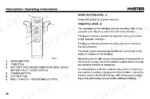
| Smart Functions | 32 | Up-Right Drive, Turtle Speed, Handheld Intelligent Control |
| Preliminary Checks | 33 | Oil Leaks, Wheels and Forks, Brakes |
| General Stability Principles | 34-37 | Truck Centre of Gravity, Common Centre of Gravity, Load Centre of Gravity, Area of Stability, Longitudinal Stability Area, Transverse Stability Area |
| Operating Techniques | 38-42 | Tipping Causes, Work Environment, Improper Lifting, Lifts |
| Considerations Concerning Loads | 43-44 | Picking Up Load, Putting Down Load, Load Stability, Positioning the Load, Centred Load |
| Driving Rules | 45-53 | Visibility, Changing Direction, Speed, Pedestrians, Ascents and Descents, Overtaking |
| Storage and Restarting Operations | 54-55 | Short Period of Inactivity, Long Period of Inactivity, Restarting After Short Period, Restarting After Long Period |
| Maintenance General Principles | 56-57 | Maintenance Schedule, Periodic Inspections, Safety Criteria, Specialised Personnel, Annual Check |
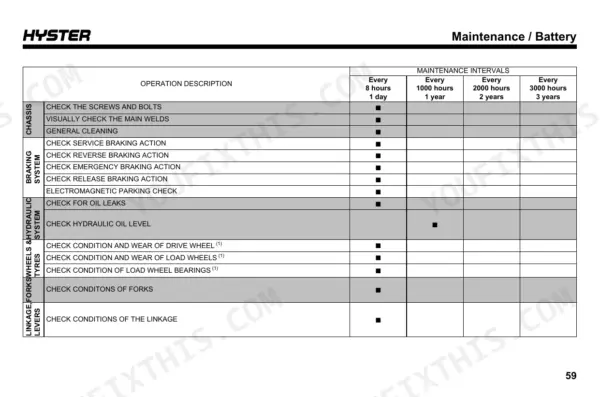
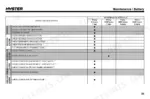
| Scheduled Maintenance Tables | 58-60 | Chassis, Braking System, Hydraulic System, Wheels and Tyres, Tiller, Gearbox |
| Cleaning | 61 | Casing, Braking System, Electric Panel |
| Maintenance Procedures | 62-65 | Braking System, Hydraulic System, Wheels and Tyres, Steering Tiller, Controls and Instrumentation, Electrical System |
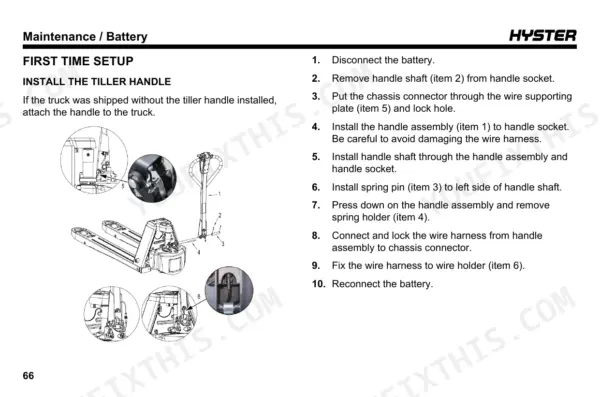
| First Time Setup | 66-67 | Tiller Handle, Chassis Connector, Wire Harness, Battery |
| Repair Procedures | 68-77 | Brake Release Mode, Drive Wheel, Load Wheels, Hydraulic Cylinder, Seal Kits, Handheld Intelligent Control |
| Troubleshooting | 78-83 | No Power, Lift Speed, No Lift, Abnormal Noise, Fault Codes |
| Lithium-Ion Battery Warnings | 84-85 | Warning Labels, Fire Exposure, Short-Circuiting, Water Immersion, Deformation |
| Lithium-Ion Battery Specifications | 86-88 | Model, Capacity, Voltage, Battery Life |
| Recharging the Battery | 89-96 | Battery Charge Status, Recharging Environment, Battery Charger, Recharging Methods, Recharging Procedure, Charging Time |
Quick Reference Specifications
| Specification | Value | Page |
|---|---|---|
| Drive motor power | 0.75 kW | p. 26 |
| Lift motor power | 0.5 kW | p. 26 |
| Battery Voltage | 48V | p. 93 |
| Battery Capacity | 10Ah/15Ah | p. 93 |
| Main Fuse | 40A | p. 75 |
| Load capacity | 1500 kg (3307 lb) | p. 24 |
| Load centre | 600 mm (23.6 in) | p. 24 |
| Height, fork lowered | 82 ± 2 mm (3.2 ± 0.08 in) | p. 24 |
| Lift height | 115 mm (4.5 in) | p. 24 |
| Travel speed with load | 4.0 km/h (2.5 mph) | p. 25 |
| Travel speed without load | 5.0 km/h (3.1 mph) | p. 25 |
| Max. gradeability with load | 6% | p. 25 |
Hyster PC1.5, PCS1.5UT Common Problems This Manual Covers
Hyster PC1.5 pallet truck will not do anything when switched on, completely no power
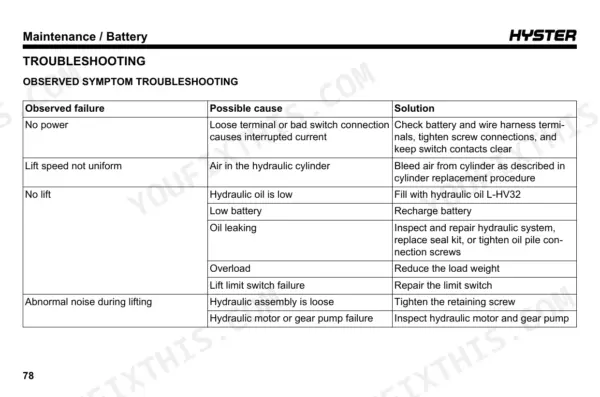
Disconnect the battery with the truck on a flat surface and no load before touching terminals, as page 64 requires. Check the battery and wire harness terminals following page 80, tighten the screw connections, and keep switch contacts clear. Verify the battery plug is securely attached to the truck and the socket handle is secure per page 67. If anything is irregular, contact the HYSTER service centre.
Manual Section: Troubleshooting p. 80Pallet truck forks do not rise at all when the operator commands lift
Check the load first and reduce the weight if it exceeds the 1500 kg (3307 lb) capacity on page 24. Recharge the battery if charge is low. Fill with L-HV32 hydraulic oil if low, following page 80. Inspect for evident oil leaks, keeping everyone off the forks and all body parts out of the lifting mechanisms (page 65). Report leaks or a failed lift limit switch to the HYSTER service centre.
Manual Section: Troubleshooting p. 80Lift speed not uniform, forks rise jerky and uneven during the lift stroke
Bleed air from the hydraulic cylinder, which page 80 lists as the cause. Following page 74, loosen screw (item 11), lift a pallet carrying at least 500 kg (1102 lb), raise and lower it 2 or 3 times, then tighten the screw. Keep everyone off the forks and keep hands and feet out of the lifting mechanisms during the test, as page 65 warns.
Manual Section: Troubleshooting p. 80SRO fault code on the display and truck refuses to lift, lower, or travel
Turn the truck power off and then back on, following the fault code table on page 81. Pull the handle into the operating position before commanding lift, lower, or travel; SRO means a command came before the handle was in position. If code 16 appears at power on instead, check the belly switch for sticking and replace it if needed.
Manual Section: Troubleshooting p. 81Truck keeps moving with steering tiller in position B, or throttle does not return to neutral
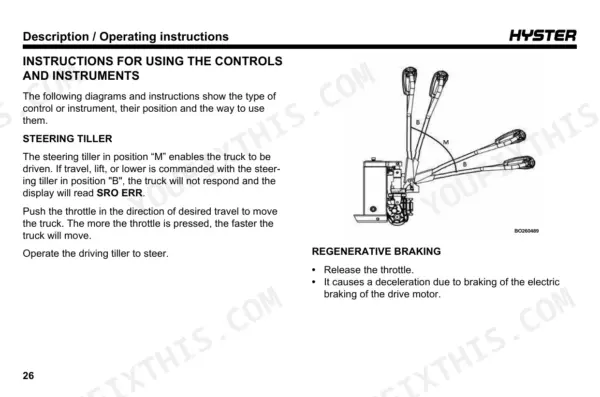
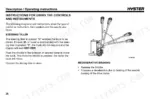
Remove the truck from service now: page 29 states the truck must stop in position B and the throttle must snap back to neutral, and either failure needs immediate repair. Place an OUT OF ORDER - DO NOT USE sign on it and remove the key per page 59. After repair, test service braking only on clear flat ground with nobody standing near the truck, as page 64 warns.
Manual Section: Description / Operating Instructions p. 29Dead truck with no power will not roll, electromagnetic brake stays closed when pushing
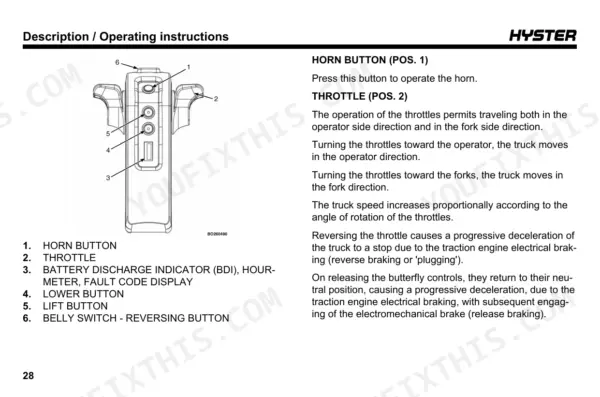
Verify the truck has no power, then enter brake release mode following page 70 (procedure for non-CE-certified trucks). With the power button down, press and hold the Horn button and lift the power button; the display reads NO BRAKE and the truck beeps. Pull it manually to the service location only, since page 70 forbids using brake release mode in normal operation.
Manual Section: Repair Procedures p. 70Frequently Asked Questions
How do I reset a Hyster PC1.5 or PCS1.5UT?
To reset the truck functions after the belly switch (reversing button) has been hit, you must turn the truck off and then on again. For other fault codes, turn the truck power off and then on, ensuring the handle is in the operating position before commanding lift, lower, or travel. p. 31
What do Hyster PC1.5 error codes mean?
Error codes are displayed on the screen in the format ERR+nn. For example, fault code 12 indicates an overcurrent issue caused by a motor short, controller fault, or Hall signal interference, requiring the replacement of the motor or controller. p. 81
Why won’t my Hyster PC1.5 travel?
If the truck does not travel, check if the steering tiller is in position 'B', which disables travel and displays SRO ERR. Additionally, ensure the battery is charged and that there are no loose terminals or bad switch connections causing interrupted current. p. 28
Why won’t my Hyster PC1.5 lift or lower?
If the lift function is not working, check if the hydraulic oil level is low, the battery is low, or if there is an overload. You may need to fill the tank with L-HV32 hydraulic oil or repair the lift limit switch. p. 80
What is the procedure for bleeding air from the hydraulic cylinder?
After replacing the hydraulic cylinder, loosen the screw (item 11) and use the truck to lift a pallet with a load of at least 500 kg (1102 lb). Lift and lower the pallet 2 or 3 times to bleed the air, then tighten the screw. p. 74
How quickly can I access this Hyster PC1.5 manual after buying?
You download the Operator Manual yourself: 96 pages, searchable PDF, available immediately. Keep a copy on every device you use.
Can I print just the pages I need from this Hyster PC1.5 manual?
Yes. Print the pages you need for the job in your own shop, and bin them when they get greasy.



Reviews
There are no reviews yet.