
This 184-page New Holland Workmaster 50, 60, and 70 Operator Manual (OEM #47690424) is built around one goal: keeping your tractor running safely and on schedule. Inside, you get a complete controls walkthrough covering the instrument cluster, ADIC display settings, PTO engagement, differential lock, and 4WD switches, plus maintenance procedures spanning intervals from every 10 hours up to every 4,000 hours of operation. Fluid capacities, daily checks, and a fault code table for the digital instrument let you diagnose a warning light before it becomes a repair bill. Clutch pedal free play sits at 35–40 mm (1.38–1.57 in); rear disc-to-hub bolts torque to 192 N·m (142 lb ft). Your machine is down. Get the factory answer, not a forum guess. Bookmarked by section and keyword-searchable; pull it up on your phone and get back to work.
Complete the set for your Workmaster 50, Workmaster 60, Workmaster 70
- Repair Manual: New Holland Workmaster 50 60 70 Tier 4B Repair Manual
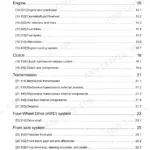
What's Inside This New Holland Workmaster 50, Workmaster 60, Workmaster 70 Operator Manual
| System | Pages | Key Topics |
|---|---|---|
| - General Information | 7-16 | Note to the Owner, Electro-Magnetic Compatibility, Product Identification Number, Machine Orientation |
| - Safety Information | 17-44 | Personal Safety, Safety Rules, Proposition 65, Ecology and the Environment, Safety Signs, Instructional Signs |
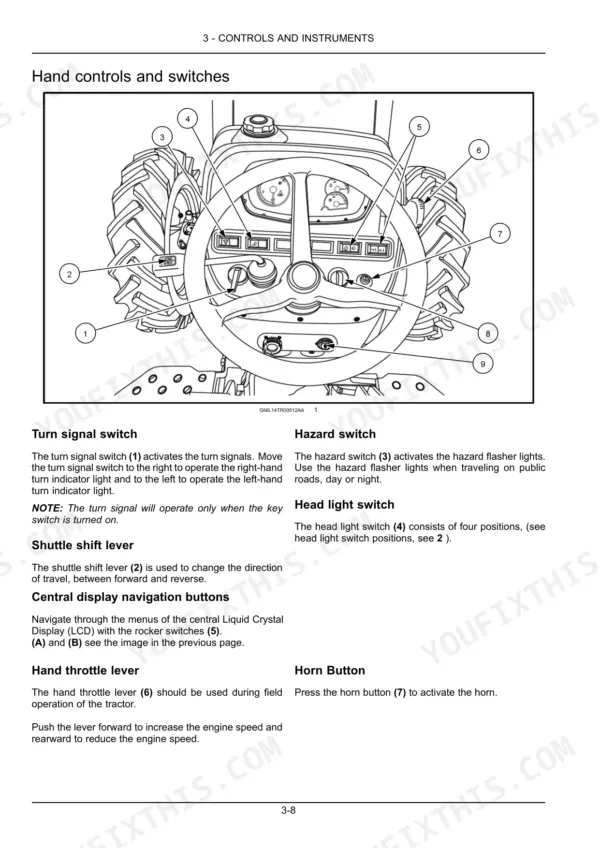
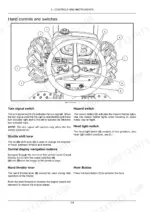
| - Controls and Instruments | 45-72 | Access to Operator's Platform, Operator's Seat, Forward Controls, Left-Hand Side Controls, Right-Hand Side Controls, Display Settings, Dashboard/Display Brightness |
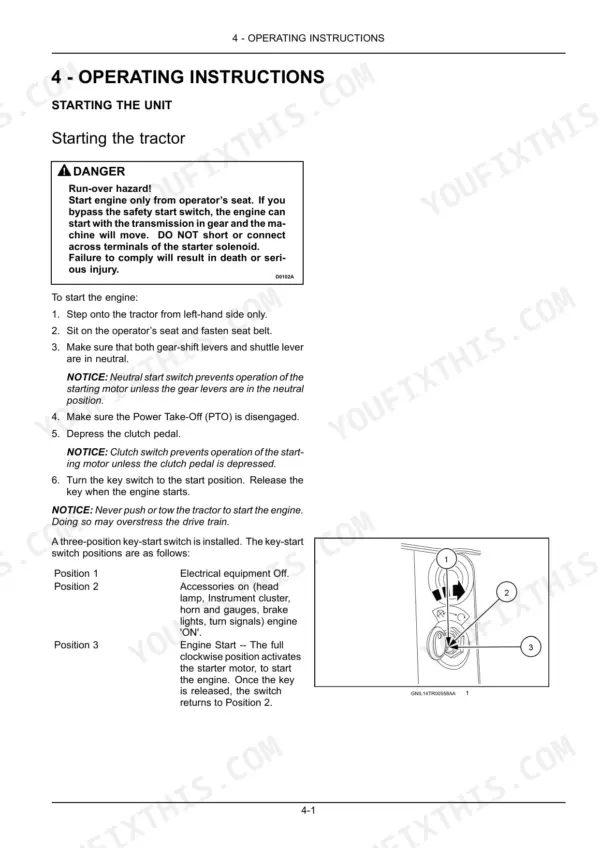
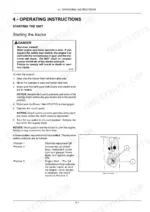
| - Operating Instructions | 73-80 | Starting the Unit, Stopping the Unit, Moving the Unit |
| - Transport Operations | 81-84 | Road Transport, Recovery Transport |
| - Working Operations | 85-110 | Personal Safety, Safety Rules, Proposition 65, Ecology and the Environment, Safety Signs, Instructional Signs, Before Operating, Operator's Seat |
| - Maintenance | 111-160 | Maintenance Chart, Every 10 Hours of Operation or Daily, After the First 50 Hours of Operation, Every 50 Hours, Every 150 Hours, Every 300 Hours, Power Take-Off Clutch |
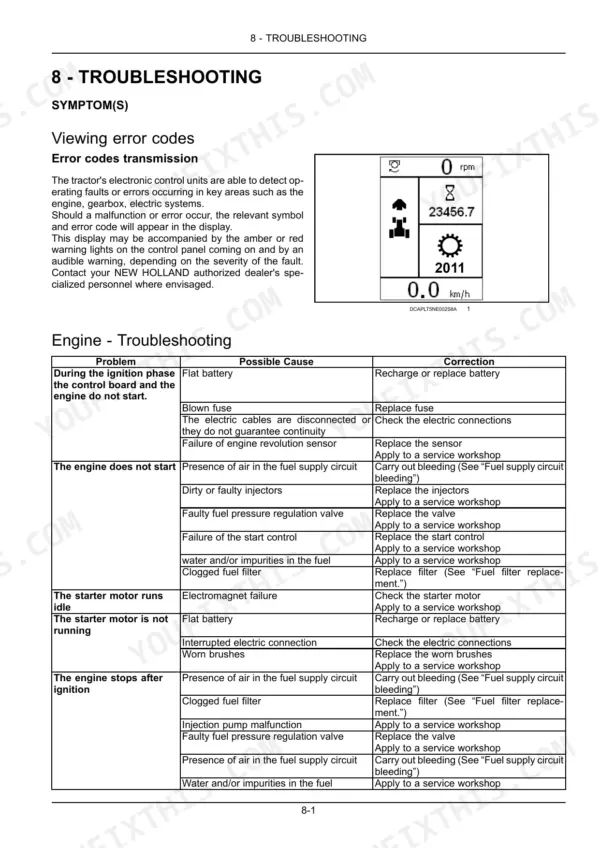
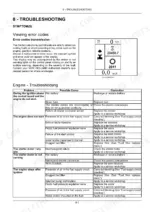
| - Troubleshooting | 161-168 | Symptom, Fault Code of Digital Instrument |
| - Specifications | 169-176 | Tractor Dimensions - General |
| - Accessories | 177-178 | Front-End Loader, Control Valve Joystick - Overview |
| - Forms and Declarations | 179-180 | Pre-Delivery Report - Owner's Copy, Pre-Delivery Report - Dealer's Copy |
Quick Reference Specifications
| Specification | Value | Page |
|---|---|---|
| All Models | ||
| Front disc to hub bolts torque | 123 N·m (91 lb ft) | p. 127 |
| Rear disc to hub bolts torque | 192 N·m (142 lb ft) | p. 127 |
| Clutch pedal free play | 35 - 40 mm (1.38 - 1.57 in) | p. 126 |
| PTO lever free play at pin (A) | 2 mm (0.079 in) | p. 137 |
| Force to fully engage PTO clutch | 125 - 142 N (28 - 32 lb) | p. 137 |
| Front tire pressure (Field operation) | 220 kPa (32 psi) | p. 108 |
| Rear tire pressure (Field operation) | 69 - 110 kPa (10 - 16 psi) | p. 108 |
| Fuse ECU 01 rating | 15 A | p. 155 |
| LAMDA PROBES fuse rating | 10 A | p. 155 |
| Workmaster 50 | ||
| Engine Net Horsepower, Workmaster 50 | 39.5 kW (53.7 Hp) | p. 169 |
| Workmaster 60 | ||
| Engine Net Horsepower, Workmaster 60 | 44.8 kW (60.9 Hp) | p. 169 |
| Workmaster 70 | ||
| Engine Net Horsepower, Workmaster 70 | 52.2 kW (71.0 Hp) | p. 169 |
New Holland Workmaster 50, Workmaster 60, Workmaster 70 Common Problems This Manual Covers
New Holland Workmaster shuts down unexpectedly mid-operation, engine dies when shifting in seat
Check the seat position and ensure the operator presence system is satisfied; an unsatisfied seat interlock will cause engine shutdown during operation (page 77). Inspect the switch connector under the seat cushion for corrosion or debris. Confirm clutch pedal free play is 35-40 mm (1.38-1.57 in) per page 126, then review seat adjustment details on page 45.
Manual Section: 3 - Controls and Instruments p. 77Engine turns over but won't fire, tractor refuses to start at key turn
Verify the parking brake is fully engaged, then depress the clutch pedal completely before turning the key. Follow the startup sequence on page 73 to confirm all interlock steps are satisfied. Check for active fault codes on page 168, and top up engine oil if a low-oil warning is present; crankcase capacity is 6.3 L (6.7 US qt).
Manual Section: 4 - Operating Instructions p. 73PTO lever moved to ON but shaft won't spin or disengages on its own
Depress the clutch fully and move the PTO lever through its complete travel range. Check lever free play at pin (A): it should measure 2 mm (0.079 in) with total cable travel of 21 mm (0.83 in), both per page 137. If the lever moves freely but the shaft won't turn, consult the PTO error codes on page 167.
Manual Section: 6 - Working Operations p. 1373-point hitch won't raise to full height or lifts implement slowly under load
Check hydraulic fluid level and top up if low; the system pump flow rate is 45.0 L/min (11.9 US gpm). Review fluid change intervals on page 121. If the level is correct and lift remains weak, run through the hydraulic troubleshooting table on page 165 to check control valve position and filter condition.
Manual Section: 8 - Troubleshooting p. 165Dashboard warning light stays on or fault code appears without clear cause
Check the fault code table on page 168 to match the displayed symbol to a specific system. Inspect the fuse panel; the ECU fuse is rated 15 A and the starter switch fuse is 25 A per page 155. If any fuse is blown, replace it and recheck. For persistent codes, review the electrical troubleshooting table on page 164.
Manual Section: 8 - Troubleshooting p. 168Frequently Asked Questions
How do I reset the service light on a New Holland Workmaster 50/60/70?
To reset the oil change counter, which acts as a service light, turn the start switch key to the panel powered position. Then, press and hold switch (1) on symbol (B) for more than three seconds to enter the programming menu. Navigate to "OIL RESET" using switch (2) on symbol (D), then press switch (1) on symbol (B) to reset the hourmeter, which will display "OFF". p. 71
What does error code mean on a New Holland Workmaster tractor?
Error codes on a New Holland Workmaster tractor indicate operating faults detected by the electronic control units in key areas like the engine or electrical systems. When a fault occurs, a relevant symbol and a four-digit error code will appear on the display, often accompanied by amber or red warning lights and an audible alarm. For example, fault code 3786 means "Automatic regeneration of the diesel particulate filter (DPF) inhibited; manual regeneration starting only." p. 161
How do I reset the PTO or transmission fault on a New Holland Workmaster?
The manual does not describe a direct reset procedure for PTO or transmission faults. Instead, it lists fault codes such as 14900 for "Transmission module missing" or 14109 for "Electronic lift present but not configured." For these and other error codes, the recommended action is to contact an authorized dealer to resolve the problem. p. 168
What are the torque specs for New Holland Workmaster wheel bolts?
The torque specifications for wheel bolts vary by location and drive type. For 2WD front wheel bolts, the torque is 320.0 N·m (236.0 lb ft). For 4WD front wheel bolts, it is 192.0 N·m (141.6 lb ft). Rear disc to hub bolts require 192 N·m (142 lb ft), rear disc to rim nuts require 239 N·m (176 lb ft), and rear wheel weight to disc bolts require 150 N·m (111 lb ft). p. 102
Do I get instant access to this New Holland Workmaster 50 Operator Manual?
A 184-page Operator Manual in searchable PDF format, available the moment you complete checkout. View on computer, tablet, or phone — no shipping wait.
Am I free to print this New Holland Workmaster 50 Operator Manual?
Yes. Print the pages you need for the job in your own shop, and bin them when they get greasy.
Reviews
There are no reviews yet.