
Part of the Case IH Operator Manuals.
This 168-page Case 1490 Operator Manual (OEM #9-7302) covers diesel engine sequences, Hydra-Shift and Synchromesh transmission procedures, and complete maintenance schedules for your 1490 tractor. Inside, you get a dedicated safety section covering seat belt use, PTO hazards, and battery precautions, plus a controls chapter mapping warning lamps, selector dials, and operating pedals across cab, flat deck, and standard configurations. Operating procedures walk you through draft control, position control, hitch settings, drawbar, and PTO setup; maintenance covers 50-, 100-, 200-, 400-, and 800-hour service intervals, daily inspection, brake and clutch adjustments, and fluid capacities for the 7.4-litre engine and 14.2-litre cooling system. Set PTO clutch free movement to 2.5-5 mm before field work; torque the PTO shaft bolts to 122 Nm (90 lb/ft). Your 1490 is a working tractor. Get the factory number, not a forum guess. Bookmarks take you straight to the section; open it on your phone and start wrenching.
What's Inside This Case IH 1490 Operator Manual
| System | Pages | Key Topics |
|---|---|---|
| To the Owner | 5-6 | Manual Usage, Service Repair, Maintenance Personnel, Operating Instructions, Tractor Configurations, Transmission Types |
| Safety Rules | 7-13 | Dump Valve, Seat Belt, Engine Start, Fluid Types, Differential Lock, PTO Operation, Battery Safety |
| Hand Signals | 14-15 | Start Engine, Stop Engine, Move Out, Raise Equipment, Lower Equipment, Increase Speed |
| Decals | 16-19 | Rotating Fan, Operating Instructions, Engine Starting, Personal Injury, Rear Upset, Battery Explosion, Hot Coolant |
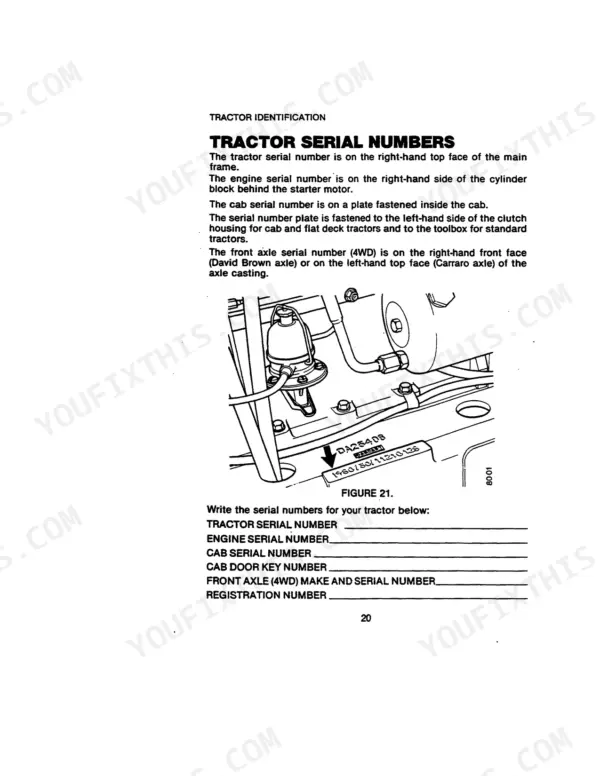
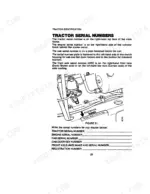
| Tractor Serial Numbers | 20-21 | Tractor Serial Number, Engine Serial Number, Cab Serial Number, Front Axle Serial Number, Registration Number, Serial Number Plate |
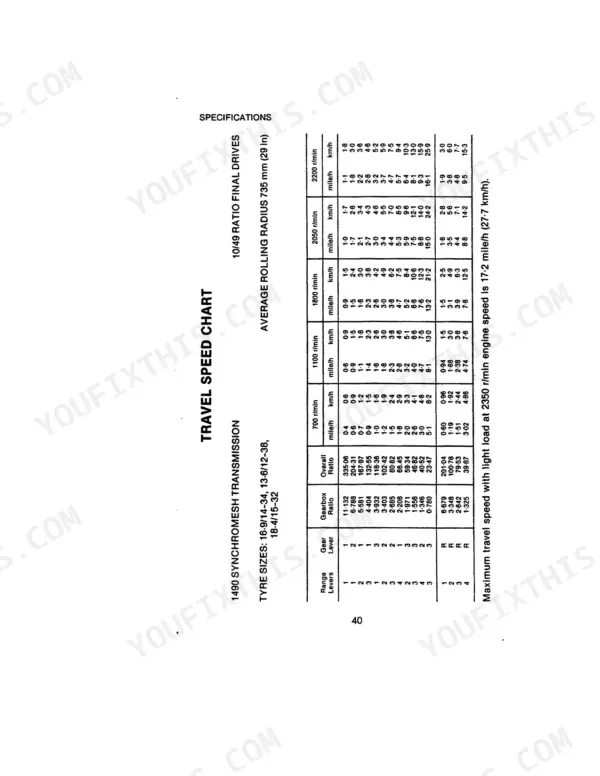
| Specifications | 22-41 | Diesel Engine Specifications, Fuel, Brake and Clutch Fluid, Grease, Anti-Freeze, Approved Lubricants, Tyre Sizes, Maximum Loads and Pressures |
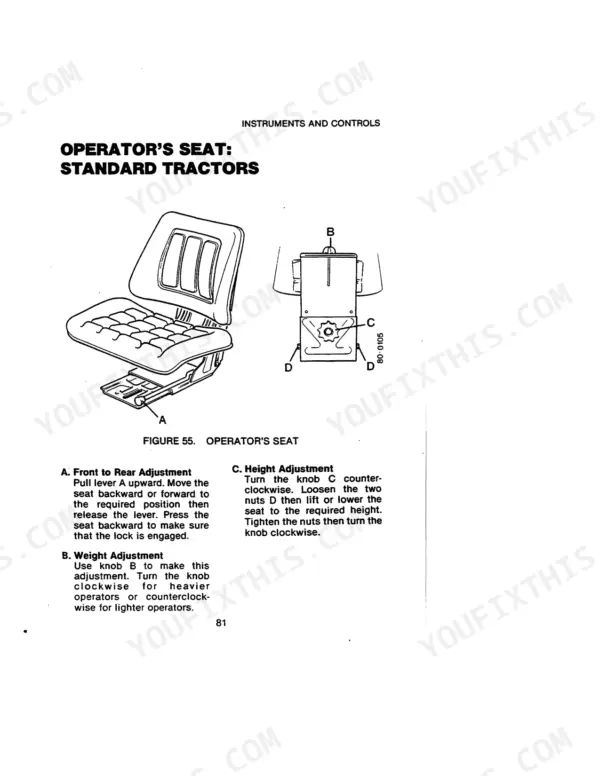
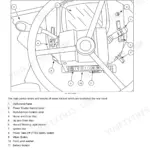
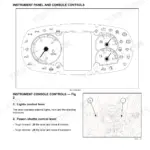
| Instruments and Controls | 42-82 | Operating Instruments: All Tractors, Warning Lamps, Operating Controls: Cab Tractors, Operating Controls: Flat Deck Tractors, Operating Pedals |
| Operating | 83-114 | Engine (Before Starting the Engine, Starting the Engine, Before Stopping the Engine, Stopping the Engine) |
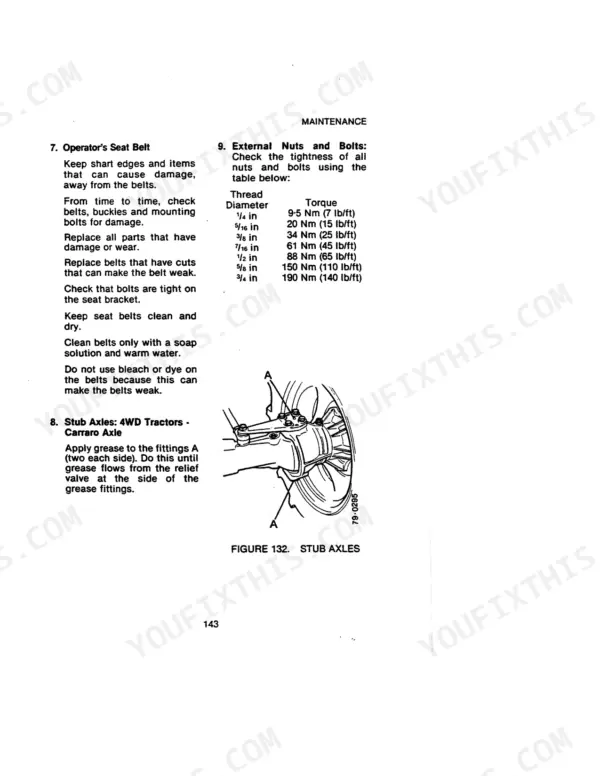
| Maintenance | 115-147 | Introduction, First Oil Change at 20/60 Hours, Service Chart: Cab or Flat Deck Tractors, Service Chart: Standard Tractors |
| High Clearance Tractors | 148-168 | Cooling System, Front Hub Bearings, Cab Air Filter, Alternator |
Quick Reference Specifications
| Specification | Value | Page |
|---|---|---|
| Hydraulic System Working Pressure | 138 bar (2000 lb/in²) | p. 25 |
| PTO Clutch Free Movement (Cab or Flat Deck Tractors) | 2.5 mm (1/10 in) to 5 mm (1/5 in) | p. 129 |
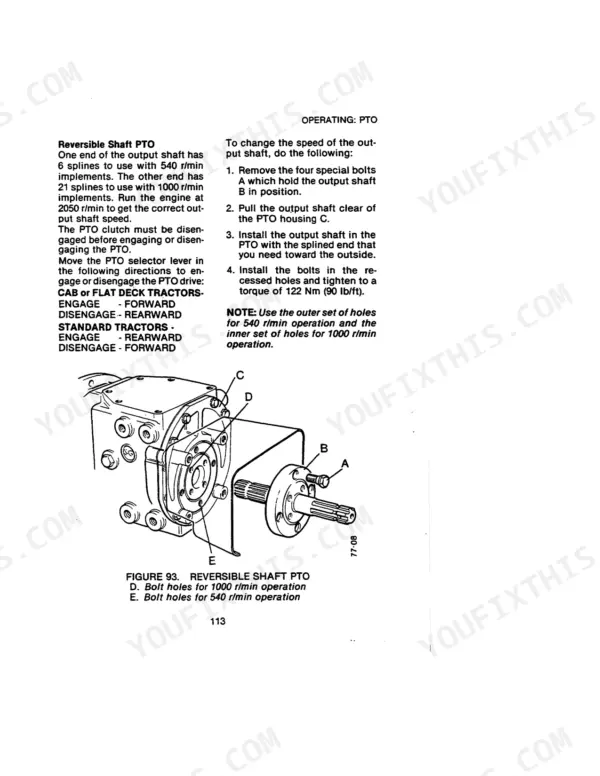
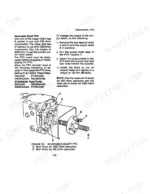
| PTO Shaft Bolt Torque | 122 Nm (90 lb/ft) | p. 113 |
| Engine Oil Capacity | 7.4 litre | p. 25 |
| Cooling System Capacity | 14.2 litre | p. 27 |
| Transmission/Hydraulic Oil Capacity | 42 litre | p. 27 |
| Fuel Tank Capacity (Cab/Flat Deck) | 136 litre | p. 27 |
| Valve Clearance (Engine Cold) | 0.25 mm | p. 23 |
| Fan Belt Tension (deflection) | 10mm | p. 142 |
| First Oil Change Service Interval | 20/60 hours | p. 116 |
| Battery Specific Gravity | above 1.250 | p. 155 |
| Maximum Engine Torque | 210 lbf/ft at 1600 r/min | p. 23 |
Case IH 1490 Common Problems This Manual Covers
Engine turns over slowly and won't start after sitting in cold overnight
Test battery specific gravity with a hydrometer; it should read above 1.250 as noted on page 155. Clean both terminals if corroded. Follow the cold-start procedure on page 83. If the battery checks out but cranking remains slow, use the auxiliary starting procedure in the Battery Maintenance section, then run the engine at idle for five minutes before applying load.
Manual Section: Battery Maintenance & Auxiliary Starting p. 155Warning lamp stays lit after startup, tractor appears to run without obvious fault
Identify the lamp using the warning indicator chart on page 42. Check engine oil against the 7.4 litre (13 pints) capacity and confirm coolant is within the 14.2 litre (25 pints) mark on the expansion tank. Review the relevant safety rules on page 7. Do not continue operating until you have identified the cause and confirmed the fault is cleared.
Manual Section: Instruments and Controls p. 42Engine sputters and loses power under load, misfires during heavy field work
Drain and clean the fuel water trap following the Fuel System maintenance procedure. Bleed any trapped air from the fuel system if misfiring continues after refueling. Verify the fuel shutoff valve is fully open. Confirm the tank has adequate fuel; capacity is 136 litre (30 gallons) on page 26, and air ingestion can begin well before the gauge reads empty.
Manual Section: Fuel System - Water Trap & Air RemovalFan belt squealing or slipping under load, coolant temperature climbing during field work
Inspect the fan belt for cracks or glazing. Using one finger at the midpoint between pulleys, check that deflection is 10 mm (3/8 in) as shown on page 142. Loosen the alternator mounting bolts and move the alternator outward to increase tension. Confirm coolant level is within the correct 14.2 litre (25 pints) capacity before returning to work.
Manual Section: Fan Belt Adjustment p. 142Frequently Asked Questions
What kind of oil does a Case 1490 need in engine and hydraulics?
For the engine sump and the transmission and hydraulic system, the manual recommends multi-purpose oil 20W/50 for temperatures above 0°C (32°F). Specific brands like Agricastrol MP 20W/50, Mobilube Super Universal 20W/50, and Shell Super Universal Tractor Oil 20W/50 are listed as suitable lubricants. The engine oil capacity is 7.4 litres (13 pints). p. 29
Is the Case 1490 the same as the David Brown 1490?
Yes, the manual explicitly states that it provides operating instructions for "1490 David Brown Tractors". The cover page also features the "Case" logo, indicating that Case produced this manual for the David Brown 1490 model. The introduction further clarifies that the manual is for 1490 David Brown Tractors in various configurations. p. 6
How do you fix case 1490 PTO lever stiff or stuck, won't engage or fully disengage?
Check the PTO clutch free movement at the lever. Adjust the linkage until play measures between 2.5 mm (1/10 in) and 5 mm (1/5 in) as described on page 129. Always disengage the PTO fully before any adjustment. Confirm smooth engagement and complete disengagement through the full lever travel after setting the correct free movement. p. 129
How do you fix gear selector sticks in gear or fails to shift smoothly through the range?
Bring the tractor to a complete stop before selecting a new gear. Depress the clutch pedal fully and hold for two to three seconds before moving the selector. Review the gear selection sequence on page 83. Verify transmission/hydraulic oil is at the correct level; total capacity is 42 litre (74 pints). p. 83
What do I get after purchasing this Case 1490 manual?
A 168-page Operator Manual in searchable PDF format, available the moment you complete checkout. View on computer, tablet, or phone, with no shipping wait.
Are there any print restrictions on this Case 1490 manual?
Yes. The PDF has no DRM restrictions, so print any page or section you need for your shop. Works with any standard printer.




Reviews
There are no reviews yet.