
Part of the Case IH Operator Manuals.
This 238-page Case IH Farmall 95 operator manual PDF (OEM #84314492) covers the full Farmall lineup: 60, 70, 80, 90, and 95. Everything your tractor demands is documented here: cab controls, instrument panel walkthrough, PTO operation, hydraulic lift settings, and three-point linkage Cat. II procedures. You get a full maintenance section built around service intervals from 10-hour daily checks through 1,200-hour service, plus lubrication tables, fluid capacities, and a troubleshooting chapter that walks through engine, electrical, hydraulic, brake, and cab faults by symptom. Keep brake pedal free travel to 80 mm maximum on each pedal; the fuel tank holds 90 liters. Every hour the tractor sits idle costs you money. Bookmarked and keyword-searchable: open it on your phone, jump to any section, and get back in the seat.
What's Inside This Case IH 60-95 Operator Manual
| System | Pages | Key Topics |
|---|---|---|
| Introduction and Safety Measures | 12-41 | To the Owner, Tractor Identification, Ecology and the Environment, Safety Messages Used in This Manual, Working Safely, Safety Decals, International Symbols |
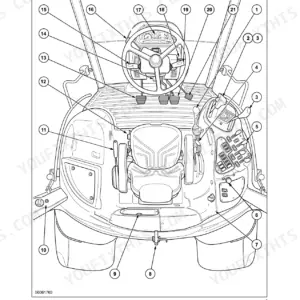
| General Information, Controls and Instruments | 42-87 | Safety Covers and Guards, Controls and Instruments, Instrument Panel, Instrument Console Controls, Right-Hand Side Operating Controls, Left-Hand Side Operating Controls |
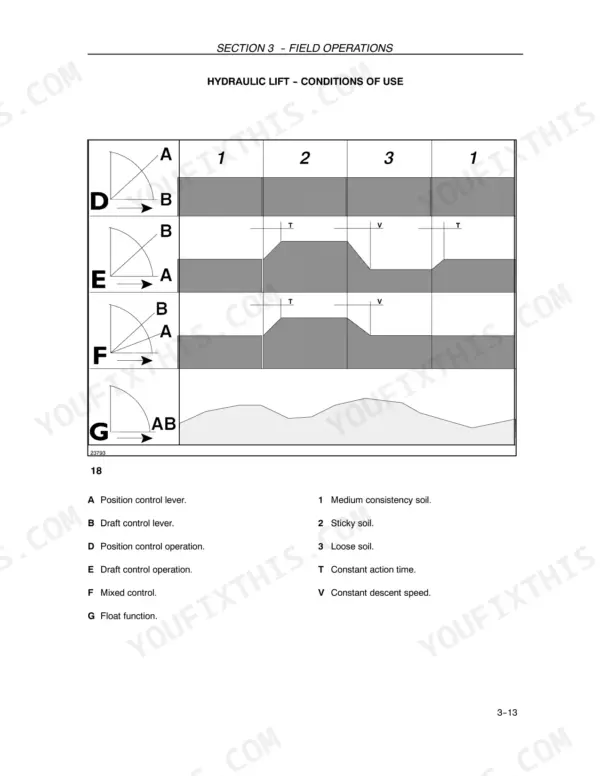
| Field Operations | 88-137 | Tractor Operation, Power Take-Off, Hydraulic Lift, Three-Point Linkage Cat. Ii, Remote Control Valves, Wheel Track Adjustment, Tires, Tire Combinations |
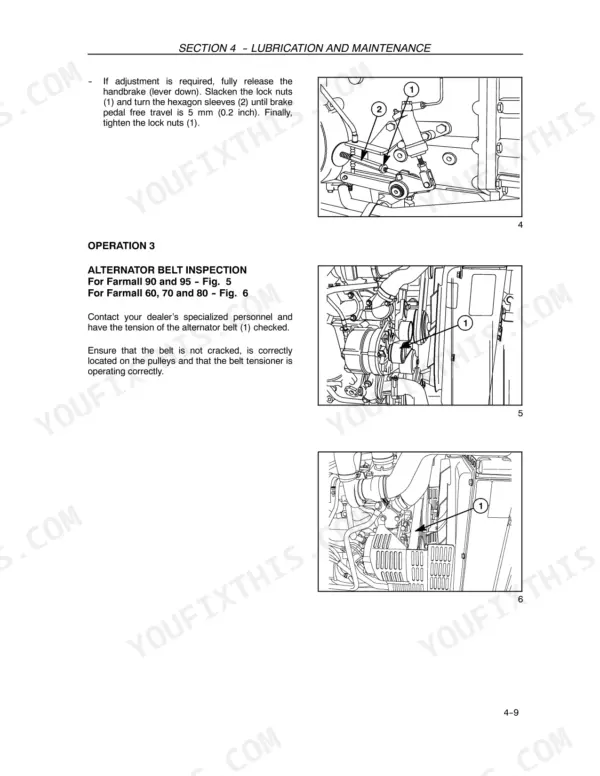
| Lubrication and Maintenance | 138-187 | Access for Inspection and Maintenance, Lubrication and Maintenance Table, Flexible Maintenance, When the Warning Light Is on, 10-Hour / Daily Service, 50-Hour Service |
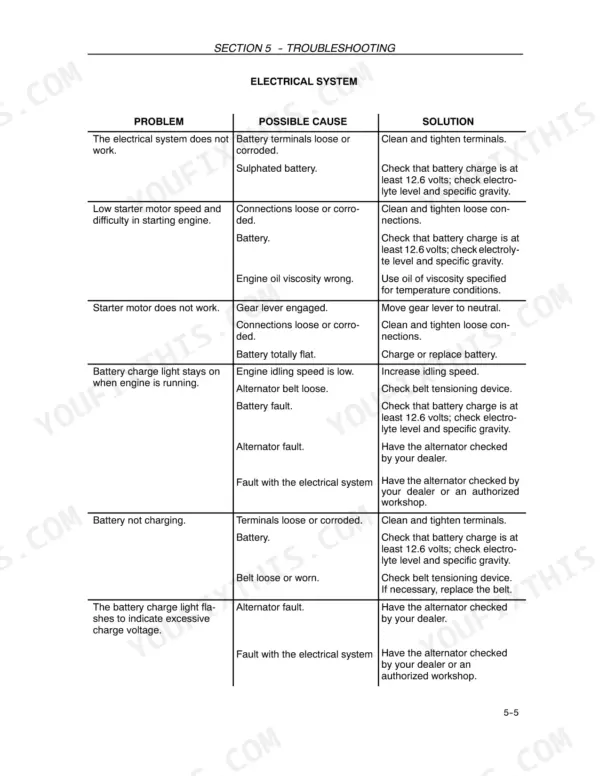
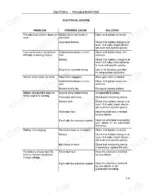
| Troubleshooting | 188-195 | Introduction, Engine, Electrical System, Hydraulic System, Three-Point Linkage, Brakes, Cab |
| Storage | 196-197 | Engine Protection, External Air Filter Cartridge, Engine Cooling System, Operating Cylinder Rods, Fuel Tank, Battery |
| Accessories | 198-209 | Beacon Lamp, Drawbars and Towing Attachments, Hydraulic Trailer Brake |
| Specification and Data | 210-223 | Dimensions, Weights, Engine Specification, Fuel System, Transmission, Hydraulic Lift |
| Service Forms | 224-231 | Non Functional INSPECTIONS/OPERATIONS, Operational Inspections, Functional Inspections, Inspections of Safety Equipment |
Quick Reference Specifications
| Specification | Value | Page |
|---|---|---|
| Brake pedal free travel | does not exceed 80 mm (3.2 inch) | p. 145 |
| Fuel Tank Capacity | 90 liters | p. 149 |
Case IH 60-95 Common Problems This Manual Covers
Farmall tractor won't start after sitting, fuel not priming and engine cranks but doesn't fire
Tap the top of the fuel filter housing firmly with your palm 3-4 times to free the diaphragm and allow fuel to prime. Turn the key to run position for 10 seconds before cranking. If the tractor still won't fire after two attempts, check the fuel tank level — capacity is 90 liters (23.8 U.S. gal.) — and inspect the fuel filter for debris or deterioration. Replace the filter if the diaphragm feels stiff or collapsed.
Manual Section: Engine Troubleshooting p. 189Brake pedals feel soft, spongy, or one side drags and won't release cleanly
Check that free travel on each pedal is equal and does not exceed 80 mm (3.2 in.), as shown on page 145. If one pedal depresses further than the other, the brakes are out of adjustment. Inspect both pedal linkages for bent rods or loose pivot pins. Verify the brake equalizer bar is correctly seated. Do not operate with unequal pedal travel — lock the pedals together for road travel until adjustment is confirmed.
Manual Section: Brakes Troubleshooting p. 145Warning light illuminates on instrument panel at startup or during field operation
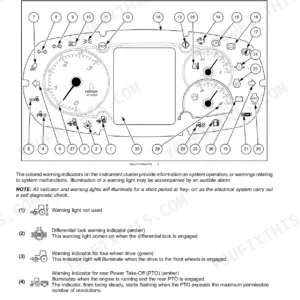
Check the warning light indicator table in your instrument panel section. Do not dismiss a lit warning light by cycling the key. Verify engine oil level, coolant level, and hydraulic oil level before starting work. If the light stays on after confirming fluid levels are correct, check the sensor connector for corrosion or a loose plug. Refer to the troubleshooting index on page 188 for the specific system the warning light corresponds to.
Manual Section: Lubrication and Maintenance p. 138Hydraulic lift won't raise implement fully or lowers too slowly under load
Inspect hydraulic hose connections at the remote couplers — confirm each hose is fully seated and the coupler collar is locked. Check hydraulic fluid level at the sight glass: fluid must be between MIN and MAX marks. If lift speed is consistently slow, verify the draft control lever position on page 100; an incorrect draft setting limits lift height. Do not add hydraulic fluid above the MAX mark.
Manual Section: Hydraulic Lift and 3-Point Equipment Coupling Troubleshooting p. 192Cab fills with dust during field work or air circulation feels weak through vents
Check the cab air filter and clean or replace it per the maintenance schedule on page 146. Confirm all cab door and window seals are fully closed during dusty conditions. Verify the cab pressurization fan is set to recirculate, not fresh air, when working in heavy dust. If airflow remains weak after filter service, inspect the blower motor fuse in the fuse panel — location shown in the instrument console section starting on page 43.
Manual Section: Cab Troubleshooting p. 192Engine overheats in heavy draft work, temperature gauge climbs into the red
Pull to a safe stop and let the engine idle for 3-5 minutes before shutting down — never kill a hot engine immediately. Check coolant level in the overflow reservoir when cool; inspect the radiator face for chaff or debris and blow it clean with compressed air. Verify the fan belt is intact and tensioned. If overheating repeats, check the troubleshooting procedures on page 192 for cooling system faults and confirm you are not operating beyond the rated draft load for your model.
Manual Section: Engine Troubleshooting p. 189Frequently Asked Questions
Is this Case IH Farmall 60 manual a download or a disc?
This is a 238-page searchable PDF (17 MB) ready for immediate download. Works on any device, so pull it up on your phone while you're under the hood. No shipping, no waiting.
Is this Case IH Farmall 60 manual print-friendly?
Yes. The PDF has no DRM restrictions, so print any page or section you need for your shop. Works with any standard printer.
Is the hydraulic system diagrammed in this Case IH Farmall 60 manual?
Yes, this Case IH FARMALL 60, FARMALL 70, FARMALL 80, FARMALL 90, FARMALL 95 Operator Manual includes a hydraulic system diagram.



Reviews
There are no reviews yet.