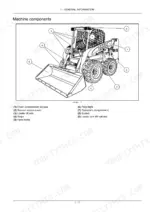
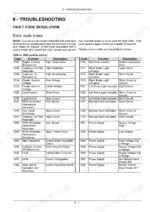
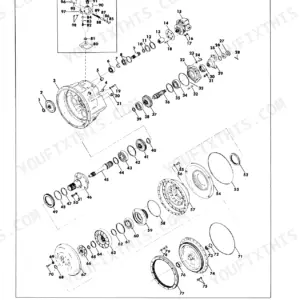
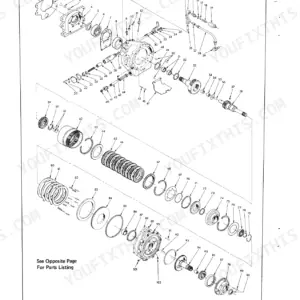
Case SR130-TV380 Alpha Series Skid Steer & Compact Track Loader Operator’s Manual

$19.95

Model: SR130 | SR160 | SR175 | SV185 | SR210 | SR240 | SR270 | SV280 | SV340 | TR270 | TR310 | TR340 | TV380
Type: Skid Steer Loaders | Compact Track Loaders
199 Pages·22 MB·Searchable PDF·English·Print-Ready
  • Torque Specs
  • Bookmarks
Preview Sample Pages (PDF)
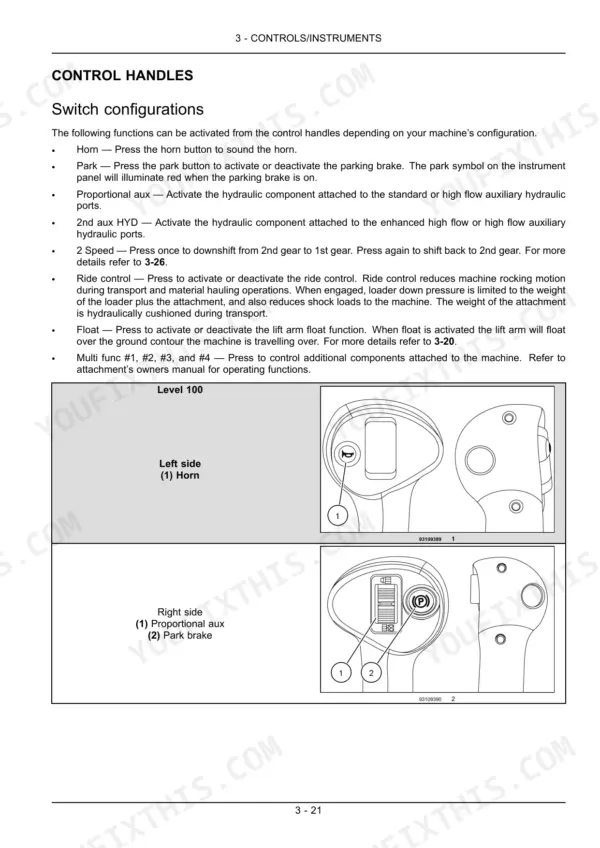
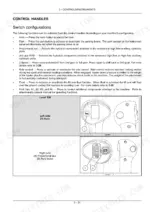
Case SR130-TV380 manual: Control handle switch configurations, horn, park, aux, 2-speed, ride control, and float functions.
Case SR130-TV380 Alpha Series Skid Steer & Compact Track Loader Operator's Manual $19.95

Instant Download 24/7

  • Works on PC, Mac, tablet, and phone.
  • Download once, keep forever


Guaranteed Safe Checkout
Visa Mastercard PayPal Apple Pay Google Pay

Need the exact maintenance schedule for your Case skid steer or compact track loader? This 199-page Case TR270 operator manual PDF breaks down every dashboard indicator, daily check, and operating procedure for the SR series (130, 160, 175, 210, 240, 270), SV series (185, 280, 340), and TR/TV series (310, 340, 380). You get clear instructions for safe operation, complete fluid capacities, and a full troubleshooting index for electro-hydraulic system errors. Open to the maintenance chapter for step-by-step guidance on tilting the cab, adjusting drive chain tension, and servicing the final drive. Swap the engine oil and filter after the first 50 hours, and remember to replace the in-line fuel filter every 250 hours of operation. Your machine is down. Get the right numbers, not forum guesses. Download this bookmarked file directly to your phone and keep your loader moving dirt.

What's Inside This Case Case Alpha Series: SR130-SR270 / SV185-SV340 / TR270-TR340 / TV380 Operator Manual

SystemPagesKey Topics
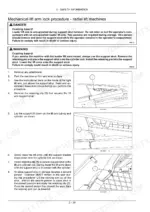
General Information23-30Lubrication Analysis Program, Plastic and Resin Parts, Ecology and the Environment, Tilting Operator's Compartment Forward, Machine Cleaning, Window Removal and Cleaning
Safety Information31-60Signal Word Definitions, Safety Rules, Decal Information, Safety Decals, Utility Safety, Operator Precautions, Proper Entry and Exit, Starting and Stopping Precautions
Controls/Instruments61-114Access to Operator's Platform (Door Latches, Cab, Window Glass, Windshield Wiper and Washer Controls, Cab Air Louvers)
Operating Instructions115-124Commissioning the Unit, Starting the Unit (Engine Operation, Throttle)
Transport Operations125-130Shipping Transport (Transporting the Machine), Recovery Transport (Moving a Disabled Machine)
Working Operations131-140Field Operation, Hydraulic Attachment Mounting Systems, Mechanical Attachment Mounting Systems
Maintenance141-190Fluids and Lubricants, Lubrication and Maintenance Access, Fuses and Relays, Maintenance Chart
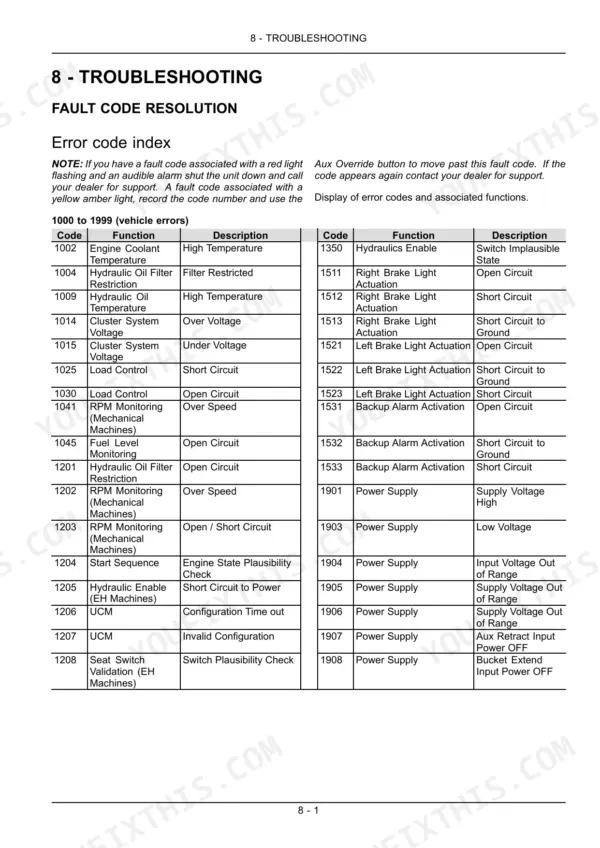
Troubleshooting191-199Error Code Index, Vehicle Errors, Engine Errors, Transmission Errors, Electro-Hydraulic System Errors, Internal Display Errors

Quick Reference Specifications

SpecificationValuePage
All Models
In-line Fuel Filter Replacement Intervalevery 250 hours of operationp. 179
Engine Oil and Filter Initial Change Intervalfirst 50 hoursp. 175
Air Cleaner Elements Replacement Interval500 hours of operationp. 183
Loader Arm Pivot Points, Coupler Pins, and Cylinder Pins Lubrication Intervalevery 10 hours of operationp. 169
Engine Coolant Overheating Temperature Threshold110 °C (230 °F)p. 94
Radiator Coolant Level Check IntervalEvery 250 hoursp. 178
SR130, SR160
Engine Oil and Filter Subsequent Change Interval250 hr intervalsp. 175
SR130, SR150
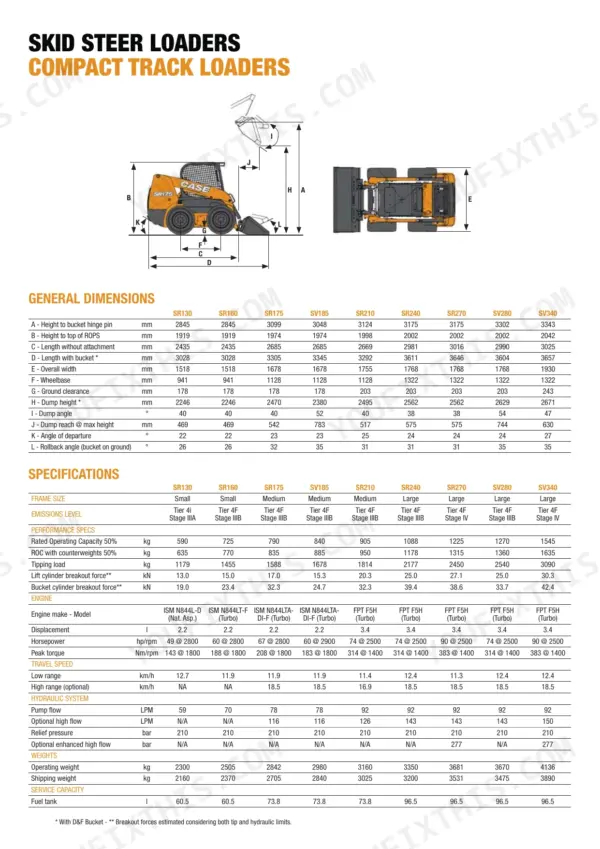
Fuel Tank Capacity60.5 l (16.0 US gal)p. 159
Cooling System Capacity15 l (4.0 US gal)p. 159
SV250, SV340, TR270, TR320, TV380
Fuel Tank Capacity95.5 l (25.5 US gal)p. 159
SR220, SV250, SR250, SV340, TR320, TV380
Cooling System Capacity19 l (5 US gal)p. 159

Case Case Alpha Series: SR130-SR270 / SV185-SV340 / TR270-TR340 / TV380 Common Problems This Manual Covers

Case skid steer hydraulic response feels jumpy or erratic when attachments are connected

Check the control pattern switch on the operator console described. Confirm it is set to ISO or Case pattern rather than Speed Drive mode, since mismatched flow scaling causes the jerky feel. Verify the hydraulic reservoir oil level on the sight gauge; system capacity is 15.0 l (3.96 US gal). Inspect the joystick connectors for looseness if the pattern setting is already correct.

Manual Section: Controls/Instruments
Hydraulics won't engage or stay live after pressing the hydraulic engage button

Fully depress the lap bar until it locks down; the hydraulics enable circuit stays disarmed otherwise. Check the troubleshooting index on pages 191-193 for Hydraulics Enable faults if the button still won't respond. Verify the hydraulic reservoir oil level sits within the sight gauge range, capacity 15.0 l (3.96 US gal), since low fluid can trip pressure interlocks. Cycle the bar down and back up before retrying.

Manual Section: Troubleshooting p. 191
Engine overheating warning lamp comes on and coolant level keeps dropping during long shifts

Watch the dash bar gauge; all eight bars flashing with an audible alarm means coolant temperature exceeded 110 °C (230 °F), as detailed on page 94. Shut the engine down and let it cool before checking the coolant level in the sight tank. Refill with a 50% ethylene glycol and 50% distilled water mixture and recheck the level every 250 hours per the maintenance chart on page 178. Clean debris off the engine and hydraulic coolers daily.

Manual Section: Maintenance p. 178
DPF Info or Auto Regen message keeps appearing on the display during normal operation

Check the error code reference on page 191 to see whether Auto Regen or Manual Regen is being requested. Park on level, ventilated ground and let the automatic cycle finish without shutting the engine off; follow the dash prompt to run Manual Regen stationary if asked. A clogged air cleaner element restricts airflow and can trigger repeat regen requests, so inspect and replace elements at the 500 hour interval on page 183.

Manual Section: Troubleshooting p. 191

Frequently Asked Questions

How do I reset CASE skid steer error codes for models like SR130, SR160, SR175?

The manual does not provide a direct operator procedure to 'reset' error codes. For fault codes associated with a red light and an audible alarm, the unit should be shut down and the dealer contacted for support. For fault codes associated with a yellow amber light, the Aux Override button can be used to move past the fault code; if the code appears again, contact your dealer for support. p. 191

What are the replacement specifications for the Cab Intake Filter?

The cab intake filter should be replaced if it is damaged, torn, or clogged with debris and dirt. The service interval is dependent on the amount of use and operating conditions, with more frequent checks recommended in extreme environmental conditions. p. 174

What are the replacement specifications for the In-line Fuel Filter for SR130/SR160 models?

The in-line fuel filter should be replaced every 250 hours of operation. This procedure should only be performed when all machine components are cool. p. 179

What is the fuel tank capacity for SR130 and SR150 models?

The fuel tank capacity for SR130 and SR150 models is 60.5 liters (16.0 US gallons). The recommended fuel specification is #2 Diesel. p. 159

What is the engine crankcase oil capacity for SR175 and SV185 models with a filter change?

The engine crankcase oil capacity for SR175 and SV185 models, including a filter change, is 8.0 liters (8.5 US quarts). The specified engine oil is 10W-30 Engine Oil7-28. p. 159

Is this Case SR130 & variants Operator Manual a digital download?

A 199-page Operator Manual in searchable PDF format, available the moment you complete checkout. View on computer, tablet, or phone, with no shipping wait.

Can I print specific sections of this Case SR130 & variants Operator Manual?

No restrictions at all. Print individual pages, full chapters, or the entire manual. The PDF is completely unlocked.

BrandCase
ModelSR130, SR160, SR175, SV185, SR210, SR240, SR270, SV280, SV340, TR270, TR310, TR340, TV380
Machine TypeSkid Steer Loaders, Compact Track Loaders
Manual TypeOperator Manual
LanguageEnglish
FormatSearchable PDF (Digital Download)
Pages199
File Size22 MB
Wiring DiagramsNo
Hydraulic SchematicsNo
Torque SpecificationsYes
Bookmarked / IndexedYes