
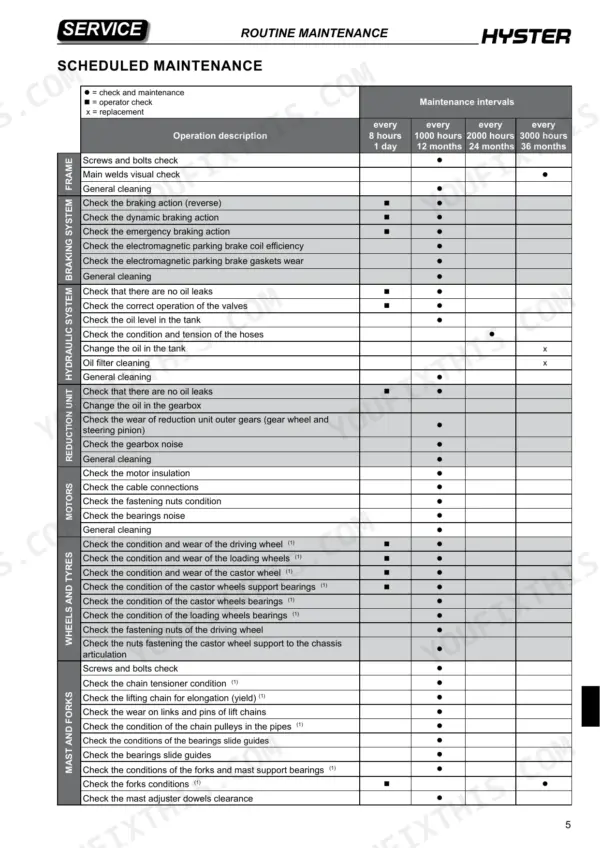
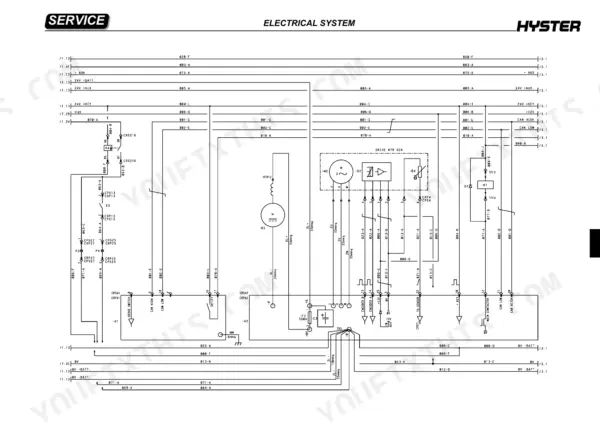
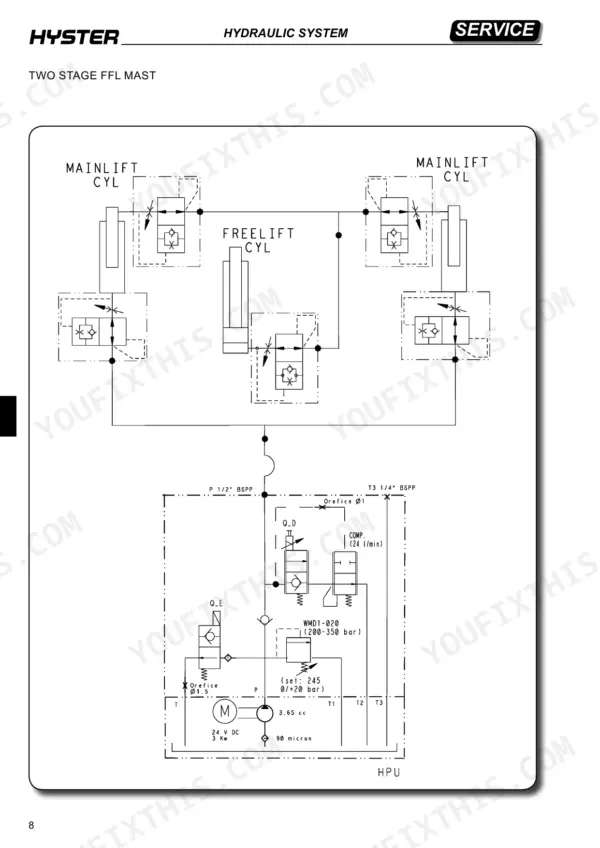
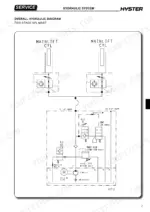
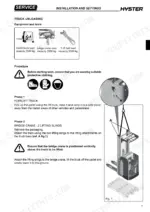
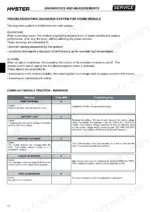
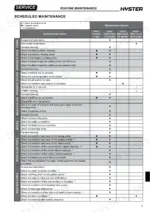
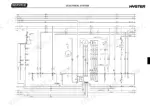
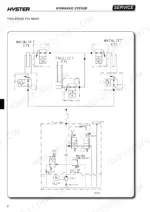
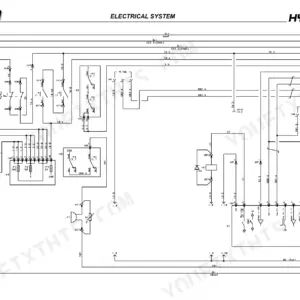
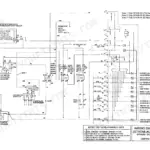
Across 269 pages (OEM ID 4174593), the Hyster RS1.6N service manual PDF shows how this battery-powered forklift truck is wired, plumbed and put back together. Wiring diagrams trace the circuits behind the MDI display, module connectors and truck functions, while hydraulic diagrams map the cartridge solenoid valves, cylinders and pipes that handle fork lifting and lowering. Troubleshooting is paired with electrical measurements for solenoid valve coils, electromagnetic brake coils and motors, and the mast section runs through column dismantling, bearing replacement, chains and the chain tensioner. Check that your parachute valve is set for an 80 litres/min flow rate, and protect the 24/465 V/Ah battery circuit with a 350A power fuse. Scheduled maintenance includes topping up reduction unit oil. Bookmarked, text-searchable pages let you confirm a fuse rating, such as the 3A cooling fan fuse, before you order the replacement.
What's Inside This Hyster RS1.6N Manual
| System | Pages | Key Topics |
|---|---|---|
| Introduction | 2-12 | General Safety Rules, Personal Safety, Safety at the Workplace, Suspension Elements, Torque Settings, Female Fittings |
| Presentation | 13-20 | Truck Presentation, Views of the Truck |
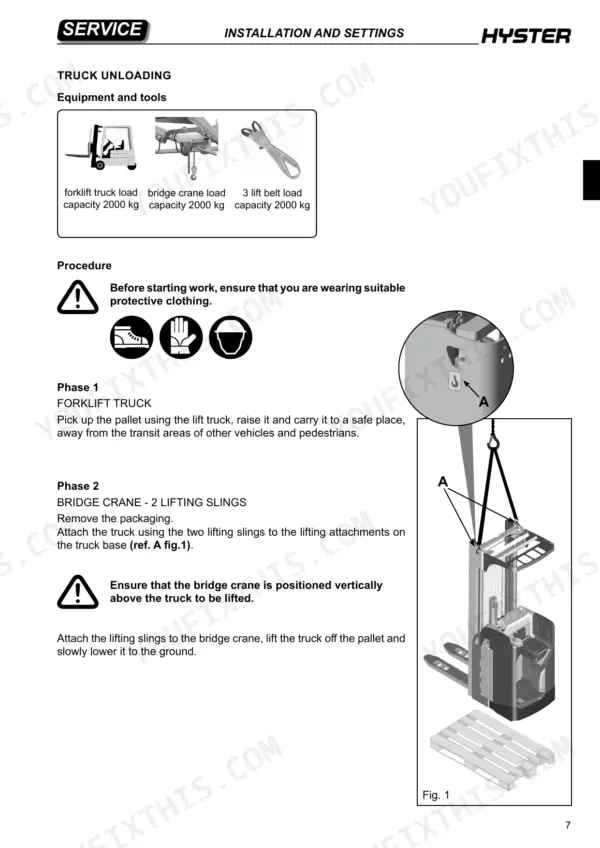
| Installation and Settings | 21-32 | Forks Table, Weight Table, Masts Table, Machine Assembly, Battery Installation, Battery Cable Connection |
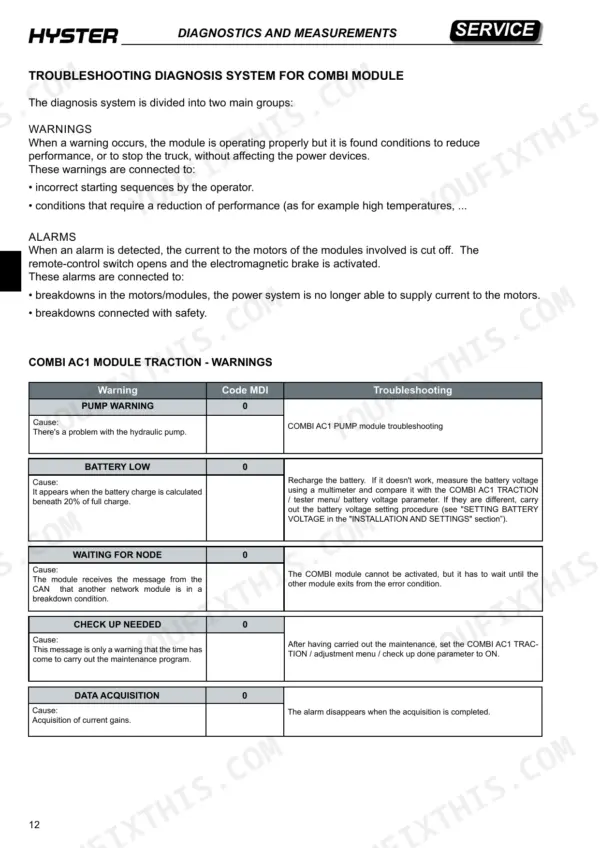
| Diagnostics and Measurements | 33-66 | Module Connectors, Troubleshooting, Electrical Component Measurements, Solenoid Valve Coils, Electromagnetic Brake Coils, Motors |
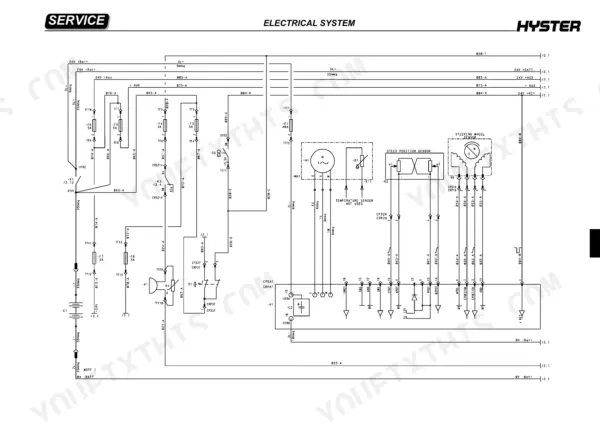
| Electrical System | 67-125 | Wiring Diagrams, Display MDI, Truck Functions, Steering System, Fork Lifting and Lowering, Replacement of Modules |
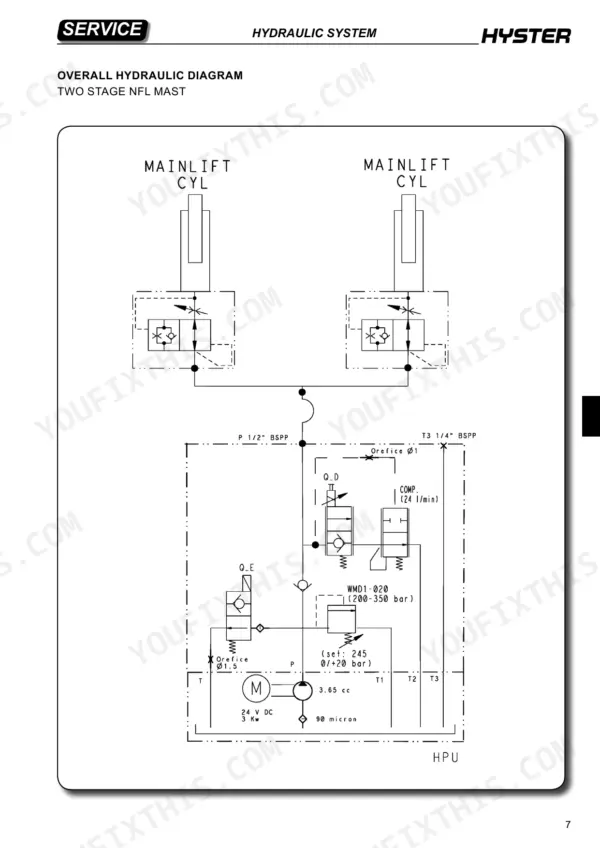
| Hydraulic System | 126-187 | Hydraulic Functions, Hydraulic Diagrams, Hydraulic Components, Cartridge Solenoid Valves, Cylinders, Hydraulic Pipes |
| Basic Truck Mechanics | 188-221 | Traction Wheel, Castor Wheels Assembly, Tandem Load Wheels, Steering Flywheel, Motor Assembly, Overhead Guard |
| Mast Assembly Mechanics | 222-249 | Mast Characteristics, Mast Assembly Components, Dismantling Complete Column, Bearing Replacement, Chains and Chain Tensioner, Fork Small Mast |
| Reducer | 250-255 | Reduction Unit Components, Reduction Unit Removal, Oil Topping Up, Reduction Gear Bearing |
| Braking System | 256-261 | Electromagnetic Brake Components, Braking Systems, Release Braking, Counter Current Braking, Emergency Braking, Parking Brake |
| Routine Maintenance | 262-269 | Oils and Lubricants, Cleaning Products, Scheduled Maintenance |
Quick Reference Specifications
| Specification | Value | Page |
|---|---|---|
| Parachute valve set flow rate | 80 litres/min | p. 129 |
| Battery voltage/capacity | 24/465 V/Ah | p. 23 |
| Power fuse | 350A | p. 75 |
| Cooling fan fuse | 3A | p. 75 |
| Combi AC1 Module Voltage | 24V | p. 35 |
| Pressure relief valve calibration | 200-350 bar | p. 141 |
| Hydraulic pump motor power | 3.0 Kw | p. 142 |
| Hydraulic pump motor voltage | 24 V DC | p. 142 |
| Suction strainer filtration | 90 micron | p. 141 |
| Nominal load capacity | 1600 kg | p. 19 |
| Battery voltage | 24 V | p. 19 |
| Traction motor power (S2 60 min) | 2.6 kW | p. 19 |
Hyster RS1.6N Common Problems This Manual Covers
Hyster RS1.6N display shows BATTERY LOW warning or WRONG SET BAT alarm 43 at start up
Check the battery charge first. The warning triggers when charge is calculated below 20%, so recharge it. If it persists, measure battery voltage with a multimeter and compare it with the COMBI AC1 TRACTION tester menu battery voltage parameter (page 44). If they differ, run the battery voltage setting procedure. For alarm 43, replace the battery if needed (page 48). Never check charge by putting metal items across the terminals (page 5).
Manual Section: Troubleshooting Combi Module Diagnosis System p. 44Main remote-control switch fails to close with CONTACTOR OPEN 38 or CONTACTOR CLOSED 37 alarm
Verify the battery is disconnected and the capacitors are discharged before opening the electric compartment (pages 5 and 263). For CONTACTOR OPEN 38, check the coil cabling for interrupted or unconnected wires, then try a new remote-control switch. For CONTACTOR CLOSED 37, check the power contacts and replace the switch if necessary (page 47). Never file or lubricate contactor contacts, because they can stick (page 263).
Manual Section: Troubleshooting Combi Module Diagnosis System p. 47Traction motor phase fault showing VMN LOW 30 or VMN HIGH 31 alarm at start up
Verify the battery is disconnected before working on the electrical system (page 5). Check the internal motor connections for ohm continuity and inspect the motor power cabling (page 46). Test whether the coil windings or phase cables show losses toward the truck bodywork. If the alarm appears while running, confirm the remote-control switch power contact closes with good contact. If the motor and wiring check out, the fault is inside the module.
Manual Section: Troubleshooting Combi Module Diagnosis System p. 46Truck stops traction with SAFETY STEER alarm 15 and EPS AC0 steering module in alarm
Check the active alarms on the EPS AC0 module and work through those first. If the EPS shows no alarms, inspect the cable from the EPS AC0 output to the COMBI AC1 input (page 45). Measure the EPS safety signal output with a multimeter. A low reading (-BATT) means the safety relay is damaged, so replace the module. If the COMBI AC1 input reads high (VBATT), replace the COMBI AC1.
Manual Section: Troubleshooting Combi Module Diagnosis System p. 45Electromagnetic brake driver fault showing AUX DRIV OPEN 44 or AUX DRIV SHRT 42 on display
Check the electromagnetic brake circuit with the battery disconnected, as the manual requires before any electrical work (page 5). For AUX DRIV OPEN 44, inspect the state of the electromagnetic brake and its connections (page 48). For AUX DRIV SHRT 42, check for a short circuit or low pull-down impedance between pin XA2-4 and -BATT. If either fault persists, the driver inside the module is damaged. Replace the module.
Manual Section: Troubleshooting Combi Module Diagnosis System p. 48WRONG CONFIG or NO CONFIG alarm 33 appears after replacing COMBI AC1 or EPS AC0 module
Verify which module lacks the configuration file. NO CONFIG 2 means the COMBI AC1 is missing it, and NO CONFIG 6 means the EPS AC0 is. Copy the file from the other module using the module replacement procedure in the Electrical System section. For WRONG CONFIG, install the matching configuration file (page 47). For PCF TIMEOUT or WAITING PCF, install the configuration file again.
Manual Section: Troubleshooting Combi Module Diagnosis System p. 47Frequently Asked Questions
What is the procedure to clear an EEPROM KO alarm on the Hyster RS1.6N?
To clear an EEPROM KO alarm, perform the CLEAR EEPROM operation. Turn the machine off and then on again to verify the result. If the alarm persists, the module must be replaced, as the previously memorized parameters will be replaced by default values. p. 45
What is the tightening torque for the reduction unit screws on the Hyster RS1.6N?
The tightening torque for the 6 screws that secure the reduction unit to the frame is 52 Nm. p. 252
What is the tightening torque for the traction wheel retaining nuts on the Hyster RS1.6N?
The traction wheel retaining nuts must be tightened using a torque wrench to a torque of 210 Nm. p. 190
How do I reset the 'check up needed' warning after performing maintenance?
After performing the scheduled maintenance, you must reset the hourmeter by setting the 'check up done' parameter to ON in the COMBI AC1 TRACTION menu adjustment. p. 83
What is the tightening torque for the hydraulic pipe connector to the central cylinder on the Hyster RS1.6N?
When installing the hydraulic pipe to the central cylinder, tighten the connector to 100 Nm using a torque wrench. p. 185
What format is this Hyster RS1.6N manual in?
All 269 pages arrive as one searchable PDF at checkout. Read it at the desk, then take the phone out to the machine.
Is printing allowed for this Hyster RS1.6N Service Manual?
Yes. Print individual pages or full chapters for your own shop use, on letter or A4 paper.

Reviews
There are no reviews yet.