
Part of the JCB Operator Manuals.
Need the exact operating procedures for your JCB skid steer loader? This 260-page JCB 155 Operator Manual PDF (OEM #EN - 9831/2350) breaks down every daily check, control function, and maintenance interval for the 135, 155, 175, 190, and 205 models. You get a full breakdown of the operator station, dashboard indicators, and worksite safety protocols to keep your crew safe. Open to the maintenance section for complete fluid capacity charts, daily walk-around inspection checklists, and exact service schedules to prevent unnecessary downtime. Confirm your engine oil is topped off at 8.9L and torque the wheel nuts to exactly 244 N-m before hitting the dirt. Stop guessing at daily service limits. Grab this bookmarked file, pull it up on your phone right in the cab, and get to work.
Other editions of this manual
- JCB 205, 135, 190T, 150T, 155, 175, 190, 205T Skid Steer Loader Operator Manual Original price was: $26.99.$19.99Current price is: $19.99.
- JCB 215, 135, 190T, 150T, 155, 175, 205T, 210 Skid Steer Loader Operator Manual Original price was: $28.99.$19.99Current price is: $19.99.
- JCB 205, 135, 190T, 150T, 155, 175, 190, 205T Skid Steer Loader Operator Manual Original price was: $30.99.$19.99Current price is: $19.99.
What's Inside This JCB 135–205 Operator Manual
| System | Pages | Key Topics |
|---|---|---|
| Acronyms Glossary | 11-12 | Cesar, DEF, ECU, Esos, Fead, Fops |
| Introduction | 13-18 | Safety |
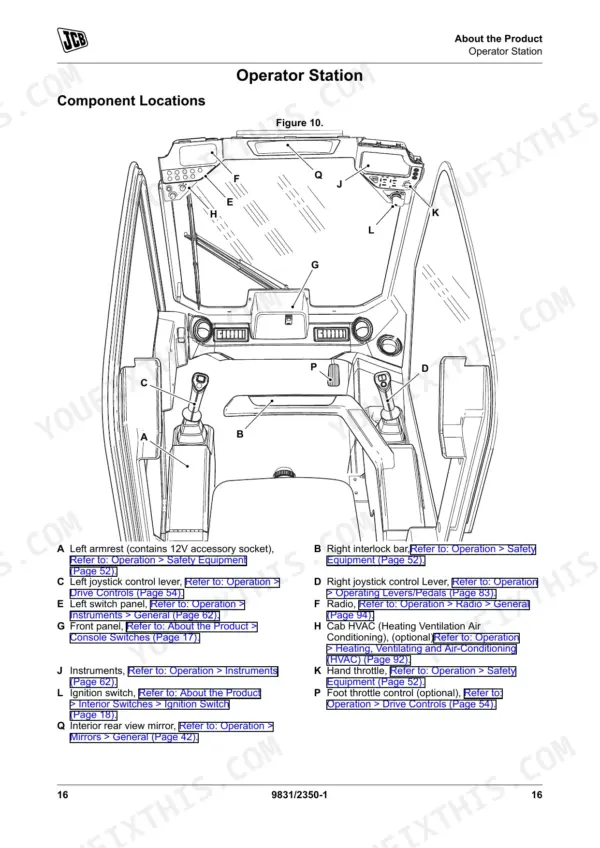
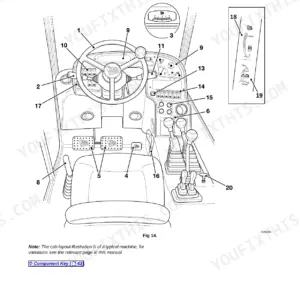
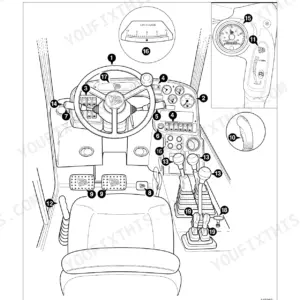
| About the Product | 19-32 | Description (General, Intended Use, Log Moving/Object Handling, Optional Equipment and Attachments, Danger Zone, Main Component Locations) |
| Operation | 33-162 | Operating Safety (General, Worksite Safety, Risk Assessment), Walk-Around Inspection (General), Entering and Leaving the Operator Station (General, Emergency Exit) |
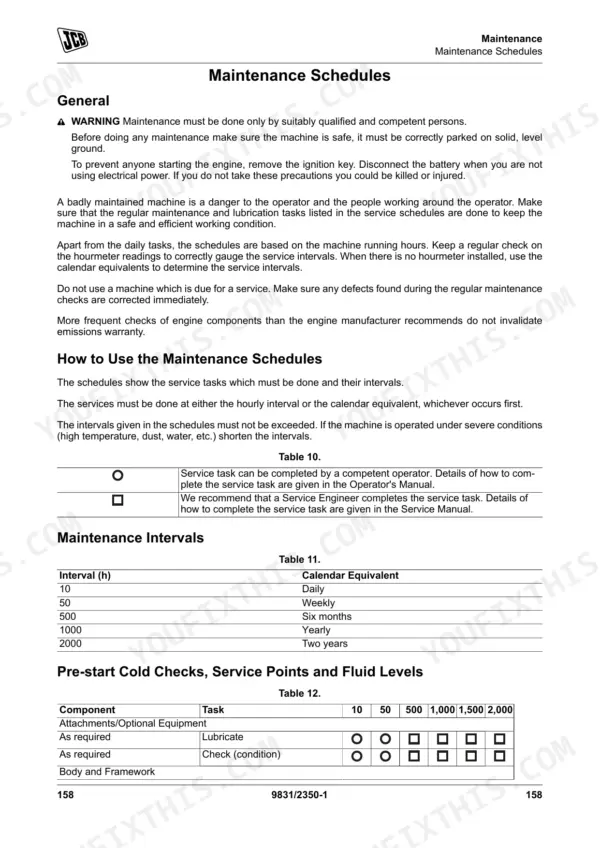
| Maintenance | 163-226 | Maintenance Safety, Maintenance Schedules, Maintenance Positions, Access Apertures, Engine, Fuel System, Cooling System, Hydraulic System |
| Technical Data | 227-260 | Static Dimensions, Fluids, Lubricants and Capacities, Electrical System, Warranty Information |
Quick Reference Specifications
| Specification | Value | Page |
|---|---|---|
| Wheel nuts torque | 244 N·m | p. 245 |
| Fuel filter cartridge torque | 17 N·m | p. 245 |
| Engine fuel filter sensor housing torque | 5 N·m | p. 245 |
| Engine Oil Capacity (Min) | 8.9L | p. 236 |
| Engine Coolant Capacity | 10L | p. 236 |
| Hydraulic System Capacity | 43.5L | p. 237 |
| Engine Oil Drain Plug Torque | 40N·m | p. 245 |
| Battery Voltage/System Voltage | 12V | p. 246 |
| Auxiliary Circuits - SP Standard Flow | 70L/min | p. 250 |
| Auxiliary Circuits - Auxiliary Pressure | 230bar (3,333psi) | p. 250 |
| Tyre Pressure (Common) | 3.8bar (55psi) | p. 251 |
| Rated Operating Capacity | 612kg | p. 231 |
JCB 135–205 Common Problems This Manual Covers
JCB 135 machine will not start, starts intermittently, or shows water in fuel warning
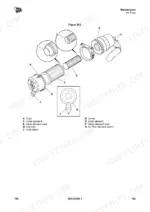
Drain the water separator components immediately to clear the warning and restore proper starting. Check the maintenance schedule for routine intervals. When replacing or servicing the separator assembly, torque the engine fuel filter sensor housing to exactly 5 N·m before priming.
Manual Section: Water Separator CleaningHydraulic attachment or lift functions feel weak, slow, or completely unresponsive during daily operation
Inspect the sight glass to confirm the hydraulic system capacity is near the full 43.5L level. Top off the fluid if low. Review page 237 for approved fluid specifications. Always clean the filler neck area before opening to prevent dirt contamination in the main reservoir.
Manual Section: Hydraulic Services Operation Check p. 236Drive or travel performance is poor, machine creeps, or tire traction remains highly inconsistent
Measure tire inflation across all four corners using an accurate gauge. Adjust the tyre pressure to 3.8bar (55psi) as listed in the technical data section on page 251. Inspect the wheel nuts and torque them to 244 N·m to ensure proper wheel seating and safe operation.
Manual Section: Tyre Condition Check p. 251Dashboard warning lights flash for engine overheating, hot running, or low coolant level warnings
Check the coolant expansion bottle visually before opening the cap. Verify the engine coolant capacity is filled to the required 10L specification. Look for leaks around the radiator hoses and water pump. Check the maintenance schedule to confirm your daily cooling system inspection is current.
Manual Section: Cooling System LeaksFrequently Asked Questions
How do I reset the service light on a JCB skid steer loader?
Go to the Service Display on the LCD screen and press and hold the information switch for 3 seconds. The display shows the time to the next service and lights up for 3 seconds to confirm the reset. p. 88
What are the torque specs for JCB 135/155/175/190/205 wheel nuts?
The torque specification for the wheel nuts on JCB 135, 155, 175, 190, and 205 models is 244 N·m for both front and rear wheels. Tighten the nuts in the sequence shown in the manual. p. 213
What are the replacement specifications for air filter element?
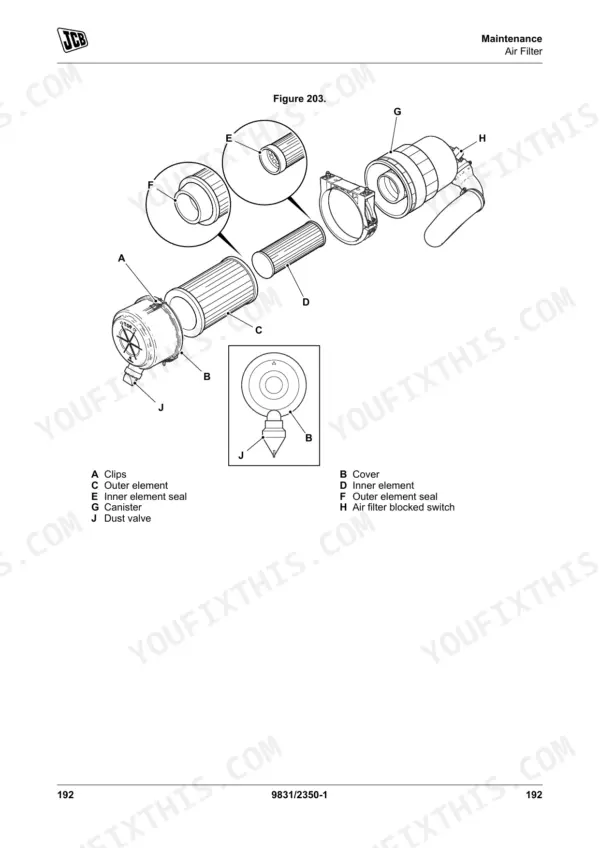
The outer air filter element must be renewed immediately if the warning light on the instrument panel illuminates. It should not be washed or cleaned, only renewed. A new inner element must be fitted at least every third time the outer element is changed. p. 203
What are the replacement specifications for fuel filter / secondary fuel filter?
When replacing the fuel filter, install new seals to the base, bowl, and filter element, lubricating them with correct fuel oil. The fuel filter cartridge should be tightened to a torque of 17 N·m. After replacement, the fuel system must be bled to remove any air. p. 193
How quickly can I access this manual after buying?
A 260-page Operator Manual in searchable PDF format, available the moment you complete checkout. View on computer, tablet, or phone, with no shipping wait.
Is this JCB 135 & variants Operator Manual printable?
Yes. It prints from any PDF reader, so run off the pages you need for your own repair work.











Reviews
There are no reviews yet.