
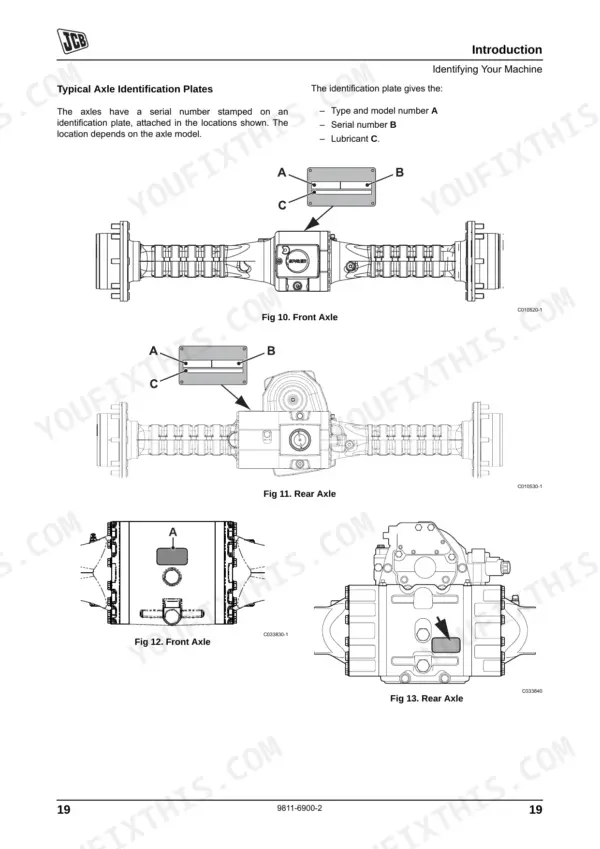
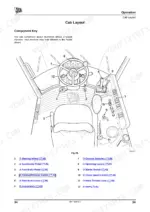
Part of the JCB Operator Manuals.
Need the factory operating guidelines for your JCB wheeled loader? This 192-page JCB 406, 409 Operator Manual PDF (OEM #9811-6900) breaks down every daily inspection, cab control function, and routine maintenance schedule. You get detailed dashboard indicator charts, complete fluid capacity tables, and step-by-step service schedules to keep the machine running right. Open up to exact procedures for operating quick release couplings, securing optional attachments, checking tyre pressures, and performing daily engine walkarounds. Verify the starter switch primary fuse is a 50A unit, and remember to tighten the primary fuel filter bowl a further quarter turn after hand-seating it. Avoid costly downtime caused by missed daily checks. Download this bookmarked file directly to your tablet, keep it handy in the cab, and start your shift with confidence.
Complete the set for your 406, 409
Other editions of this manual
- JCB 406, 407, 409 Wheeled Loader Operator Manual Original price was: $29.99.$19.99Current price is: $19.99.
- JCB 406, 408 Wheeled Loader Operator Manual Original price was: $31.99.$19.99Current price is: $19.99.
- JCB 406 Operator Manual Original price was: $29.99.$19.99Current price is: $19.99.
What's Inside This JCB 406, 409 Operator Manual
| System | Pages | Key Topics |
|---|---|---|
| Safety Notices | 9-10 | Important Information, Operator Manual, Safety Warnings |
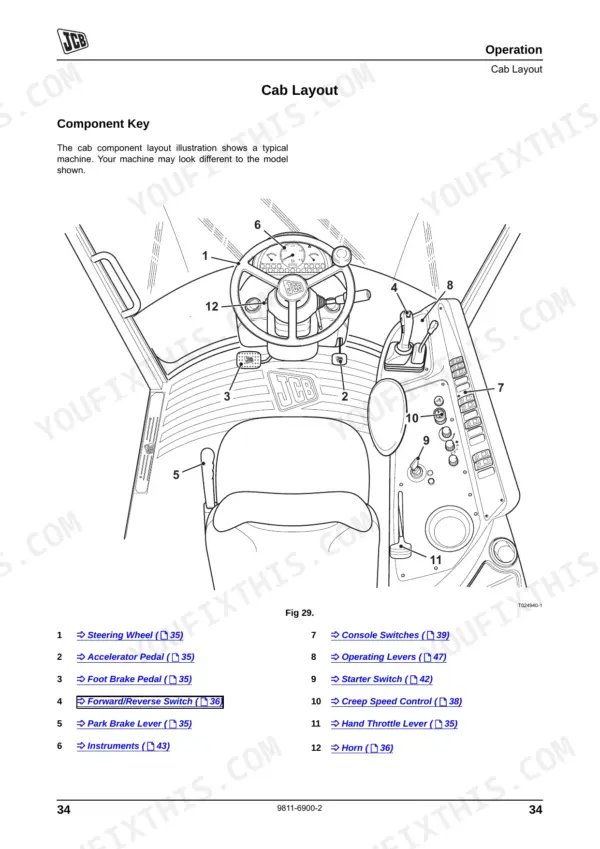
| Operation | 33-90 | Seat Controls, Seat Belts, Visibility Aids, Drive Controls, Switches and Instruments, Operating Levers, Safety Equipment |
| Routine Maintenance | 91-162 | Service Schedules, Fluids, Lubricants and Capacities, Engine, Fuel System, Hydraulic System, Brakes |
| Optional Attachments | 163-170 | Attachments for Your Machine, Quick Release Couplings, Quickhitch Control |
| Specifications | 171-184 | Working Capacity, Static Dimensions, Noise Data, Vibration Data, Tyre Sizes and Pressures |
| Warranty Information | 185-188 | Machine Service Record Sheet, Registration Information |
| European Community Standards | 189-192 | Ec Declaration of Conformity, Explanation of the Ec Declaration of Conformity |
Quick Reference Specifications
| Specification | Value | Page |
|---|---|---|
| Hydraulic fault reset procedure | Not specified; contact JCB Distributor for advice | p. 149 |
| Fuel filter tightening | Tighten the bowl a further quarter of a turn | p. 135 |
| Air filter element replacement | Replace if severely blocked or damaged | p. 132 |
| Cab heater filter replacement | Replace if severely blocked or damaged | p. 125 |
| Primary fuse - Starter switch | 50A | p. 135 |
| Primary fuse - Ignition relay 1 | 50A | p. 135 |
| Engine cooling system cleaning interval | Every 100 hours | p. 98 |
| Fuel Tank Capacity | 80 Litres | p. 103 |
| Engine Oil Capacity (Maximum) | 12 Litres | p. 103 |
| Hydraulic System Capacity | 70 Litres | p. 103 |
| ROPS/FOPS Mounting Bolts Torque | 135 Nm | p. 115 |
| Wheel Nut Torque | 450 Nm | p. 159 |
JCB 406, 409 Common Problems This Manual Covers
Engine overheats or coolant temperature gauge rises rapidly under a heavy working load
Clean the engine cooling system and radiator pack to remove restricted airflow from packed debris. Perform this regular cleaning interval every 100 hours as specified on page 98. Check the coolant reservoir level and inspect the entire engine bay for heavy dust accumulation blocking the fan.
Manual Section: Routine Maintenance p. 98Frequent fuse blowing or cab heater fan cutting out unexpectedly during daily operation
Inspect the wiring harness for damaged insulation or grounded shorts before replacing any blown fuses. Verify the secondary fuse for the brake lights on page 136 is correctly sized at 7.5A. Never install a higher amperage rating to bypass a recurring electrical fault in the cab.
Manual Section: Routine Maintenance p. 136Loader operates with reduced stability or tire sidewalls bulge under a heavy load
Measure all tyre pressures using a calibrated gauge and inspect the sidewalls for cuts. Verify the wheel nuts are completely secure and tighten them to a torque of 450 Nm as shown on page 159. Keep the cab heater filter clean to maintain safe visibility.
Manual Section: Routine Maintenance p. 159Frequently Asked Questions
What are the replacement specifications for primary fuel filter?
To replace the fuel filter, unscrew the old filter element and fill the new element with the recommended fuel, referring to Fluids, Lubricants and Capacities (page 93). Lubricate the sealing ring with clean fuel, screw the filter on until the seal contacts the filter head, and then tighten the bowl a further quarter of a turn. p. 145
What are the replacement specifications for secondary fuel filter?
For the sedimenter bowl, which contains a filter element, remove the old filter element and install a new one. Ensure the gasket is in good condition and position. Attach the bowl onto the bolt until the seal contacts the filter head, then turn the bowl a further quarter of a turn, but do not over-tighten. p. 146
How do you fix JCB 406 engine will not start or repeatedly stalls after a cold startup?
Inspect the primary fuel filter bowl for water and sediment. Drain any contamination and tighten the bowl a further quarter of a turn as shown on page 135. Prime the fuel system to remove air and verify the 80 Litres fuel tank has sufficient diesel. p. 135
How do you fix hydraulic functions become weak, slow, or completely unresponsive during bucket operation?
Check the hydraulic oil level and inspect hoses for damage. Replace the hydraulic filter if needed, ensuring you torque the hydraulic filter cap to 40 Nm as detailed on page 151. Maintain the total system capacity of 70 Litres to prevent aeration and sluggish response. p. 151
How quickly can I access this manual after buying?
You get a 192-page searchable PDF that downloads instantly after checkout. Open it on your laptop, tablet, or phone, and bring it right to the shop floor.
Can I print pages of this manual for my own shop?
Yes. Print a chapter or just the pages for the job at hand, for use in your own shop. Any home or office printer works.











Reviews
There are no reviews yet.