
Part of the JCB Operator Manuals.
Need the factory operating guidelines for your wheeled loader? This 144-page JCB 446, 456 operator manual PDF (OEM #9811/0320) focuses on running and maintaining your machine properly before major failures occur. Open to the operations section to master drive controls, operating levers, and dashboard display panel indicators. Complete routine maintenance schedules, automatic greasing system instructions, fluid capacities, and safe working load charts for handling heavy lifts round out the guide. Torque the wheel nuts to 600 Nm and swap the primary fuel filter every 500 hours to keep the engine running clean. A poorly maintained loader burns through parts and profits. This bookmarked digital file lets you jump straight to the exact spec you need right from your phone or tablet on the job site.
Complete the set for your 446, 456
What's Inside This JCB 446, 456 Operator Manual
| System | Pages | Key Topics |
|---|---|---|
| Safety Notices | 7-8 | Introduction, Jcb Plantguard |
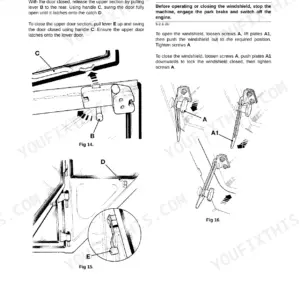
| Operation | 21-76 | Seat Controls, Drive Controls, Switches, Instruments, Display Panel, Operating Levers, Loader Controls, Safety Equipment |
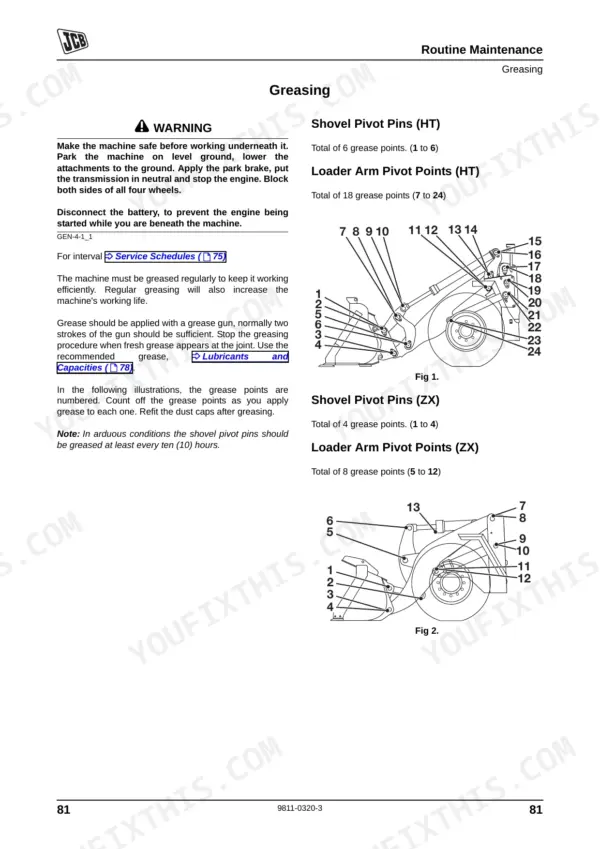
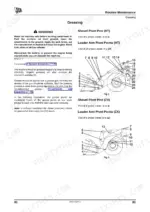
| Routine Maintenance | 77-130 | Lubricants, Greasing, Automatic Greasing System, Electrical System, Battery, Fuses, Relays, Hydraulic System |
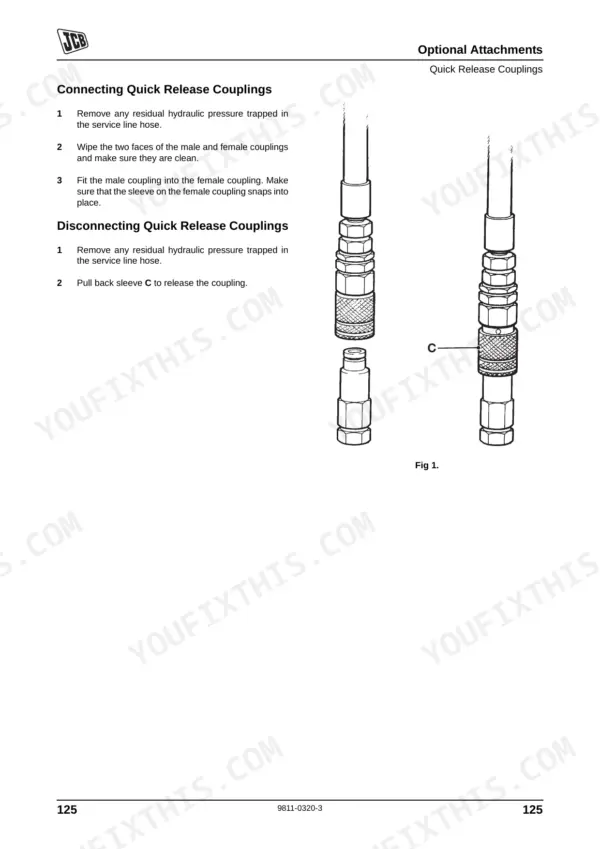
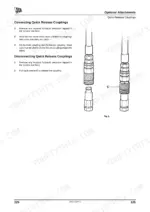
| Optional Attachments | 131-138 | Quick Release Couplings, Quickhitch Control, Connecting Quick Release Couplings, Disconnecting Quick Release Couplings, Disengaging the Attachments, Engaging the Attachments |
| Specifications | 139-144 | Lifting Regulations, Safe Working Loads, Working Capacity, Static Dimensions, Noise and Vibration Data, Tyre Pressures |
Quick Reference Specifications
| Specification | Value | Page |
|---|---|---|
| Wheel Nut Torques | 600 Nm (443 lbf ft) | p. 128 |
| Fuel Filter Change Interval | Every 500 hours | p. 83 |
| Air Filter Outer Element Replacement Interval | Every 500 hours | p. 83 |
| Air Filter Inner Element Replacement Interval | Every 2000 hours | p. 83 |
| Maximum Load (Crane Use) | 1000 kg (1 tonne, 2205 lb) | p. 139 |
| Engine Oil Capacity | 18.9 litres | p. 78 |
| Gearbox Capacity | 34 litres | p. 78 |
| Hydraulic System Capacity | 215 litres | p. 78 |
| Fuel System Capacity | 320 litres | p. 78 |
| ROPS/FOPS Mounting Bolts Torque | 270 Nm | p. 91 |
| Differential Oil Fill/Level Plug Torque | 85 Nm | p. 109 |
| Wheel Nut Torque | 600 Nm | p. 120 |
JCB 446, 456 Common Problems This Manual Covers
Engine overheats quickly and dashboard warning indicator flashes steadily during normal daily operation.
Inspect the cooling pack for oil or mud buildup. Verify the engine oil level is correct, keeping the total capacity at 18.9 litres as noted on page 78. Clean the radiator fins carefully with compressed air. Drain any water from the primary fuel filter to prevent stalling.
Manual Section: Routine Maintenance p. 78Differential fluid leaks around the fill plug and drips below the machine.
Clean the differential housing completely to locate the exact source of the leak. Verify the oil level is correct, then torque the differential oil fill and level plug to 85 Nm as directed on page 109. Wipe away any excess fluid to monitor for future seepage.
Manual Section: Routine Maintenance p. 109Frequently Asked Questions
What are the standard torque settings for JCB 446/456 wheel loaders?
For JCB 446/456 wheel loaders, the standard torque setting for wheel nuts is 600 Nm (443 lbf ft). It is recommended to check the wheel nut torques every 10 hours on new machines and whenever a wheel has been removed, until they remain correct. p. 128
What does fault code mean on a JCB 456 wheel loader?
In the event of a transmission fault, the EMS (Engine Management System) will display a fault code to assist in diagnosis. This fault code will appear on the top line of the display panel. A comprehensive list of these fault codes can be found in the Service Manual. p. 48
How do you fix JCB 446 hydraulic system loses power after short use and bucket won't lift reliably?
Check the troubleshooting procedures. Verify the hydraulic fluid level on the sight glass before adding oil. Ensure the total hydraulic system capacity is maintained at 215 litres. Inspect the cooling pack for debris and confirm the lifting load does not exceed the 1000 kg maximum capacity.
How do you fix wheel nuts loosen after heavy operation and require frequent tightening during routine maintenance checks?
Inspect the wheel studs for damage and thread wear. Torque all wheel nuts to exactly 600 Nm as specified on page 120. Check the front tyre pressure is set to 3.5 Bar. Repeat this torque check daily during the first week of operation to seat the rims properly. p. 120
What exactly do I receive with this JCB 446 Operator Manual?
This is a 144-page searchable PDF ready for immediate download. Works on any device, so pull it up on your phone while you're under the hood. No shipping, no waiting.
Am I able to print pages from this manual?
Yes. Print the pages you need for the job in your own shop, and bin them when they get greasy.











Reviews
There are no reviews yet.