
Part of the JCB Operator Manuals.
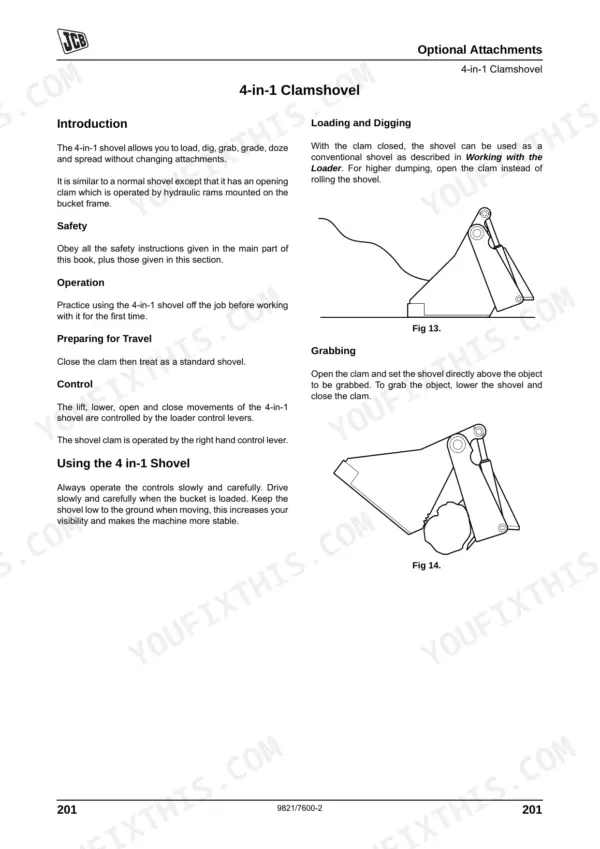
Looking for the exact daily maintenance intervals for your backhoe loader? This 253-page JCB 1CXWS, 1CXWH, 1CXWE, 1CXHE, 1CXTS, 1CXTH, 1CXTE operator manual pdf (OEM #9821/7600) covers every dashboard indicator, safety warning, and routine service schedule. Open to the routine maintenance section to find exact fluid capacities, detailed lubrication schedules, and step-by-step instructions for connecting optional attachments like the 4-in-1 clamshovel. You get complete operational breakdowns, from seat and drive controls to pallet fork usage and bucket teeth replacement. Verify your wheeled model's engine oil capacity is exactly 10.5 liters, and torque those front and rear wheel nuts to 390 Nm before heading to the job site. Stop relying on guesswork for daily service limits. Download this bookmarked document, pull it up on your phone in the cab, and keep your machine running cleanly.
What's Inside This JCB 1CXWS & variants Operator Manual
| System | Pages | Key Topics |
|---|---|---|
| Safety Notices | 15-16 | Important Information, Operator Manual, Safety Warnings |
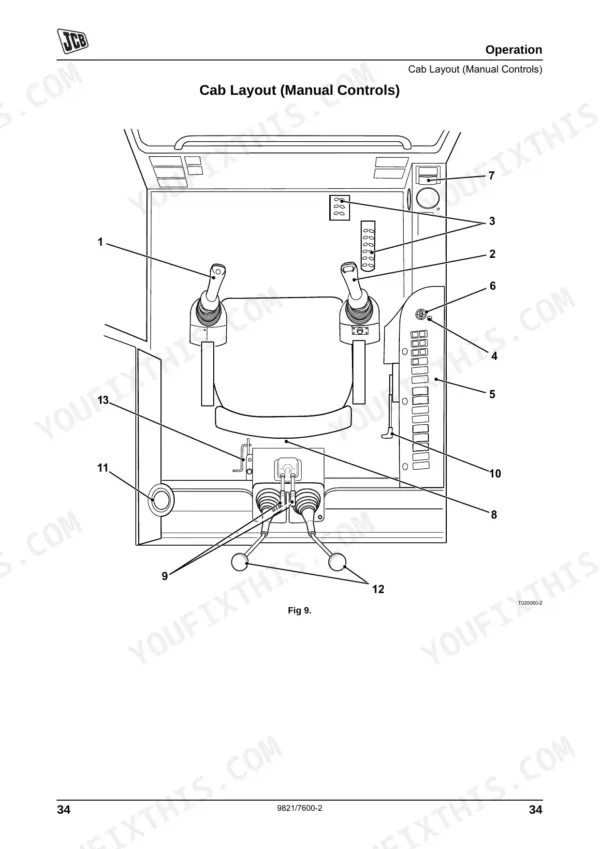
| Operation | 25-128 | Before Entering the Cab, Entering and Leaving the Cab, Seat Controls, Drive Controls, Switches and Instruments, Operating Levers, Working with the Machine |
| Routine Maintenance | 129-201 | Service Requirements, Health and Safety, Service Schedules, Fluids, Lubricants and Capacities, Prepare the Machine for Maintenance, Cleaning the Machine |
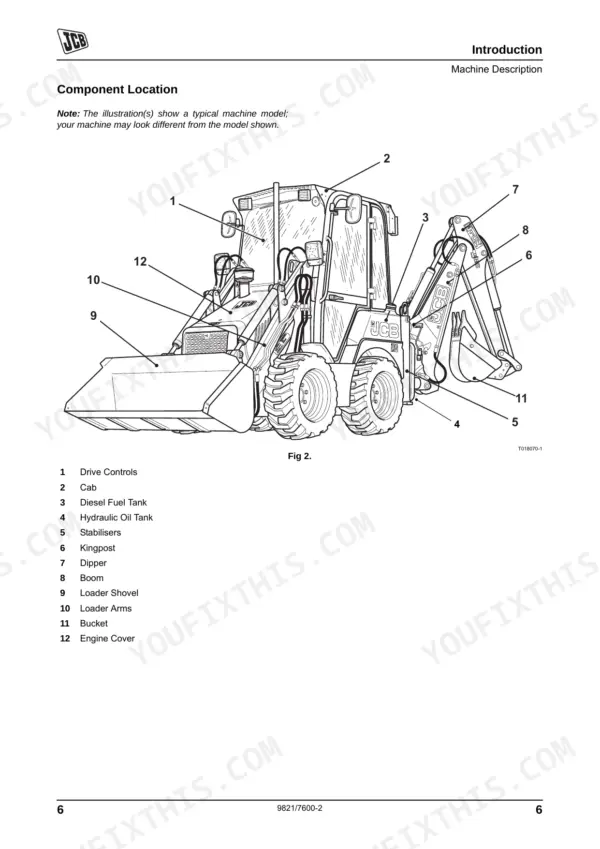
| Optional Attachments | 202-221 | Attachments for Your Machine, Impact Protection, Connecting/Disconnecting Hydraulic Hoses, Pallet Forks, 4-In-1 Clamshovel, Excavator Quickhitch |
| Buckets | 222-227 | Bucket Selection, Removing a Bucket, Installing a Bucket, Replacing Bucket Teeth |
| Specifications | 228-245 | Static Dimensions, Performance Dimensions, Forklift Performance Data, Noise Data, Vibration Data, Tyre Sizes and Pressures |
| Warranty Information | 246-249 | Machine Service Record Sheet, Registration Information |
| European Community Standards | 250-253 | Ec Declaration of Conformity, Explanation of the Ec Declaration of Conformity |
Quick Reference Specifications
| Specification | Value | Page |
|---|---|---|
| 1CX wheeled models | ||
| Wheel Nut Torque - Front | 390 Nm (288 lbf ft) | p. 195 |
| Wheel Nut Torque - Rear | 390 Nm (288 lbf ft) | p. 195 |
| All Models | ||
| Fuel Tank Capacity | 45 Litres | p. 127 |
| Engine Coolant Capacity | 11 Litres | p. 127 |
| ROPS/FOPS Mounting Bolts Torque | 135 Nm | p. 160 |
| Hydraulic Oil Filter Tightening Torque | 35 Nm | p. 192 |
| Extending Dipper Wear Pads Torque | 50 Nm | p. 197 |
| 1CXWS | ||
| Engine Oil Capacity, 1CXWS | 10.5 Litres | p. 127 |
| Hydraulic System Capacity | 80 Litres | p. 127 |
| 1CXT | ||
| Engine Oil Capacity, 1CXT | 9.3 Litres | p. 127 |
| Hydraulic System Capacity | 80 Litres | p. 127 |
JCB 1CXWS & variants Common Problems This Manual Covers
Machine will not move and parking brake fails to hold weight securely on a slope.
Test the park brake functionality on a secure incline (page 156). Inspect the front and rear wheel nuts, torquing them to 390 Nm as specified on page 195. Check tires for deep cuts or embedded objects and inflate to the correct pressure (pages 159, 180).
Manual Section: Routine Maintenance p. 195Engine shuts down randomly and dashboard warning lights flash auxiliary blink codes during operation.
Check the joystick thumb wheel and auxiliary electrical connectors for chafing or heavy corrosion. Drain the water separator and bleed the fuel system. Fill the tank to its 45 Litres maximum capacity referenced on page 127 to prevent air ingress.
Manual Section: Operation p. 127Hydraulic functions behave inconsistently or feel jerky when connecting or disconnecting optional loader attachments.
Clean all quick-release couplings before connecting hoses. Replace the hydraulic oil filter if fluid appears cloudy, ensuring you torque the new filter to 35 Nm as directed on page 192. Verify the attachment is fully locked before operating the levers.
Manual Section: Routine Maintenance p. 192Frequently Asked Questions
How do I reset fault codes on a JCB 1CX?
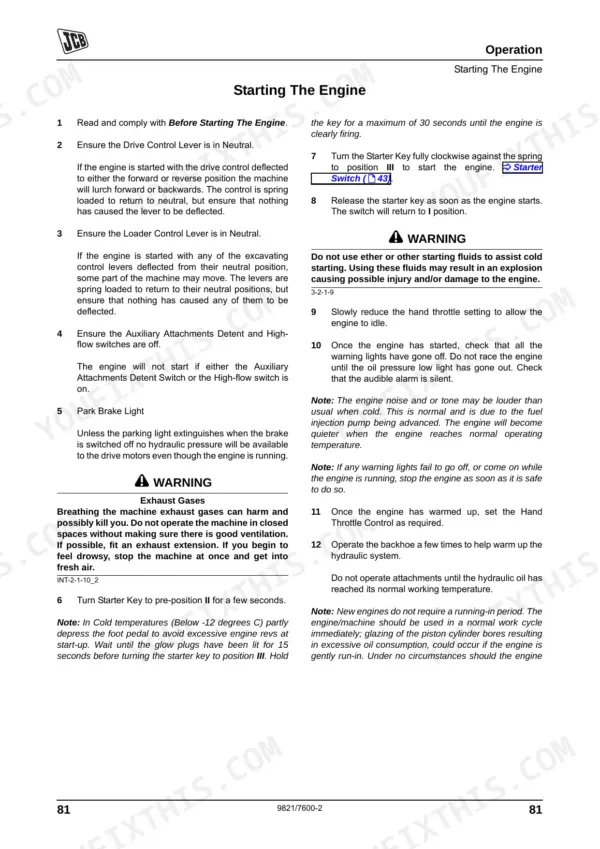
If the Power Management System (PMS) warning light comes on or blink codes appear after the engine stalls, you can reset them by waiting 5 seconds and then restarting the engine. This should clear the warning lights. p. 59
What do JCB 1CX warning or error codes mean?
The JCB 1CX uses blink codes for Power Management System (PMS) and Auxiliary faults. For example, one long flash followed by one short flash indicates 'Signal from alternator W terminal absent or incorrect' for PMS, or 'Joystick thumb wheel not in centre position' for Auxiliary faults. Other warning lights signal conditions such as low engine oil pressure or high water temperature. p. 59
What are the torque specs for JCB 1CX wheel nuts or axle bolts?
The torque specification for both front and rear wheel nuts on a JCB 1CX is 390 Nm (288 lbf ft). On new machines, and whenever a wheel has been removed, re-check these torques until they hold steady. p. 195
How do you fix the issue where a JCB 1CXWS intermittently loses drive and hydraulic power after shifting the side-shift carriage positions?
Verify the carriage lock is completely disengaged before shifting positions. Check the hydraulic sight glass and add fluid if the level is below the 80 Litres total system capacity noted on page 127. Inspect fluid for milky cloudiness indicating water contamination. p. 127
How quickly can I access this manual after buying?
This is a 253-page searchable PDF ready for immediate download. Works on any device, so pull it up on your phone while you're under the hood. No shipping, no waiting.
Can I print specific sections of this JCB 1CXWS & variants Operator Manual?
You can. Print the sections you want for your own use and keep the file as your backup.











Reviews
There are no reviews yet.