
Part of the JCB Operator Manuals.
Need the factory operating guidelines for your generator? This 170-page JCB G250–G600 Series Operator Manual PDF (OEM #EN - 9811/4700 ISSUE 3) breaks down every startup procedure and maintenance schedule for the G250RX, G275QX, G275X, G330QX, G330X, and all other variants in this lineup. Inside, you get full dashboard indicator breakdowns, step-by-step pre-start cold checks, and detailed maintenance intervals to keep your power systems running. Open to the technical data section for complete electrical wiring diagrams, exact fluid capacities, and high-quality exploded views of your daily service points. Confirm your normal coolant operating temperature stays safely between 70 and 90 degrees Celsius, and torque the DC16 engine fuel filter lid to exactly 25 N-m during your next PM. Don't risk burning up a generator because you missed a basic service interval. Grab this bookmarked download, open it on your phone or tablet, and keep the lights on.
What's Inside This JCB G250–G600 Series Operator Manual
| System | Pages | Key Topics |
|---|---|---|
| Acronyms Glossary | 7-8 | Controller Area Network, Electronic Control Unit, Liquid Crystal Display, Light Emitting Diode, Random Access Memory |
| About the Product | 13-30 | Introduction (Name and Address of the Manufacturer, Product Compliance), Description (Main Component Locations), Product and Component Identification (General, Engine) |
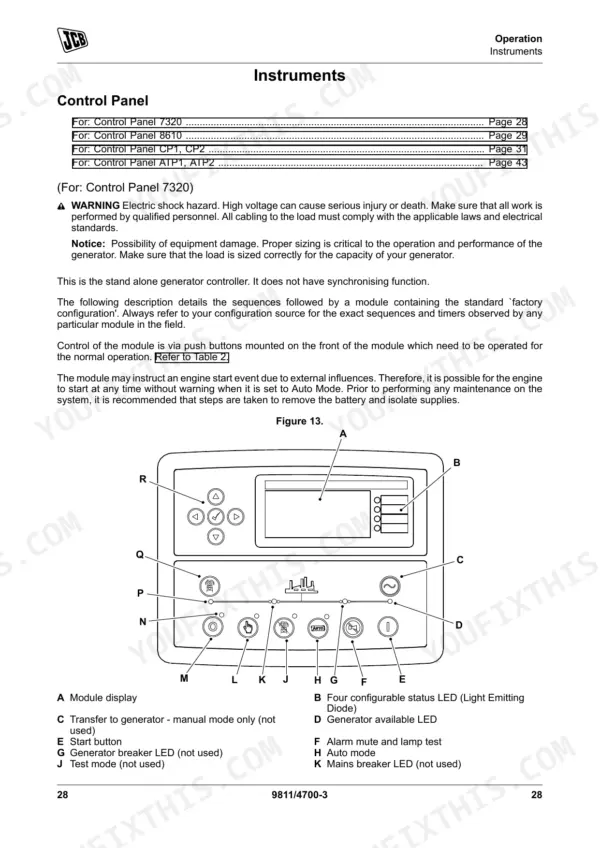
| Operation | 31-72 | Operating Safety (General), Before Starting the Engine (General), Starting the Engine (General), Instruments (Control Panel, Module Display) |
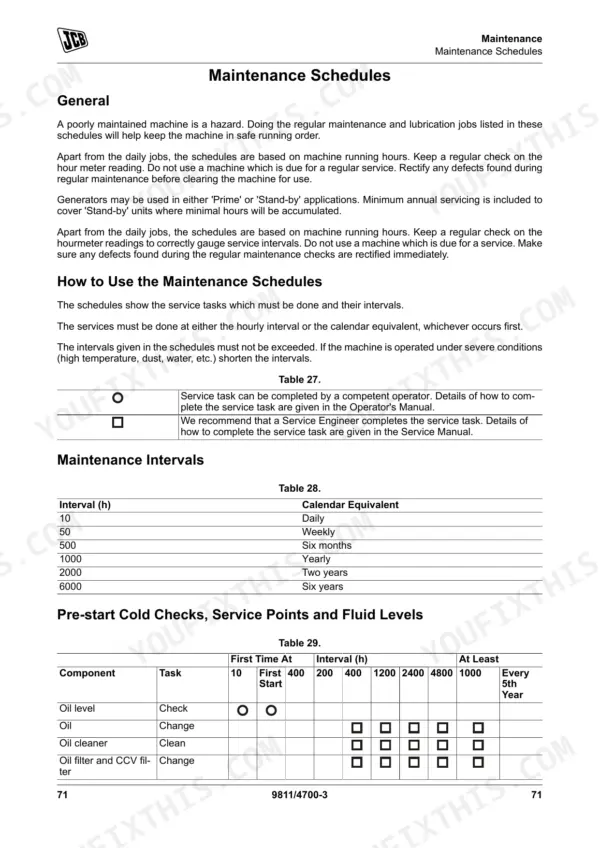
| Maintenance | 73-138 | Introduction (General), Maintenance Safety (General), Fluids and Lubricants (General) |
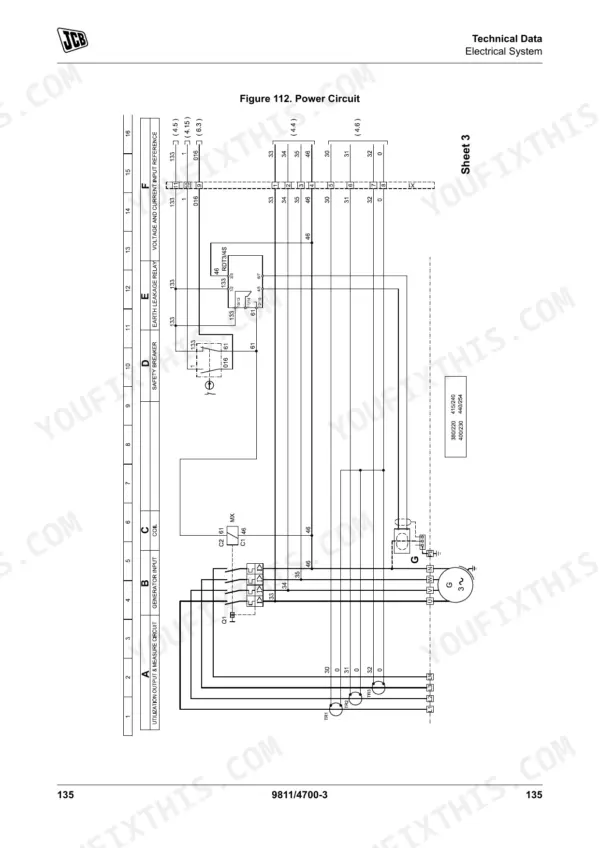
| Technical Data | 139-168 | Fluids, Lubricants and Capacities (General, Fuel, Coolant), Electrical System (Schematic Circuit), Engine (General) |
| Warranty Information | 169-170 | General |
Quick Reference Specifications
| Specification | Value | Page |
|---|---|---|
| Battery electrolyte specific gravity (cold climates) | 1.27 - 1.28 kg/l at 25ºC | p. 129 |
| Battery electrolyte specific gravity (hot/tropical climates) | 1.25 - 1.26 kg/l at 25ºC | p. 129 |
| Fuel filter lid tightening torque (DC16 Engine) | 25 ± 5N·m | p. 117 |
| Fuel filter tightening instruction (DC12 Engine) | Tighten the filter by hand. Never use tools for this. | p. 89 |
| Normal coolant operating temperature | 70–90°C (157.9–193.9°F) | p. 33 |
| Coolant warning temperature (S6 control system) | 98–103°C (208.3–217.3°F) | p. 33 |
| Engine Oil Capacity | Maximum 19.8L | p. 139 |
| Diesel Fuel Viscosity at 40°C | 2.0 - 4.5 mm2/s (cSt) | p. 140 |
| Diesel Fuel Flashpoint | 56°C (132.7°F) | p. 140 |
| Coolant Protection (50% concentration) | down to -40°C (-40°F) | p. 140 |
| DC9 Engine Cylinder Diameter | 127mm | p. 165 |
| DC9 Engine Compression Ratio | 18:1 | p. 165 |
JCB G250–G600 Series Common Problems This Manual Covers
JCB G250RX generator high engine temperature fault code triggering shutdown during heavy load
Check the module display on page 58 for warning faults. Verify the coolant level is 50mm from the full line when cold for DC16 engines as shown on page 116. Ensure the normal operating temperature remains between 70 to 90°C (157.9 to 193.9°F).
Manual Section: DSE Digital Control Panel - Alarms p. 116Engine fails to start in AUTO mode or cranks slowly during cold weather operation
Inspect battery terminals for corrosion. Test the battery electrolyte specific gravity to confirm it reads 1.27 to 1.28 kg/l at 25ºC for cold climates as specified on page 129. If the 12V system voltage drops below 12.50V, charge the battery immediately.
Manual Section: DSE Digital Control Panel - Starting Faults p. 129Unit starts but shuts down shortly after due to water contamination in the fuel pre-filter bowl
Drain the water separator bowl and inspect the fuel filter. When replacing the filter on DC12 engines, tighten the filter by hand according to page 116. Fill the tank with diesel fuel maintaining a viscosity of 2.0 to 4.5 mm2/s at 40°C.
Manual Section: Maintenance p. 89Low oil pressure fault warning lamp activates on the control panel after startup
Stop the engine immediately. Check the dipstick with the engine cold to ensure the oil level is correct. Fill the crankcase with approved engine oil up to the maximum 19.8L capacity listed on page 139. Reset the EMS control unit fault codes.
Manual Section: EMS Control Unit Fault Codes p. 139Frequently Asked Questions
How do I reset the alarm on a JCB G250RX/G275QX/G330X generator?
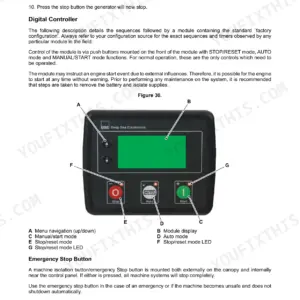
To reset an alarm on a JCB generator, press the STOP/RESET button on the control panel. This action clears any alarm conditions for which the triggering criteria have been removed and is also used to acknowledge and clear active alarms, including latching electrical trip and shutdown alarms. After an alarm, approved values should be registered for more than two seconds to reset the alarm. p. 67
What does error code mean on a JCB G380QX or G440X generator?
To understand what an error code means on a JCB generator, you need to read off the flashing codes from the diagnostics lamp. Long flashes represent tens, and short flashes represent units (e.g., long-short-short = fault code 12). The specific meaning of these codes can be found in Table 60 "Overview of Flashing Codes for EMS Control Unit" on page 136 or Table 61 for the EMS Coordinator on page 138. p. 136
How do I clear a fault on the JCB CP1 controller?
To clear a fault on the JCB CP1 controller, press the STOP/RESET button. This button places the module into its STOP/RESET mode, clearing any alarm conditions for which the triggering criteria have been removed and allowing the user to acknowledge and clear active alarms. p. 37
What are the common shutdown codes on JCB QX generators?
Common shutdown alarms on JCB QX generators include Low Oil Pressure, Engine High Temperature, Under Speed, Over Speed, Charge Failure, Low Fuel Level, and High Fuel Level, as listed in Table 24 on page 68. Additionally, EMS Control Unit fault codes such as Overspeed (11) and Emergency shut-off switch activated (37) can also lead to engine shutdown, as detailed in Table 60 on page 136. p. 68
What do I get after purchasing this JCB G250–G600 Series manual?
You get a 170-page searchable PDF that downloads instantly after checkout. Open it on your laptop, tablet, or phone, and bring it right to the shop floor.
Can I print specific sections of this JCB G250–G600 Series Operator Manual?
Yes. Print the pages or sections you need for your own shop use. Any standard printer works.
Are electrical wiring diagrams included in this JCB G250–G600 Series manual?
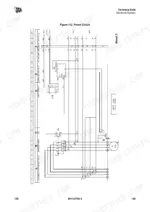
A wiring diagram for the JCB G250–G600 Series electrical system is included.











Reviews
There are no reviews yet.