
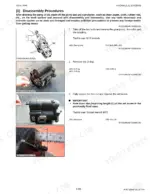
This Kubota Workshop Manual covers the U35-4 mini-excavator across 514 pages, with the machine built around the D1703-M-DI-E4 diesel engine.
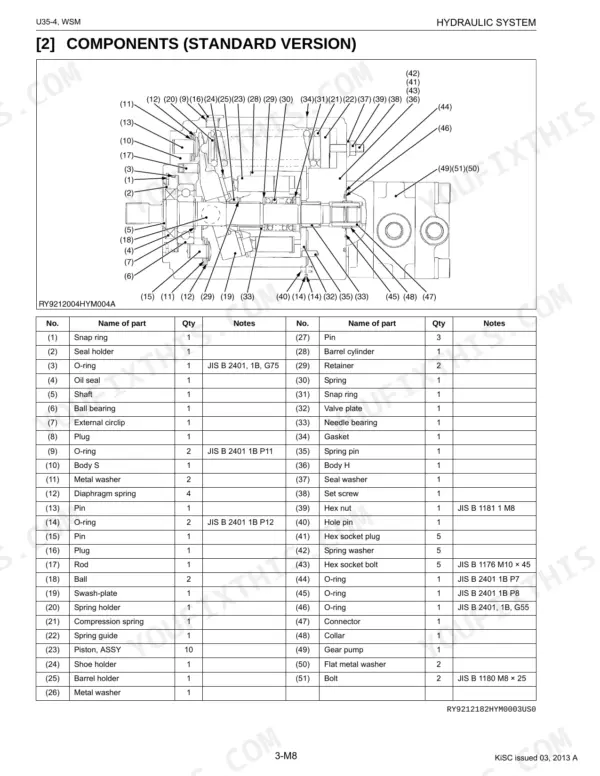
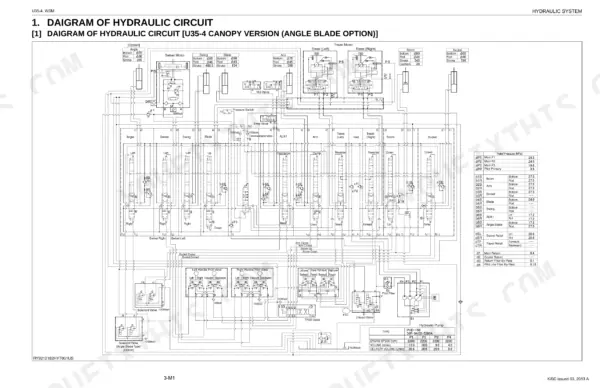
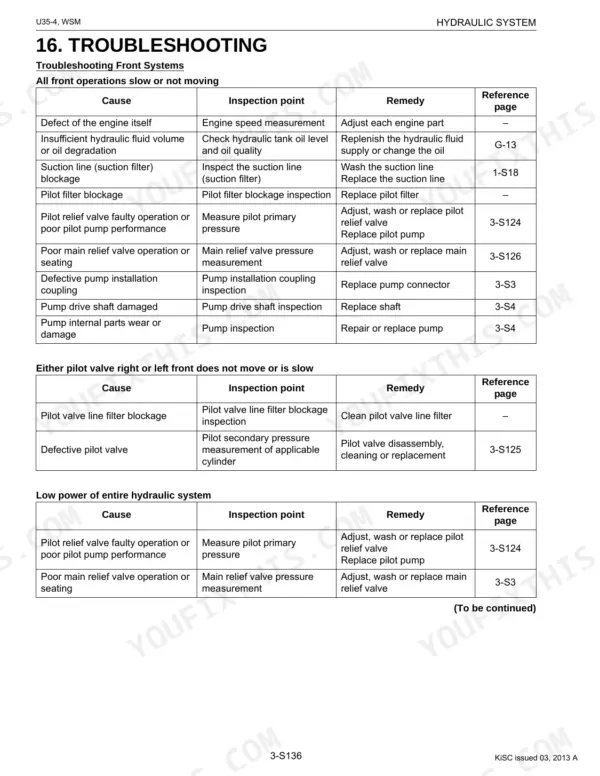
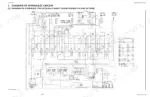
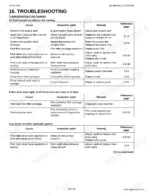
It details the machine body and undercarriage, the hydraulic system (pump, control valve, swivel and travel motors, cylinders, and pilot valves), the electrical system with its circuit diagrams and meter panel, and the cab with air conditioning and wiper. For each you get structure and function, troubleshooting, servicing specifications, and tightening torques. Engine internals are handled in a separate Kubota D1703 manual, which this book points to.
The manual downloads as a searchable, bookmarked PDF, so you can jump straight to the Hydraulic, Electrical, or Cabin section on a phone, tablet, or shop computer and print only the pages the repair calls for.
Complete the set for your U35-4
- Operator Manual: Kubota U35-4 Excavator Operator Manual
What's Inside This Kubota U35-4 Manual
| System | Pages | Key Topics |
|---|---|---|
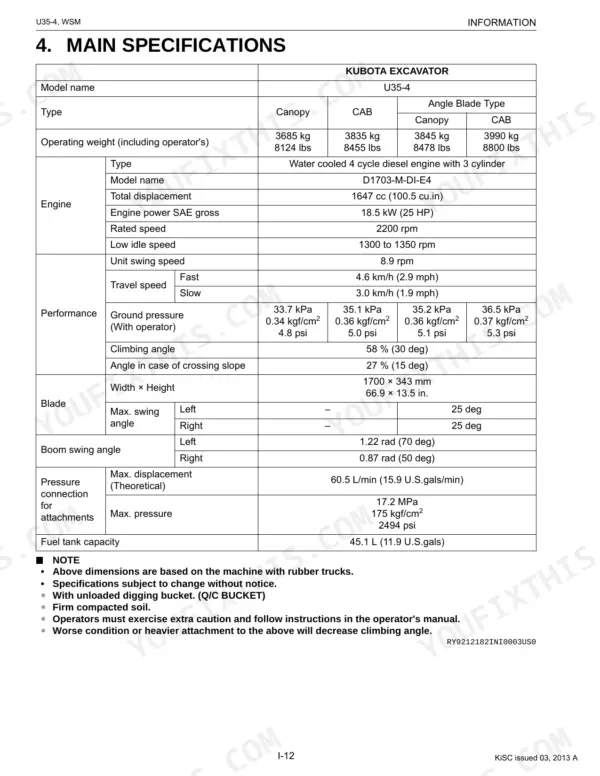
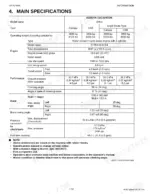
| I Information | 4-18 | Safety First, In the Interest of Work Safety, Labels Displayed to Promote Work Safety, Main Specifications, Dimensions |
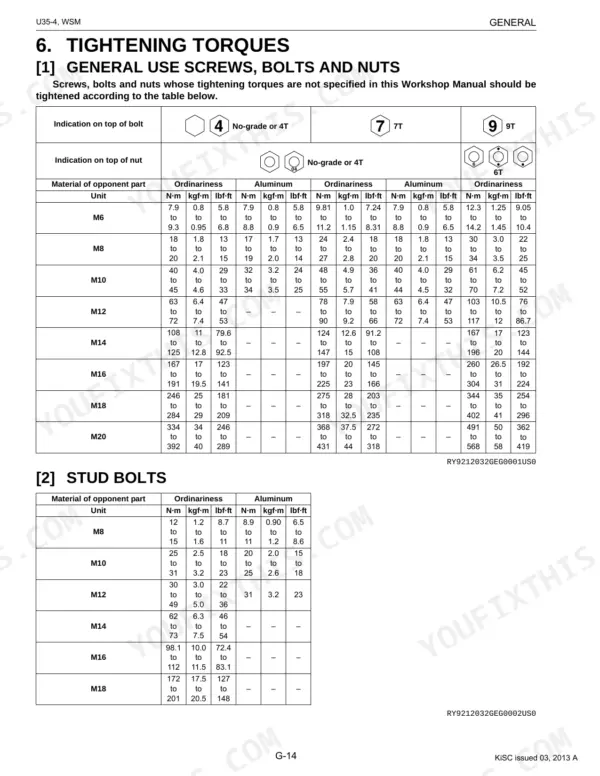
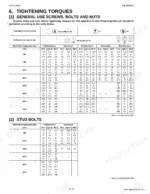
| G General | 19-40 | Checking Excavator Identification, Engine Identification, General Precautions, Handling Precautions for Electrical Parts and Wiring, Types of Oil, Tightening Torques |
| Machine Body | 41-94 | Front Equipment, Upper Swivel, Track Frame, Engine, Operating Lever, Pedal |
| Engine | 95-99 | Specifications, External Dimensions, Performance Curve |
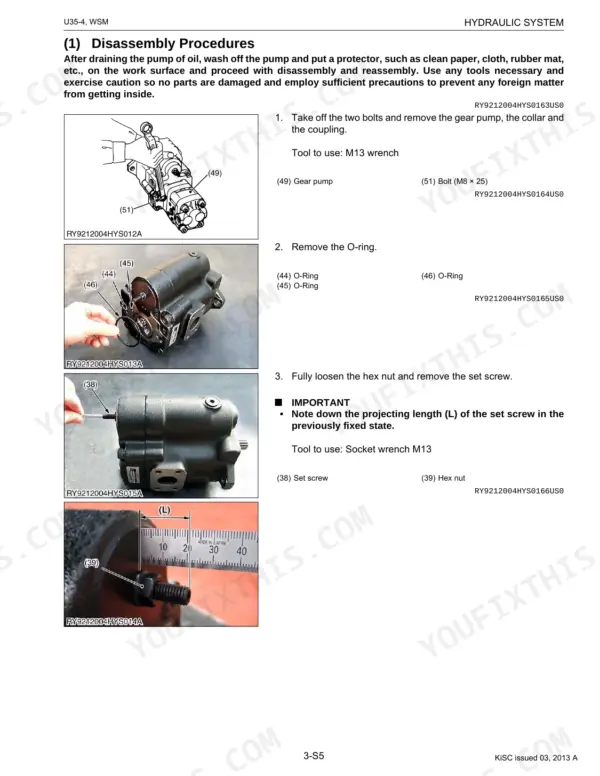
| Hydraulic System | 100-299 | Pump, Control Valve, Swivel Motor, Travel Motor, Hydraulic Cylinder, Pilot Valve |
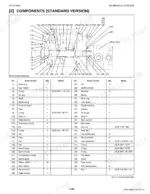
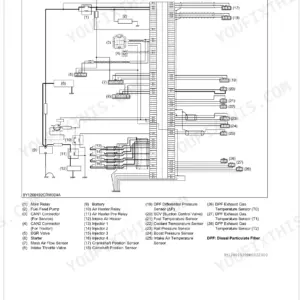
| Electrical System | 300-432 | Reading the Electrical Circuit Diagrams, Electronic Device Layout, Wiring Circuit, Troubleshooting, Checks, Meter Panel Operating Procedure |
| Cabin | 433-511 | Air Conditioning System, Wiper, Maintenance and Service Related Specifications, Inspecting and Charging the Refrigerant System, Cabin Removal and Mounting |
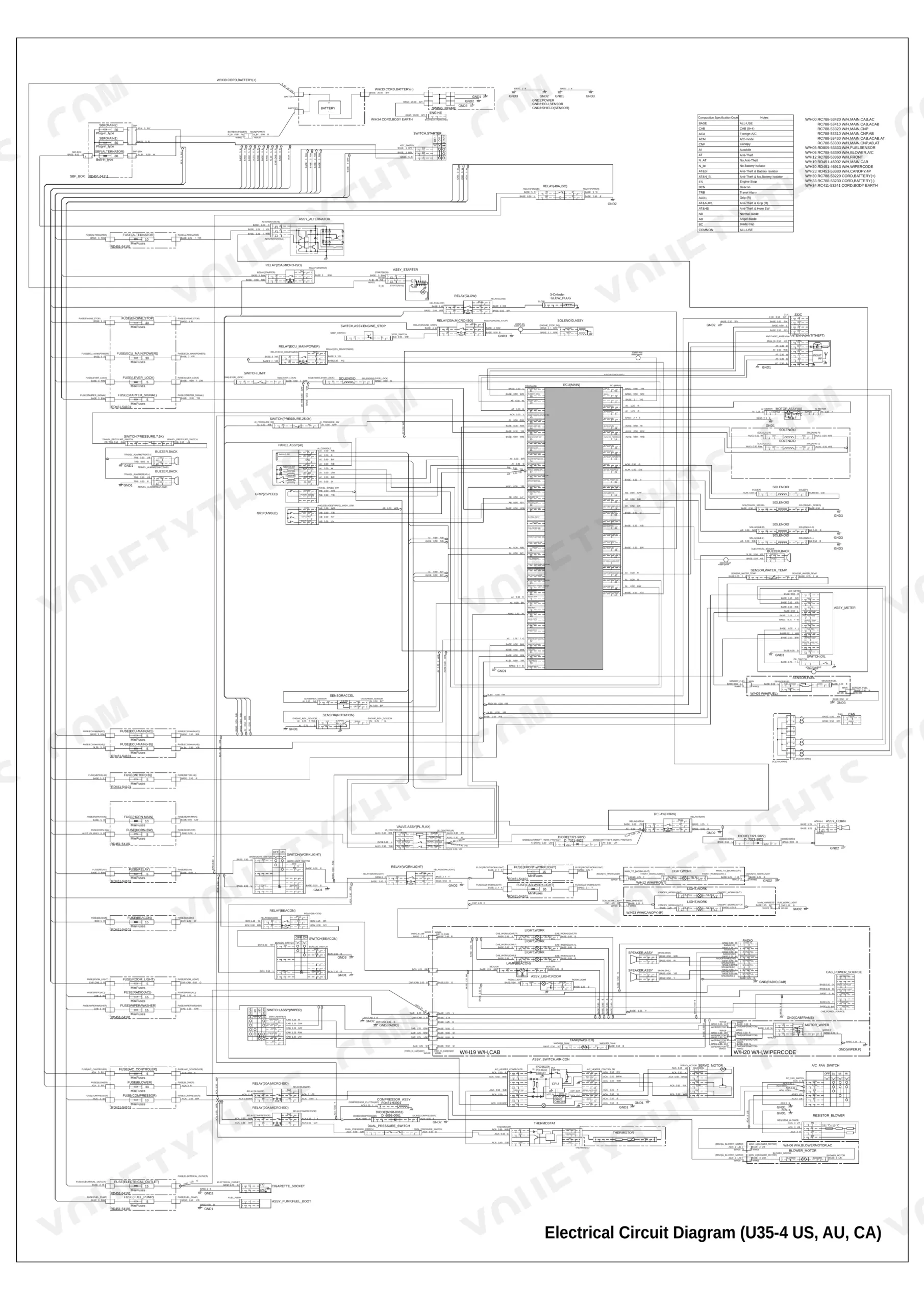
| Electrical Circuit Diagram | 512 | Alternator, Battery, Fuses, ECU, Sensors, Solenoids |
| Connector Chart | 513-514 | A/C_Fan_Switch, Ecu(Main), Sensor_Fuel, Solenoid(Lever_Lock), Travel_Pressure_Switch, Wipermotor |
Quick Reference Specifications
| Specification | Value | Page |
|---|---|---|
| General Use Screws, Bolts and Nuts (M10, 9T) | 61 to 70 N·m | p. 34 |
| Stud Bolts (M10, Ordinariness) | 25 to 31 N·m | p. 34 |
| Engine oil (when replacing filter) | 5.3 L (1.4 U.S. gal.) | p. 33 |
| Radiator coolant (Canopy spec.) | 4.3 L (1.1 U.S. gal.) | p. 33 |
| Coolant change | every 2 years | p. 39 |
| Engine oil change | every 500 hrs | p. 39 |
| Operating weight (CAB) | 3835 kg | p. 17 |
| Engine total displacement | 1647 cc | p. 17 |
| Fuel tank capacity | 45.1 L | p. 17 |
| Engine oil capacity (when replacing filter) | 5.3 L | p. 33 |
| Hydraulic oil total amount | 62 L | p. 33 |
| General use bolts M8 (Ordinariness) torque | 18 to 20 N·m | p. 34 |
Kubota U35-4 Common Problems This Manual Covers
Slow or weak digging power
Falling hydraulic pump output or a worn control valve leaves the boom, arm, and bucket slow and weak. The Hydraulic System section covers the pump, control valve, and measuring hydraulic performance.
Manual Section: 3 Hydraulic System p. 100Tracking drift while travelling
Uneven travel-motor performance or pilot pressure makes the machine pull to one side. The Hydraulic System section covers the travel motor, swivel motor, and pilot valves.
Manual Section: 3 Hydraulic System p. 100Cylinder leaks and lost holding
Worn seals in the boom, arm, or bucket cylinders let them drift down under load. The Hydraulic System section covers hydraulic cylinder service.
Manual Section: 3 Hydraulic System p. 100Meter panel or electrical faults
Warning lights, sensor faults, or a dead circuit trace back to wiring or a control unit. The Electrical System section covers circuit diagrams, device layout, checks, and meter panel troubleshooting.
Manual Section: 4 Electrical System p. 300Cab air conditioning not cooling
Low refrigerant, a slipping compressor clutch, or a loose drive belt stops the cab cooling. The Cabin section covers the air-conditioning system, refrigerant charging, and belt and clutch specifications.
Manual Section: 5 Cabin p. 433Track and undercarriage wear
Loose track tension and worn rollers or idlers cause noise, wander, and thrown tracks. The Machine Body section covers the track frame and running gear.
Manual Section: 1 Machine Body p. 41Frequently Asked Questions
Which machine does this manual cover?
It covers the Kubota U35-4 mini-excavator with the D1703-M-DI-E4 diesel engine, in a 514-page workshop manual spanning the machine body, hydraulics, electrical system, and cab.
Does it include the hydraulic system?
Yes. The Hydraulic System section covers the pump, control valve, swivel and travel motors, hydraulic cylinders, and pilot valves, with mechanism, servicing, and torque detail. p. 100
Does it have wiring diagrams?
Yes. The Electrical System section covers reading the electrical circuit diagrams, electronic device layout, wiring circuit, troubleshooting, and checks, and a full circuit diagram and connector chart follow at the back. p. 300
Does it cover the diesel engine internals?
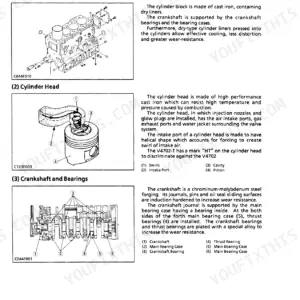
Only in part. This manual covers the excavator machine, hydraulics, electrical, and cab, and gives engine specifications and dimensions. Full engine internal service is in the separate Kubota D1703-M-DI-E4 engine manual it references.
What format is this Kubota U35-4 manual in?
This is a 514-page searchable PDF, and it downloads the moment you check out. Open it on a laptop, tablet, or phone and take it straight to the shop floor.
Can I print this Kubota U35-4 manual?
You can. Print the sections you want for your own use and keep the file as your backup.
Are electrical wiring diagrams included in this Kubota U35-4 Service Manual?
Yes. You'll find full electrical schematics with wire routing diagrams, connector identification, and circuit descriptions.

Reviews
There are no reviews yet.