
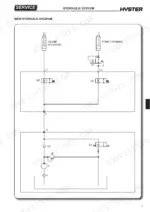
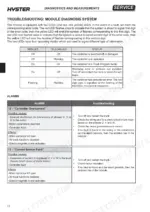
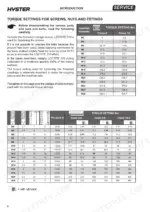
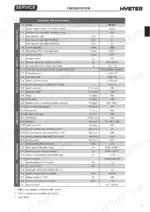
One electric pallet truck serviced to factory figures, from unloading and battery installation through scheduled maintenance, is what the 216 pages of the Hyster P2.0HL service manual PDF (OEM ID 4005090) are built to give you. Wiring diagrams trace the tiller board, controls, battery charge indicator and hour meter, while hydraulic schematics show how the lift pump, solenoid valves, pressure control valves and directional valves serve the cylinders. Fault finding runs through the Faults Menu, Monitor Menu and module diagnosis system, and the mechanical chapters handle the drive wheel, traction motor, reduction unit oil and electromagnetic brake adjustment. Temperature limits read 115°C hot and 140°C maximum. For electrical component measurements, the figures you came for are 17.9 Ohm across the electromagnetic brake coil and 28.2 Ohm on solenoid valves Q2 and Q3. Bought once, the bookmarked, text-searchable file stays yours for as long as you run this P2.0HL.
What's Inside This Hyster P2.0HL Manual
| System | Pages | Key Topics |
|---|---|---|
| Technical Information | 1 | Title Page, Part Number and Model Coverage |
| Introduction | 2-12 | General Safety Rules |
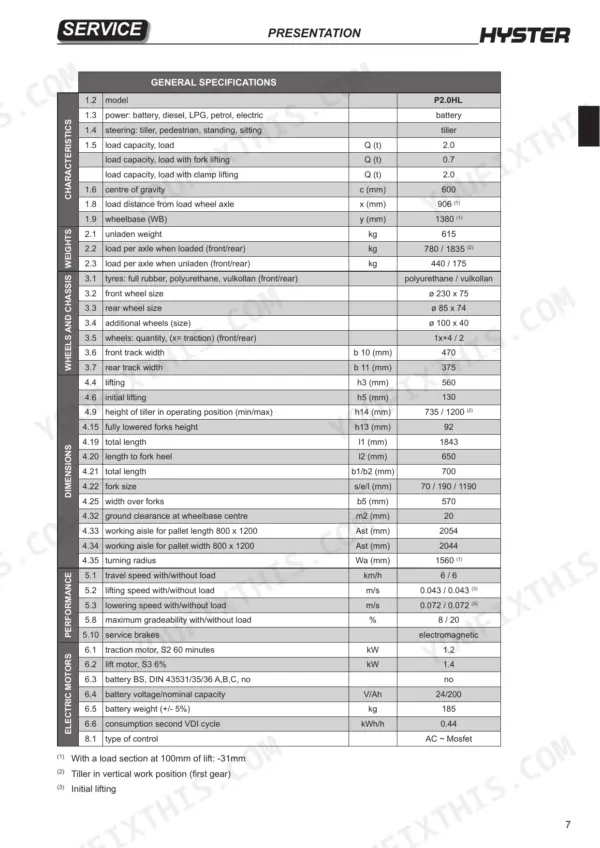
| Presentation | 13-20 | Truck Presentation, Truck Views, Truck and Load Identification Data (Truck Identification Data Plate, Residual Load Plate, Truck Serial Number, Location of Documentation) |
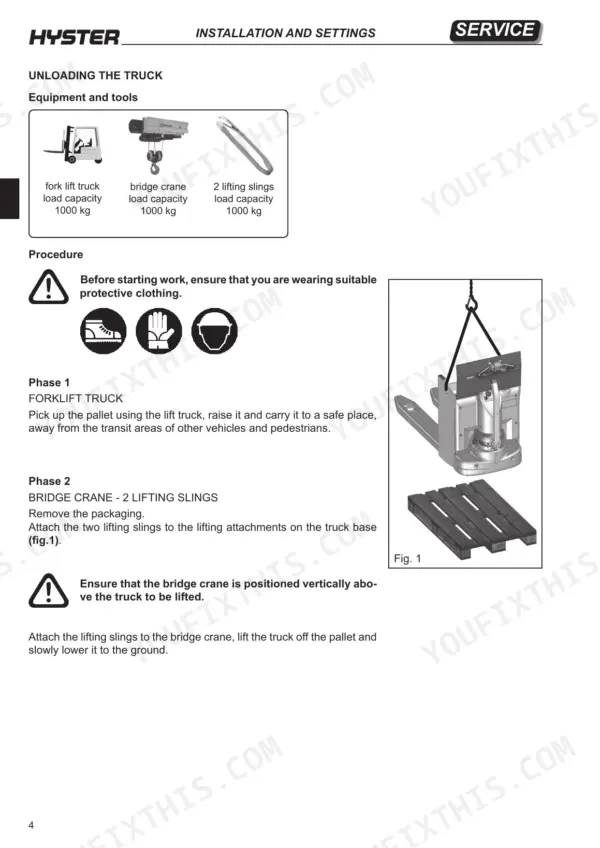
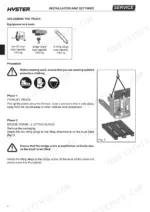
| Installation and Settings | 21-30 | Before Installation, Weight Table, Truck Assembly, List of Materials Received From the Dealer, Unloading the Truck, Topping Up the Oil Reservoir, Installation of the Battery |
| Diagnostics and Measurements | 31-54 | Module Connectors, Monitor Menu, Faults Menu, Controller Information, Module Diagnosis System, Electrical Component Measurements |
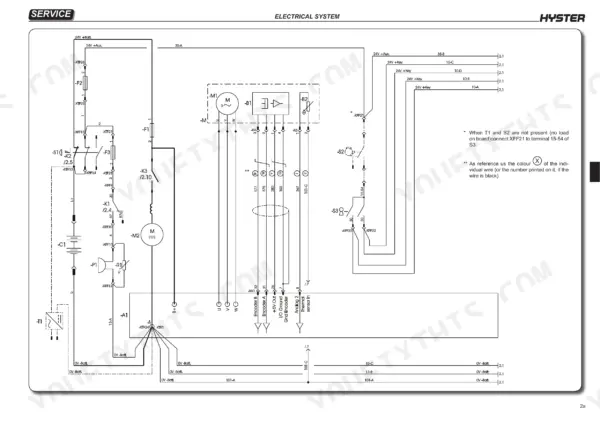
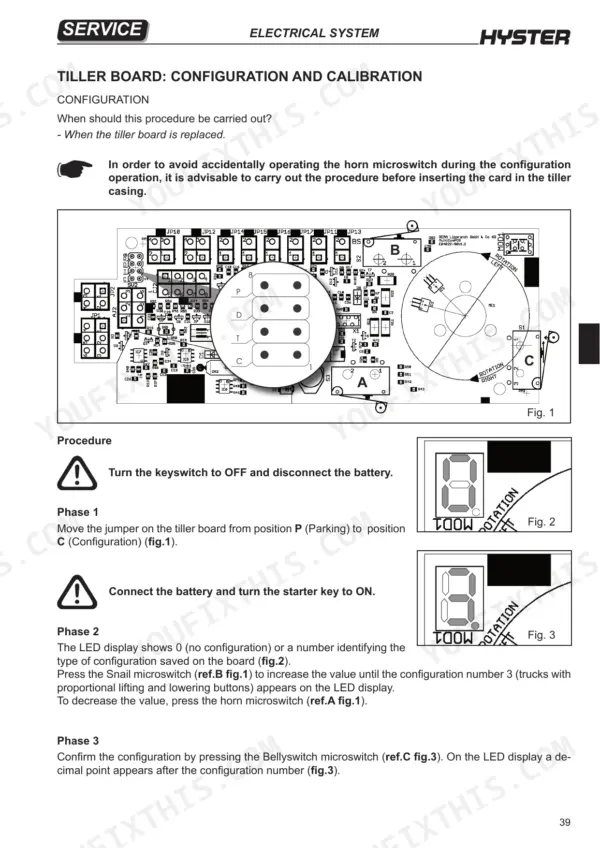
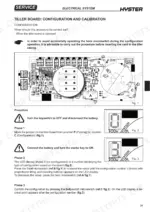
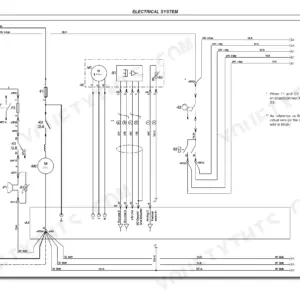
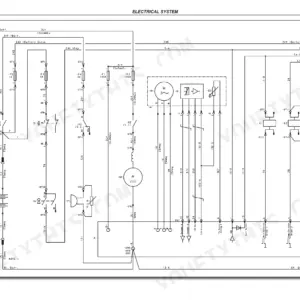
| Electrical System | 55-104 | Wiring Diagrams, Tiller Board, Controls, Battery Charge Indicator, Hour Meter, Module Parameters, Tiller Board Calibration |
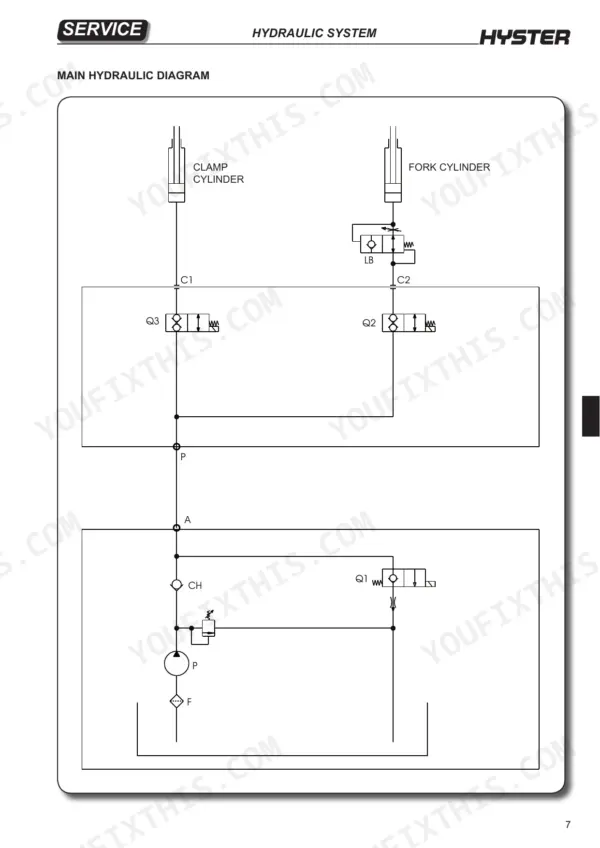
| Hydraulic System | 105-146 | Hydraulic Functions, Pressure Control Valves, Directional Valves, Pressure Switches, Solenoid Valves, Cylinders, Lift Pump |
| Mechanics | 147-190 | Covers, Drive Wheel, Pivoting Wheel Assembly, Load Wheels, Linkage Assembly, Tiller, Fork Small Mast, Traction Motor |
| Reduction Unit | 191-202 | Reduction Unit Components, Reduction Unit Removal, Reduction Unit Disassembly, Reduction Unit Oil |
| Braking System | 203-208 | Electromagnetic Brake Components, Braking Systems, Electromagnetic Brake Removal, Electromagnetic Brake Adjustment |
| Standard Maintenance | 209-216 | Oils and Lubricants, Cleaning Products, Scheduled Maintenance |
Quick Reference Specifications
| Specification | Value | Page |
|---|---|---|
| Electromagnetic brake coil resistance | 17.9 Ohm | p. 53 |
| Solenoid valve Q2 coil resistance | 28.2 Ohm | p. 53 |
| Solenoid valve Q3 coil resistance | 28.2 Ohm | p. 53 |
| Maximum encoder frequency | 15 kHz | p. 87 |
| Maximum control output frequency | 300 kHz | p. 87 |
| Lift motor power (S3 6%) | 1.4 kW | p. 14 |
| Battery voltage/nominal capacity | 24/200 V/Ah | p. 19 |
| Pressure relief valve installation torque | 13 Nm | p. 122 |
| Seal carrier bush tightening torque | 340 Nm | p. 135 |
| Reduction unit oil capacity | 1.4 litres | p. 201 |
Hyster P2.0HL Common Problems This Manual Covers
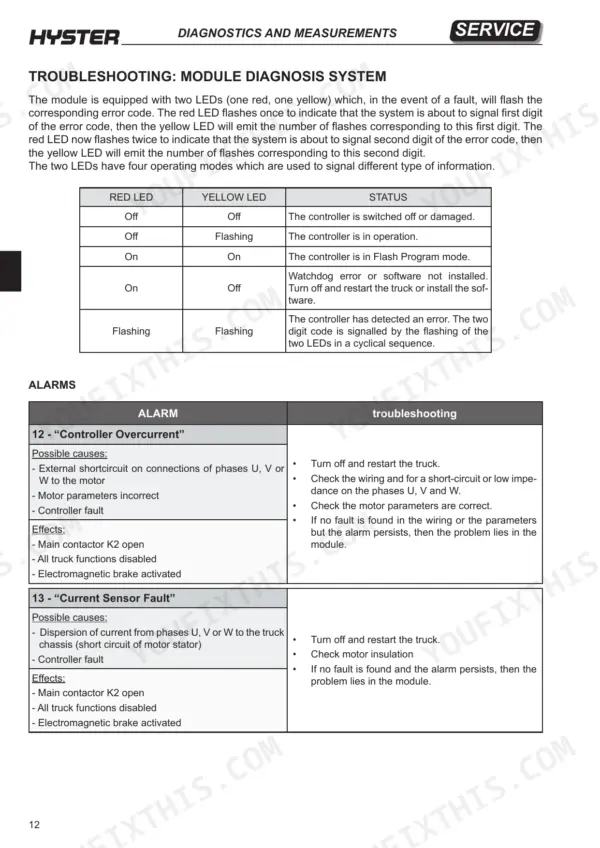
Hyster P2.0HL controller overcurrent code 12 with main contactor K2 open and all truck functions disabled
Verify the alarm by turning the truck off and restarting it. If code 12 returns, disconnect the battery before working on the electrical system (page 5) and discharge the capacitors before touching anything in the electric compartment (page 210). Check phases U, V and W for a short circuit or low impedance, then confirm the motor parameters per page 42. If wiring and parameters check good and the alarm persists, the problem lies in the module.
Manual Section: Module Diagnosis System p. 42Controller severe undertemp code 15 with all truck functions disabled and electromagnetic brake activated
Check the controller temperature under MAIN MENU MONITOR / Controller / temperature, as laid out on page 43. Code 15 sets when the controller is operating below -40°C. Bring it back above that limit, release all tiller controls, then turn off and restart the truck. If no fault is found and the alarm keeps returning, the problem lies in the module.
Manual Section: Module Diagnosis System p. 43Controller overtemp cutback code 22 on a working truck with reduced drive and reduced braking effect
Check MAIN MENU MONITOR / Controller / temperature against the 85°C limit on page 44. Release all tiller controls, remove all loads, switch the truck off and wait a few minutes before switching it back on. Verify the module is installed correctly, because an overloaded truck or an incorrectly installed controller both trigger this cutback. If the alarm persists with no fault found, the module is the problem.
Manual Section: Module Diagnosis System p. 44Main contactor did not close alarm code 39 with all truck functions disabled
Check the MONITOR / Battery / capacitor Voltage reading first. Then disconnect the battery before working on the electrical system (page 5) and discharge the capacitors (page 210). Inspect the main contactor power wiring, clean the connectors and confirm the fastons are firmly seated, following page 48. Check the fuses, including the positive feed to the keyswitch. Oxidised or burned contacts are a listed cause, but never file or lubricate contactor contacts (page 210).
Manual Section: Module Diagnosis System p. 48Electromagnetic brake driver open/short code 32 with truck stopping and brake applied
Check the brake wiring for damage and clean the contacts with the battery disconnected, since page 5 requires disconnecting the battery before any electrical work. Measure the electromagnetic brake coil resistance against 17.9 Ohm, as listed on page 53. Reconnect, then turn off and restart the truck. If code 32 persists and the wiring is clean and intact, the problem lies in the module (page 46).
Manual Section: Module Diagnosis System p. 46Solenoid valve Q1 driver open/short code 34 with solenoid valve driver stopped
Check the solenoid valve wiring for damage and clean the connectors, disconnecting the battery first because page 5 requires it before any electrical work. Reconnect, then turn off and restart the truck. A dirty connector or damaged wiring on the Q1 driver circuit (pin 3) are the causes listed on page 46. If the alarm persists after that, the problem lies in the module.
Manual Section: Module Diagnosis System p. 46Frequently Asked Questions
How do I clear stored fault codes on a Hyster P2.0HL?
To clear the fault history, open the 'FAULTS MAIN MENU' using the programmer and select the 'CLEAR FAULT HISTORY' option. This will reset the alarms log. p. 40
What is the procedure for troubleshooting a Hyster P2.0HL that will not start due to a 'Controller Overcurrent' alarm?
If the 'Controller Overcurrent' (code 12) alarm occurs, turn off and restart the truck. Check the wiring for a short-circuit or low impedance on phases U, V, and W, and verify that motor parameters are correct. If the alarm persists, the problem may lie in the module. p. 42
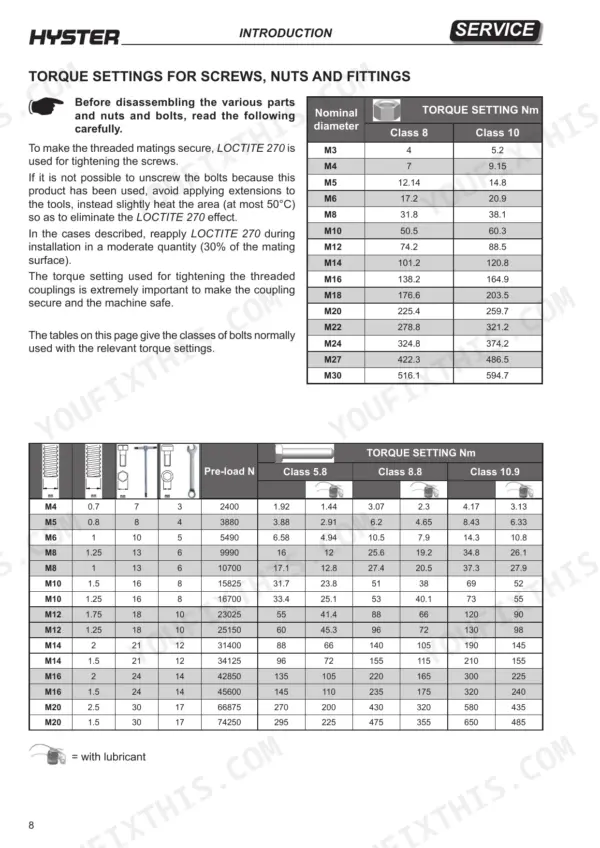
What are the torque specs for tightening the reduction unit to the chassis on a Hyster P2.0HL?
The screws securing the reduction unit to the chassis must be tightened using a torque wrench to a torque of 25 Nm. p. 195
What is the correct oil type and quantity for the reduction unit?
For standard applications, use 1.4 litres of ESSO UNIFARM 15W-40 oil. For cold store applications, use 1.4 litres of SHELL TRANSAXLE 75W-90 oil. p. 201
How do I adjust the electromagnetic brake on the Hyster P2.0HL?
After re-installing the brake, ensure the distance between the friction disc and the brake plate is no greater than 0.35 mm using a feeler gauge. With the three nuts loose, tighten the retaining screws until the feeler gauge can be withdrawn with a little friction, then tighten the nuts using an open ended spanner. p. 208
What exactly do I receive with this Hyster P2.0HL Service Manual?
You download the Service Manual yourself: 216 pages, searchable PDF, available immediately. Keep a copy on every device you use.
Can I print pages of this Hyster P2.0HL manual for my own shop?
Yes. Print a single page or a chapter for your own shop use, on letter or A4.


Reviews
There are no reviews yet.