
Part of the JCB Operator Manuals.
Mastering the daily operations and routine service of your Articulated Dump Truck starts with this 106-page JCB 712 operator manual (OEM #9801/7120). Inside, you get complete cab control layouts, fluid capacity charts, and step-by-step procedures for safely engaging the body safety strut and articulation lock. The dedicated maintenance section covers daily inspection checklists alongside a hydraulic schematic to help you trace fluid routing during your walkaround. Secure the front and rear wheel nuts to exactly 300 lbf ft (407 Nm) and torque the ROPS mounting bolts to 237 Nm before heading out on the jobsite. Preventable downtime costs money. Grab this bookmarked file, pull it up on your tablet right in the cab, and keep your machine hauling dirt.
Complete the set for your 712, 712 Articulated Dump Truck, 712 ADT
What's Inside This JCB 712, 712 Articulated Dump Truck, 712 ADT Operator Manual
| System | Pages | Key Topics |
|---|---|---|
| Introduction | 4-29 | Safety Notices, About This Handbook, Safety First, Safety Check List, Safety Decals, The 712 Articulated Dump Truck |
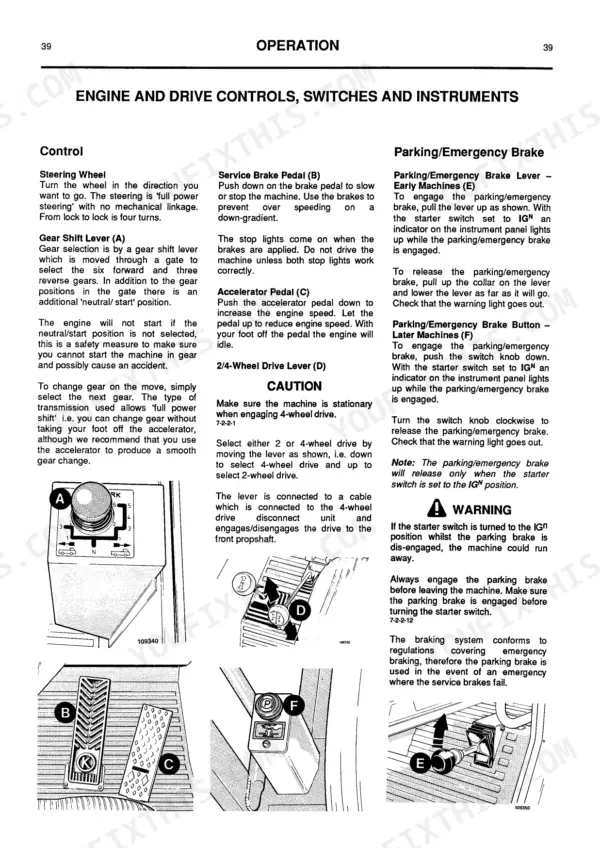
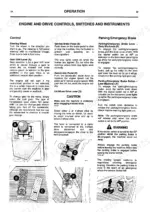
| Operation | 30-69 | Entering the Cab, Heater Controls, Seat Adjustment, Seat Belt, Engine and Drive Controls, Switches and Instruments, Body Controls |
| Warranty and Dealer Services | 70-75 | Warranty Information, Dealer Services |
| Belly Guard Removal | 76-82 | Body Safety Strut, Articulation Lock, Lubricants Safety, Engine Panels, Radiator Grille |
| Greasing (Daily) | 83-86 | ROPS/FOPS Structure, Greasing Points, Cleaning the Machine |
| Tyres and Wheels | 87-90 | Greasing (50 Hours), Greasing (250 Hours), Lubrication, Wheel Nut Torque |
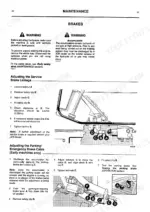
| Engine Oil Cooler | 91-97 | Engine Air Filters, Engine Oil and Filter, Brakes |
| Fuel System | 98-101 | |
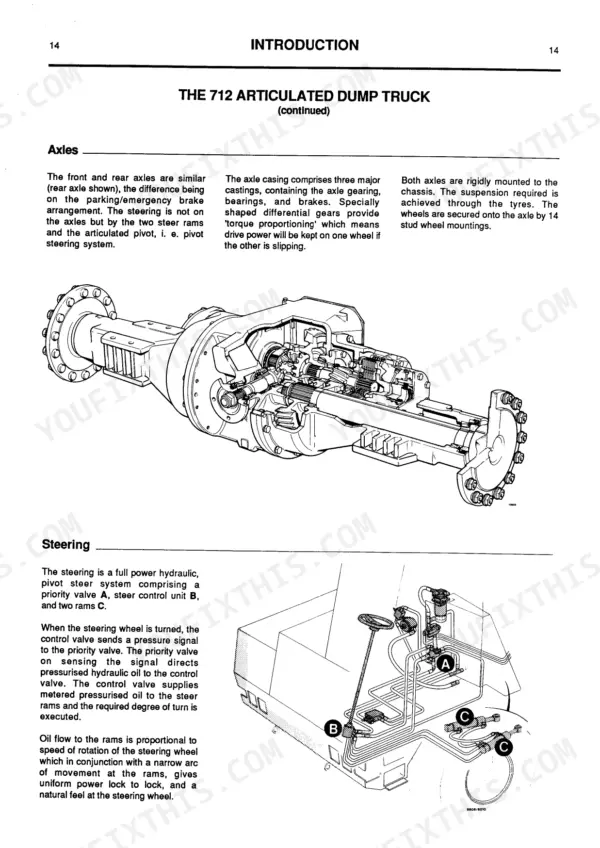
| Hydraulic System | 102-105 | Transmission, Axles, Hydraulic System Diagram |
| Electrical System | 106 |
JCB 712, 712 Articulated Dump Truck, 712 ADT Common Problems This Manual Covers
JCB 712 Articulated Dump Truck loss of traction and wheel spin in soft ground conditions
Check the wheel torque on page 90 to ensure nuts are tight at 300 lbf ft (407 Nm). Verify the differential locks are engaged correctly before entering soft ground. Stop the machine completely before engaging locks to prevent drive damage.
Manual Section: Tyres and Wheels p. 90Inconsistent service brake feel or poor retarder performance on steep downhill travel
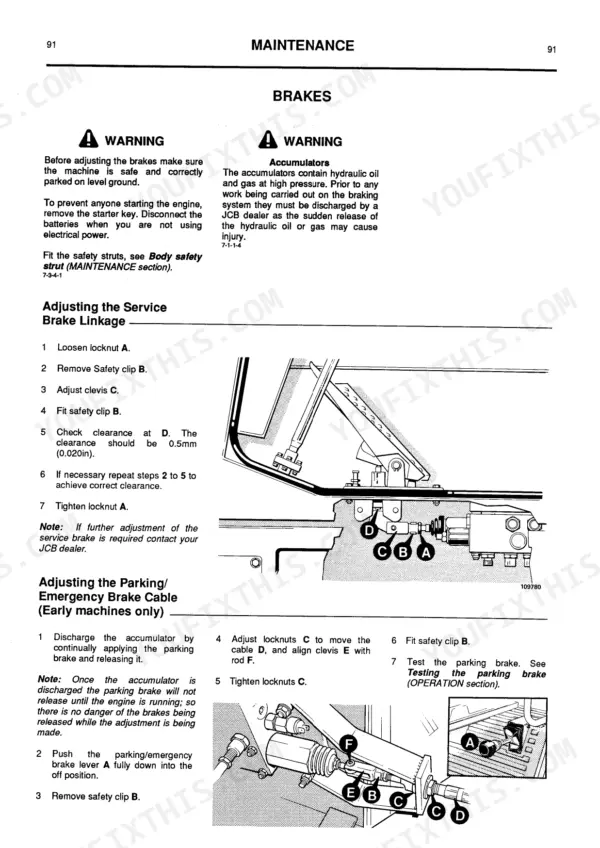
Inspect the service brake linkage clearance on page 91. Adjust the linkage to maintain exactly 0.5mm (0.020in) clearance for proper engagement. Test the retarder function on a slight grade before committing to steep downhill routes to verify braking control.
Manual Section: Brakes p. 91Dashboard warning alarms sounding loudly when attempting to drive forward with the dump body raised
Lower the dump body completely before moving the machine. Inspect the hydraulic system on page 105 to confirm fluid levels. Check the hydraulic filter element and tighten the cover screws to the torque value specified on page 105 to prevent leaks during operation.
Manual Section: Hydraulic System p. 105Loud rattling noise coming from the cab structure during operation over rough terrain
Inspect the cab structure mounting hardware according to the torque specifications on page 84. Tighten all ROPS and FOPS mounting bolts A to exactly 237 Nm (175 lbf ft). Verify there are no loose panels or debris trapped behind the seat.
Manual Section: ROPS/FOPS Structure p. 84Frequently Asked Questions
What does the JCB 712 fault code mean?
The manual does not describe a system for "fault codes" or "error codes" in the traditional sense (e.g., alphanumeric codes). Instead, it details various warning lights on the instrument panel that indicate specific conditions. For example, a red "Brake Warning" light with an audible alarm indicates a braking system fault, while a "No Charge" light signals a battery charging circuit failure. p. 42
How do I find the torque specs for JCB 712 wheel nuts?
The torque specifications for the JCB 712 wheel nuts are 300 lbf ft (407 Nm) for both the front and rear axles. These should be checked daily before starting work to ensure proper tightness, as detailed in the 'Tyres and Wheels' section. p. 90
Where is the serial number on a JCB 712?
The main Data Plate for the JCB 712 is located on the left-hand side of the front chassis, near the steer ram. Additionally, the engine serial number is stamped on the auxiliary drive housing, the transmission unit serial number is on a plate mounted on the back of the unit, and the axle serial number is on a plate mounted below the propshaft coupling, as described on page 18. p. 18
How to read JCB 712 error codes
The manual does not describe a system for "error codes" or "fault codes" in the traditional sense (e.g., alphanumeric codes). Instead, it details various warning lights on the instrument panel that indicate specific conditions. For example, a red "Brake Warning" light with an audible alarm indicates a braking system fault, while a "No Charge" light signals a battery charging circuit failure. p. 42
Is this manual a digital download?
You get a 106-page searchable PDF that downloads instantly after checkout. Open it on your laptop, tablet, or phone, and bring it right to the shop floor.
Am I able to print pages from this JCB 712?
Yes. Print individual pages or full chapters for your own shop use, on letter or A4 paper.
Are there hydraulic schematics in this JCB 712 operator manual?
Yes, a hydraulic system diagram is included showing the main circuit layout.











Reviews
There are no reviews yet.