Sale!

Case MX100–MX135 Series Operator Manual

Original price was: $28.99.Current price is: $19.99.

-31%
Model: MX100 | MX110 | MX120 | MX135
Type: Tractor
339 Pages·20 MB·Searchable PDF·English·Print-Ready
  • Torque Specs
  • Multi-Level Bookmarks (2-level navigation)
Preview Sample Pages (PDF)
Add to Cart
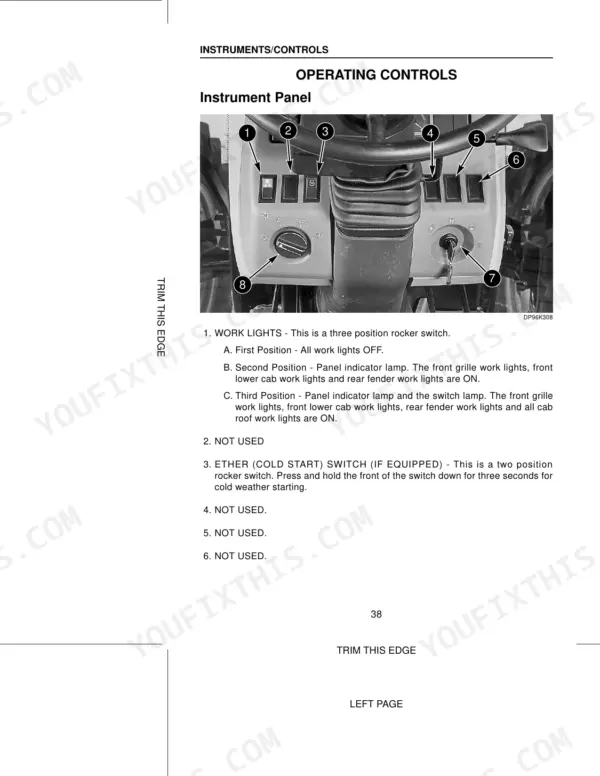
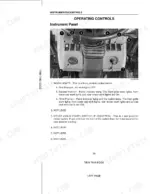
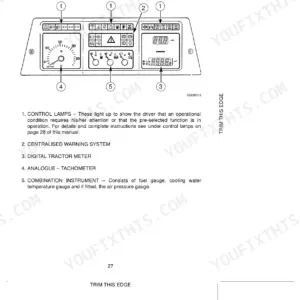
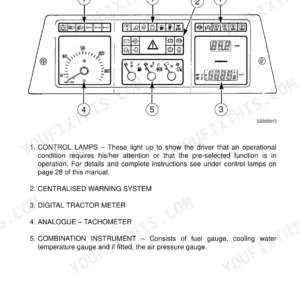
Case MX100, MX110, MX120, MX135 instrument panel controls diagram showing work lights and ether cold start switch locations.
Case MX100–MX135 Series Operator Manual
$28.99 Original price was: $28.99.$19.99Current price is: $19.99.

Instant Download 24/7

  • Works on PC, Mac, tablet, and phone.
  • Download once, keep forever


Guaranteed Safe Checkout
Visa Mastercard PayPal Apple Pay Google Pay

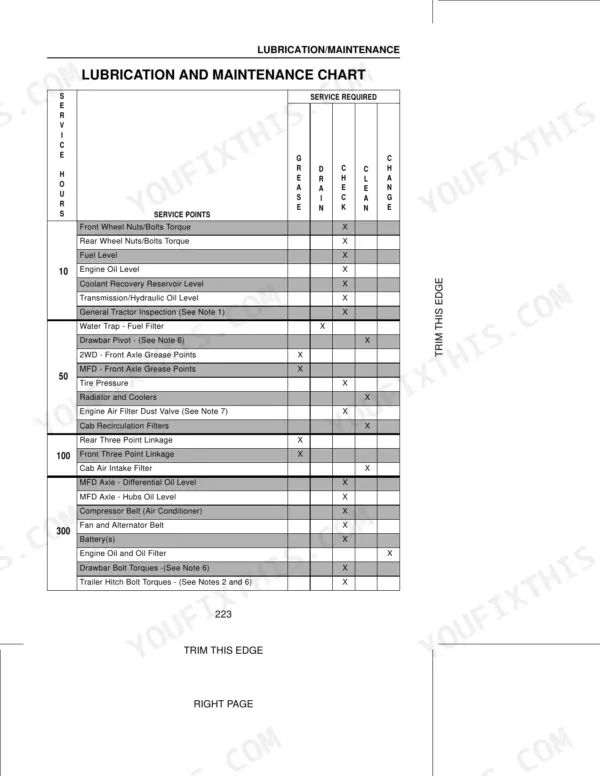
Printed by Case under document number Don 9-78374, this Case MX135 operator manual PDF runs 339 pages and covers four tractors in the MX series, MX100 through MX135. Field operation takes the largest single block of the book: programming the instrument cluster, rear three point hitch operation, implement drawbar dimensions, and ballast and tread settings for the front axle. Lubrication and maintenance run a close second, sorted by interval from the 10 hour daily walkaround through the 50, 100, 300, 600, 1200 and 2400 hour services, each with its own task list. Fuel tank capacity is 272.5 litres, engine oil takes 15 litres with a filter change, and ground speed calibration wants 60 metres (197 feet) of clear ground under your wheels. Guessing a capacity is free until it costs you a pump. Sections are bookmarked and the text searches, so it stays with you wherever the tractor sits, headland or shop.

Complete the set for your MX100, MX110, MX120…

What's Inside This Case MX100, MX110, MX120, MX135 Operator Manual

SystemPagesKey Topics
To the Owner6-9How to Use This Manual
Identification Numbers/Machine Components10-13Product Identification and Serial Numbers, Machine Components
Safety/Decals14-22Safety Rules, Roll Over Protective Structure
Instruments/Controls23-60Operators Seat, Standard Instrument Cluster, Deluxe Instrument Cluster
Operating Instructions61-102Run in Procedure, Service Indicator Lamps and Gauges, Cold Temperature Operation, Cab Environment, Implement Drawbar Dimensions, Auxiliary Electrical Power Sockets
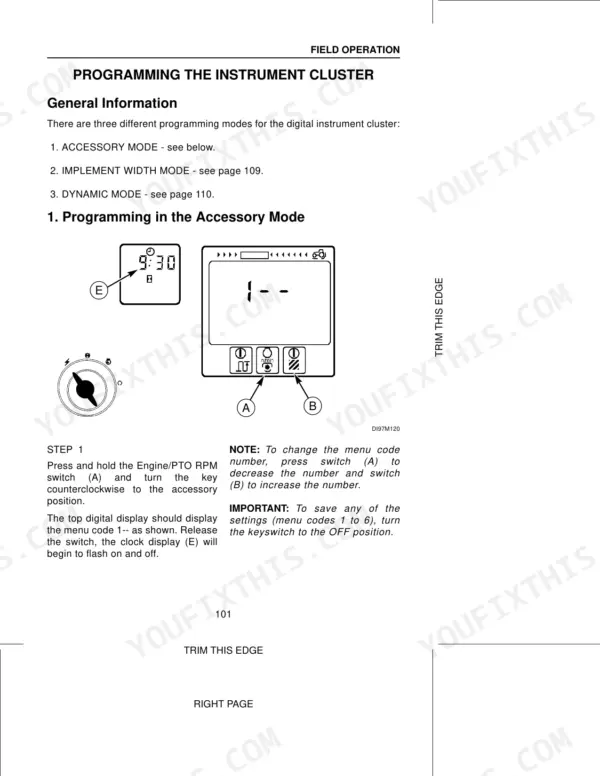
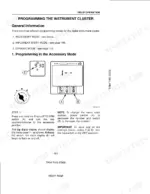
Field Operation103-175Programming the Instrument Cluster, Rear Three Point Hitch Operation
Tires/Wheels/Spacing/Ballast176-222Tire Inflation Specifications, Front Axle and Front Tread Adjustments
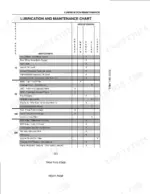
Lubrication/Maintenance223-279Environment, Plastic and Resin Parts, Tool Box, 10 Hours or Daily, 50 Hour Maintenance, 100 Hour Maintenance, 300 Hour Maintenance, 600 Hour Maintenance
Electrical System280-298Batteries, Bulb and Lamp Replacement
Machine Storage299-300Putting the Tractor Into Storage
Specifications301-332Approximate Tractor Weights, Maximum Permitted Operating Weights

Quick Reference Specifications

SpecificationValuePage
All Models
Calibration distance60 metres (197 feet)p. 115
Pump Capacity at 2200 Engine rpm109 Litre/min (28.8 GPM)p. 306
Engine Oil Capacity (Without Filter Change)14.3 Litresp. 226
Engine Oil Capacity (With Filter Change)15 Litresp. 226
Fuel Tank Capacity272.5 Litresp. 226
Transmission/Hydraulic System Refill Capacity66.3 Litresp. 226
MFD Axle Differential Capacity6 Litresp. 226
Front Wheel Bolt Torque (Two Wheel Drive)190 to 217 Nmp. 196
MFD Front Axle Bolt Torque (8 mm diameter)25 Nmp. 64
MFD Front Axle Bolt Torque (10 mm diameter)49 Nmp. 64
MX100, MX110, MX120
MFD Axle Planetary Capacity (MX100, MX110, MX120)0.6 Litresp. 226
MX135
MFD Axle Planetary Capacity (MX135)0.7 Litresp. 226

Case MX100, MX110, MX120, MX135 Common Problems This Manual Covers

Case MX120 PTO shuts off by itself during baling and the PTO lamp flickers

Retrieve the PTO control module error codes using the procedure starting before you touch anything else. Clean and tighten the PTO switch and ground connections, then confirm the operator presence switch works correctly. Restart with the PTO switch cycled fully off, then on at idle, and rerun the code check.

Manual Section: PTO Control Module Error Code Retrieval
Three point hitch will not raise or drops slowly with the implement mounted

Read the hitch diagnostic codes shown on pages 144 and 145 first. Check that the transmission and hydraulic reservoir is filled to the correct level, remembering a full refill takes 66.3 Litres. Verify the drop rate and height limit dials are not set at minimum, then cycle the lever through full travel twice.

Manual Section: Rear Three Point Hitch Diagnostic Codes
Coolant temperature gauge climbs into the red area during heavy tillage work

Shut down and let it cool before opening anything. Clear chaff from the grille screens, radiator core, and oil cooler fins, then check the coolant level and fan belt condition. Follow the overheating guidance on pages 33 through 36, and inspect the screens every 10 hours during dusty harvest conditions.

Manual Section: Engine Overheating
Ground speed reading on the monitor goes erratic or blank while working in the field

Clean mud and crop residue off the radar sensor face and check its connector for corroded pins. Recalibrate the sensor over a measured 60 metre (197 feet) course using the calibration procedure on page 115, driving at a steady working speed. Repeat the run if the recorded counts vary between passes.

Manual Section: Field Operation p. 115
Cab blows warm air on hot days and the air conditioner pressure lamp comes on

Pull and clean the cab fresh air and recirculation filters first, since plugged filters cause most warm air complaints during harvest. Check the condenser fins ahead of the radiator for chaff packing, then inspect the refrigerant sight glass following the air conditioning guidance on pages 276 and 277. Confirm the belt tension before condemning the compressor.

Manual Section: Air Conditioning System
Engine cranks slowly or will not start on cold mornings

Test both batteries and clean the terminals and ground straps to bare metal, since corroded grounds cause most cold crank complaints. Verify the fuel tank holds clean winter grade fuel, and remember it takes 272.5 Litres when filled. If the engine ran dry, bleed air from the fuel system following pages 254 and 255.

Manual Section: Fuel System Air Removal

Frequently Asked Questions

How do I retrieve error codes from the PTO control module?

To retrieve PTO error codes, turn the key to OFF, stand clear of the seat, move the PTO ON/OFF lever to engage, and turn the key to ON without starting the engine. The error code is a 2-digit number indicated by a series of flashes from the PTO lamp, with a 2-second pause between digits and a 5-second pause between repeating codes. p. 123

What is the procedure for clearing an upper limit error code on the hitch diagnostic display?

If an upper limit error code appears, you can clear it by pressing and holding the MOMENTARY position on the hitch UP/DOWN switch until the upper limit setting is reached, adjusting the UPPER LIMIT control knob clockwise until the hitch position is matched, or pressing and holding the LOWER position on the Hitch Remote switch until the upper limit setting is reached. p. 145

What is the correct torque spec for the MFD front axle bolts on a Case MX100, MX110, MX120, MX135 tractor?

The torque for MFD front axle bolts depends on the bolt diameter: 8 mm bolts require 18 pound foot (25 Nm), 10 mm bolts require 36 pound foot (49 Nm), 12 mm bolts require 107 pound foot (145 Nm), and 14 mm bolts require 140 pound foot (190 Nm). p. 64

What is the engine valve tappet clearance on a Case MX100, MX110, MX120, MX135 tractor?

The engine valve tappet clearance for a cold engine is 0.010 inch (0.25 mm) for intake valves and 0.020 inch (0.50 mm) for exhaust valves. p. 270

What is the transmission/hydraulic system oil refill capacity on a Case MX100, MX110, MX120, MX135 tractor?

The transmission/hydraulic system has a factory fill capacity of 71 Litres (18.75 Gal) and a refill capacity of approximately 66.3 Litres (17.5 Gal). p. 226

Do I get instant access to this Case MX100–MX135 Series Operator Manual?

You get a 339-page searchable PDF that downloads instantly after checkout. Open it on your laptop, tablet, or phone, and bring it right to the shop floor.

Am I able to print pages from this Case MX100–MX135 Series manual?

Yes. No DRM, nothing blocks printing, so run off the pages you need on whatever printer you have.

BrandCase
ModelMX100, MX110, MX120, MX135
Machine TypeTractor
Manual TypeOperator Manual
LanguageEnglish
FormatSearchable PDF (Digital Download)
Pages339
File Size20 MB
Manual No.Don 9-78374
Wiring DiagramsNo
Hydraulic SchematicsNo
Torque SpecificationsYes
Bookmarked / IndexedYes

Reviews

There are no reviews yet.

Be the first to review “Case MX100–MX135 Series Operator Manual”

Your email address will not be published. Required fields are marked *