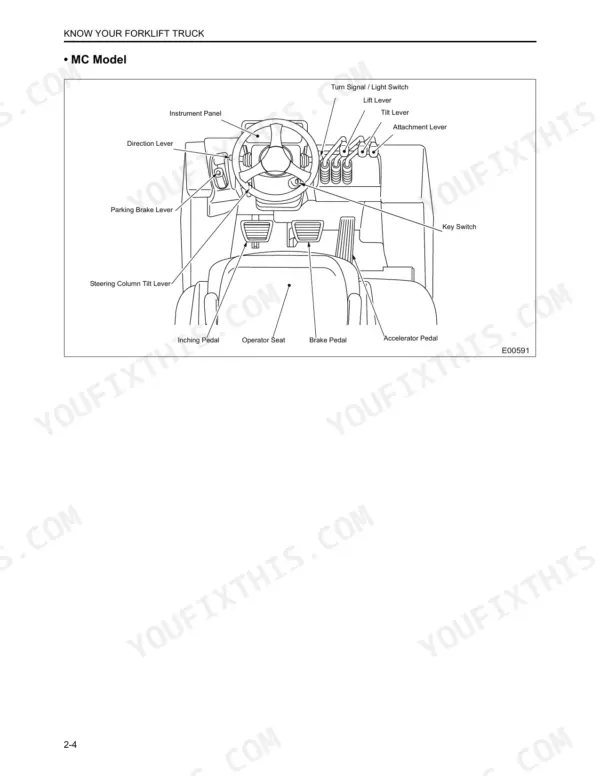
The Mitsubishi FG15N operator manual PDF takes 20 variants of the FG/FD N-series forklift truck, in gasoline, LPG and diesel form, through break-in, daily operation, storage and fault finding across 163 pages. Control chapters identify the direction lever, parking brake lever, instrument panel and Integrated Presence System, while the tipover section explains center of gravity, the stability base and how to read your capacity plate. Troubleshooting charts and error code tables follow chapters on stacking, inching, traveling with a load and working on grades. Check FG15N and FG15NM lift chains against the 327 mm (12.9 in.) elongation limit over 20 links, and run front wheel nuts on 2 to 3 ton trucks to 300 to 375 N·m. Perhaps you are changing an LPG cylinder or switching fuels. Bookmarked chapters and a searchable text layer keep that cylinder change, and your chain check, tied to Mitsubishi's own figures.
What's Inside This Mitsubishi FG15N-FD35N Operator Manual
| System | Pages | Key Topics |
|---|---|---|
| General | 3 | |
| Warning Decals, Location | 4-5 | Parking Brake, No Rider, Backup Alarm, Radiator Cap, Cooling Fan, Overhead Guard |
| Decals for LPG Fuel and Dual Fuel Only | 6 | Maintenance Decal, LPG Decal, Gasoline / LPG Changeover Decal, Dual Fuel System Decal, Fuel Decal |
| Warning Decals, Description | 7-12 | Parking Brake, No Rider, Backup Alarm, For Safety Observe the Following Warnings, Radiator Cap, Cooling Fan, Overhead Guard, No One Under / on Forks |
| Safety Rules | 13-21 | Authorized and Trained Operators, Dress Properly, First Aid Kit, Fire Extinguisher, Traffic Rules |
| Operating Precautions | 22-25 | Direction Lever, Parking Brake Lever, Horn Switch, Accelerator Pedal, Brake Pedal |
| Working Precautions | 26-31 | Unauthorized Persons, Personnel Clearance, Attachment Capacity, Pedestrian Right-Of-Way, Load Stability |
| LP-Gas Safety and Handling | 32 | |
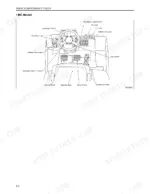
| Know Your Forklift Truck | 33-72 | Serial Number, Electrical Components, Instrument Panel, Integrated Presence System, Operator Seat, Seat Belt, Fork Locking Pins |
| How to Avoid a Tipover; How to Survive One | 73-82 | Center of Gravity, Stability Base, Capacity Plate, Tipover Prevention, Survival Procedures |
| Refueling | 83-87 | Gasoline Refueling, Diesel Refueling, LP-Gas Tank Replacement, Fuel Safety |
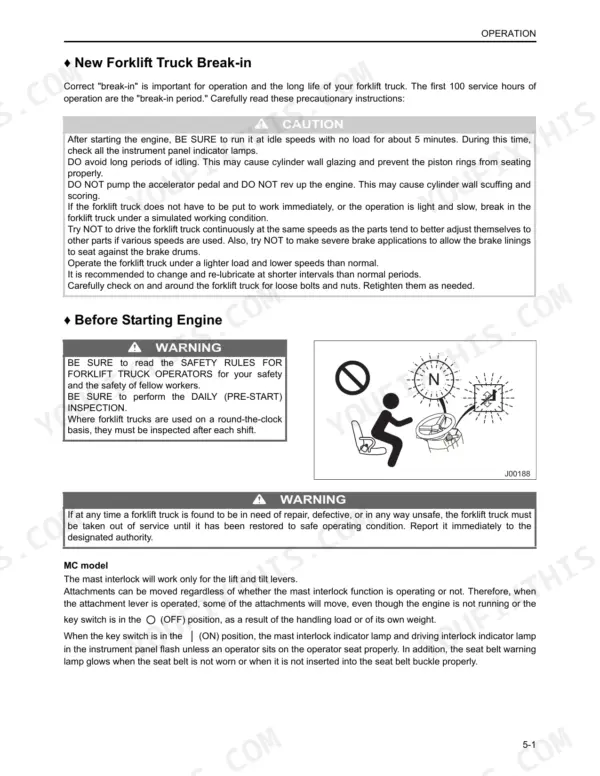
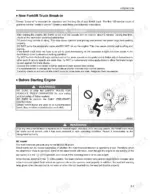
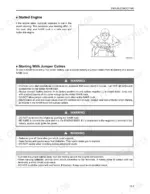
| Operation | 88-104 | Break-In Period, Starting Engine, Forklift Operation, Stopping, Parking |
| Operating Techniques | 105-118 | Stacking Methods, Handling Loads, Inching, Traveling with Load, Unloading, Working on Grades |
| Storing the Forklift Truck | 119-122 | End of Shift Storage, Long Term Storage, Fuel System, Hydraulic System, Battery Maintenance |
| Transportation Hints, Special Situations, and Troubleshooting | 123-163 | Loading and Shipping, Cold Weather Operation, Hot Weather Operation, Troubleshooting, Error Codes |
Quick Reference Specifications
| Specification | Value | Page |
|---|---|---|
| All Models | ||
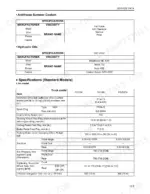
| Front to back adjustments | 165.1 mm (6.5 in.) | p. 92 |
| Tightening torque for wheel nuts (1 ton model, Front) | 141 to 172 N·m | p. 146 |
| Tightening torque for wheel nuts (1 ton model, Rear STD 2P) | 141 to 172 N·m | p. 146 |
| FG15N, FG15NM | ||
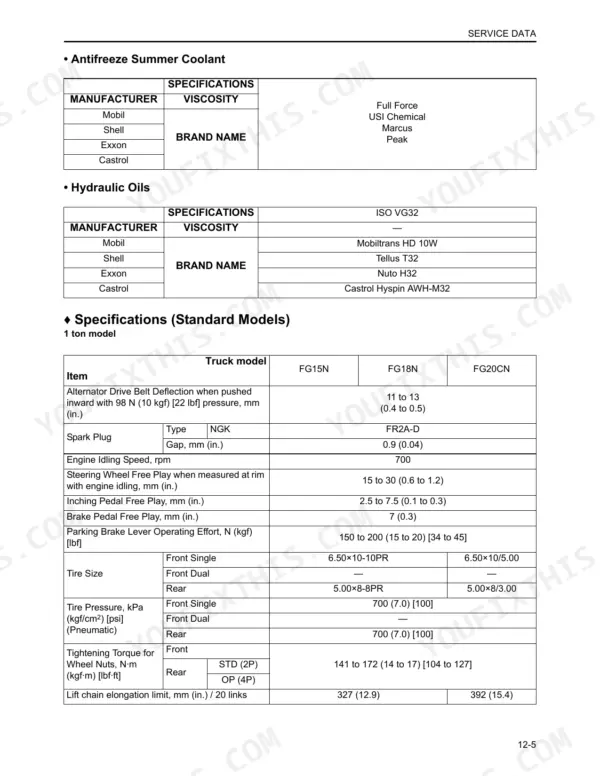
| Lift chain elongation limit | 327 mm (12.9 in.) / 20 links | p. 156 |
| 1 ton model | ||
| Parking Brake Operating Effort (1 ton model) | 150 to 200 N (15 to 20 kgf) [34 to 45 lbf] | p. 156 |
| Wheel Nut Tightening Torque (1 ton model Front) | 141 to 172 N·m (14 to 17 kgf·m) [104 to 127 lbf·ft] | p. 156 |
| 2 ton model | ||
| Parking Brake Operating Effort (2 ton model) | 200 to 250 N (20 to 25 kgf) [45 to 56 lbf] | p. 157 |
| 3 ton model | ||
| Parking Brake Operating Effort (3 ton model) | 230 to 250 N (23 to 25 kgf) [52 to 56 lbf] | p. 158 |
| FG15N, FG18N, FG20CN | ||
| Engine Idling Speed | 700 rpm | p. 156 |
| FD20N, FD25N | ||
| Engine Idling Speed (Diesel) | 750 rpm | p. 157 |
| 2 to 3 ton model | ||
| Wheel Nut Tightening Torque (2 to 3 ton model Front) | 300 to 375 N·m (30 to 38 kgf·m) [221 to 277 lbf·ft] | p. 157 |
| Wheel Nut Tightening Torque (2 to 3 ton model Rear STD 2P) | 141 to 172 N·m (14 to 17 kgf·m) [104 to 127 lbf·ft] | p. 157 |
Mitsubishi FG15N-FD35N Common Problems This Manual Covers
Mitsubishi FG/FD N-series water temperature gauge climbing into the red zone during operation
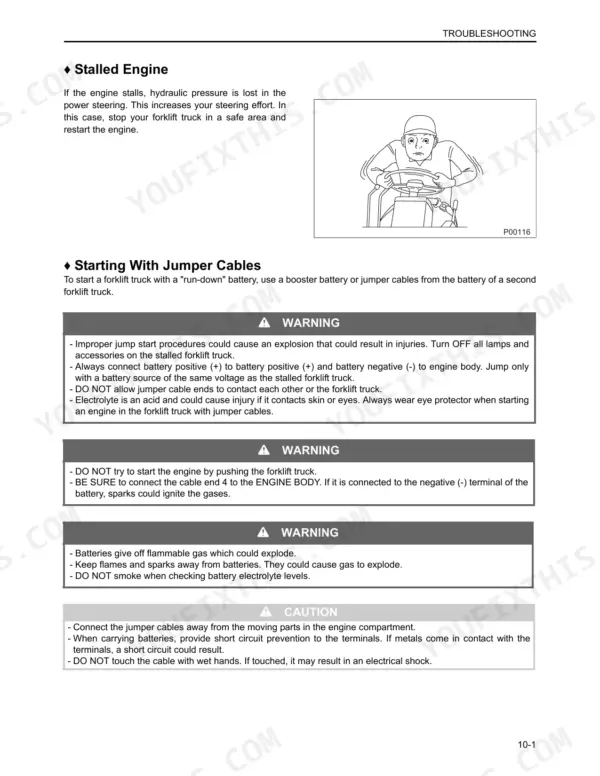
Park in a safe area, raise the hood and seat assembly, and let the engine idle until the gauge drops to the WHITE zone, as page 136 directs. Then check coolant level, fan belt condition, engine oil level, and dirt in the radiator air passages. Stop the engine at once if the fan belt is broken. Wait until the engine cools before removing the radiator cap (page 15), and never add cold water to an overheated engine.
Manual Section: If the Water Temperature Gauge Shows Red Zone p. 136Powershift truck torque converter oil temperature warning lamp comes on and keeps glowing
Stop the truck in a non-traffic area, set the parking brake, and place the direction lever in NEUTRAL. Run the engine at low idle until the warning lamp goes out, following page 137, then put the truck back to work. If the lamp does not go out, or it glows constantly, consult your authorized Mitsubishi forklift truck dealer.
Manual Section: If Torque Converter Oil Temperature Warning Lamp Glows p. 137Truck won't move in forward or reverse and driving interlock indicator blinks on the LCD screen
Check the LCD screen first. If the driving interlock indicator blinks, sit properly in the operator seat, return the direction lever to NEUTRAL, then shift to FORWARD or REVERSE, per page 138. If the indicator does not blink, the system is broken: return the lever to NEUTRAL, apply the parking brake, turn the key switch OFF, attach a DO NOT OPERATE tag, and call your authorized Mitsubishi dealer.
Manual Section: If the Forklift Truck Won't Change Direction p. 138Truck stays put after shifting the direction lever while the parking brake warning lamp blinks
Verify whether the parking brake warning lamp blinks on the instrument panel. If it does, sit properly in the operator seat, apply the parking brake, then release it, following page 139. If the lamp is not blinking, treat the system as broken: put the direction lever in NEUTRAL, apply the parking brake, turn the key switch OFF, hang a DO NOT OPERATE tag, and contact your authorized Mitsubishi dealer.
Manual Section: If the Forklift Truck Won't Move p. 139Mast and attachments stop responding to the lift/tilt lever with the mast interlock locked
Sit properly in the operator seat, return the lift/tilt lever to NEUTRAL, then operate the lever again, as page 140 lays out. The seat switch trips the mast interlock when the operator half rises from the seat for more than 2 seconds with the lever out of neutral. If the interlock stays locked after these steps, stop and contact your authorized Mitsubishi dealer immediately.
Manual Section: If the Mast and Attachments Stop Moving p. 140Head lamp, working lamp or back-up lamp won't glow when switched on
Turn the key switch OFF before servicing (page 15). Remove the fuse panel cover and test each fuse for continuity with a volt meter, as shown on page 135. Replace any failed fuse with one of the correct amperage; head lamp and working lamp circuits run 15A. If the fuses are good, check for a burned-out bulb and replace it with the same wattage. If a new fuse blows immediately, have your dealer run a circuit check.
Manual Section: If Lamps Won't Glow p. 135Frequently Asked Questions
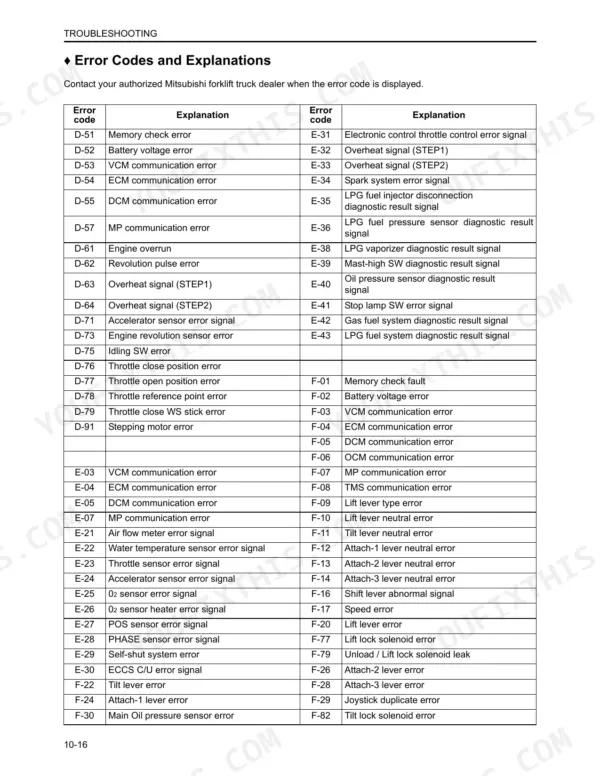
What does Mitsubishi forklift error code E23 mean?
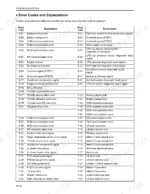
Error code E23 indicates a throttle sensor error signal. You should contact your authorized Mitsubishi forklift truck dealer when this error code is displayed. p. 148
How do I read Mitsubishi forklift diagnostic error codes?
To display error history, turn the engine key switch to the (ON) position without starting the engine. Press all three buttons on the instrument panel simultaneously for more than 2 seconds to bring up the error history on the hour meter screen. p. 53
What is the wheel nut tightening torque on a 2 to 3 ton Mitsubishi FG15N-FD35N forklift?
For the front wheels of a 2 to 3 ton model, the tightening torque is 300 to 375 N·m (30 to 38 kgf·m) [221 to 277 lbf·ft]. For the rear wheels, the torque is 141 to 172 N·m (14 to 17 kgf·m) [104 to 127 lbf·ft] for STD (2P) or 210 to 256 N·m (21 to 26 kgf·m) [155 to 189 lbf·ft] for OP (4P). p. 146
What is the recommended inspection period for severe dust or lint conditions?
In severe dust or lint conditions, you should check and service the air cleaner element every 50 service hours or weekly, whichever comes first. p. 130
Do I get instant access to this Mitsubishi FG15N Operator Manual?
You get a 163-page searchable PDF that downloads instantly after checkout. Open it on your laptop, tablet, or phone, and bring it right to the shop floor.
Is this Mitsubishi FG15N Operator Manual printable?
Yes. Print the sections you need to take out to the shop for your own use. Standard letter or A4 paper works.