
Part of the New Holland Operator Manuals.
Your TC30 is due for its 100-hour service and nobody remembers which filters that includes; the 104-page New Holland TC30 operator manual PDF (OEM ID 87301232) settles it with the factory schedule for this compact tractor. Lubrication and maintenance take up the largest share of the book, with recommended lubricants and coolants, maintenance charts, fuel and oil service procedures, and wiring diagrams that trace the tractor's electrical circuits. The operation chapter walks through controls and instruments, engine starting, lighting and brakes, while the specifications list engine, cooling system and transmission speed data ahead of a delivery service checklist for tire pressure, battery, hydraulics, brake adjustment and clutch pedal. Service your air cleaner every 10 hours or daily, and change the engine oil filter every 100 hours. A spring job shouldn't stall over one forgotten interval. Bookmarked and searchable, this copy is bought once and stays yours for every season the TC30 spends in the field.
What's Inside This New Holland TC30 Operator Manual
| System | Pages | Key Topics |
|---|---|---|
| Safety | 7-17 | Precautionary Statements, Safety Decals |
| General Information | 18-21 | Minimum Hardware Tightening Torques, Metric Bolt Torque Specification |
| Operation | 22-49 | Controls and Instruments, Starting the Engine, Lighting, Brake Controls |
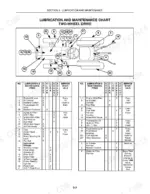
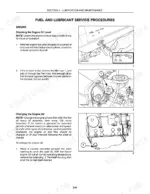
| Lubrication and Maintenance | 50-87 | Recommended Lubricants and Coolants, Lubrication and Maintenance Charts, Fuel and Lubricant Service Procedures, General Maintenance |
| Specifications | 88-97 | Engine Specifications, Cooling System Specifications, Transmission Speeds |
| Delivery Service | 100-104 | Tire Pressure, Cooling System, Battery, Hydraulic System, Brake Adjustment, Clutch Pedal |
Quick Reference Specifications
| Specification | Value | Page |
|---|---|---|
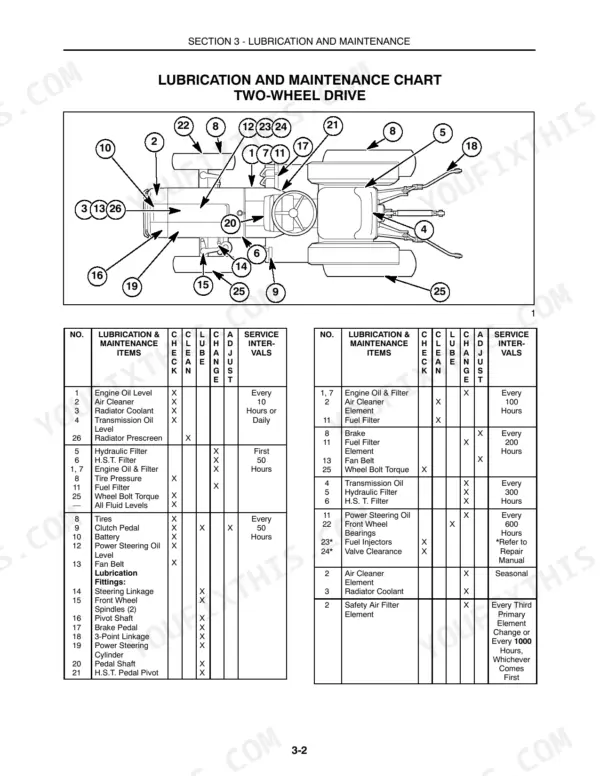
| Fuel filter drain interval | Every 100 Hours | p. 56 |
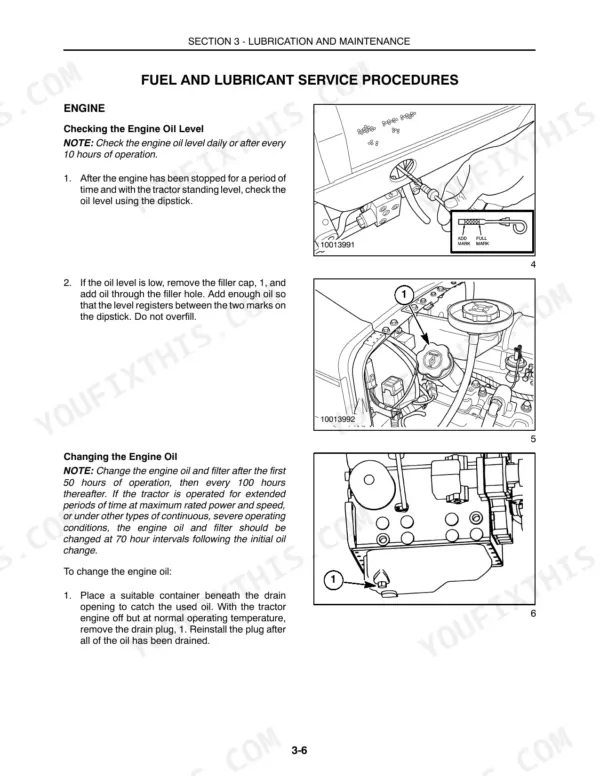
| Engine Oil Filter Service Interval | Every 100 Hours | p. 55 |
| Air Cleaner Service Interval | Every 10 Hours or Daily | p. 51 |
| Tie rod adjusting nut torque | 31-41 ft.-lbs. (42-56 N⋅m) | p. 45 |
| Fuel filter element change interval | every 200 operating hours | p. 57 |
| Engine oil and filter change interval | every 100 hours | p. 55 |
| Air cleaner primary element cleaning interval | every 100 hours | p. 60 |
| Battery cold cranking ability | 420 amps at 0°F (-18°C) | p. 70 |
| System Relief Valve Setting | 145 bar (2133 PSI) | p. 90 |
| Battery | 12-volt, w/negative ground, 420 cca BCI Group 24 | p. 89 |
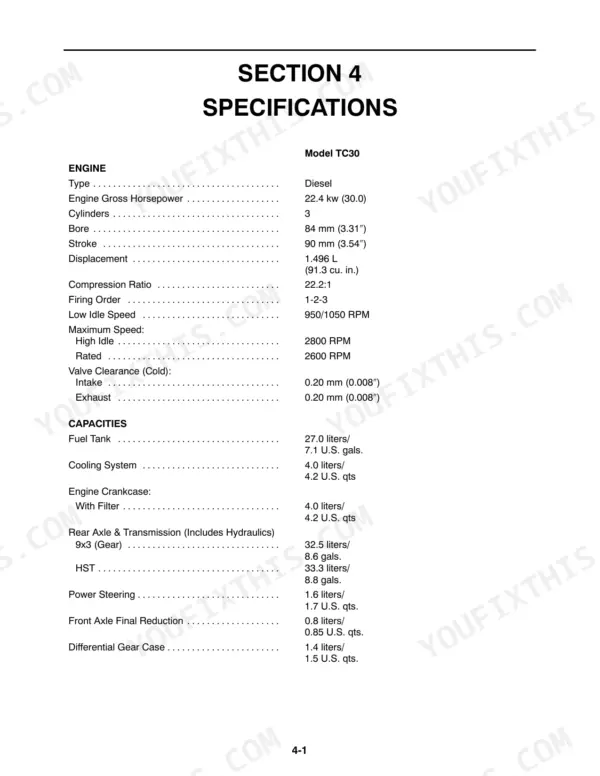
| Engine Gross Horsepower | 22.4 kw (30.0) | p. 88 |
| Fuel Tank Capacity | 27.0 liters (7.1 U.S. gals.) | p. 54 |
New Holland TC30 Common Problems This Manual Covers
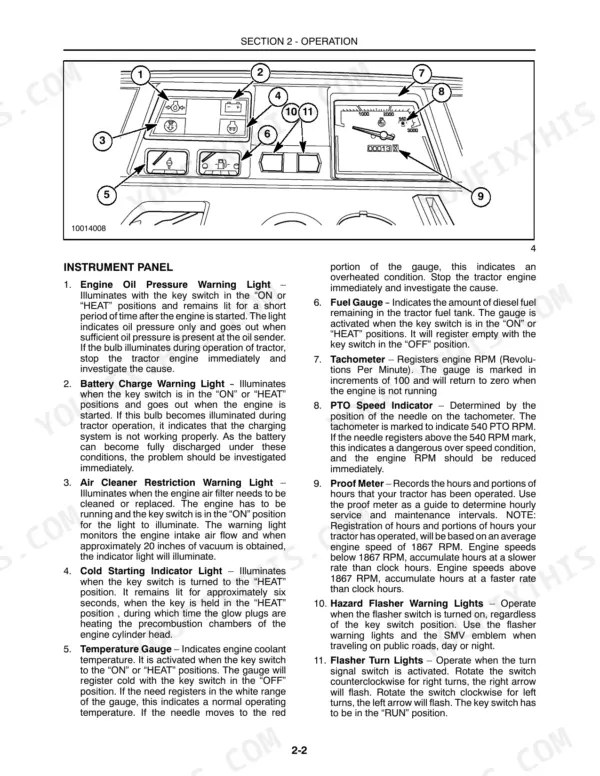
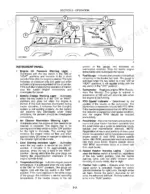
New Holland TC30 engine oil pressure warning light stays on after startup or comes on while running
Shut the engine down and find the cause before restarting, as the warning light section on page 23 directs. Check the crankcase oil level; capacity with filter is 4.0 liters (4.2 U.S. qts) per page 88. Keep oil and filter changes on the 100 hour schedule from page 55, because skipping one costs more than a rain delay.
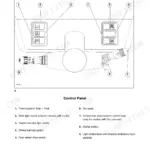
Manual Section: Engine Oil Pressure Warning Light p. 23Air cleaner restriction warning light illuminated on the instrument panel while the engine is running
Clean the air cleaner primary element following page 60, and never tap the element against a hard surface, and inspect it for damage before reinstalling. Replace the inner safety element if it is clogged, per page 61; it is due every third primary element change or every 1000 hours, whichever comes first. Check the air cleaner every 10 hours or daily as page 51 lists, especially when you are working dry ground.
Manual Section: Air Cleaner Restriction Warning Light p. 23Temperature gauge reading high and the engine running hot during field work
Stop work and let the engine cool before opening the cooling system; per page 65, cover the radiator cap with a thick cloth, turn it slowly counterclockwise to the first stop and allow all pressure to escape before removing it completely, then review the temperature gauge guidance on page 23. Check the coolant level; the cooling system holds 4.0 liters (4.2 U.S. qts) per page 88. Top up only with the coolant listed under Recommended Lubricants and Coolants before heading back to the field.
Manual Section: Temperature Gauge p. 23Battery charge warning light stays lit on the instrument panel after the engine starts
Check the charging system as soon as this light stays on; page 23 ties it to a charging system malfunction. Verify the battery matches spec: 12-volt, negative ground, 420 cca BCI Group 24 per page 89. Do not disconnect the alternator output lead or battery cables while the alternator is operating (page 71). Trace the charging circuit using the wiring diagram on page 86, and fix it before a dead battery strands you mid-field.
Manual Section: Battery Charge Warning Light p. 23Engine will not restart after running out of fuel or replacing the fuel filter
Fuel oil in the injection system is under high pressure and can penetrate the skin, so follow the warning on page 58 and never check for leaks with your hand. Bleed the fuel system following page 58 to purge air after running dry or a filter change. If it still won't fire, bleed the injector lines as shown on page 59. Replace the fuel filter element every 200 operating hours per page 57, and keep the 27.0 liter (7.1 U.S. gal.) tank topped up during long field days.
Manual Section: Bleeding the Fuel System p. 58Clutch pedal free travel out of adjustment with too much or too little pedal play
Measure clutch pedal free travel and compare it against the 19 mm to 30 mm (3/4" to 1-3/16") spec on page 90. Adjust free travel back into that range using the Clutch Pedal Adjustment procedure, and recheck it whenever you service the tractor so the clutch is ready when the ground is fit to work.
Manual Section: Clutch Pedal AdjustmentFrequently Asked Questions
How do you start a New Holland TC30?
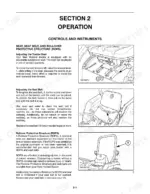
To start the engine, ensure the PTO levers are in the 'OFF' position, the range lever is in 'NEUTRAL', and you are sitting in the operator's seat; the manual warns to always sit in the operator's seat when starting the tractor and never to start the engine while standing beside it. Turn the key to the extreme right and position the hand throttle one-fourth to one-third open. p. 25
How do you adjust the New Holland TC30 parking brake?
To adjust the parking brake, loosen the locknut and rotate the brake rod until there is 3/4 inch to 1-3/16 inch (19 mm-30 mm) of pedal free play. Lengthening the rod increases free play, while shortening it decreases it. p. 79
How do you bleed the fuel system on a New Holland TC30?
Warning: fuel oil in the injection system is under high pressure and can penetrate the skin. To bleed the fuel system, ensure there is adequate fuel in the tank and open the fuel shutoff valve. Open the bleed screw at the pump until air-free fuel flows, then close it. Finally, push the hand throttle to the high speed position and turn the engine over for a few seconds to bleed the high pressure fuel tubes. p. 58
Where can you find New Holland TC30 torque specifications?
Torque specifications for hardware are located in Section 1 of the manual. Specifically, page 19 provides a table for inch hardware and locknuts, while page 20 provides a table for metric bolt torque specifications. p. 19
What is the correct valve clearance for the New Holland TC30 engine?
The valve clearance for both the intake and exhaust valves on the TC30 engine is 0.20 mm (0.008 inches) when cold. p. 88
Will this New Holland TC30 Operator Manual download right away?
You download the Operator Manual yourself: 104 pages, searchable PDF, available immediately. Keep a copy on every device you use.
Is this New Holland TC30 manual print-friendly?
Yes. Print the pages or sections you need for your own shop use. Any standard printer works.





Reviews
There are no reviews yet.