
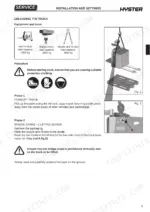
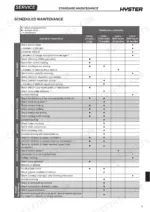
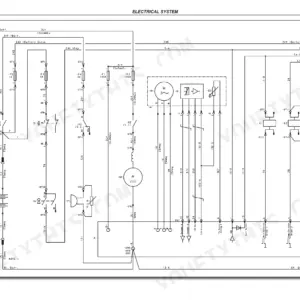
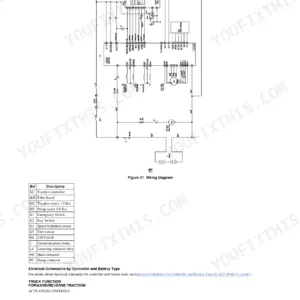
The Hyster P2.0S service manual PDF covers wiring, hydraulics and module alarm diagnosis for this fork lift truck in 234 factory pages under OEM ID 4020165. Its Electrical System chapter sets the wiring diagrams beside tiller board, battery charge indicator and traction and EPS module parameter data, while the hydraulic diagrams show how pressure control valves, directional valves and solenoid valves handle each function. Mechanical chapters cover the drive wheel, load wheels and electromagnetic brake removal and adjustment. Rig lifting tackle rated for 1000 kg, and torque the seal carrier bush to 275 Nm. When your truck shows an EPS module alarm or a traction module alarm, you start with the alarm lists and electrical component measurements. Bookmarks put you in any chapter with one click. The text layer finds a term such as scheduled maintenance just as fast.
What's Inside This Hyster P2.0S Manual
| System | Pages | Key Topics |
|---|---|---|
| Technical Information | 1 | Title Page, Part Number and Model Coverage |
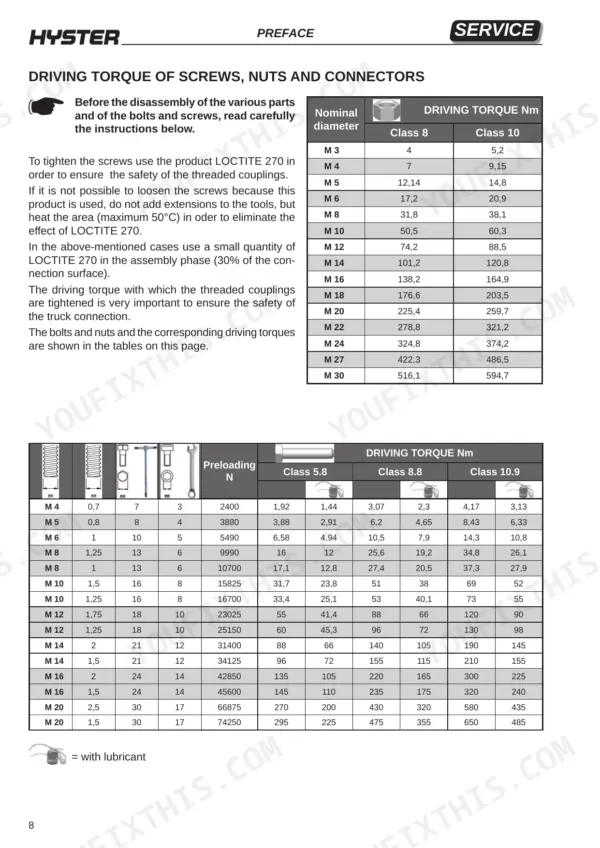
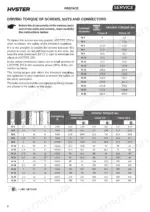
| Preface | 2-12 | General Safety Standards, Rope Capacity Table, Bolt Torque Values |
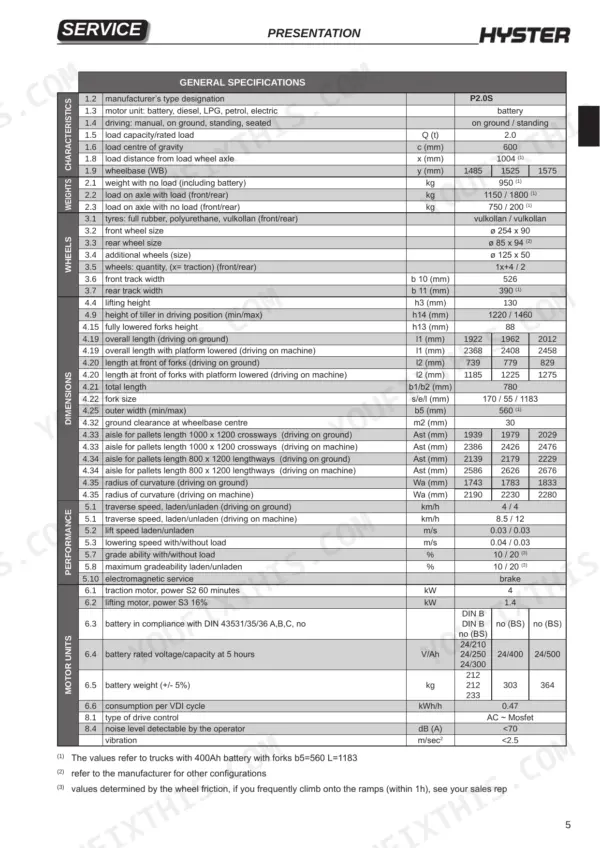
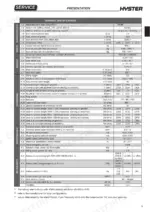
| Presentation | 13-18 | Truck Presentation, Views of the Truck, Truck Identification Data Plate, Truck Serial Number Punching, General Specifications |
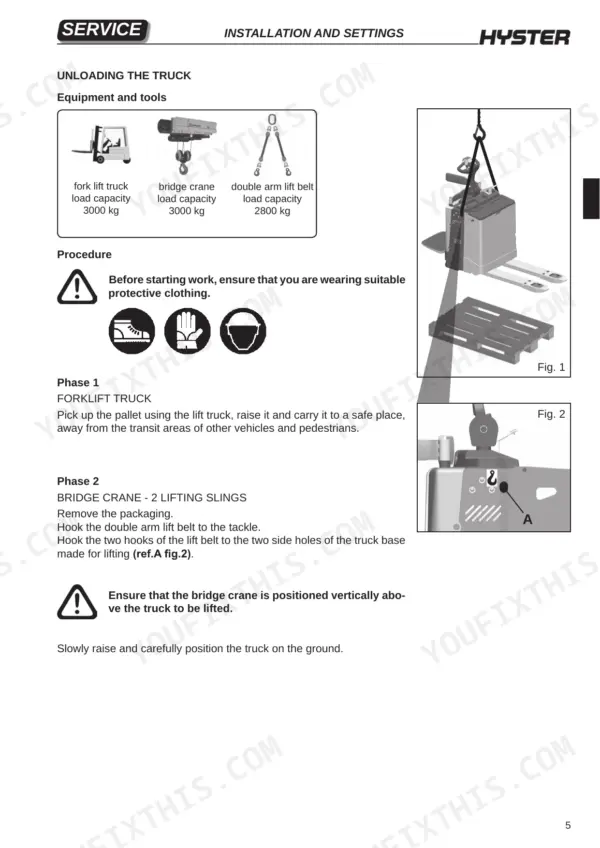
| Installation and Settings | 19-30 | Before Installation, Weight Table, Truck Assembly (List of Materials Received From the Dealer), Unloading the Truck, Topping Up the Oil Reservoir, Installation of the Battery |
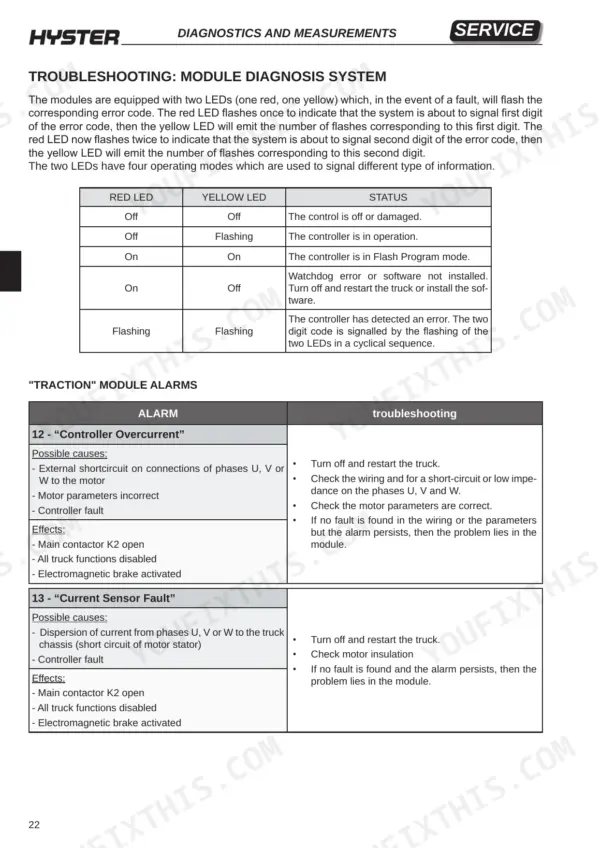
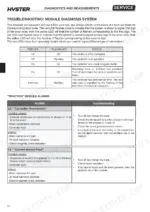
| Diagnostics and Measurements | 31-66 | Traction Module, EPS Module, Module Diagnosis System, Electrical Component Measurements, Traction Module Alarms, EPS Module Alarms |
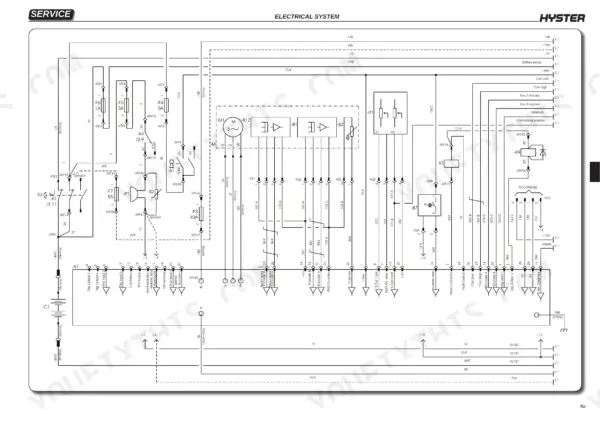
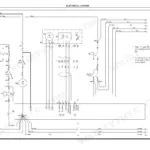
| Electrical System | 67-130 | Electrical Wiring Diagrams, Tiller Board, Battery Charge Level Indicator, Traction Module Parameters, EPS Module Parameters, Replacement of Electrical Components |
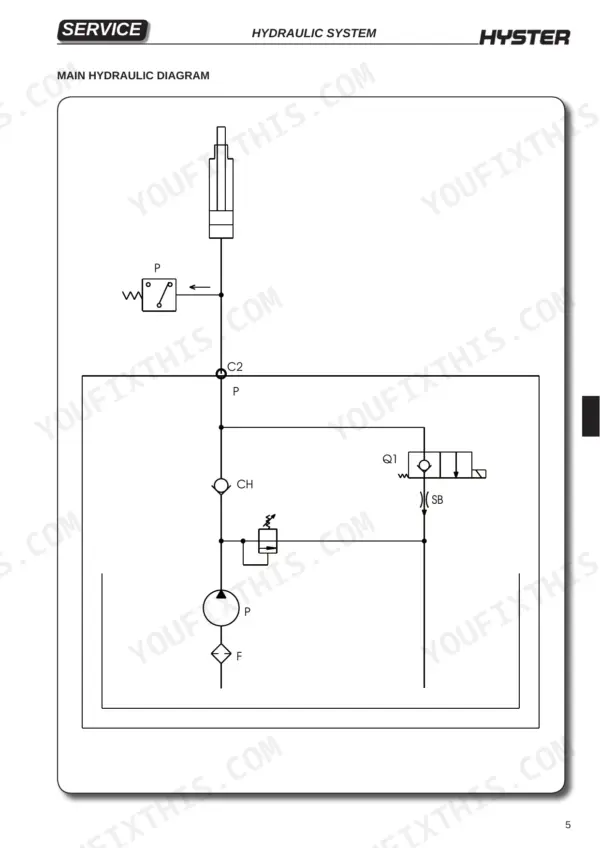
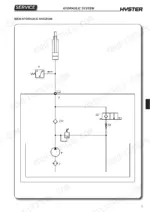
| Hydraulic System | 131-158 | Hydraulic Functions, Pressure Control Valves, Directional Valves, Pressure Switches, Hydraulic Diagrams, Solenoid Valve Operation |
| Mechanics | 159-208 | Drive Wheel, Pivoting Wheel Assembly, Wheel Damper Assembly, Footboard, Side Panels, Load Wheels |
| Reduction Unit | 209-220 | Reduction Unit Components, Wheel Shaft Oil Seal, Traction Motor Drive Shaft Oil Seal, Reduction Unit Oil, Reducer Torque Settings |
| Braking System | 221-226 | Electromagnetic Brake Components, Braking Systems, Electromagnetic Brake Removal, Electromagnetic Brake Adjustment |
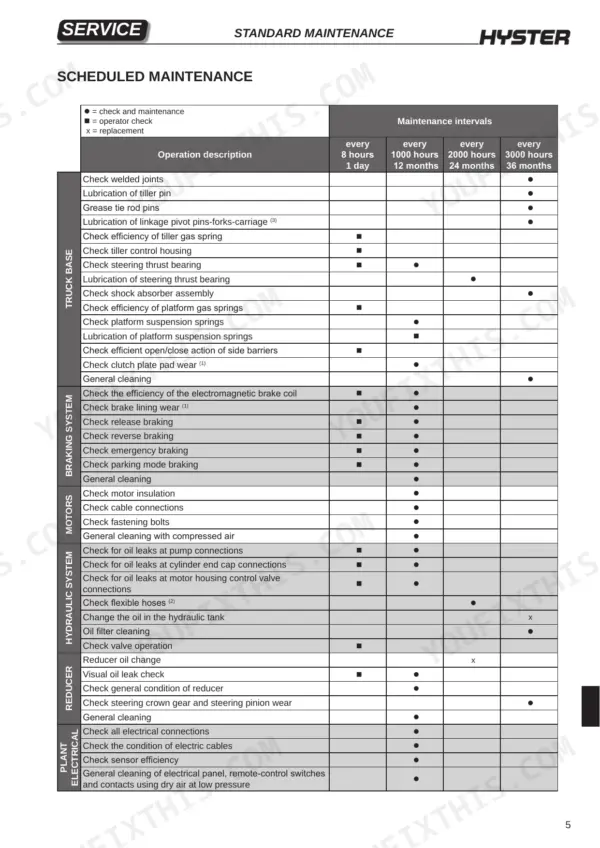
| Standard Maintenance | 227-234 | Oils and Lubricants, Cleaning Products, Scheduled Maintenance, Warnings |
Quick Reference Specifications
| Specification | Value | Page |
|---|---|---|
| Driving torque for M 3 (Class 8) | 4 Nm | p. 8 |
| Driving torque for M 3 (Class 10) | 5.2 Nm | p. 8 |
| Tackle load capacity | 1000 kg | p. 7 |
| Seal carrier bush tightening torque | 275 Nm | p. 151 |
| Pump to flange tightening torque | 5 Nm | p. 156 |
| Traction wheel retaining nuts torque | 200 Nm (±10 Nm) | p. 164 |
| Load wheel fixing screw torque | 70 Nm | p. 187 |
| Traction motor power (S2 60 minutes) | 4 kW | p. 17 |
| Traction wheel retaining nut torque | 200 ± 10 Nm | p. 164 |
| Pivoting wheel screw torque | 85 Nm | p. 167 |
| Castor wheel assembly to truck base screw torque | 52 Nm | p. 167 |
| Damper fixing screw torque | 20 Nm | p. 170 |
Hyster P2.0S Common Problems This Manual Covers
Hyster P2.0S traction module flashing encoder fault alarm 36 with the electromagnetic brake activated
Check the MAIN MENU MONITOR / Motor / Motor RPM value first, then inspect the motor wiring for damage and clean the connectors, as page 57 lists. Disconnect the battery and discharge the capacitors before working in the electric compartment (page 228). Turn the truck off and restart it. If the alarm persists with no wiring fault, the problem lies in the module.
Manual Section: Traction Module Alarms p. 57Traction controller overtemp cutback alarm 22 with drive and braking effect reduced
Check MAIN MENU MONITOR / Controller / Temperature and bring it back below 85°C. Release all tiller controls, remove all loads from the truck, switch off, wait a few minutes, then switch on again, as page 54 directs. Verify the module is installed correctly, and discharge the capacitors before inspecting the electric compartment (page 228). If the alarm persists, the module is at fault.
Manual Section: Traction Module Alarms p. 54Undervoltage cutback alarm 23 with reduced drive after the battery runs down
Check MAIN MENU MONITOR / Battery / Capacitor Voltage and return it above the minimum permitted value. Verify the battery parameters, battery wiring, fuses and main contactor status, following page 54. Never short-circuit the terminals or check the charge with metal jumpers (page 5). Disconnect the battery before any servicing (page 228). If everything checks out and the alarm stays, the problem lies in the module.
Manual Section: Traction Module Alarms p. 54EM brake driver open/short alarm 32 with the truck stopped and electromagnetic brake activated
Inspect the electromagnetic brake wiring (coil driver pin 5) for damage and clean any dirty contacts, following page 56. Disconnect the battery and discharge the capacitors before touching connectors in the electric compartment (page 228). Switch the truck off and back on. If the wiring and connectors are good but the alarm persists, the fault is in the traction module.
Manual Section: Traction Module Alarms p. 56Coil 3 driver open/short alarm 33 with hydraulic pump contactor driver stopped
Check the hydraulic pump contactor wiring (coil driver pin 4) for damage and clean the contacts, as page 56 directs. Disconnect the battery and discharge the capacitors first. Do not file or lubricate the contactor contacts (page 228). Switch the truck off and back on. If the alarm persists with clean, intact wiring, the module is faulty.
Manual Section: Traction Module Alarms p. 56Main contactor did not close alarm 39 with all truck functions disabled
Check the main contactor power wiring, clean the connectors and confirm the fastons are firmly connected, following page 58. Look for oxidised, burned or disconnected contacts, but never file or lubricate them. Disconnect the battery and discharge the capacitors before you start (page 228). Check MONITOR / Battery / Capacitor Voltage and the keyswitch feed fuse, then restart. A persistent alarm means a module fault.
Manual Section: Traction Module Alarms p. 58Frequently Asked Questions
How do I clear Hyster P2.0S error code 87?
To clear error code 87 (Motor Characterization Fault), identify the specific fault using the parameter 'MAIN MENU MONITOR / Controller / Motor Characterization Error'. Switch the truck off and then back on, and check that the motor is in good condition. If the alarm persists, the problem lies in the module. p. 61
How do I troubleshoot a Hyster P2.0S 'Precharge failed' alarm?
To troubleshoot a 'Precharge failed' alarm (code 14), first release all tiller controls. Check the value of the parameter 'MAIN MENU MONITOR / Battery / Capacitor Voltage'. If no fault is found and the alarm persists, the problem lies in the module. p. 53
What is the torque setting for the traction wheel retaining nuts on the Hyster P2.0S?
The traction wheel retaining nuts must be tightened using a torque wrench to a torque of 200 Nm (±10 Nm). p. 164
What is the torque setting for the reducer to chassis screws on the Hyster P2.0S?
The screws securing the reducer to the chassis must be tightened using a torque wrench with a tightening torque of 200 ± 10 Nm. p. 213
What is the correct oil type and quantity for the Hyster P2.0S reduction unit?
For standard operation, use SHELL SPIRAX A 80W-90 with a quantity of 1750 cm³. For cold store operation, use SHELL TRANSAXLE 75W-90 with a quantity of 1750 cm³. p. 218
What format is this Hyster P2.0S manual in?
A single searchable PDF file of 234 pages, downloadable right after payment. Nothing ships, nothing waits in the mail.
Is this Hyster P2.0S manual print-friendly?
Yes. Print the pages or sections you need for your own shop use. Any standard printer works.


Reviews
There are no reviews yet.