
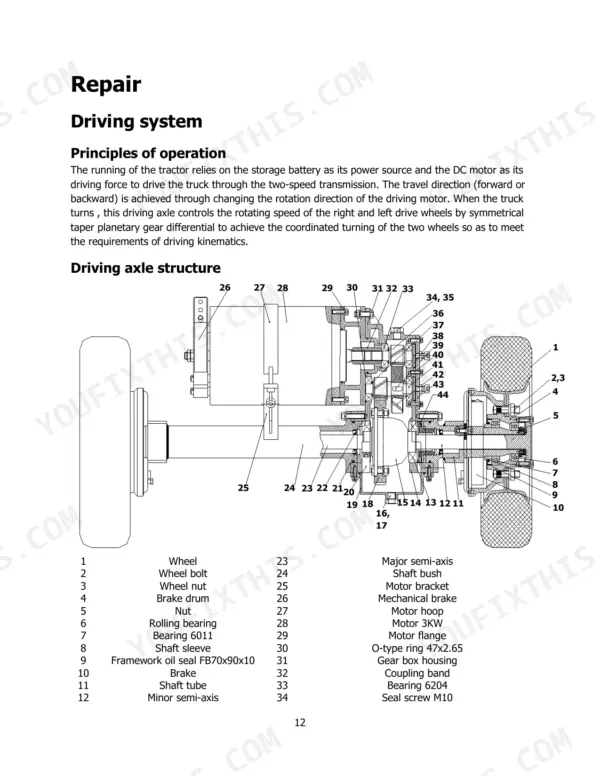
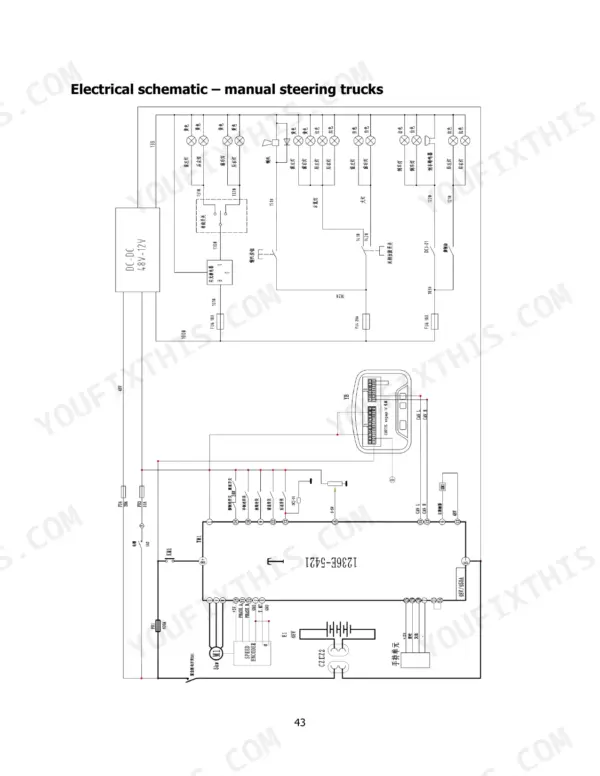
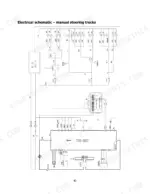
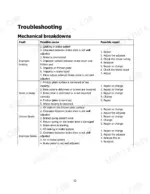
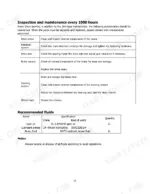
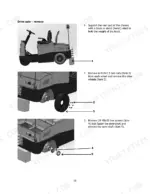
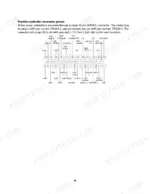
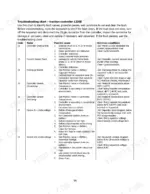
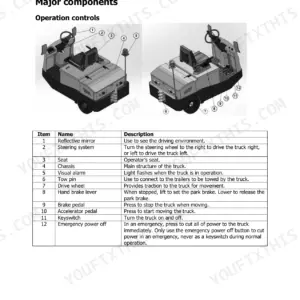
Covering the drive axle, steering, brakes and electrics of the Hyster T6.0UT sit-drive electric tow tractor, this 68-page Hyster T6.0UT service manual PDF (OEM ID 4279985) works through the truck system by system. Separate electrical schematics trace the circuits on manual steering and power assist steering trucks, while fault code tables for the 1236E traction controller and 1222 steer controller let you look up a code and its meaning. Exploded views of the driving axle, wheel hub and steer wheel support the installation, adjustment and maintenance procedures. Hold electrolyte level at 15-25 mm. Density should read 1.260 ± 0.005 at 25°C, and on a new truck the initial charge runs at 30 A until 28.8 V, then drops to 15 A. Your routine checks follow set intervals: daily (8 hours), every 350 hours and every 1000 hours, with recommended fluids listed. Bookmarks and a text layer put brake maintenance or a single 1222 fault code a click or two away.
What's Inside This Hyster T6.0UT Manual
| System | Pages | Key Topics |
|---|---|---|
| Description of Symbols | 4 | Danger, Warning, Caution |
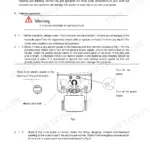
| Maintenance | 5 | Precautions During Maintenance (Places for Maintenance, Precautions Before Repair and Maintenance) |
| Setting Up a New Truck | 6 | Initial Charge |
| Battery Use and Maintenance | 7-8 | Common Charge, Balancing Charge, Equalizing Charge, Battery Storage, Maintenance of Electrolyte, Operation of Storage Batteries During the Final Stage of Their Lifetime |
| Daily Inspection | 9 | Battery Voltage, Brake System, Tire Condition |
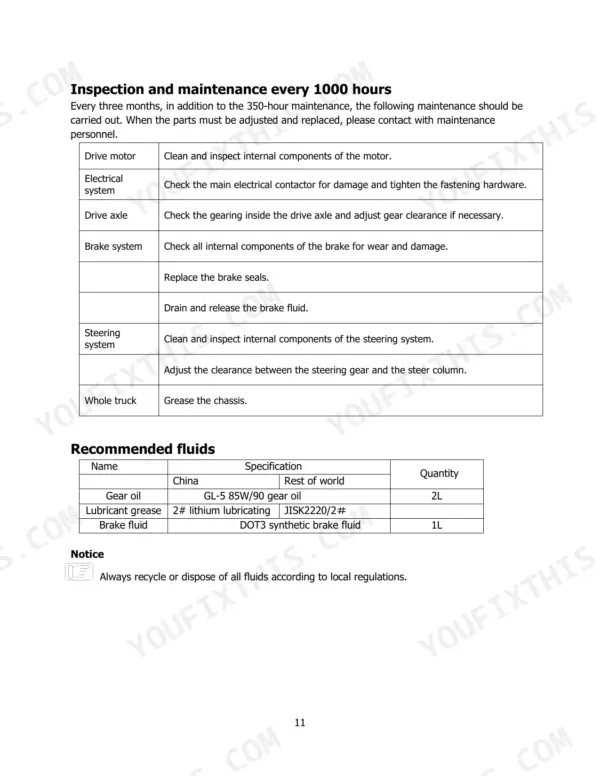
| Periodic Inspection and Maintenance | 10-11 | Maintenance Every Day, Maintenance Every 350 Hours, Maintenance Every 1000 Hours, Recommended Fluids |
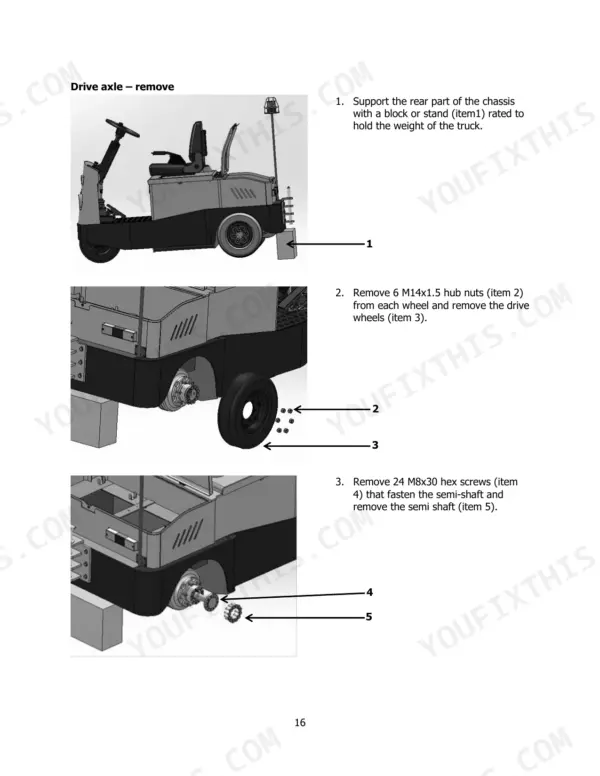
| Driving System | 12-23 | Operation, Driving Axle Structure, Wheel Hub Structure, Drive Axle Description |
| Steering System | 24-39 | Operation, Steering System Structure, Steer Wheel Structure, Steer Wheel Description |
| Brake System | 40-41 | Operation, Service Brake System Structure, Service Brake Description, Park Brake Description |
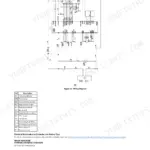
| Electrical System | 42-51 | Operation (Electrical Schematic – Manual Steering Trucks, Electrical Schematic – Power Assist Steering Trucks, Electrical Component Identification, Electrical Controller Panel Access, Controller Panel Identification, Traction Controller 1236E – Description, Steer Controller 1222 – Description) |
| Troubleshooting | 52-66 | Mechanical Breakdowns, Fault Codes (Traction Controller 1236E, Steer Controller 1222) |
| Truck Storage and Transportation | 67-68 | Loading and Unloading, Transportation of Truck, Storing the Truck |
Quick Reference Specifications
| Specification | Value | Page |
|---|---|---|
| Electrolyte density | 1.260 ± 0.005 (25°C) | p. 6 |
| Electrolyte level | 15-25 mm (.5-1 in) | p. 6 |
| Charger output voltage | 24 V | p. 9 |
| Charger output current | 20-30 A | p. 9 |
| Steer controller 1222 connector wire insulation diameter | 1.7-2.7mm | p. 51 |
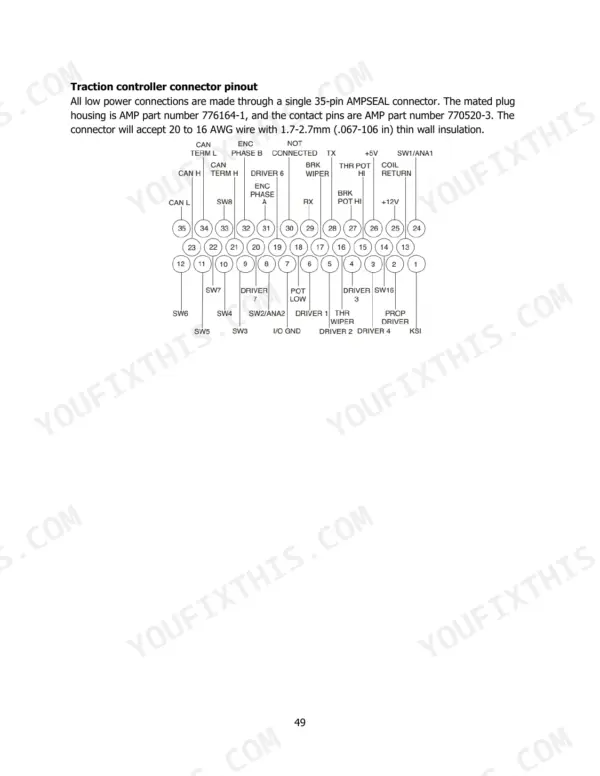
| Traction controller 1236E connector wire insulation diameter | 1.7-2.7mm | p. 49 |
| Initial charge current (first stage) | 30A | p. 6 |
| Initial charge current (second stage) | 15A | p. 6 |
| Common charge current (first stage) | 30A | p. 7 |
| Common charge current (second stage) | 15A | p. 7 |
| Equalizing charge current | 4A | p. 8 |
| Gear oil capacity | 2L | p. 11 |
Hyster T6.0UT Common Problems This Manual Covers
Hyster T6.0UT traction controller 1236E flashing fault 23 B+ Undervoltage Cutback, truck running performance limited
Recharge the battery first, because page 55 lists a low pack as normal cause for code 23. Measure total voltage and stop using the battery at 20.4 V (1.7 V per cell), since page 7 prohibits over-discharge. If it returns, check battery parameters, non-controller drain, battery resistance, the B+ fuse and main contactor. Discharge capacitors before any electrical work, as page 5 requires.
Manual Section: Fault codes for traction controller 1236E p. 55Traction controller red and yellow status LEDs both dark with no truck response at key on
Check battery charge first. Page 53 reads no lit LEDs as controller not powered, dead battery, or severe damage. Recharge with the 24 V charger rated 20 to 30 A from page 9, and keep electrolyte below 45°C (113°F) while charging, per page 6. If the red LED then stays solid, cycle the keyswitch, reload software, or replace the controller as page 53 directs.
Manual Section: Fault codes for traction controller 1236E p. 53Traction controller fault 22 Controller Overtemp Cutback under heavy load with reduced performance
Check heatsink temperature in Monitor menu, Controller: Temperature. Cutback sets above 85°C per page 55, and code 16 shuts the truck down above 95°C per page 54. Reduce excessive load, get the truck out of an extreme environment, and inspect the controller for improper mounting. Let the heatsink drop below 85°C before putting it back to work.
Manual Section: Fault codes for traction controller 1236E p. 55Traction controller sets fault 47 HPD/Sequencing Fault at startup
Cycle the keyswitch and reapply keyswitch, interlock, direction and throttle inputs in the correct sequence, since page 58 lists incorrect sequence as the first cause. If 47 persists, inspect wiring, crimps and switches on those inputs. Discharge capacitors before any electrical work (page 5), and when rerouting harness, do not run low current signal wires parallel to motor cables (page 48).
Manual Section: Fault codes for traction controller 1236E p. 58Fault 32 EMBrake Open/Short, electromagnetic brake driver at pin 5 open or shorted
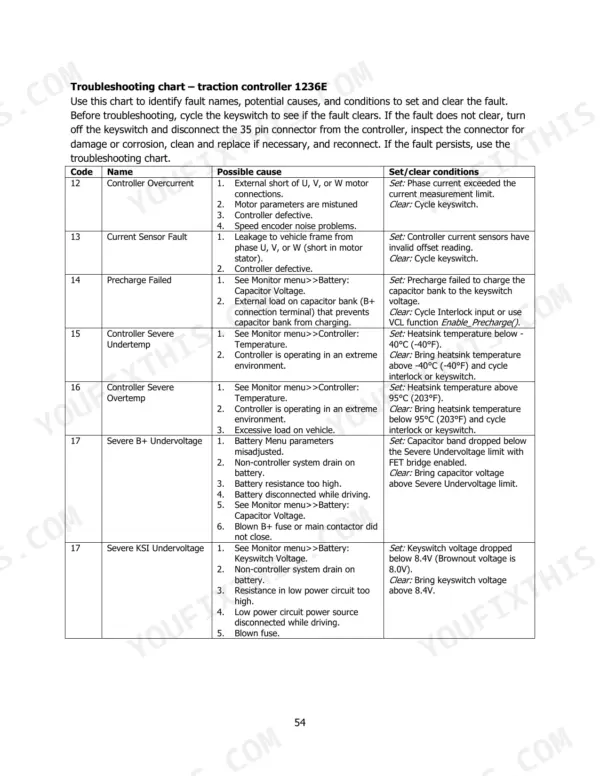
Discharge capacitors before touching wiring, as page 5 requires. Disconnect the 35 pin connector, inspect for damage or corrosion, clean and reconnect per page 54. Then check the electromagnetic brake driver circuit at pin 5 for an open or short, dirty connector pins and bad crimps per page 56. Correct the fault and cycle the driver. Use connector wire with 1.7 to 2.7mm insulation (page 49).
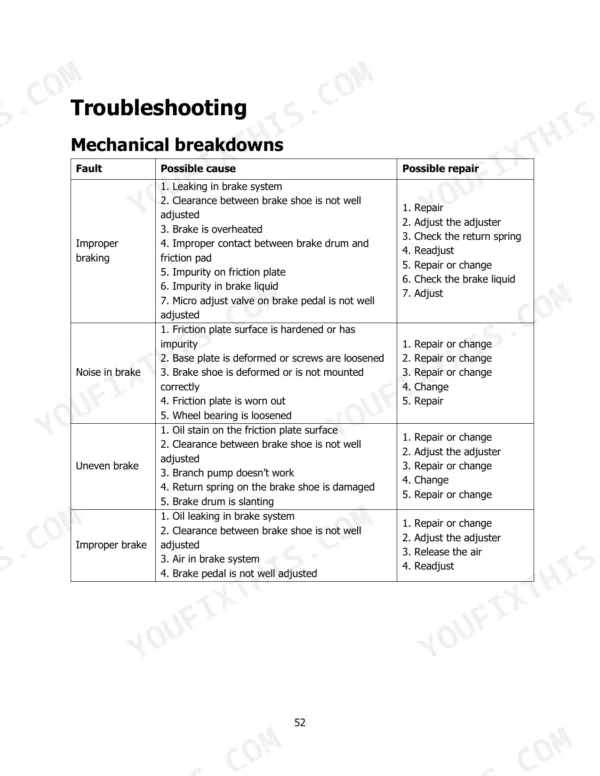
Manual Section: Fault codes for traction controller 1236E p. 56Service brake braking improperly or pulling unevenly when the pedal is applied
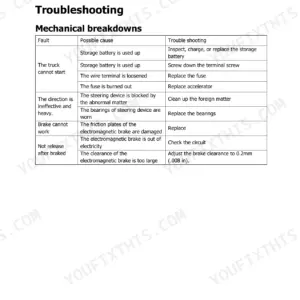
Check the brake system for oil leaks and repair them, then release air from the system as page 52 lists. Adjust brake shoe clearance with the adjuster and readjust the brake pedal. For uneven braking, inspect the friction plate for oil stain, plus the branch pump, brake shoe return spring and brake drum, repairing or changing parts per page 52.
Manual Section: Mechanical breakdowns p. 52Frequently Asked Questions
How do I reset fault codes on a Hyster T6.0UT?
To clear most faults on the traction controller 1236E, you must cycle the keyswitch. For specific digital output faults, you may also need to use the VCL function Set_DigOut() to turn the driver on again after remedying the overcurrent cause. p. 54
How can I access the built-in diagnostics on a Hyster T6.0UT?
Diagnostics information can be obtained by using a 1313 handheld device or a 1314 PC Programmer to view the fault log. If these are unavailable, you can read the status LEDs on the controller itself to identify fault codes. p. 53
What do the dashboard error codes mean on a Hyster T6.0UT?
The error codes are communicated by the status LEDs on the controller. The red LED flashes to indicate the first digit of the code, and the yellow LED flashes to indicate the second digit. p. 53
What are the recommended fluids and quantities for the Hyster T6.0UT?
The recommended fluids are GL-5 85W/90 gear oil (2L), 2# lithium lubricating grease (JISK2220/2#), and DOT3 synthetic brake fluid (1L). Always recycle or dispose of all fluids according to local regulations. p. 11
What is the procedure for performing a balancing charge on the battery?
Balancing charge should be conducted for batteries in normal use every 2-3 months. Connect the positive and negative poles of the 'lag-behind' cells independently to the DC power supply to conduct the charge. p. 7
Is this Hyster T6.0UT Service Manual a digital download?
One searchable PDF covering 68 pages, delivered instantly. No disc, no shipping, no waiting on the post.
Can I print specific sections of this Hyster T6.0UT Service Manual?
Yes. Print the pages or sections you need for your own shop use. Any standard printer works.


Reviews
There are no reviews yet.