


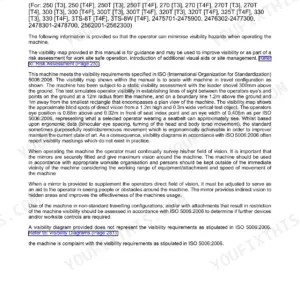
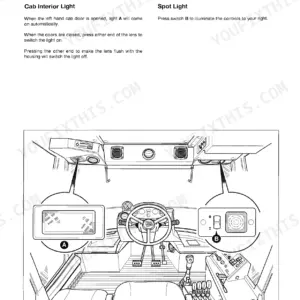
Looking for the exact factory operating guidelines for your wheeled excavator? This 286-page JCB JS145W, JS160W operator manual pdf (OEM #EN - 9821/3800) breaks down every control, maintenance interval, and dashboard indicator. You get complete pre-start cold checks, detailed load charts, and step-by-step instructions for working with the dozer blade and excavator arm. Open to the maintenance section to find exact service schedules, fluid capacities, and daily lubrication points to keep your equipment out of the shop. Torque the turntable bearing bolts to 296/525 N.m, and ensure your welder earth cable sits no more than 0.6m from the welded part. Your daily checks shouldn't be a guessing game. Download this bookmarked file directly to your tablet and keep the factory answers right in the cab.
Complete the set for your JS145W, JS160W
Other editions of this manual
- JCB JS145W, JS160W, JS20 MH Wheeled Excavator Operator Manual Original price was: $27.99.$19.99Current price is: $19.99.
- JCB JS130–JS200 Series Wheeled Excavators Operator Manual Original price was: $28.99.$19.99Current price is: $19.99.
What's Inside This JCB JS145W, JS160W Operator Manual
| System | Pages | Key Topics |
|---|---|---|
| Acronyms Glossary | 12 | Pin Product Identification Number, Fops Falling-Object Protective Structure, ROPS Roll-Over Protective Structure, Tab Triple Articulated Boom, Decu Display Electronic Control Unit |
| Safety | 14-16 | Safety - Yours and Others, Safety Warnings, Clothing and Personal Protective Equipment |
| About the Machine | 17-96 | Introduction (General, Product Compliance) |
| Operation | 97-166 | Introduction (General), Operating Safety (General, Worksite Safety, Risk Assessment), Walk-Around Inspection (General) |
| Attachments | 167-182 | Working with Attachments, Direct-Mounted Attachments, Quickhitch, Buckets |
| Preservation and Storage | 183-190 | Cleaning the Machine (General, Preparing the Machine), Checking for Damage (General) |
| Maintenance | 191-244 | Introduction (General, Owner/Operator Support, Service/Maintenance Agreements, Obtaining Spare Parts), Maintenance Safety (General, Fluids and Lubricants) |
| Technical Data | 245-280 | Machine Static Dimensions (General), Machine Performance Dimensions (Excavator Arm Dimensions and Performance, Driving Performance), Noise Emissions (General, Noise Data) |
| Warranty Information | 281-286 | Machine Service Record Sheet, Table 57., Figure 236. Installation Checklist, Figure 237. 500h/3 Month, Figure 238. 1000h/6 Month, Figure 239. 1500h/9 Month |
Quick Reference Specifications
| Specification | Value | Page |
|---|---|---|
| JS145W | ||
| Turntable bearing (undercarriage) bolt tightening torque | 296/525 N.m | p. 269 |
| Fuel Tank Capacity, JS145W | 253L | p. 262 |
| All Models | ||
| Fuse F1 (Beacon) rating | 10A | p. 272 |
| Engine ECM (Engine Control Module) supply 4 fuse rating | 10A | p. 274 |
| Welder earth (ground) cable distance from part being welded | no more than 0.6m | p. 193 |
| Fuse F3 (Cushion solenoid) rating | 7.5A | p. 272 |
| Fuse F13 (Revolver ignition) rating | 5A | p. 272 |
| Hot components safety instruction | Allow the engine and components to cool before servicing the unit. | p. 194 |
| Engine performance check | Check for: Excessive smoke, Excessive vibration, Excessive noise, Overheating, Performance, Unusual smells. | p. 222 |
| Engine oil pressure warning | Engine oil pressure low (red) warning symbol | p. 75 |
| JS160W | ||
| Fuel Tank Capacity, JS160W | 310L | p. 263 |
JCB JS145W, JS160W Common Problems This Manual Covers
JCB JS145W and JS160W engine is hard to start, intermittently shuts down, or electrical functions behave erratically.
Inspect the earth connections and EMS unit wiring. Check page 274 to verify the Engine ECM supply 4 fuse is a 10A rating. Clean the battery terminals and ensure any welder ground cable is attached no more than 0.6m from the repair area as noted on page 193.
Manual Section: Electrical System Checks (Operation, Condition, Battery, Fuses, Relays) p. 274Low-amperage fuse keeps blowing repeatedly during operation, particularly tied to the pilot circuit or revolver ignition.
Verify the fuse ratings in the distribution box. Check page 272 to confirm the revolver ignition fuse F13 is correctly sized at 5A. Always replace fuses with ones of the correct ampere rating according to page 239. Inspect the drive pilot solenoid circuit wiring for chafing or shorts.
Manual Section: Electrical System Checks (Operation, Condition, Battery, Fuses, Relays) p. 272Red engine oil pressure low warning symbol illuminates on the display screen during heavy digging operations.
Stop the machine immediately and lower the attachments. Check page 75 to confirm the red engine oil pressure warning symbol meaning. Inspect the engine oil dipstick and ensure the fluid level is correct for the 20.4L system capacity. Look for excessive smoke or unusual smells around the block.
Manual Section: Engine Checks (Condition, Leaks, Level) p. 75Machine feels unstable or judders while roading between jobsites at maximum travel speed.
Inspect all tires for severe cuts, bulges, or embedded objects. Measure the tire pressure and adjust to 6.5 bar for 10.0x20 14PR tires as specified on page 278. Torque all M24 wheel nuts to exactly 500 N.m to prevent wheel wobble during travel.
Manual Section: Tyre Condition and Inflation p. 278Frequently Asked Questions
How do I reset the JCB JS145W/JS160W hydraulic pressure warning?
To reset the hydraulic pressure warning, you must decrease the machine lift when the overload protection system buzzer sounds and the icon appears. Once the lift is lowered to a safe position, the buzzer and icon will be cancelled, and the system will reset automatically. This is detailed in the 'Overload Warning System' section. p. 129
How do I perform a throttle or joystick calibration on a JCB JS145W/JS160W?
To perform a throttle calibration, start the engine, navigate to the machine set-up menu, and use the rotary control to select the Throttle Calibrate icon. Press the rotary control to begin calibration, which will display RPM and Throttle %; a tick will appear when complete. The manual does not provide instructions for joystick calibration. p. 78
How to reset JCB JS145W service light
The service event symbol, which illuminates amber when a service is required, can only be cancelled by your JCB dealer. It remains on even if the operator turns the ignition switch off and on, indicating that operator intervention is not sufficient for resetting this light. p. 74
How to reset JCB JS160W fault codes
To acknowledge active fault codes, press the enter button on the fault log screen. If multiple critical faults are active, the fault screen will alternate through them, and pressing enter will acknowledge all active faults. The manual does not provide a procedure for the operator to fully reset or clear historical fault codes from the system. p. 66
JCB JS145W torque specs for track frame bolts
The manual does not list specific torque specifications for 'track frame bolts' for the JCB JS145W wheeled excavator. However, it provides torque values for related undercarriage components such as 'Turntable bearing (under-carriage)' bolts (M16/M20) at 296/525 N.m, 'Rear axle mounts' (M20) at 550 N.m, and 'Wheel nuts' (M24) at 500 N.m. For other bolts not listed, refer to Table 47 for general hex. bolt tightening torques. p. 269
What exactly do I receive with this JCB JS145W Operator Manual?
This is a 286-page searchable PDF ready for immediate download. Works on any device, so pull it up on your phone while you're under the hood. No shipping, no waiting.
Am I able to print pages from this manual?
Yes. Many mechanics print the section they need for their own shop and bring it to the bench.
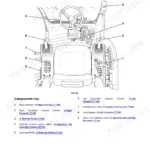
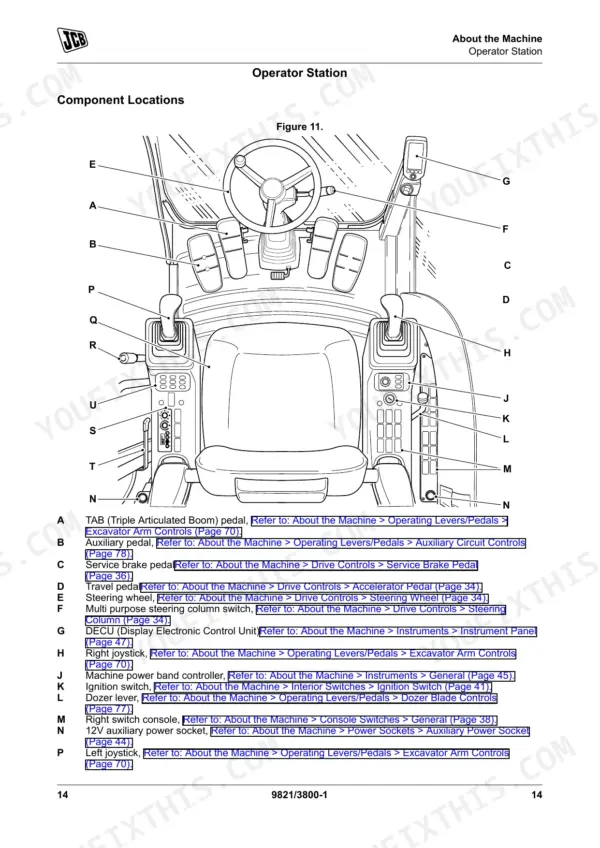
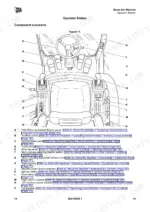
![JCB JS145W, JS160W, JS20 MH, JS145W [T4F], JS160W [T4F] operator station component location diagram and control list.](https://youfixthis.com/wp-content/uploads/2026/06/jcb-js145w-to-mh-wheeled-excavator-operator-manual-9831-5150-controls-29-150x150.webp)
Reviews
There are no reviews yet.