
Part of the JCB Operator Manuals.
Looking for the factory operating procedures for your loader? This 328-page JCB 270t operator manual pdf (OEM #EN - 9831/7500 ISSUE 2 - 01/2018) breaks down daily care and operation for the JCB 250 skidsteer loader family, including the 250T, 270, 300, 300T, 320T, 325T, 330, 3TS-8T, and 3TS-8W. Inside, you get full walk-around inspection checklists, detailed dashboard indicator guides, and complete fluid capacity charts to keep your equipment running hard. Open the maintenance section to find strict service schedules, exact grease point locations, and safe attachment handling procedures for shovels and forks. Secure your cab mounting nuts A and B to exactly 205 N-m before getting back to work. Stop guessing at your daily service checks and fluid levels. Download this bookmarked file right to your tablet or phone, pull up the right specs in the cab, and keep your loader moving.
Complete the set for your 250 & variants
What's Inside This JCB 250 & variants Operator Manual
| System | Pages | Key Topics |
|---|---|---|
| Acronyms Glossary | 11-12 | Cesar, DEF, ECU, ESOS, FOPS, HVAC |
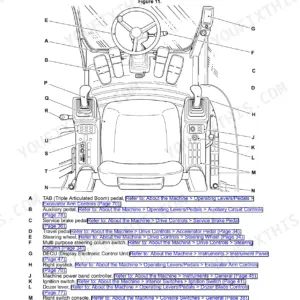
| About the Product | 19-32 | Introduction, Product and Component Identification, Safety Labels, Operator Station, Interior Switches, Console Switches |
| Operation | 33-138 | Introduction, Operating Safety, Worksite Safety, Walk-Around Inspection, Entering and Leaving the Operator Station, Doors, Windows, Battery Isolator |
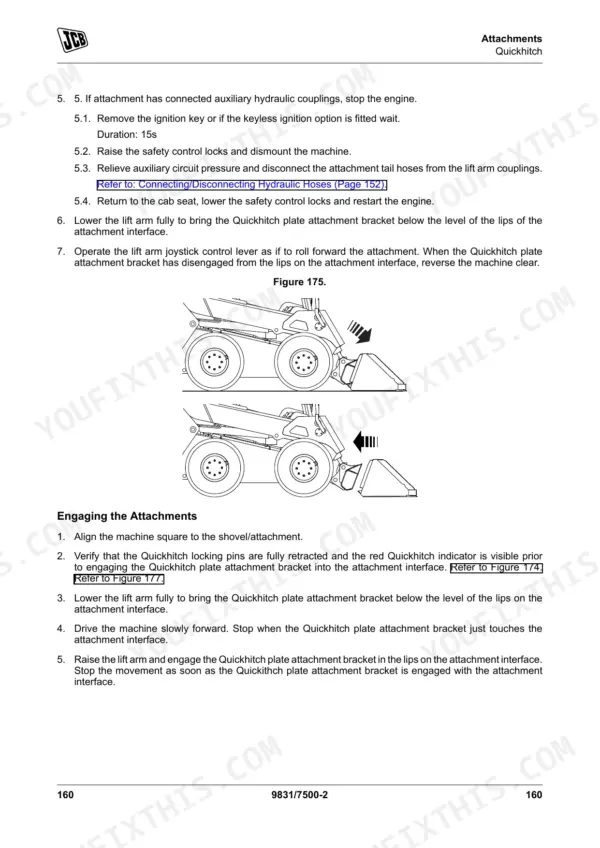
| Attachments | 139-196 | Working with Attachments, Attachment Frame, Quickhitch, Shovels, Forks, Manure Forks, Snow Blade, Winch |
| Preservation and Storage | 197-202 | Cleaning, Preparation, Checking for Damage, Storage, Security |
| Maintenance | 203-272 | Introduction, Service/Maintenance Agreements, Maintenance Safety, Fluids and Lubricants, Maintenance Schedules, Maintenance Positions, Service Points, Access Apertures |
| Technical Data | 273-328 | Static Dimensions, Performance Dimensions, Noise Emissions, Vibration Emissions, Fluids, Lubricants and Capacities, Torque Values, Electrical System |
Quick Reference Specifications
| Specification | Value | Page |
|---|---|---|
| Hydraulic fault code reset | Not found as a user-accessible reset procedure; 'Service required' for low hydraulic charge pressure. | p. 84 |
| Service interval reset procedure | Press and hold the information switch for 3s | p. 80 |
| Track sprocket bolts torque | 368 N·m | p. 313 |
| ROPS/FOPS mounting nuts torque | 205 N·m | p. 313 |
| Mounting Nuts A, B torque | 205 N·m | p. 313 |
| Lifting Eyes A torque | 190 N·m | p. 313 |
| Hydraulic oil pressure warning | Hydraulic charge pressure is too low - Service required | p. 84 |
| Hydraulic System total capacity | 55 L | p. 305 |
| Hydraulic Tank capacity | 26 L | p. 305 |
| Safety label replacement instruction | Replace a lost or damaged safety label | p. 25 |
| Wheels Front torque | 220 N·m | p. 313 |
| Wheels Rear torque | 220 N·m | p. 313 |
JCB 250 & variants Common Problems This Manual Covers
JCB 250 skidsteer loader shows OL code on dash and lift arm will not raise
Inspect the dashboard for the OL overload alarm. Remove excess load from the platform immediately to restore lift functions. Verify the hydraulic fluid level in the sight glass, ensuring the system contains its total capacity of 55L as shown on page 305.
Manual Section: Technical Data p. 305Maintenance warning remains on display after completing daily checks and fluid top-offs
Reset the service interval warning by pressing and holding the information switch for 3s as instructed on page 80. Check the engine oil filter cartridge cap torque, tightening it to exactly 25N·m. Start the machine and confirm the warning clears.
Manual Section: Operation p. 80Machine pulls to one side during operation and front tires show signs of heavy distortion
Inspect all tires for embedded objects, cuts, or leaks. Inflate the 12 x 16.5 10 Ply Camso Xtra Wall tires to exactly 4.1bar (59psi) using an accurate gauge. Torque the front and rear wheel nuts to 220N·m as specified on page 313.
Manual Section: Technical Data p. 313Squeaking noise from the front lift arms when raising or lowering the bucket under load
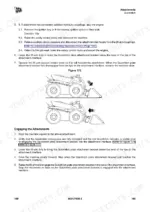
Clean the grease fittings on the attachment frame before applying fresh lubricant. Grease the 4 quickhitch pivot pins thoroughly to prevent dry trunnions, following the maintenance intervals. Verify the safety labels near the pinch points are readable.
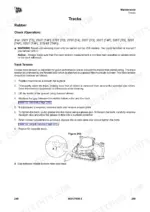
Manual Section: Maintenance p. 240Rubber tracks slipping on the drive sprockets or sagging heavily during forward travel
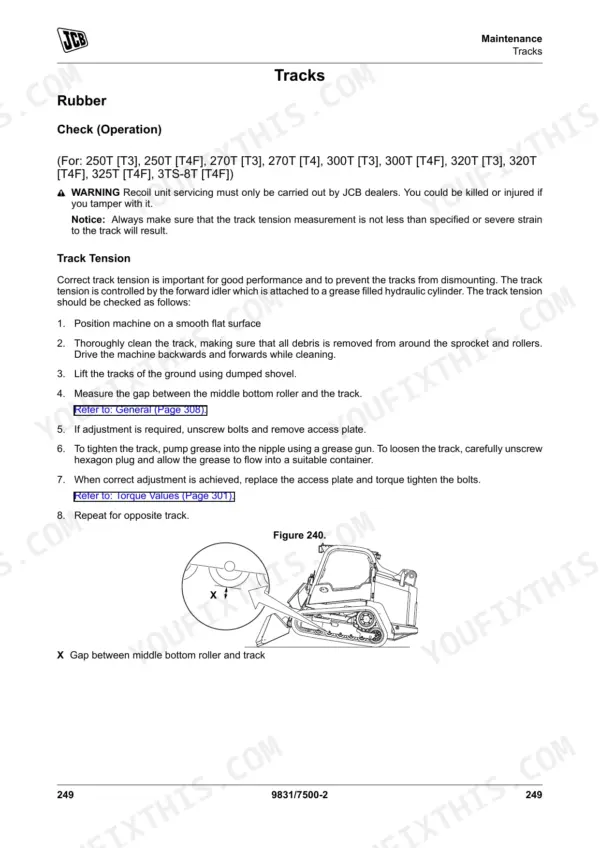
Measure the track sag at the center roller using a straight edge. Adjust the grease cylinder until you achieve the minimum track tension of 25mm as detailed on page 320. Clean off any excess grease and test drive the machine on level ground.
Manual Section: Technical Data p. 320Frequently Asked Questions
How do I reset the service light on a JCB 250T?
The service light, which displays the time to the next service, illuminates for 3 seconds. To reset it, press and hold the information switch for 3 seconds. p. 80
How do I reset the parking brake warning on a JCB 330?
The park brake warning light illuminates when the park brake is on and drive controls are disabled. To turn off the park brake and enable controls, press the park brake+ switch. If the machine moved during a test, drive it to a flat location and contact your JCB dealer to inspect the brake. p. 82
What are the replacement specifications for Hydraulic fluid?
For hydraulic fluid, JCB recommends 'JCB extreme performance hydraulic fluid 22' for climates below -18°C (-0°F) or 'JCB optimum performance hydraulic fluid 46'. The system total capacity is 55L, with the tank holding 26L. p. 305
What are the replacement specifications for Safety and instructional labels?
Each safety label has a part number printed on it, which should be used to order a new safety label from your JCB dealer. Examples of part numbers for safety labels include 334/P0307 for a combination crush hazard/seat belt warning and 332/L8248 for a noise warning. p. 25
What do I get after purchasing this JCB 250 & variants manual?
This is a 328-page searchable PDF ready for immediate download. Works on any device, so pull it up on your phone while you're under the hood. No shipping, no waiting.
Can I print pages of this manual for my own shop?
Yes. Print the pages or sections you need for your own shop use. Any standard printer works.










Reviews
There are no reviews yet.