
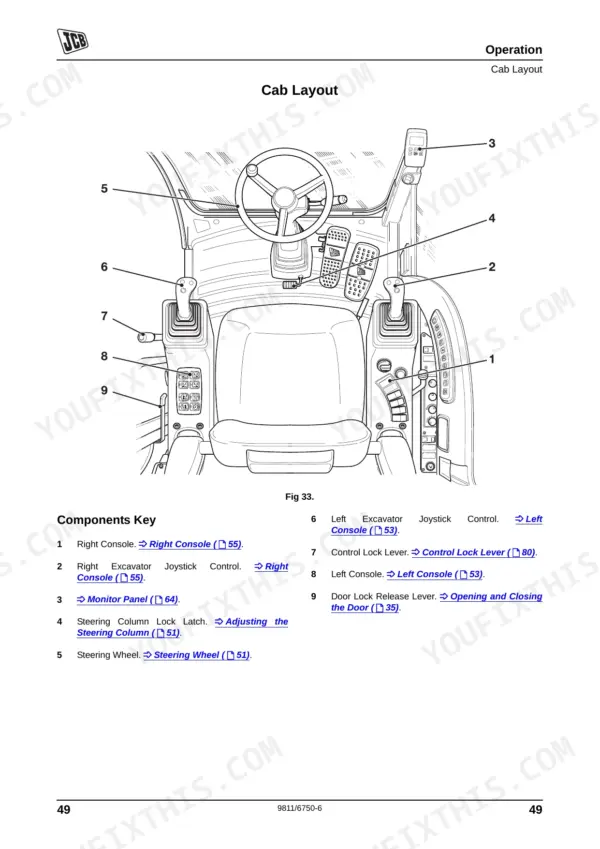
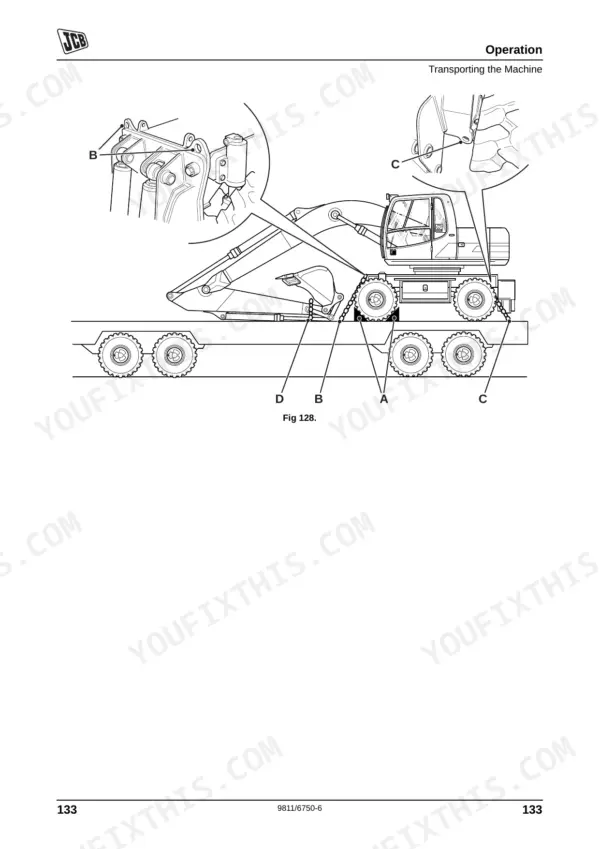
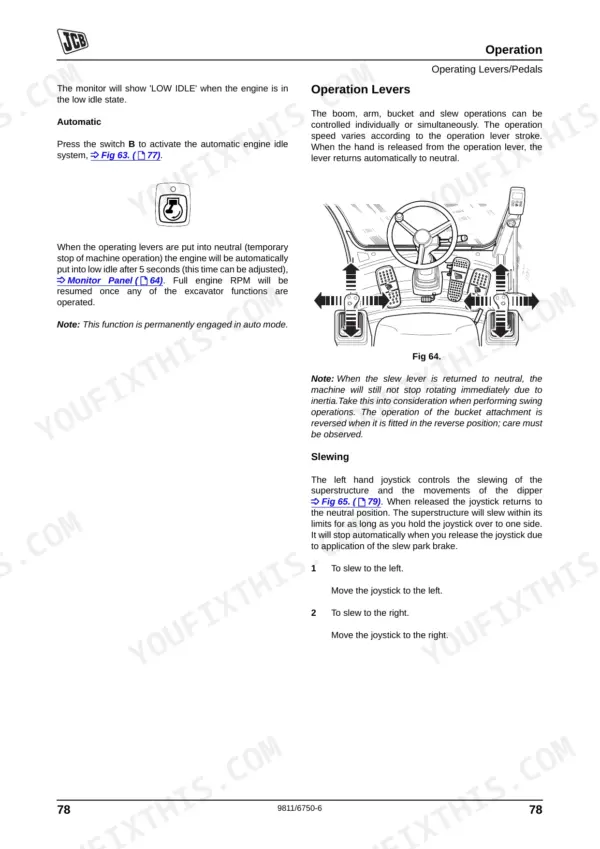
Getting a new operator up to speed on your wheeled excavator fleet? This 307-page JCB JS145W operator manual pdf (OEM #9811/6750) covers every daily maintenance checklist and cab control for the JS130W, JS145W, JS160W, JS175W, and JS200W models. Inside, you get complete dashboard indicator guides, daily walkaround schedules, and a full section on troubleshooting common error codes. Open to the routine maintenance chapter for exact fluid capacities, grease point locations, and factory load charts to keep your lifts safe. Lock down the wheel nuts to exactly 500 Nm (369 lbf ft) before sending the machine back to the job site. An ignored warning light or skipped service interval can cost you an engine. Grab this bookmarked download, drop it on your tablet, and keep your preventative maintenance strictly by the book.
Complete the set for your JS130–JS200 Series
Other editions of this manual
- JCB JS145W, JS160W Wheeled Excavator Operator Manual Original price was: $30.99.$19.99Current price is: $19.99.
- JCB JS130W, JS150W Wheeled Excavator Operator Manual Original price was: $26.99.$19.99Current price is: $19.99.
What's Inside This JCB JS130–JS200 Series Operator Manual
| System | Pages | Key Topics |
|---|---|---|
| Safety Notices | 9-10 | Important Information (Operator Manual, Safety Warnings) |
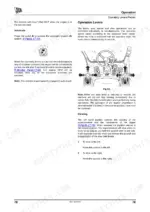
| Operation | 35-148 | Introduction, Before Entering the Cab, Entering and Leaving the Cab (Standard Cab Machines, Hydraulic Raised Cab Machines, Fixed Raised Cab Machines, Emergency Exit) |
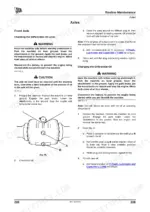
| Routine Maintenance | 149-252 | Service Schedules, Fluids, Lubricants and Capacities, Electrical System, Engine, Fuel System, Hydraulic System, Troubleshooting |
| Optional Attachments | 253-266 | Quick Release Couplings, Grab/Changeover Valves, Hydraulic Rockbreaker, Crusher, Weedcutter |
| Specifications | 267-300 | Static Dimensions, Dig Depth Chart, Shipping Weight, Tyre Pressures, Turning Radius, Travel Speeds |
| Warranty Information | 301-304 | |
| European Community Standards | 305-307 |
Quick Reference Specifications
| Specification | Value | Page |
|---|---|---|
| JS130W, JS145W, JS160W, JS175W | ||
| Wheel Nuts Tightening Torque | 500 Nm (369 lbf ft) | p. 185 |
| Radiator Tightening Torque | 65 Nm (48 lbf ft) | p. 185 |
| Transmission Tightening Torque | 94 Nm (69 lbf ft) | p. 185 |
| JS175W | ||
| Hydraulic Pump Tightening Torque | 68 Nm (50 lbf ft) | p. 185 |
| JS200W | ||
| Hydraulic Pump Tightening Torque | 68 Nm (50 lbf ft) | p. 186 |
| Radiator Tightening Torque | 65 Nm (48 lbf ft) | p. 186 |
| Transmission Tightening Torque | 94 Nm (69 lbf ft) | p. 186 |
| All Models | ||
| Slew Motor Replacement | Replace slew motor | p. 251 |
| Pilot Oil Filter Bowl Tightening Torque | 24.4 to 34.3 Nm (18.07 to 25.5 lbf ft) | p. 229 |
| Servo Filter Element Replacement Interval (25-50% use) | 500 hrs | p. 149 |
| Hydraulic Ram Seals Replacement | Replace hydraulic ram seals | p. 250 |
| Normal Engine Coolant Operating Temperature | 90°C | p. 192 |
JCB JS130–JS200 Series Common Problems This Manual Covers
JCB JS130W engine coolant temperature gauge reading high and monitor display showing overheating warning
Check the troubleshooting procedures. Inspect the radiator grille for debris blockages. Verify the coolant level in the expansion tank is adequate. Normal engine coolant operating temperature is 90°C as noted on page 192. Clean the radiator fins carefully using compressed air.
Manual Section: Routine MaintenanceE01 fault code displayed on monitor with unresponsive boom movement and low hydraulic pressure
Inspect the monitor for specific fault codes using the reference. Check the hydraulic oil level in the sight glass. If operating a hydraulic rockbreaker over 75 percent of the time, replace the breaker in-line filter every 100 hrs as specified on page 154.
Manual Section: Routine MaintenanceWarning light flashing on dashboard during morning startup accompanied by low engine oil pressure
Verify the engine oil level using the dipstick before starting. Drain and refill the oil if it is contaminated. Maintain the correct engine oil capacity of 15 litres (4 US gal) for JS130W to JS160W models as shown on page 164. Inspect the filter housing for leaks.
Manual Section: Routine Maintenance p. 164Engine does not start or turns over very slowly when turning the ignition switch
Test the battery connections for tightness and clean away any visible corrosion. Verify the battery system voltage is at 24 volts as detailed on page 190. Check the main fuses in the battery box. Consult the troubleshooting procedures if the starter switch feels defective.
Manual Section: Routine MaintenanceFrequently Asked Questions
How do I reset the service light on a JCB JS130W / JS145W / JS160W / JS175W?
The 'Service Required' warning light illuminates when a service is due. If it is a minor service (250 hours), the warning can be cancelled by pressing the ACK switch on the monitor. For a major service (500 hours), the warning will illuminate continuously, requiring contact with your JCB dealer. p. 65
How do I clear fault codes on a JCB wheeled excavator?
To clear certain fault messages, such as 'CHECK Q/H' or 'OVERLOAD', press the ACK switch on the monitor. For 'CHECK Q/H', press the ACK switch within 5 seconds. For 'OVERLOAD', pressing the ACK button will cancel the buzzer and the message. p. 76
What does error code mean on a JCB JS200W?
The manual provides a list of monitor messages and their meanings. For example, if the 'WATER TEMP' message is displayed, it indicates 'Water leakage' and the remedy is 'Repair'. If 'OIL PRESS' is displayed, it means 'Low Engine oil' and the remedy is 'Refill'. p. 247
How do I reset the travel alarm or immobilizer on a JCB JS160W?
To disarm the immobiliser system, turn the ignition key to position I. The EMS will display 'ENTER CODE'. Use the numbered buttons on the fascia panel to enter a valid 4 digit operator code, then press the ACK button. The immobiliser automatically arms itself when the ignition is turned to the 0 (OFF) position for more than 30 seconds (software v13.00 and v14.00) or 2 minutes (software v15.00 onwards). p. 96
How do I reset the hydraulic pressure or implement lockout on a JCB JS175W?
To release hydraulic pressure, park the machine on hard, level ground and lower the attachment. Stop the engine, turn the ignition to the 'ON' position, and lower the control lock lever. Then, operate the hand controllers in all directions to release pressure in the hydraulic system. p. 214
What do I get after purchasing this JCB JS130–JS200 Series manual?
This is a 307-page searchable PDF ready for immediate download. Works on any device, so pull it up on your phone while you're under the hood. No shipping, no waiting.
Can I print pages of this manual for my own shop?
Yes. Print a chapter or just the pages for the job at hand, for use in your own shop. Any home or office printer works.
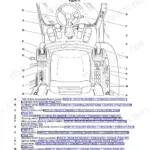
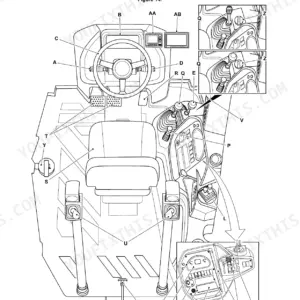
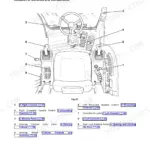
![JCB JS145W, JS160W, JS20 MH, JS145W [T4F], JS160W [T4F] operator station component location diagram and control list.](https://youfixthis.com/wp-content/uploads/2026/06/jcb-js145w-to-mh-wheeled-excavator-operator-manual-9831-5150-controls-29-150x150.webp)
Reviews
There are no reviews yet.