
Part of the JCB Operator Manuals.
Before you put your wheeled excavator to work, grab this 282-page JCB JCB Hydradig 110W operator manual PDF (OEM #EN - 9821/9400 ISSUE 5) to master every control and service schedule. Open to the maintenance section to find exact daily walk-around checks, fluid capacities, and step-by-step lubrication schedules. You also get a massive breakdown of dashboard controls, quickhitch attachment procedures, and a full list of error codes to figure out what your machine is trying to tell you. Verify your AUX1 Hi-Flow circuit is pushing 120 L/min at 210 bar, and make sure those wheel nuts are tightened to exactly 680 N-m before hitting the road. Stop guessing what that dashboard warning light means. Download the bookmarked file, pull it up on your phone, and keep your excavator digging.
What's Inside This JCB JCB Hydradig 110W Operator Manual
| System | Pages | Key Topics |
|---|---|---|
| Acronyms Glossary | 12 | 2WS, 4WS, Cesar, ECU, Fead, Fogs |
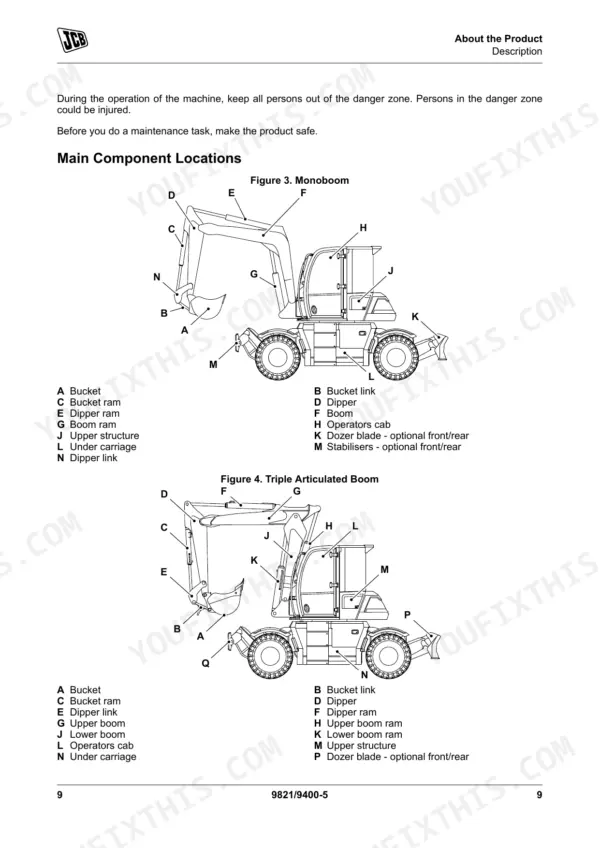
| About the Product | 19-36 | Introduction, Product and Component Identification, Safety Labels, Operator Station, Interior Switches, Console Switches |
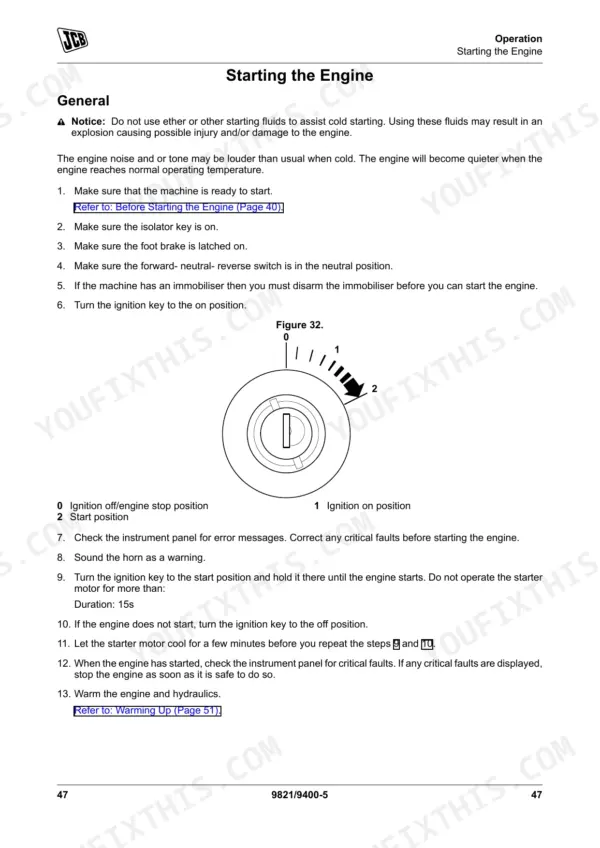
| Operation | 37-128 | Introduction, Operating Safety, Risk Assessment, Walk-Around Inspection, Entering and Leaving the Operator Station, Doors, Windows, Sun Visor/Sunblind |
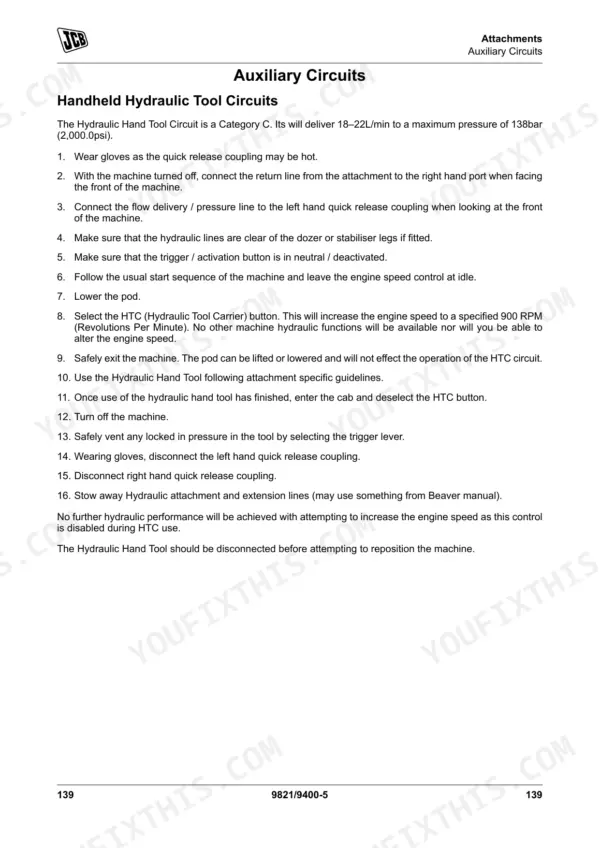
| Attachments | 129-156 | Working with Attachments, Direct-Mounted Attachments, Quickhitch, Auxiliary Circuits, Forks, Trailers |
| Preservation and Storage | 157-162 | Cleaning, Checking for Damage, Storage, Security |
| Maintenance | 163-218 | Introduction, Maintenance Safety, Maintenance Schedules, Service Points, Access Apertures, Tools, Lubrication |
| Technical Data | 219-276 | Static Dimensions, Performance Dimensions, Noise Emissions, Vibration Emissions, Fluids, Lubricants and Capacities, Torque Values, Electrical System |
| Warranty Information | 277-282 | Service Record Sheet |
Quick Reference Specifications
| Specification | Value | Page |
|---|---|---|
| Wheel nuts torque | 680N·m | p. 237 |
| Valve clearances | Check/Adjust | p. 173 |
| Grease quantity for pivot points | two strokes of the grease gun | p. 183 |
| AUX1 Hi-Flow Maximum Flow | 120L/min | p. 271 |
| AUX1 Hi-Flow Maximum Pressure | 210bar (3,043.5psi) | p. 271 |
| Engine Oil Capacity | 14L | p. 232 |
| Cooling System Capacity | 28L | p. 232 |
| Hydraulic System Capacity | 190L | p. 232 |
| Differential Axle Capacity (Rear) | 14.2L | p. 232 |
| Differential Axle Capacity (Front) | 14.2L | p. 232 |
| Hub Axle Capacity | 1.9L (x4) | p. 232 |
| Transmission Drop Box Capacity | 1L | p. 232 |
JCB JCB Hydradig 110W Common Problems This Manual Covers
JCB Hydradig 110W warning buzzer sounds and machine will not switch into highway travel mode.
Verify the upper structure is slewed to the straight ahead position, reverse steer (if installed) is switched off, and the machine is stationary. Refer to 'Road Travel Mode' on page 76. If conditions are not met, a check sheet will appear on the display showing which conditions are outstanding.
Manual Section: Operation p. 76Electrical fault codes active on dashboard and upper ECU loses communication with lower ECU.
Review the active fault codes in the error code reference on page 238. Inspect the electrical swivel and rotary connector for damaged wiring. Test the 12V battery system voltage and clean the main communication path harness connectors to clear the fault.
Manual Section: Technical Data p. 238Auxiliary hydraulic attachments operate slowly or operating functions feel sluggish and unsafe during setup.
Check the hydraulic oil sight glass to ensure the 190L system is full. Verify the AUX1 Hi-Flow circuit is programmed to deliver 120L/min using the specifications on page 271. Clean the attachment line strainer screens and grease all pivot points.
Manual Section: Technical Data p. 271Clicking noise from wheels during road travel or loose wheel condition after recent service.
Torque all wheel nuts to exactly 680N·m using the technical specifications on page 237. Inspect the tyre inflation condition and look for damage around the rim edges. Apply exactly two strokes of the grease gun to the steering pivot points.
Manual Section: Technical Data p. 237Frequently Asked Questions
How do I reset a JCB Hydradig 110W fault code?
Amber faults on the JCB Hydradig 110W can be acknowledged and cleared from the display by pressing the 'tick' button or the rotary control knob. However, all red critical faults cannot be cleared from the display and require stopping the machine and contacting your JCB dealer for assistance. p. 80
What does the JCB Hydradig 110W error code mean?
The meaning of JCB Hydradig 110W error codes (fault codes) can be found in Table 49, which lists the fault code and its corresponding description. For example, the fault code B16AC-04 means "FAN SPEED SENSOR Error". p. 238
What is the torque spec for JCB Hydradig 110W wheel nuts?
The torque specification for JCB Hydradig 110W wheel nuts is 680 N·m. This information is provided in Table 47 under the "Torque Values" section of the manual. p. 237
How do I reset service interval on a JCB Hydradig 110W?
To reset the service interval on a JCB Hydradig 110W, navigate to the service menu screen. Once on this screen, press and hold the select button for more than 20 seconds. p. 69
What format is this manual in?
A 282-page Operator Manual in searchable PDF format, available the moment you complete checkout. View on computer, tablet, or phone, with no shipping wait.
Am I able to print pages from this manual?
Yes. Many mechanics print the section they need for their own shop and bring it to the bench.











Reviews
There are no reviews yet.