
Part of the New Holland Operator Manuals.
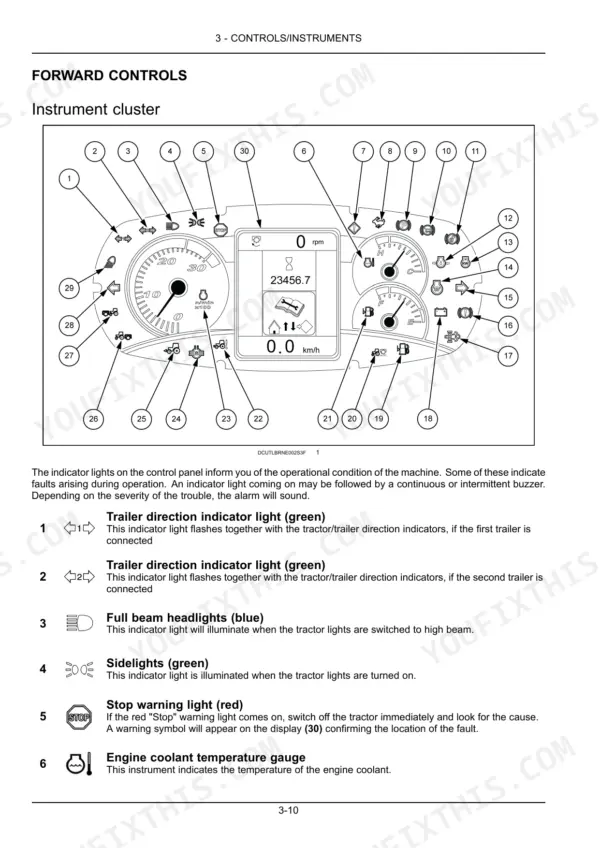
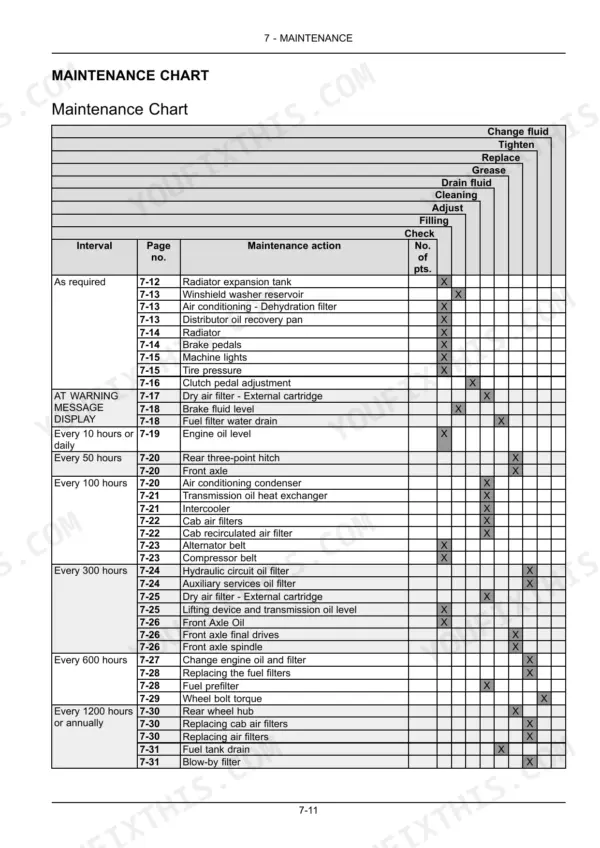
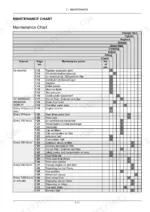
The New Holland T4.85, T4.95, T4.105 operator manual PDF sets up, runs and maintains your tractor across 262 pages of factory instruction, issued under OEM ID 47539288. A full maintenance chart anchors the service chapter, sorting every job by interval, from the daily engine oil check through 300-hour hydraulic filter changes, 600-hour fuel filters and the 3000-hour DPF service. Troubleshooting tables cover the engine, electrical system, three-point hitch, brakes and cab climate control, with instrument fault codes decoded. Working operations take in PTO speeds, remote hydraulics, differential lock, wheel track adjustment and ballast. Fill the fuel tank to 115 l (30 US gal) and torque the 4WD front wheel disc-to-hub nuts to 255 N·m (188 ft-lbs). Front wheels off, track half set, one torque figure missing. Bookmarked chapters and a searchable text layer find it quickly, so your T4 is running again and back in the field before the weather closes the window.
What's Inside This New Holland T4.85, T4.95, T4.105 Operator Manual
| System | Pages | Key Topics |
|---|---|---|
| General Information | 9-22 | Introduction, Running-In Period, Fuel Supply, Biodiesel Fuel - Biodiesel Fuels, Body Maintenance, Opening the Hood, Fluids and Lubricants |
| Safety Information | 23-42 | Safety Rules and Signal Word Definitions, Air Conditioning Safety Regulations, Cab Guard, Machine Stability, Personal Protective Equipment, Tractor Jacking Points |
| Controls/Instruments | 43-84 | Access to Operator's Platform (Cab), Operator's Seat (Mechanically-Adjusted Operator Seat - Adjust, Pneumatically-Adjusted Operator Seat - Adjust, Seat Belt) |
| Operating Instructions | 85-98 | Starting the Unit (Starting the Engine, Machine Movement Start-Up), Stopping the Unit (Stopping the Engine) |
| Transport Operations | 99-100 | Road Transport (Transporting the Machine), Recovery Transport (Towing the Tractor) |
| Working Operations | 101-144 | Four Wheel Drive (Four-Wheel Drive: Mechanical Engagement, Electro-Hydraulic Control), Differential Lock (Mechanical Differential Lock) |
| Maintenance | 145-198 | Maintenance Chart |
| Troubleshooting | 199-214 | Fault Code Resolution (Troubleshooting Engine, Electrical System - Troubleshooting Electrical System, Hydraulic Systems - Troubleshooting Hydraulic System, Rear Three-Point Hitch - Troubleshooting Hydraulic Lift and 3-Point Linkage, Hydraulic Service Brakes - Troubleshooting, Cab Climate Control - Troubleshooting) |
| Specifications | 215-224 | Dimensions and Weights, Maximum Permitted Loads on Front and Rear Axle, Maximum Permitted Loads on Drawbar, Technical Data |
| Accessories | 225-262 | Radio, Joystick and Electric Hydraulic Control - Operating, Front Loader and Bucket - Operating |
Quick Reference Specifications
| Specification | Value | Page |
|---|---|---|
| 4WD front wheels Disc to hub nuts (18" - 20" - 24" rims) | 255 N·m (26 kgm, 188 ftlbs.) | p. 130 |
| 4WD front wheels Disc to hub nuts (28" - 30" rims) | 255 N·m (26 kgm, 188 ftlbs.) | p. 130 |
| Retention screws (1) and (2) on each side | 220 N·m (22.5 kgm, 162.7 ftlbs.) | p. 129 |
| Steering struts fixing screws (3) | 39 N·m (4 kgm, 29 ftlbs.) | p. 129 |
| Fuel tank capacity | 115 l (30 US gal) | p. 149 |
| Hydraulic circuit oil filter tightening | 3/4 of a turn by hand | p. 168 |
| Auxiliary services oil filter tightening | 3/4 of a turn by hand | p. 168 |
| Engine oil filter tightening | 3/4 of a turn, or a full turn at most | p. 171 |
| Fuel filter tightening | 3/4 of a turn by hand | p. 172 |
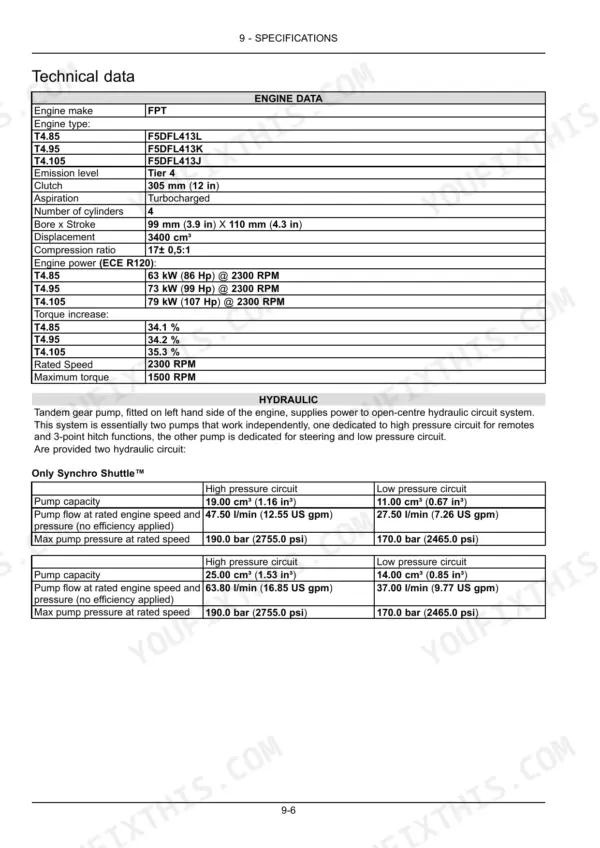
| Max pump pressure at rated speed (High pressure circuit) | 190.0 bar (2755.0 psi) | p. 220 |
| Max pump pressure at rated speed (Low pressure circuit) | 170.0 bar (2465.0 psi) | p. 220 |
| Engine oil capacity | 8.5 l (2 US gal) | p. 154 |
New Holland T4.85, T4.95, T4.105 Common Problems This Manual Covers
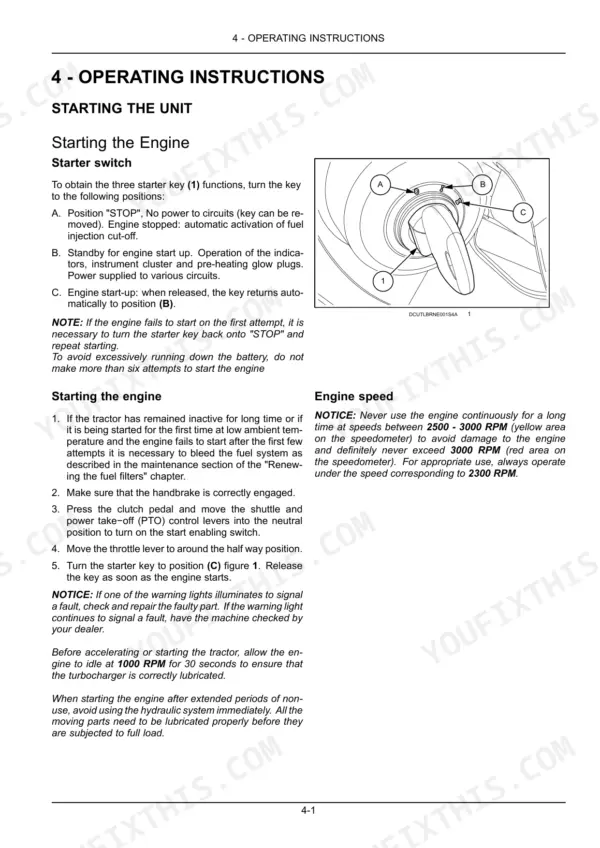
New Holland T4.105 tractor fuel system problem, engine will not start or starts with difficulty
Shut off the engine, engage the parking brake, lower attachments and remove the key before servicing, as the warning on page 199 requires. Check the fuel level, bleed air from the fuel system and replace a clogged fuel filter element, tightening it 3/4 of a turn by hand per page 172. Confirm the fuel suits the ambient temperature. If you suspect an injector fault, contact your dealer.
Manual Section: Troubleshooting Engine p. 199Engine overheating with coolant temperature warning on the display during heavy field work
Stop the engine and let it cool; page 36 says to wait for all components to cool before doing any work. Clean the radiator core, top up the expansion tank and check the system for leaks per page 200. Check the fan belt tensioning device and replace a worn belt, replace a defective radiator cap and tighten leaking hose connectors. Shift to a lower gear or reduce the load to stay working in the field.
Manual Section: Troubleshooting Engine p. 200Battery charge light stays on while the engine is running and batteries are not charging
Check that battery charge is at least 12.6 V, then check electrolyte level and specific gravity per page 201. Do not weld, grind or smoke near the battery, and never short the posts with metal tools (page 37). Clean and tighten loose or corroded terminals, check the alternator belt tensioner and raise a low idle speed. If the light stays on, have your dealer check the alternator.
Manual Section: Electrical System Troubleshooting p. 201Hydraulic system not working properly and hydraulic fluid overheating while running remote hydraulics
Lower attachments to the ground and shut off the engine before servicing (page 199). Check the oil level and top up, then replace a clogged hydraulic filter, tightening it 3/4 of a turn by hand per page 168. Never alter the relief valve calibration (page 24). If the cause is incorrect flow regulation, a stuck spool valve or a venting relief valve, call your dealer.
Manual Section: Hydraulic System Troubleshooting p. 202Rear three-point hitch lowers slowly or hydraulic lift operates slowly in draft control
Stay clear of the linkage, and never stand between the tractor and the three-point linkage while operating the lift controls (page 16). Adjust the combined draft/position control and check implement settings per page 203. If the hitch lowers slowly because the lowering speed control is set wrong, have the control valve checked. If the electronic lift shows a fault code, call your dealer before the weather window closes.
Manual Section: Rear Three-Point Hitch Troubleshooting p. 203Remote control valve does not work and hoses will not join together properly at couplers
Clean dirt or soil out of the coupling and connect the hoses correctly per page 202. Oil escaping under pressure can cause serious injury (page 27), so handle couplers with care. Replace damaged male couplers with standard ISO 1/2 inch connectors from your dealer. Work the control levers to check oil flow in the half-couplers, and replace the male half-couplers if the problem persists. If the system is overloaded, reduce the load or use a suitable cylinder.
Manual Section: Hydraulic System Troubleshooting p. 202Frequently Asked Questions
How do I reset the oil change counter on my New Holland T4 tractor?
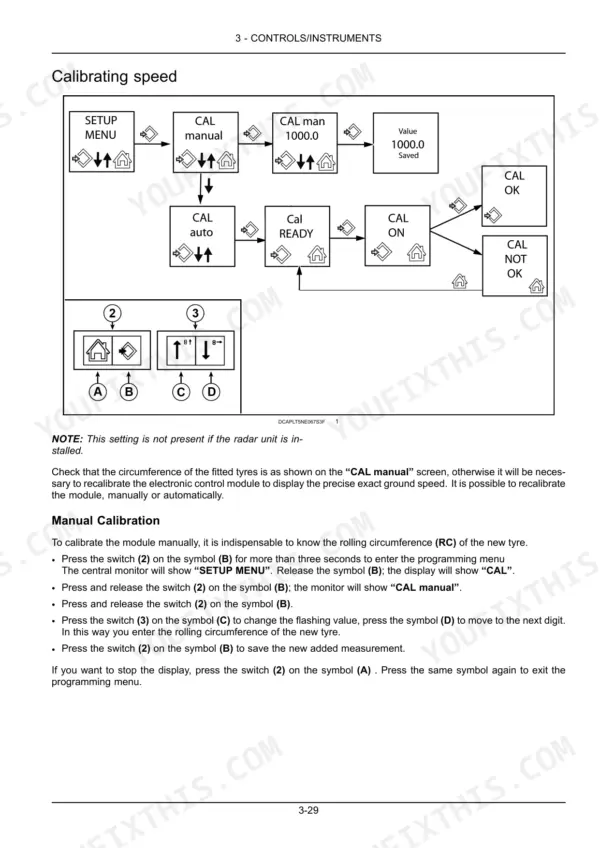
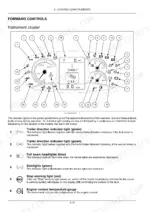
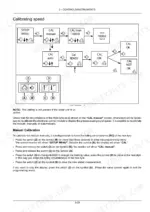
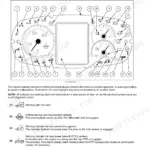
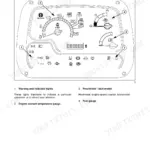
To reset the oil change counter, press the switch (2) on the symbol (B) for more than three seconds to enter the programming menu. Navigate to the "OIL RESET" S1 screen using the switch (3) on the symbol (D), then press the switch (2) on the symbol (B) to display "RESET". Press the switch (2) on the symbol (B) again to reset the hour meter; the monitor will display "OFF". p. 83
How do I perform a manual calibration of the transmission power shuttle?
To perform a manual calibration, park on level ground, engage the park brake, and ensure the operator is in the seat. Enter the programming menu by pressing switch (2) on symbol (B) while powering up the panel, then start the engine. Set the engine speed to 1300 RPM +/- 50 RPM, select 3rd range and 1st gear, and place the shuttle lever in Forward or Reverse. Follow the on-screen prompts to calibrate each clutch (A, B, etc.) by pressing the switch (2) on the symbol (D) to begin the current progression. p. 195
How do I view active error codes on the tractor's display?
To view error codes, enter the programming menu by pressing the switch (2) on the symbol (B) for more than three seconds. Navigate using the switch (3) on the symbol (D) until the monitor shows the symbol for error codes (S1), then press the switch (2) on the symbol (B) to view the codes in memory. Each code is displayed three times, blinking for 4 seconds. p. 84
What are the fuel filter replacement specifications for the New Holland T4.85, T4.95, T4.105?
When replacing fuel filters, fill the two new filters with clean fuel, oil the two gaskets, and screw the filters back on into contact with the support. Tighten them by hand by 3/4 of a turn. After installation, open the bleed valve (3) and operate the priming pump (4) until fuel comes out of the bleed valve. p. 172
What is the procedure for replacing the hydraulic circuit oil filter?
Replace the filter cartridge (1) every 300 hours. Lightly oil the seal, then screw on and tighten the cartridge 3/4 of a turn by hand. Finally, top up with new oil. Ensure a container is placed under the filter (1) before renewing it to collect the oil that will flow out. p. 168
What format is this New Holland T4.85 manual in?
Immediate download of the complete 262-page searchable Operator Manual. Access it on any device, from a laptop at your desk to a phone in the field.
Can I print this New Holland T4.85 manual?
Yes. Print the pages you need for the job in your own shop, and bin them when they get greasy.






Reviews
There are no reviews yet.