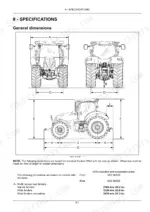
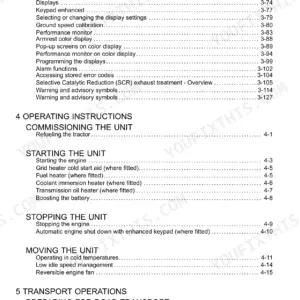
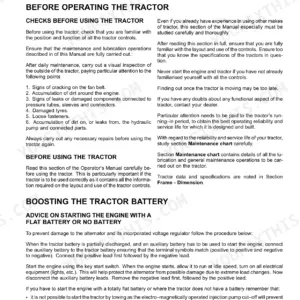
Rain in the forecast and a warning lamp you cannot identify is how field work stalls. This New Holland T7.175-T7.225 AutoCommand operator manual PDF, factory publication 51544491, answers that across 638 pages covering the T7.175, T7.190, T7.210 and T7.225 AutoCommand tractors, from starting procedures to the full maintenance chart. Electronic draft control, auto PTO engagement, and the electro-hydraulic remote valves each get their own settings and operation sections, and maintenance is laid out by service interval from daily checks onward. Troubleshooting pages decode the stored error codes your instrument cluster throws. Before plumbing a remote line, confirm your pressure hoses carry a 295 bar working rating; when the duals go back on, torque the rear disc to hub nuts to 341 Nm (252 lb ft). A job should never wait on one tire pressure. Bookmarked and keyword searchable, this PDF hands you the right fluid spec the first time, while the weather holds.
What's Inside This New Holland T7.175-T7.225 AutoCommand Operator Manual
| System | Pages | Key Topics |
|---|---|---|
| General Information | 13-36 | Introduction, Fuel Requirement - Diesel Fuel, Fuel - Storage, Handling and Transport, Biodiesel Fuel, Change the Engine Oil, Protective Devices, Tractor Jacking Points |
| Safety Information | 37-76 | Safety Precautions, Safety Decals, Safety Rules, Burn Prevention, Prevention of Fire or Explosions, Fire Extinguisher, Protection Offered by the Tractor |
| Controls and Instruments | 77-200 | Access to Operator's Platform (Introduction, Cab Air Filters, In Cab Storage, Cable and Wiring Routing, Mobile Telephone Usage, Implement Monitor Installation) |
| Operating Instructions | 201-212 | Commissioning the Unit (Refueling the Tractor), Starting the Unit (Starting the Engine, Grid Heater Cold Start Aid, Fuel Heater, Coolant Immersion Heater, Transmission Oil Heater) |
| Transport Operations | 213-216 | Preparing for Road Transport (Carrying the Tractor on a Transporter, Secure the High Visibility Roof Panel), Recovery Transport (Freeing a Stuck Tractor, Towing the Tractor) |
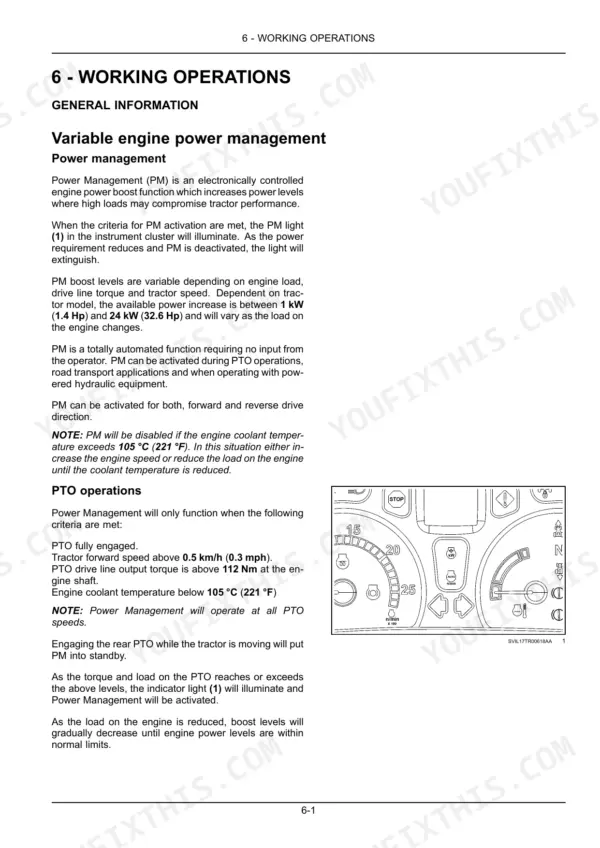
| General Information and Transmission | 217-287 | Variable Engine Power Management, Constant Engine Speed, Headland Turn Sequence, Transmission Operation, Drive Pedal, Engine Speed Control |
| Transmission Controls and PTO | 288-327 | Multifunction Handle, Transmission Range Lock, Cruise Mode, Rear Power Take-Off, Front Power Take-Off, Auto PTO Operation |
| Rear and Front Hitch | 328-356 | Electronic Draft Control, Hitch Float, External Hitch Controls, Front Hitch Management, Front Hitch Disabled |
| Electro-Hydraulic Remote Control Valves | 357-410 | Remote Control Valves, Control Lever Operation, EHR Quad Switch, Electronic Joystick Operation, Connecting Remote Cylinders, Attaching Three-Point Hitch Equipment |
| Drawbars, Towing, and Trailer Braking | 411-440 | Drawbars and Towing Attachments, Trailer Braking Systems, Air-Operated Trailer Brakes, Hydraulic Trailer Brakes, Trailer Brake Release Switch |
| Wheel Track Adjustment and Ballasting | 441-488 | Front Wheel Track Adjustment, Rear Wheel Track Adjustment, Dual Rear Wheels, Ballasting and Tires, Reconfigurable Inputs for ISO Bus Function |
| Maintenance | 489-638 | Maintenance Chart, When the Warning Lamp Lights (Change the Engine Air Cleaner Outer Element, Drain the Fuel System Water Separator, Check the Brake Fluid Level) |
Quick Reference Specifications
| Specification | Value | Page |
|---|---|---|
| Hydraulic hose temperature rating | 125 °C (257 °F) | p. 398 |
| Pressure and sensing hose working pressure | 295 bar (4278 psi) | p. 398 |
| Maximum flow available through ISO pressure port | 140 l/min (37.0 US gpm) | p. 399 |
| Rear disc to hub nuts (8x M18) | 341 Nm (252 lb ft) | p. 450 |
| Rear disc to rim nuts M16 nuts | 250 Nm (184 lb ft) | p. 450 |
| Fuel filter tightening torque | 15 Nm (11.1 lb ft) | p. 533 |
| Pressure washer limit for cooler section | 7 bar (102 psi) | p. 514 |
| DEF/AdBlue main filter | 10 µm | p. 555 |
| Charge pump oil filter housing torque | 40 Nm (30 lb ft) | p. 536 |
| Brake pedal clevis distance | 147 mm (5.8 in) | p. 565 |
| Starting motor power | 4.2 kW | p. 615 |
| Standard alternator output | 12 V, 120 A | p. 616 |
New Holland T7.175-T7.225 AutoCommand Common Problems This Manual Covers
New Holland T7 AutoCommand losing power under load with a fault code on the display
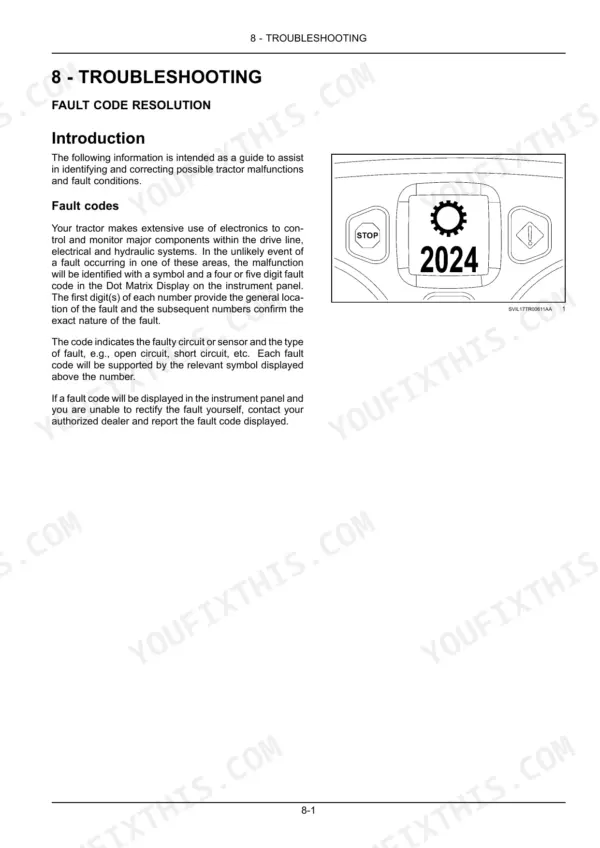
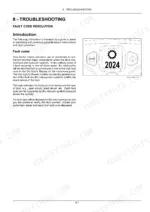
Note the symbol and the four or five digit fault code in the Dot Matrix Display: the first digit(s) give the general location of the fault and the following numbers its exact nature, such as an open or short circuit (page 589). For lack of power, the engine troubleshooting table on page 592 lists an overloaded engine, a restricted air cleaner, low operating temperature, overheating and clogged fuel filter(s). Drain the fuel system water separator when its warning lamp lights (page 501), and turn a new fuel filter a further ¾ turn after the gasket touches the head, to 15 Nm (11.1 lb ft) (page 533).
Manual Section: Fault Code Resolution p. 589Engine or drive line oil running hot, chaff packed into the cooler pack after dusty field work
Clean the cooler section every 50 hours (page 501). Check all cores for chaff and use compressed air or a pressure washer not exceeding 7 bar (102 psi); swing the air conditioner condenser out, raise the intercooler and oil cooler, and direct the air or water through each core from the back to the front, radiator first, then the condenser, then the drive line oil cooler, straightening any bent fins (page 514). Cores blocked with oily substances take a detergent solution removed with the pressure washer.
Manual Section: Maintenance p. 514DEF warning lamp on and engine derating even though the AdBlue tank reads full
The operator must keep the DEF/AdBlue level topped up at all times (page 201); the tank holds 56.0 L (14.8 US gal) (page 499). The DEF/AdBlue in-line filter is cleaned every 600 hours (page 501), and the 10 µm main filter under the DEF/AdBlue supply module is changed every 3600 hours or every 2 years by your authorized dealer (page 555). If a fault code shows with the lamp, report the code to your dealer (page 589).
Manual Section: Maintenance p. 555Engine cranks slowly or won't fire on frosty mornings before fall tillage
Follow the cold weather start on page 203: open the hand throttle halfway, turn the key to position (4) and wait while the grid heater light stays on for 10 – 15 s, then crank at position (5) for no more than 60 s; if cranking is not carried out within 30 s of the light going out, switch off and restart the sequence. If the engine still fails to start, let the battery recover for 4 – 5 min (page 204). The grid heater works down to -18 °C (0 °F); below that, a block coolant heater accessory takes it to -29 °C (-20 °F) (page 204).
Manual Section: Operating Instructions p. 203Brake pedal feels spongy and travels too far when hauling a loaded grain trailer
Check the brake fluid level when its warning lamp lights (page 501). A spongy pedal means air in the system, which requires bleeding by your authorized dealer; excessive pedal travel points to a leaking brake piston seal, bleed valve or brake valve, or worn brake discs (page 595). The hydraulically actuated brakes need no adjustment, but after linkage or master cylinder work set the clevis so the bulkhead to clevis hole distance is 147 mm (5.8 in) and check that the pedal latch engages (page 565).
Manual Section: Maintenance p. 595Rear wheel nuts working loose after adjusting wheel track for row crop spacing
Torque the rear disc to hub nuts (8x M18) to 341 Nm (252 lb ft) and the disc to rim nuts (M16) to 250 Nm (184 lb ft), then recheck after driving the tractor for 1 hour and again after 50 hours operation (page 450). The front and rear wheel nuts are also on the every 50 hours checks (page 501).
Manual Section: Wheel Track Adjustment and Ballasting p. 450Frequently Asked Questions
How do I reset a fault code on the New Holland T7.210?
To access stored error codes using the keypad, turn the ignition key ON, then depress and hold the menu/enter key. The setup menu will appear in the Dot Matrix Display (DMD), which will then change to the active clock menu. Release the menu/enter key, and by momentarily depressing it again, the active symbol will be replaced with a symbol corresponding to the fault detected. p. 177
How do I replace the fuel filters on the New Holland T7.175-T7.225 AutoCommand?
The primary and secondary fuel filters are both of the disposable type. When installing a new filter, coat the gasket with oil, rotate until it touches the filter head, and then tighten an additional 3/4 to 1 full turn to a torque of 15 Nm (11.1 lb ft). p. 533
What is the torque for the rear disc to hub nuts on the New Holland T7.175-T7.225 AutoCommand?
For tractors with a flanged axle, the rear disc to hub nuts (8x M18) should be tightened to 341 Nm (252 lb ft). p. 450
How do I bleed the fuel system on the New Holland T7.175-T7.225 AutoCommand?
If the engine fails to start after maintenance, loosen the low pressure pipe connection between the main filter and the fuel pump to allow trapped air to escape. Unscrew the primer pump knob and pump slowly until no air bubbles appear, then tighten the connection and screw the pump knob fully home. p. 563
What is the valve tappet clearance on the New Holland T7.175-T7.225 AutoCommand engine?
The valve tappet clearance for the engine is 0.25 mm (0.010 in) for the intake valves and 0.51 mm (0.020 in) for the exhaust valves, measured when cold. p. 606
Is this New Holland T7.175-T7.225 AutoCommand manual a PDF I download?
This is a 638-page searchable PDF ready for immediate download. Works on any device, so pull it up on your phone while you're under the hood. No shipping, no waiting.
Can I print this New Holland T7.175-T7.225 AutoCommand manual?
Yes. Many buyers print one chapter at a time for their own shop and keep the rest on a tablet.