
Part of the Yanmar Repair Manuals.
All 64 pages of this Yanmar Engine Diagnostic Service Tool (YEDST) Diagnostic Manual are built for one job: connecting to TNV series engines and pulling real diagnostic data through the YEDST software. You get a complete fault code section with Active and Logged Diagnostic Trouble Codes, freeze frame data with stored snapshots and trend graphs, and a full diagnostic test suite covering analog input/output, digital I/O, active control, and hysteresis measurement. ECU Identification maps every analog and digital channel assignment with full ECU ID data, and the System Installation section walks you through configuration, calibration, and tuning. Set your data monitor to 0.1-second sampling before a diagnostic session, and verify CAN communication is locked at 250k for any marine application. Stop chasing a fault code with guesswork. Bookmarked by section so you tap straight to Active DTCs or calibration without scrolling.
What's Inside This Yanmar YEDST Manual
| System | Pages | Key Topics |
|---|---|---|
| Overview | 3 | |
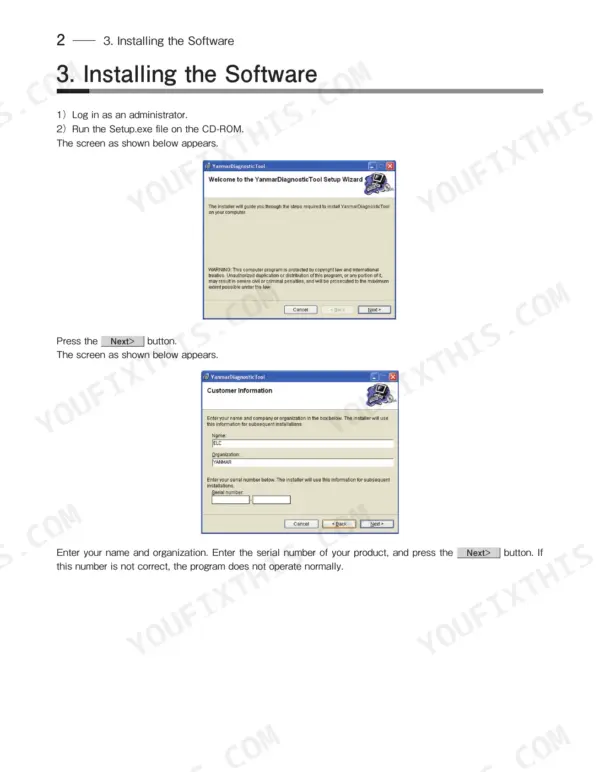
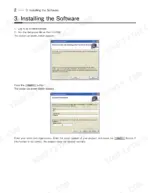
| Installing the Software | 4-5 | Log in As an Administrator, Run the Setup.exe File, Customer Information, Select Installation Folder, Confirm Installation, Installation Complete |
| Description of the System | 6 | Program, Authority and Password Management |
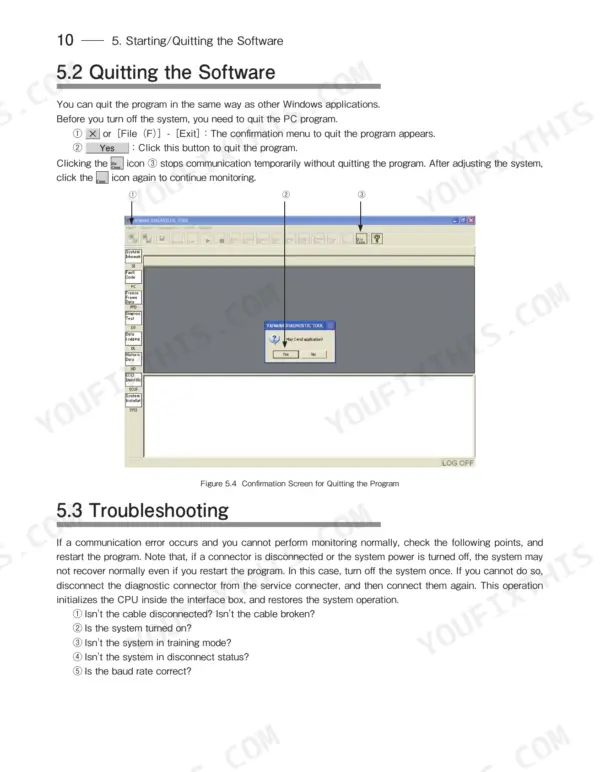
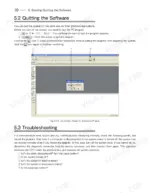
| Starting/Quitting the Software | 7-12 | Starting the Software (Connecting the System Components, Turning on the Devices, Installing the Usb Driver, Startup Screen), Quitting the Software, Troubleshooting |
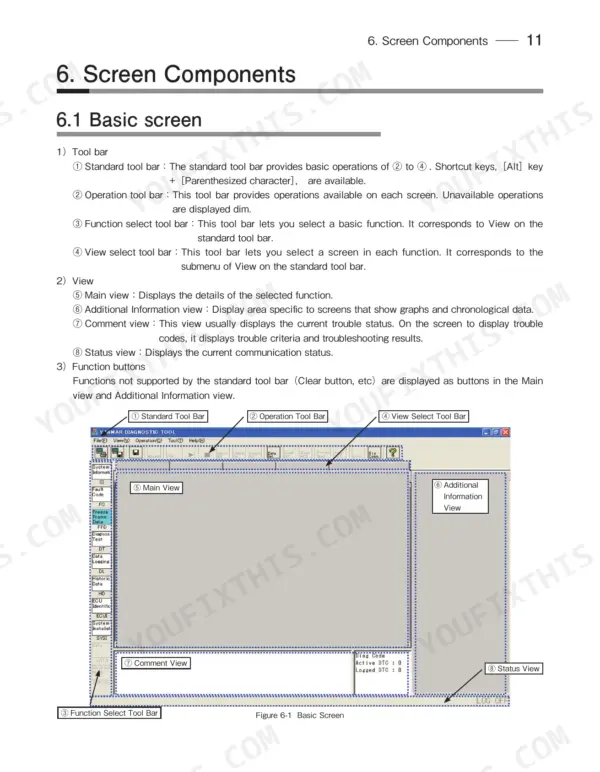
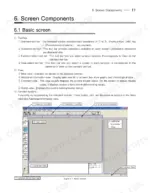
| Screen Components | 13-17 | Basic Screen (Standard Tool Bar, Operation Tool Bar, Function Select Tool Bar) |
| Freeze Frame Data | 19-21 | Stored Data, Trend Graph |
| Diagnostic Test | 22-30 | Analog/Pulse Input/Output Test, Digital Input Test, Digital Output Test, Active Control |
| Data Logging | 31-38 | Data Monitor, Stored Data, Trend Graph |
| Historical Data | 39-40 | Lifetime Data, RPM-Load Profile |
| ECU Identification | 41-43 | Analog Channels, Digital Channels, ECU ID Information |
| System Installation | 44-52 | Configuration, Calibration, Tuning |
| Setting the Graphs | 53-54 | Basic Operations in Analog Mode, Saving and Loading Setting Values |
| Graph Function | 55-58 | Setting the Graphs (Basic Operations in Analog Mode, Saving and Loading Setting Values, Digital Mode), Graph Operations |
| Print Function | 59 | |
| Tool Functions | 60-62 | System Setting, User Management, Changing a Password |
| Glossary | 63 | Block Size, Controller Area Network, Comma Separated Value, Destination Address, Diagnostic Trouble Code, Engine Control Unit |
| References | 64 |
Quick Reference Specifications
| Specification | Value | Page |
|---|---|---|
| YANMAR Engine Diagnostic Service Tool (YEDST) | ||
| Display resolution | 1024 x 768 | p. 3 |
| Communication IF box | ||
| Communication IF box Firmware version | 02.15 | p. 3 |
| CAN communication | ||
| CAN communication speed (marine applications) | 250k | p. 11 |
| CAN Priority standard value | 6 | p. 60 |
| Engine | ||
| Engine Rated RPM | 2000.00 r/min | p. 18 |
| Data Monitor | ||
| Minimum data sampling interval | 0.1 second | p. 33 |
| Sampling frequency (Intermittence mode) | 100 msec | p. 35 |
| Graph Function | ||
| Number of graph screens available | 2 | p. 55 |
| CAN | ||
| CAN Bit Sample Point | 80 | p. 60 |
| Message timing | ||
| Message timing P2CAN Max | 50 | p. 60 |
Yanmar YEDST Common Problems This Manual Covers
Active diagnostic trouble codes return immediately after clearing, fault log shows repeated identical DTC entries
Open the Fault Code Diagnostics screen on page 19 and record the FMI alongside each active DTC. Cross-reference the FMI descriptions on page 63 to identify the failure mode class. Address every item in the probable cause column before re-clearing; codes classified as open-circuit or short-circuit require wiring continuity verification before the ECU will drop the code.
Manual Section: Fault Code Diagnostics p. 19CAN bus communication drops intermittently, tool loses live data feed mid-session without cable disconnect
Verify CAN communication speed is set to 250k in Tool Functions on page 60; marine applications require this value. Confirm CAN Priority is at the standard value of 6 and Bit Sample Point is 80. Inspect the interface harness at both connector ends for fretting or intermittent contact, then retest the live data feed.
Manual Section: Tool Functions p. 60Analog input channel reads outside expected voltage range during diagnostic test, sensor value frozen or erratic
Run the Analog/Pulse Input/Output Test from page 22 with the engine at rated 2000.00 r/min. Compare each live channel reading against the expected range displayed in the test screen. If a channel is stuck at maximum or zero, disconnect the sensor at the ECU connector and measure circuit resistance for an open or short circuit.
Manual Section: Diagnostic Input/Output Tests p. 22Auto-calibration aborts before completion during rack position or speed governing control adjustment
Navigate to System Installation on page 44 and confirm no active DTCs are present before starting; unresolved fault codes abort the routine. Bring the engine to stable idle, well below rated 2000.00 r/min, then initiate auto calibration. After completion, run the hysteresis evaluation to confirm rack response is within the control loop tolerance.
Manual Section: System Installation and Adjustment p. 44Data logger captures no trigger events despite recent fault codes and known engine shutdown events
Set the sampling frequency to 100 msec (Intermittence mode) on page 35 before the next run, and confirm the minimum sampling interval is 0.1 second for full-resolution capture on page 33. Verify the trigger condition is armed and not in stored-data review mode. Reload the trigger settings, then start a fresh live logging session.
Manual Section: Data Logging and Analysis p. 31Frequently Asked Questions
How do I reset a YANMAR TNV engine fault code?
To reset a YANMAR TNV engine fault code, go to the 'Logged Diagnostic Trouble Code' screen. Here, you can delete logged troubles either item by item or all at once by checking the 'Clear' field for the desired data items and then clicking the 'CLEAR Logged DTC' button. p. 20
How do I clear a YANMAR TNV ECU alarm or error code?
To clear a YANMAR TNV ECU alarm or error code, access the 'Logged Diagnostic Trouble Code' screen. This function allows you to delete logged troubles individually or all at once by selecting the 'Clear' field for the specific items and then pressing the 'CLEAR Logged DTC' button. p. 20
What does error code mean on a YANMAR TNV engine?
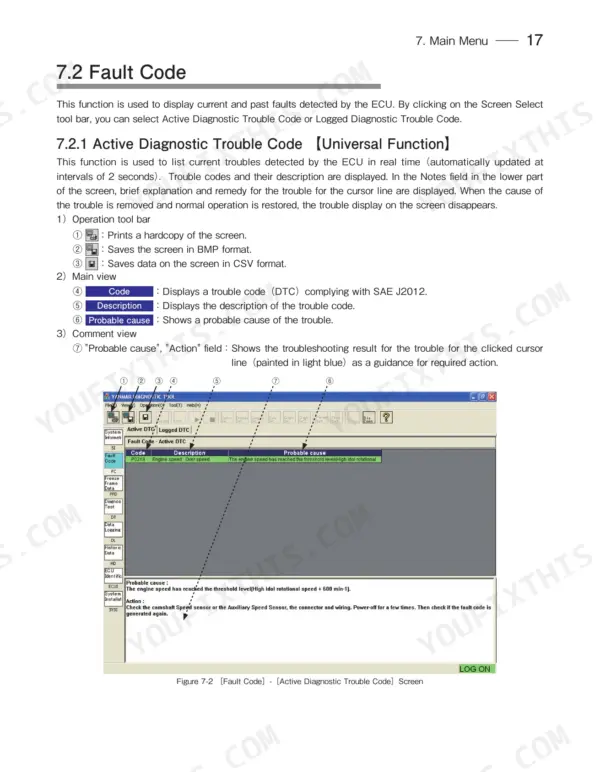
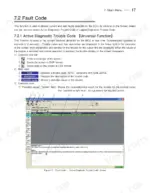
On a YANMAR TNV engine, an error code (Diagnostic Trouble Code or DTC) is coded information for troubles. The diagnostic software displays the description of the trouble code, along with a brief explanation and remedy, in the 'Notes' field on the 'Active Diagnostic Trouble Code' screen. p. 19
How do you fix yanmar TNV YEDST software fails to establish ECU communication and shows a connection error at startup?
Check that the software was installed under Administrator credentials and the USB driver completed without errors per page 4. Verify the Communication IF box firmware version reads 02.15. If communication still fails, open the troubleshooting checklist on page 12 and work through the baud rate and system power steps in sequence. p. 12
How will I receive this Yanmar TNV series Diagnostic Manual?
Instant PDF download. You get the full 64-page searchable Diagnostic Manual immediately after payment. Open it on your laptop, tablet, or phone right in the shop.
Is printing allowed for this Yanmar TNV series Diagnostic Manual?
Yes. Print individual pages or full chapters for your own shop use, on letter or A4 paper.


Reviews
There are no reviews yet.