
Part of the JCB Repair Manuals.
This is the JCB operator's manual for the 505-20 Loadall, the rough terrain variable reach truck (telehandler) built with the Kohler T4F engine, publication 9831/5117. The 280-page manual has a searchable text layer and covers the 505-20 along with the 505-20TC and 505-20E variants.
It takes you through walk-around inspection, operating safety and risk assessment, boom and load handling, and fitting attachments through the tool carrier and quick-fit carriage. Cleaning, damage checks, and putting the machine into and out of storage are covered as well.
The maintenance and technical data chapters hold the figures owners reference most: fuel, engine oil, and hydraulic tank capacities, ROPS/FOPS and wheel nut torques, tyre pressures for each fitment, boom performance dimensions, and noise and vibration data. It is written for the operator doing daily checks and routine service, keeping inspection and specification in one document.
What's Inside This JCB 505-20 Manual
| System | Pages | Key Topics |
|---|---|---|
| Acronyms Glossary | 12 | Arv Auxiliary Relief Valve, Cesar Construction Equipment Security and Registration, DEF Diesel Exhaust Fluid |
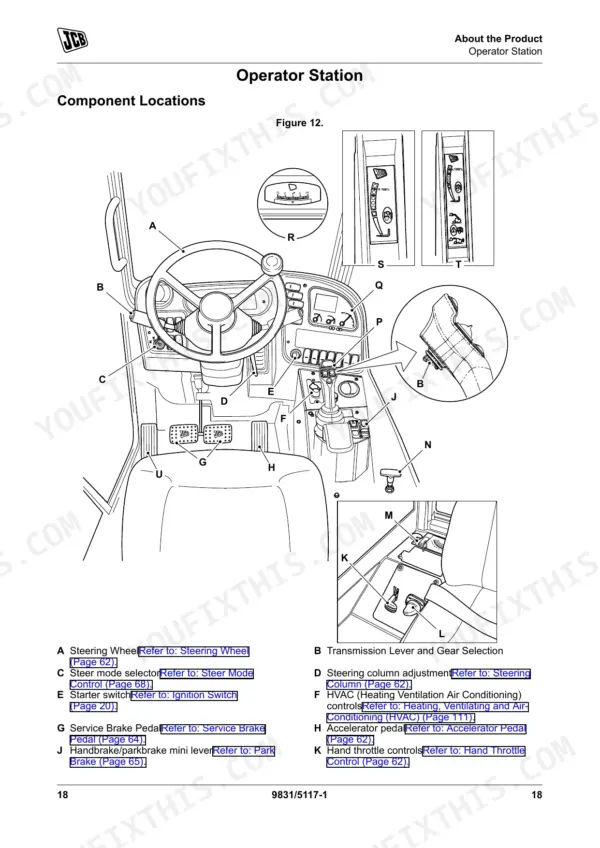
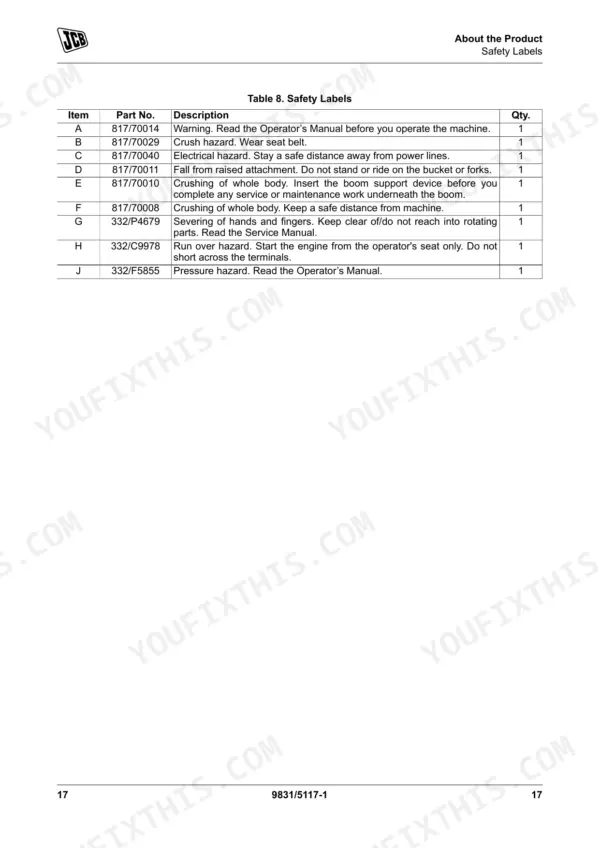
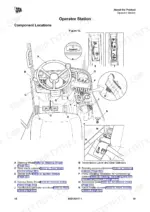
| About the Product | 19-40 | Introduction (General, Name and Address of the Manufacturer, Product Compliance) |
| Operation | 41-136 | Introduction (General), Operating Safety (General, Worksite Safety, Risk Assessment), Walk-Around Inspection (General) |
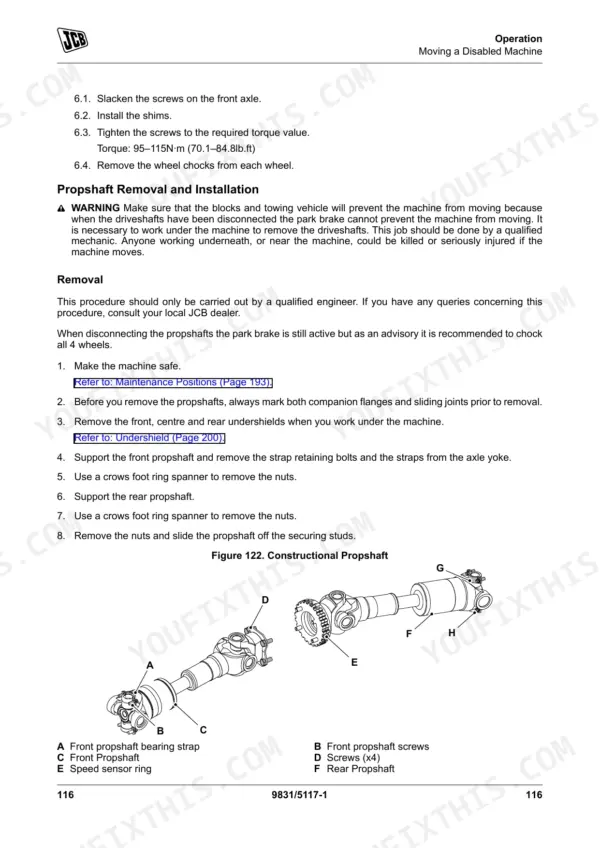
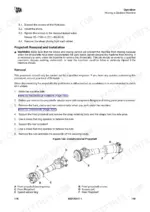
| Attachments | 137-186 | Working with Attachments, Tool Carrier, Quick-Fit Carriage, Tow Hitches, Jibs, Hooks, Work Platforms |
| Preservation and Storage | 187-192 | Cleaning (General, Preparation), Checking for Damage (General), Storage (General, Put Into Storage, During Storage, Take Out of Storage) |
| Maintenance | 193-248 | Introduction (General, Owner/Operator Support, Service/Maintenance Agreements, Initial Service and Inspection, Obtaining Spare Parts) |
| Technical Data | 249-280 | Static Dimensions (Weights), Performance Dimensions (General, Boom Dimensions and Performance, Towing Weights), Noise Emissions (General, Noise Data) |
Quick Reference Specifications
| Specification | Value | Page |
|---|---|---|
| ROPS/FOPS Mounting bolts torque | 205N·m (151lb.ft.) | p. 261 |
| Front Wheel Nut Torque | 500N·m (369lb.ft.) | p. 261 |
| Replacement hose specification | same size, standard and pressure rating | p. 239 |
| 12.5/80 R18 SL R4 Solideal Tire Pressure | 4.3bar (62psi) | p. 268 |
| 12.5/80 R18 SL R4 Solideal Maximum Weight | 1,000kg (2,204.60lb) | p. 268 |
| Rear Wheel Nut Torque | 500N·m (369lb.ft.) | p. 261 |
| Grease gun strokes | two strokes | p. 215 |
| JCB Special HP Grease container size | 0.4kg x 24 | p. 255 |
| Minimum operating temperature for proper hydraulic response | above 0°C (32.0°F) | p. 104 |
| Hydraulic warm-up time in cold conditions | at least 10min | p. 104 |
| Fuel Tank Capacity | 75L (20USgal) | p. 255 |
| Engine Oil Capacity (Maximum) | 11.2L (3USgal) | p. 255 |
JCB 505-20 Common Problems This Manual Covers
Boom slow to respond or drifts under load
A boom that moves slowly, drifts, or fails to respond usually points to low or contaminated hydraulic oil or a leaking hose. The maintenance chapter covers hydraulic hose replacement and keeping the system serviceable.
Manual Section: Maintenance p. 193Machine fails start-of-shift safety checks
If the machine will not pass its safety checks or disables lift and reach functions, the cause is often a boom, sway, or stabilizer-leg interlock fault. The operation chapter covers the load control and safety function checks run at the start of each shift.
Manual Section: Operation p. 41Park brake does not hold
A park brake that slips during the brake test signals a brake adjustment or parking brake fault. The operation section covers the brake test procedure so the fault can be confirmed before work continues.
Manual Section: Operation p. 41Uneven tire wear or loose wheel nuts
Poor stability, noisy running, or sidewall damage often comes down to incorrect tyre pressure or loose wheel nuts. The maintenance chapter gives the wheel nut torque and the pressure for each tyre fitment.
Manual Section: Maintenance p. 193Attachment hydraulics leak or misbehave
Auxiliary functions that leak or do not operate properly usually trace to damaged auxiliary hoses, loose fittings, or worn couplers. The attachments chapter covers connecting attachments and the quick-fit carriage.
Manual Section: Attachments p. 137Damage found on daily inspection
Daily checks frequently turn up damaged doors, steps, cab glass, or an insecure fuel cap before the machine is used. The operation chapter's walk-around inspection guides what to look at and how to react.
Manual Section: Operation p. 41Frequently Asked Questions
What does this manual cover?
It is the operator's manual for the JCB 505-20 Loadall telehandler under publication 9831/5117, a rough terrain variable reach truck powered by the Kohler T4F engine.
Are torque specifications included?
Yes. The Technical Data chapter lists the ROPS/FOPS mounting bolt and wheel nut torques along with axle plug torque figures for the 505-20. p. 249
Does it list fluid capacities and machine data?
Yes. The Technical Data section gives fuel, engine oil, and hydraulic tank capacities plus weights, lift capacity, wading depth, and boom performance dimensions. p. 249
How will I receive this JCB 505-20 Owner's Manual?
Immediate download of the complete 280-page searchable Owner's Manual. Open it on any device, whether that's a laptop at your desk or a phone out in the field.
Can I print specific sections of this JCB 505-20 Owner's Manual?
Yes. Print a chapter or just the pages for the job at hand, for use in your own shop. Any home or office printer works.

Reviews
There are no reviews yet.