
Part of the Case IH Repair Manuals.
Need the factory supplement for your Case IH CX100? This 370-page operator manual supplement has complete coverage for every CX tractor: 50, 60, 70, 80, 90, and 100. Inside: speed charts for both 30 km/h and 40 km/h transmissions across all variants, creeper transmission operation, tire spacing and ballast tables, a full lubrication and maintenance schedule, auto hitch procedures, ROPS safety decals, and step-by-step error code clearing for hitch faults. You also get instrument cluster and cab controls laid out section by section, plus a model chart at the back covering all six variants. Schedule your fuel injection pump inspection at 2000 hours, and confirm the clutch plate diameter at 305 mm (12 in) before any drivetrain work. Every hour chasing the wrong spec costs money. Bookmarked by section; jump straight to creeper ops, maintenance intervals, or error codes and get back to work.
What's Inside This Case IH CX50–CX100 Operator Manual
| System | Pages | Key Topics |
|---|---|---|
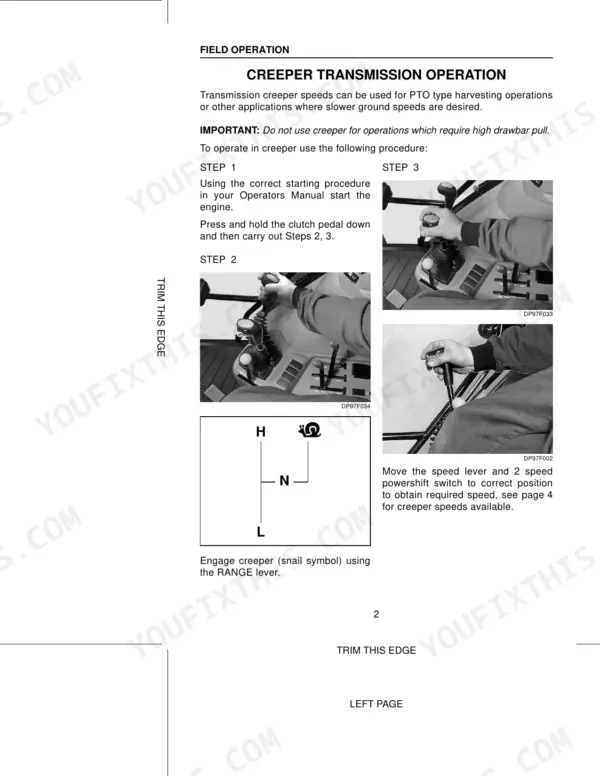
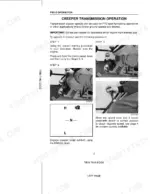
| Field Operation | 5-6 | Creeper Transmission Operation |
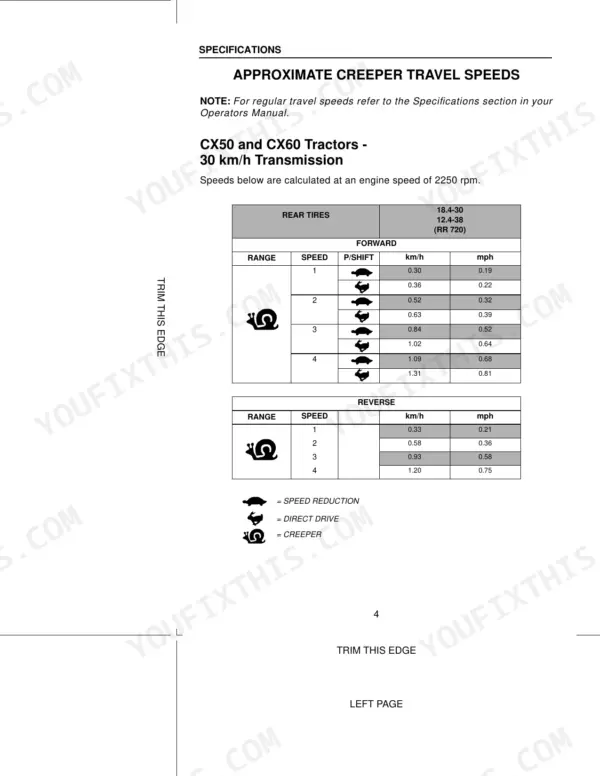
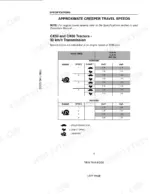
| Specifications | 7-19 | Approximate Travel Speeds (CX50 and CX60 Tractors - 30 km/h Transmission, CX70, CX80, CX90, CX100 Tractors - 30 km/h Transmission, CX60, CX100 Tractors - 40 km/h Transmission, Speed Chart Adjustment for Alternative Tires) |
| To the Owner | 20-24 | How to Use This Manual, Manual Storage, Declaration of Conformity, Emc - Supplementary Information |
| Identification Numbers/Machine Components | 25-27 | Product Identification and Serial Numbers, P.I.N. Plate Details, Number Locations, Machine Components |
| Safety/Decals | 28-37 | Safety, Intended Use, General Safety and Accident Prevention Regulations, Safety Decals, Roll Over Protective Structure (ROPS) |
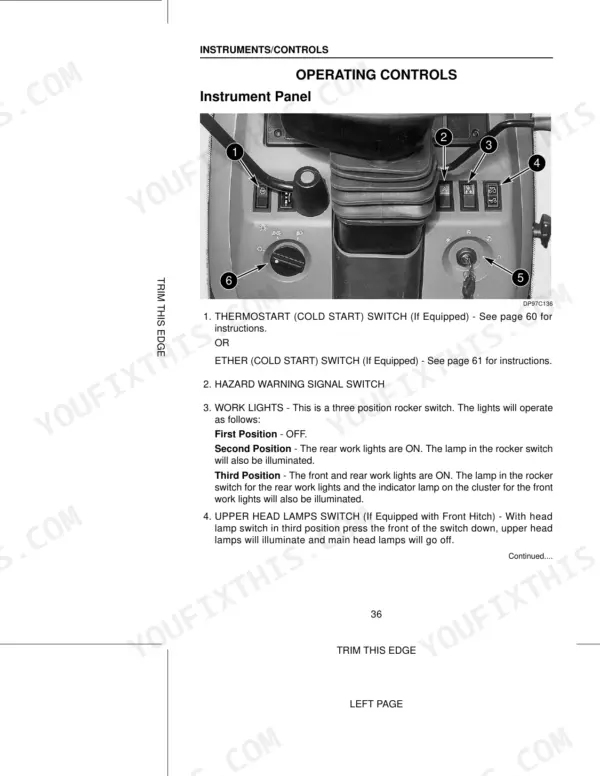
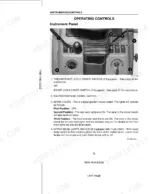
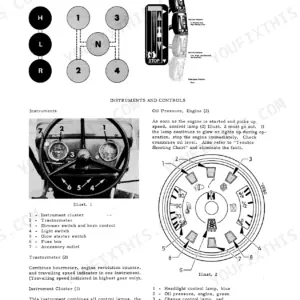
| Instruments/Controls | 38-70 | Tractor Access, Operators Seat, Instrument Cluster, Operating Controls, Operator Cab Environment Controls, Rear View Mirrors |
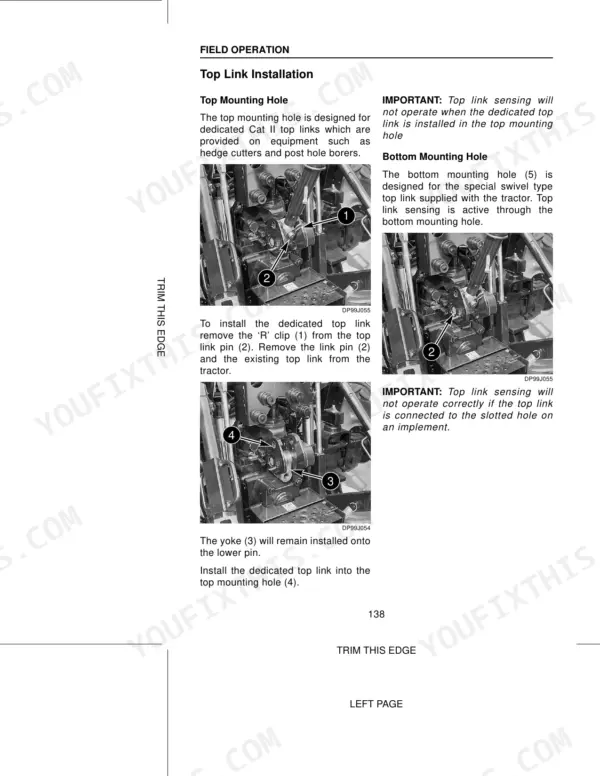
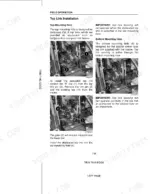
| Operating Instructions | 71-124 | Before Starting the Engine, Normal Starting Procedure, Operating the Transmission, Drawbar, Auto Hitch, Creeper Transmission Operation |
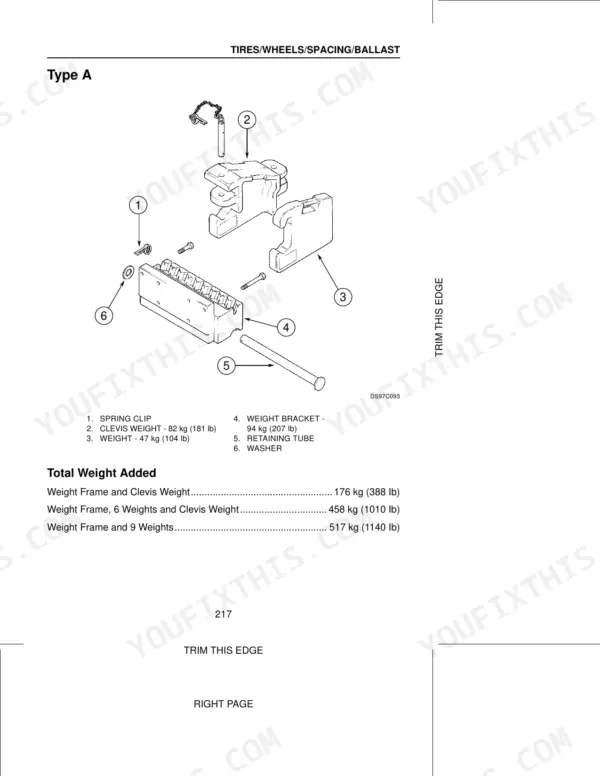
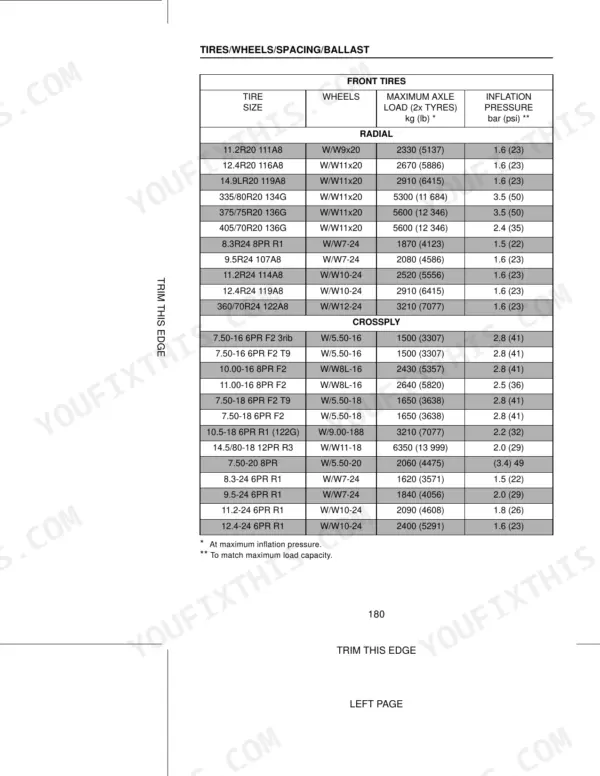
| Tires/Wheels/Spacing/Ballast | 193-241 | - |
| Lubrication/Maintenance | 242-310 | - |
| Electrical System | 311-329 | - |
| Machine Storage | 330-331 | Lubrication, Fuel System, Cooling System, Engine Air Filter, Batteries, Transmission Fluid |
| Case Technical Manuals | 369-370 | - |
Quick Reference Specifications
| Specification | Value | Page |
|---|---|---|
| All Models | ||
| Hydraulic Error Clearing Procedure | Restart the tractor and observe if the error code is repeated. If the UPPER LIMIT error code occurs, press and hold MOMENTARY position on the hitch UP/DOWN switch until the UPPER LIMIT setting is reached, or adjust the UPPER LIMIT control knob clockwise until the hitch position is matched, or press and hold the LOWER position on the Hitch Remote switch until the UPPER LIMIT setting is reached. | p. 177 |
| Service Interval Reset Procedure | Press and hold switches (A) and (B) at the same time for 1 second to save the selection of the correct service interval. The code menu display (C) will display 5-- and the area function symbol will flash on and off. | p. 135 |
| Fuel Injection Pump Inspection Interval | Every 2000 hours of operation | p. 307 |
| Hydraulic Pump Type | Gear Pump | p. 336 |
| Clutch Plate Diameter | 305 mm (12 in) | p. 336 |
| Fuel Injector Replacement Recommendation | New injectors must be fitted by your dealer if there is damage or a fault occurs | p. 296 |
| Transmission/Hydraulic Oil Filter Retaining Bolt Torque | 16 to 21 Nm (12 to 16 Ib ft) | p. 278 |
| Fuel Tank Capacity | 155 Litres | p. 249 |
| CX50, CX60 | ||
| Engine Oil Capacity (With Filter Change) (CX50, CX60) | 6.4 Litres | p. 249 |
| CX70, CX80, CX90, CX100 | ||
| Engine Oil Capacity (With Filter Change) (CX70, CX80, CX90, CX100) | 7.3 Litres | p. 249 |
| 2WD | ||
| Transmission/Hydraulic Oil Refill Capacity, 2WD | 34.5 Litres | p. 249 |
| MFD | ||
| Transmission/Hydraulic Oil Refill Capacity, MFD | 37.0 Litres | p. 249 |
Case IH CX50–CX100 Common Problems This Manual Covers
Hydraulic system becomes sluggish or non-responsive after extended field hours, implements move slowly
Check transmission/hydraulic oil level first, then replace the filter per the schedule. Torque the filter retaining bolt to 16 to 21 Nm (12 to 16 lb ft) on installation (page 278). Refill capacity is 34.5 litres for 2WD or 37.0 litres for MFD models. If error codes appear, reference .
Manual Section: Transmission/Hydraulic Oil Filter Change p. 278Transmission slips or won't engage when shifting under load, clutch pedal feels soft
Inspect clutch disc wear; the standard plate diameter is 305 mm (12 in) per page 336. Check transmission/hydraulic oil level before any internal inspection and top up to 34.5 litres (2WD) or 37.0 litres (MFD) as specified on page 249. Persistent slipping with correct fluid level points to clutch disc replacement.
Manual Section: Lubrication/Maintenance p. 336Engine won't start or cranks slowly in cold weather, battery voltage drops overnight
Check battery electrolyte level and clean terminals; the electrical system section starting on page 311 covers servicing procedures. After a successful start, verify engine idle is within spec: 750 +/- 25 rpm on CX50 and CX60, or 775 +/- 25 rpm on CX70 through CX100, per page 332. Persistent slow cranking after battery service means replacement.
Manual Section: Battery System Servicing and Connections p. 311Rear three-point hitch won't lift to upper limit, diagnostic error code on display
Restart the tractor and watch if the code repeats; lists all error codes. For an UPPER LIMIT error, press and hold MOMENTARY on the hitch UP/DOWN switch until the upper limit is reached, or rotate the UPPER LIMIT knob clockwise. Full clearing steps are on page 177. Maximum lift with twin assistor rams is 3,816 kg.
Manual Section: Rear Three Point Hitch Diagnostic DisplayFrequently Asked Questions
How to reset the error code on Case IH CX50-CX100 tractors?
If the hitch system fails to function properly and an error code is displayed, restart the tractor. The error code may have been caused by the way the tractor was operated and will be cleared upon start-up. For further issues, contact your dealer. p. 177
What is the procedure to reset the hydraulic system error on Case IH CX50?
If the hitch system, which is part of the hydraulic system, fails to operate properly and displays an error code, restart the tractor. The error code may have been caused by the way the tractor was operated and will be cleared upon start-up. If the error code repeats, contact your dealer. p. 177
Torque specifications for the axle mounting bolts on Case IH CX90
For rear wheels, tighten the WHEEL TO AXLE FLANGE NUTS (2) to a torque of 278 to 298 Nm (205 to 220 ft lb) in the sequence shown. This applies after installing the wheel on the axle. p. 228
How do you fix case IH CX tractor engine stalls under load, fuel system error code displayed on instrument panel?
Check the fuel filter sediment bowl for water and drain completely before restarting. Inspect the injection pump at the 2,000-hour service interval (page 307). If stalling persists after filter service, have injectors evaluated by your dealer. Per page 296, new injectors must be dealer-installed if any fault is confirmed. p. 307
How will I receive this Case IH CX50–CX100 Series Operator Manual Supplement?
Immediate download of the complete 370-page searchable Operator Manual Supplement. Access it on any device, from a laptop at your desk to a phone in the field.
Is this Case IH CX50–CX100 Series Operator Manual Supplement printable?
No restrictions at all. Print individual pages, full chapters, or the entire manual. The PDF is completely unlocked.





Reviews
There are no reviews yet.