
Part of the Case Operator Manuals.
Getting the most out of your Case skid steer or compact track loader starts with this 62-page Case tv450b operator manual pdf (OEM #51509957), covering the SR175B, TR340B, and all B-series variants. You get complete instructions for programming the LCD multi-function display, understanding every dashboard indicator, and adjusting your EZ-EH custom settings. Inside, a full maintenance section outlines exact procedures for checking final drive chain tank oil and replacing SCR supply module filters. Swap out the hydraulic oil filter strictly at the 500-hour mark and verify your operating battery voltage stays between 9 and 16.5 V. Stop guessing what that obscure dashboard warning light means. Download this bookmarked file straight to your phone, find the right trouble code, and keep your loader moving.
What's Inside This Case SR175B–TV450B B-Series Operator Manual
| System | Pages | Key Topics |
|---|---|---|
| LCD Multi-Function Display | 5 | Information Display, Machine Function Programming, Diagnostics |
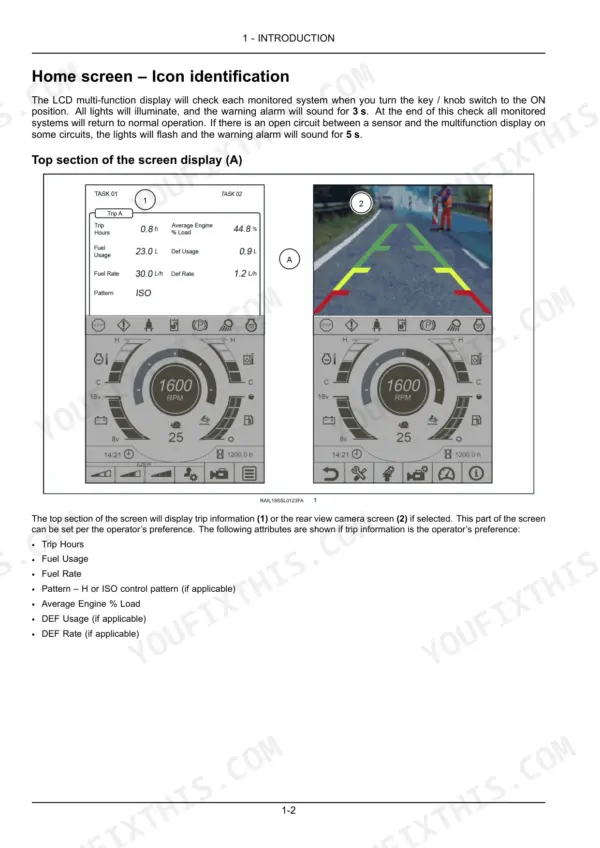
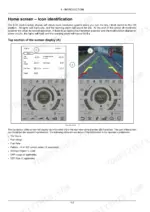
| Home Screen – Icon Identification | 6-11 | Stop Master Indicator, Caution Master Indicator, Operator Presence Indicator, Hydraulic System Status Indicator, Parking Brake Indicator, Engine Glow Plug Indicator |
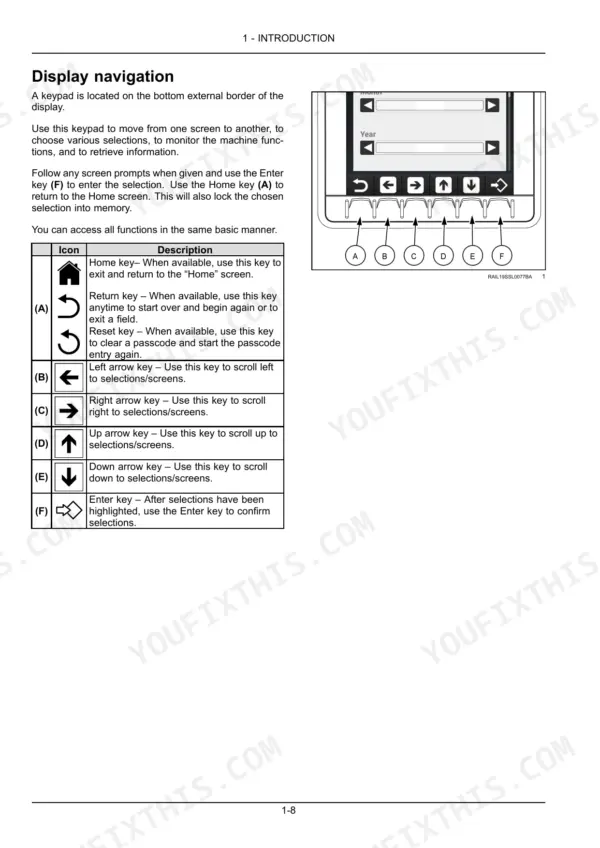
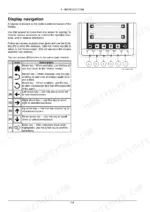
| Display Navigation | 12 | Home Key, Return Key, Left Arrow Key, Right Arrow Key, Up Arrow Key, Enter Key |
| Menu Screen Display | 13-14 | Return to Previous Screen, Maintenance Settings, Machine Settings, Camera Settings, Trip Screen Settings, Machine Status Screen |
| Machine Status | 15-16 | Engine Speed, Fuel Level, Engine Hours, Battery Voltage, Engine Coolant Temperature, Hydraulic Oil Temperature |
| Trip Screens | 17-18 | Trip Hours, Fuel Usage, Fuel Rate, DEF Usage, DEF Rate, Average Engine % Load |
| Camera Settings | 19-20 | Auto Reverse Setting, Camera Overlay Setting |
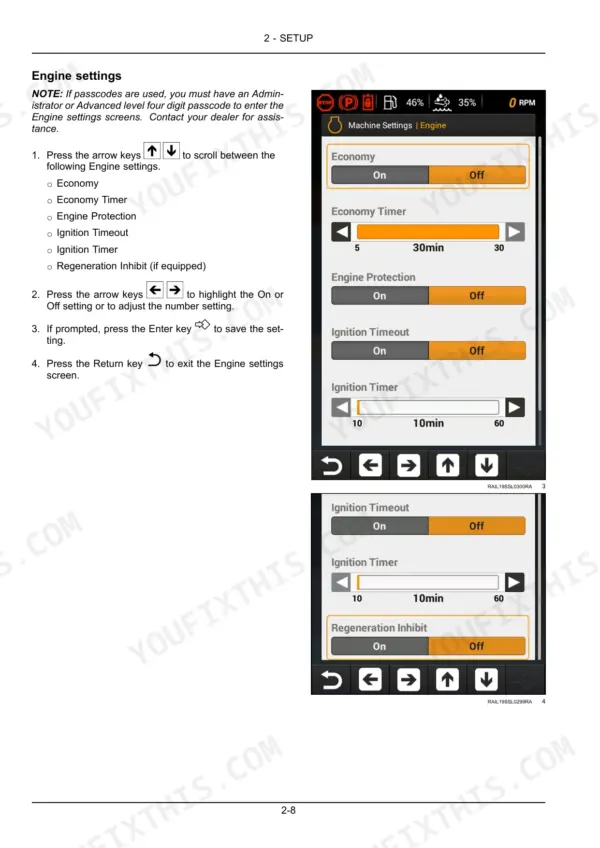
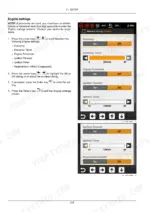
| Machine Settings | 21-30 | Engine Settings, Economy, Economy Timer, Engine Protection, Ignition Timeout, Ignition Timer, Regeneration Inhibit, Display Settings |
| Machine Service | 31 | |
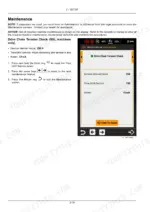
| Maintenance | 32-47 | Drive Chain Tension Check, Fuel Pre-Filter, Air Cleaner Elements, Engine Oil & Filter, Final Drive Oil, Fuel Filter, Hydraulic Oil Filter, Final Drive Chain Tank Oil |
| Sensor Status | 48-50 | Engine, Hydraulics, Eh Controls |
| Controller Information | 51 | Display, Universal Control Module, And Engine Control Module Information |
| Diagnostic Trouble Codes | 52 | Diagnostic History |
| Security Code | 53-62 | Security Settings, Lockout Feature, Suspend Lock Timer, Crank Engine, Create Passcode, Current Passcode, User Access Level Summary |
Quick Reference Specifications
| Specification | Value | Page |
|---|---|---|
| All Models | ||
| Hydraulic Oil Filter Service Interval Hours | 500 h | p. 39 |
| Engine Coolant Temperature (Normal Operating Range) | 20 – 98 °C | p. 9 |
| Hydraulic Oil Temperature (Normal Operating Range) | 20 – 102 °C | p. 9 |
| Battery Voltage (Normal Operating Range) | 9 – 16.5 V | p. 10 |
| Economy Timer Range | 5 – 30 min | p. 23 |
| Ignition Timer Range | 10 – 60 min | p. 24 |
| Creep Mode Speed Setting Range | 1 to 100 | p. 29 |
| Engine Oil & Filter Service Interval | 500 h | p. 35 |
| Hydraulic Fluid & Filter Service Interval | 1000 h | p. 43 |
| SR175B, SR210B, SR240B, SR270B, SV185B, SV280B, SV340B | ||
| Drive Chain Tension Check Service Interval | 250 h | p. 32 |
| TR270B, TR310B, TR340B, TV370B, TV450B | ||
| Final Drive Oil (CTL) Service Interval | 500 h | p. 36 |
| SR270B, SV340B, TR340B, TV450B | ||
| SCR Supply Module Filter Service Interval | 3600 h | p. 46 |
Case SR175B–TV450B B-Series Common Problems This Manual Covers
Case skid steer 'jumpy' erratic movement when engaging attachments right after startup
Check Machine Settings on page 21 and switch out of Speed Drive mode into Medium or Operate mode before hooking up attachments. If jumpiness continues, verify Creep Mode Speed Setting on page 29 is not set too high (range is 1 to 100); lower the value for smoother engagement, especially on machines with sensitive hydraulic response.
Manual Section: Machine Settings p. 21Engine shuts off unexpectedly right after lowering the lap bar or exiting the cab
Check the Operator Presence Indicator on the home screen (page 6). Confirm the lap bar is fully lowered and locked before starting; the engine interlock will shut down power if the bar isn't seated correctly. Also verify the seat belt is fastened and the key hasn't been bumped during cab entry.
Manual Section: Home Screen – Icon Identification p. 6Hydraulic Fluid & Filter maintenance reminder still shows overdue after changing the fluid
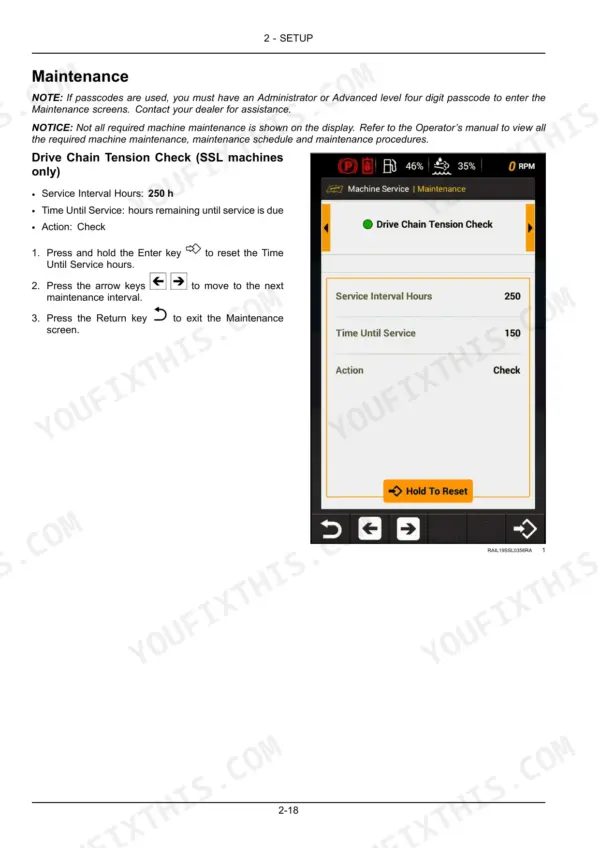
The display doesn't know a service was performed until you tell it. On the Hydraulic Fluid & Filter screen (page 43, 1000 h interval), press and hold the Enter key to reset the Time Until Service counter after changing the fluid and filter. Use the arrow keys to move to the next maintenance interval, then the Return key to exit the Maintenance screen.
Manual Section: Maintenance p. 43Diagnostic warning light flashing on the dashboard shortly after startup every morning
Open the Diagnostic Trouble Codes screen (page 52) to view the Diagnostic History — the list of DTCs that have occurred or are active on the machine, with additional info for each code. Cross-reference the code against the Stop or Caution Master Indicator on the home screen (page 6), and confirm coolant temperature stays within the 20-98°C normal range (page 9) before continuing operation. Have the exact code on hand when you contact your dealer.
Manual Section: Diagnostic Trouble Codes p. 52Battery voltage warning showing red zone on the display during cold morning startup
Check the Electrical System Voltage Warning on page 10; normal battery voltage runs between 9 and 16.5 V. If the reading falls outside that range, inspect the alternator belt tension and battery terminal connections. Shut the machine down and have the charging system tested before resuming work if the red zone indicator stays lit.
Manual Section: Electrical System Voltage Warning p. 10Engine won't restart after an automatic protection shutdown in the middle of a shift
Review the Engine Protection Shutdown conditions on page 23; the ECU cuts power automatically for high coolant temperature, low oil pressure, or high hydraulic oil temperature. Let the machine cool, check coolant and oil levels, then confirm hydraulic oil temperature is back under the 102°C stop threshold (page 9) before restarting.
Manual Section: Engine Protection Shutdown p. 23Frequently Asked Questions
What is the service interval for the Fuel Pre-Filter?
The service interval for the Fuel Pre-Filter is 250 hours. At this interval, the action required is to check and drain water from the filter. p. 33
What is the service interval for the Engine Oil & Filter?
The service interval for the Engine Oil & Filter is 500 hours. At this interval, the action required is to change the fluid. p. 35
What is the service interval for the Hydraulic Fluid & Filter?
The service interval for the Hydraulic Fluid & Filter is 1000 hours. At this interval, the action required is to change the fluid. p. 43
What is the service interval for the SCR Supply Module Filter for applicable models?
For applicable models (SR270B, SV340B, TR340B, and TV450B), the service interval for the SCR Supply Module Filter is 3600 hours. The required action at this interval is to replace the filter. p. 46
What is the normal operating temperature range for the Engine Coolant Temperature?
The normal operating temperature range for the engine coolant, indicated by the green zone on the gauge, is 20 – 98 °C (68 – 208 °F). Temperatures above 108 °C (226 °F) are considered a stop condition. p. 9
How quickly can I access this Case SR175B & variants manual after buying?
Instant PDF download. You get the full 62-page searchable Operator Manual immediately after payment. Open it on your laptop, tablet, or phone right in the shop.
Can I print this Case SR175B & variants manual?
Yes. Print a chapter or just the pages for the job at hand, for use in your own shop. Any home or office printer works.





Reviews
There are no reviews yet.