
Part of the Case IH Operator Manuals.
Need the factory operator manual for your Case IH Farmall 75U, 85U, 95U, 105U, or 115U tractor? This 312-page reference (OEM #84339669) takes you from first-start safety checks through full field operation, all in one download. You get the full controls and instruments section covering every warning light, fault code, and analog/digital panel readout, plus operating procedures for four-wheel drive, PTO engagement, hydraulic lift calibration, and wheel track adjustment. A dedicated troubleshooting section walks through engine, electrical, hydraulic, and brake symptoms, backed by fluid capacities and maintenance intervals for every scheduled service point. Hydraulic lift pump relief pressure is set at 190 bar (2755 psi); clutch pedal travel measures 162 mm on cab models, 185 mm on open-station units. No more guessing which warning light means stop-now versus check-later. Bookmarked by section and keyword-searchable; open it on your phone at the machine and get the right answer on the first try.
Complete the set for your Farmall 75U–115U
Other edition of this manual
- Case IH Farmall 95U, 105U, 115U Operator Manual Original price was: $28.99.$19.99Current price is: $19.99.
What's Inside This Case IH Farmall 75U–115U Operator Manual
| System | Pages | Key Topics |
|---|---|---|
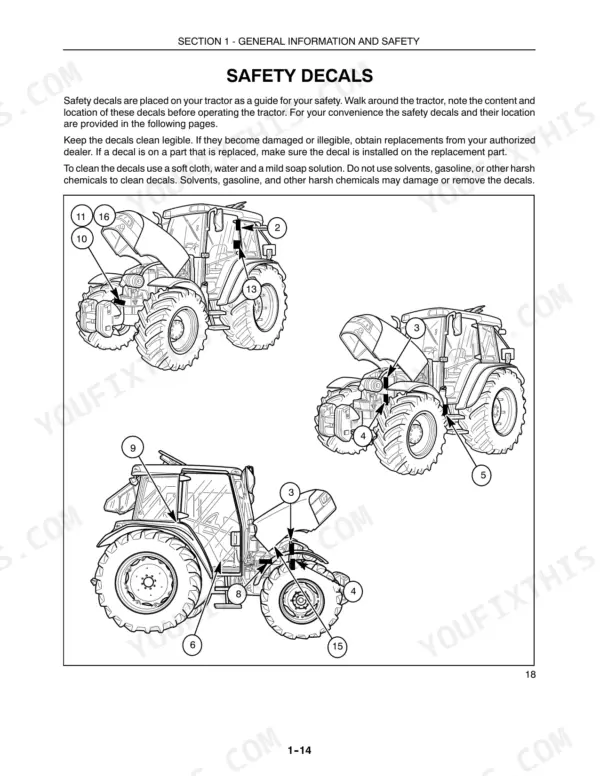
| General Information and Safety | 9-30 | Notice to User, Cleaning the Tractor, Safety, Service After the First 50 Hours of Work, Service Parts, Warranty |
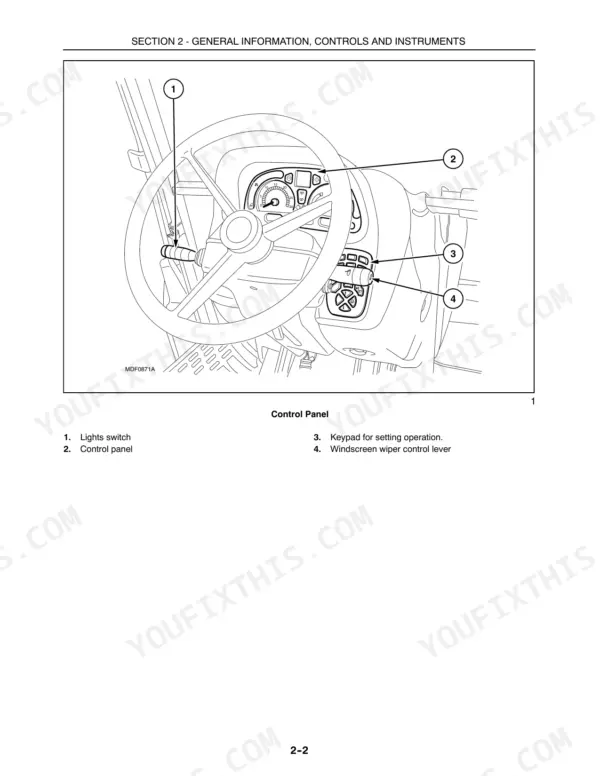
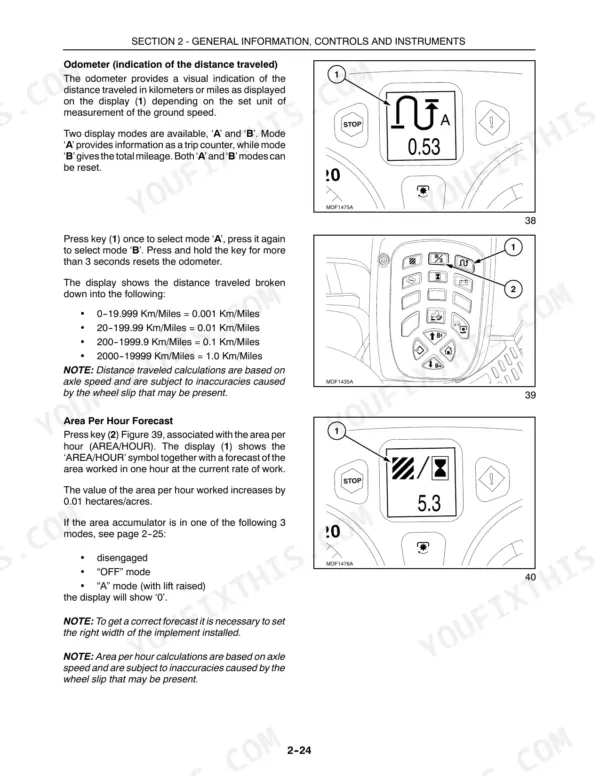
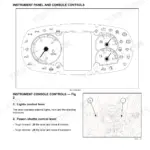
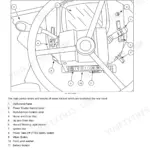
| General Information, Controls and Instruments | 31-114 | Indicator and Warning Lights, Analog/digital Instrument Panel, Operating Controls, Operator’s Seat, Cab, Fault Codes Description |
| Field Operation | 115-196 | Starting and Stopping, Four-Wheel Drive, Brakes, Power Take-Off, Hydraulic Lift, Wheel Track Adjustment |
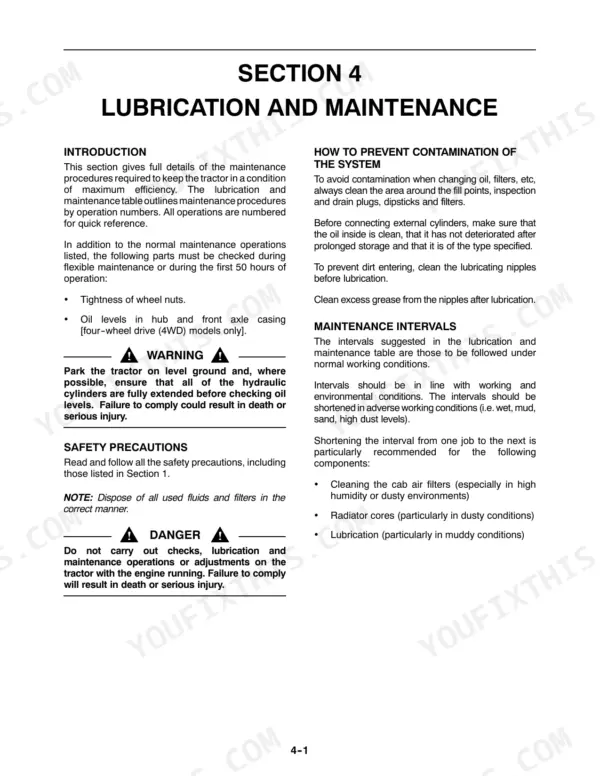
| Lubrication and Maintenance | 197-266 | Maintenance Intervals, Engine Cooling System, Tractor Refueling, Battery, Fuses and Relays, Lubricants and Fluids |
| Troubleshooting | 267-272 | Engine, Electrical System, Hydraulic System, Hydraulic Lift and Three Point Linkage, Brakes, Cab |
| Tractor Storage | 273-274 | - |
| Accessories | 275-282 | Fold-Down ROPS, Joystick for Auxiliary Control Valves, Front Loader Prearrangement, Control Valve for Trailer Hydraulic Brakes |
| Specifications and Data | 283-294 | Dimensions, Basic Weight, Engine Data, Transmission, Hydraulic Lift, Steering System |
| Forms | 295-302 | - |
Quick Reference Specifications
| Specification | Value | Page |
|---|---|---|
| All Models | ||
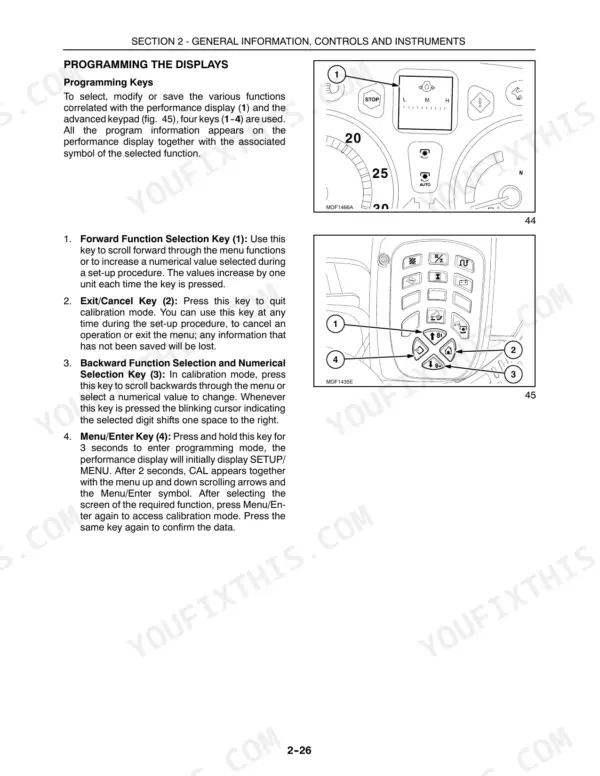
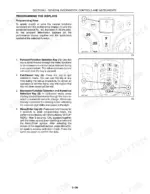
| Hydraulic lift auto-calibration procedure | Press and hold the Menu/Enter key (4) for 3 seconds to access the SETUP MENU. After 2 seconds the display (1) will show CAL. Press the Menu/Enter key (4) again to replace the inactive indicator symbol on the display (1) with the symbol corresponding to the fault detected. If more than one inactive symbol is stored, the display will cycle through all symbols at three-second intervals. After showing all the symbols the display by default returns to the active warning symbol. Press the Exit/Cancel key (2) to exit and return to the previous menu on the display (6). | p. 42 |
| Hydraulic circuit oil filter tightening torque | 3/4 of a turn by hand | p. 223 |
| Troubleshooting: Hydraulic system not working properly | Possible Causes: Oil level low, Hydraulic filter clogged, Hydraulic system fault. Remedies: Top up system, Replace hydraulic filter, Contact your dealer. | p. 271 |
| Troubleshooting: Engine overheating | Possible Cause: Engine coolant temperature too high. Remedy: Stop the tractor as soon as possible, investigate the cause and rectify the fault. If the fault cannot be easily rectified, consult your authorized dealer. | p. 44 |
| Engine Sump Oil Capacity (with filter) | 9.5 liters (2.50 US gal) | p. 264 |
| Fuel Tank Capacity (Standard) | 127 liters (33.55 US gal) | p. 201 |
| Cooling System Capacity (with cab) | 16 liters (4.22 US gal) | p. 264 |
| Rear Axle/Transmission/Hydraulic Lift Oil Capacity (with Power Shuttle) | 60 liters (15.85 US gal) | p. 264 |
| 2WD models | ||
| Hydraulic lift oil pump rated output (standard pump) | 45 dm³/min (l/min) | p. 290 |
| Hydraulic lift oil pump rated output (optional pump) | 61 dm³/min (l/min) | p. 290 |
| tractors without cabs | ||
| Transmission clutch pedal distance from platform, tractors without cabs | 185 mm (7.2834 in.) | p. 210 |
| tractors with cabs | ||
| Transmission clutch pedal distance from platform, tractors with cabs | 162 mm (6.3779 in.) | p. 210 |
Case IH Farmall 75U–115U Common Problems This Manual Covers
Steering wheel requires excessive force to turn, front axle feels stiff or jerky
Inspect hydraulic fluid level first; the steering system draws from the main reservoir. Check front tire pressure and look for visible damage to the steering linkage. If the problem started after rough terrain or an impact, verify the axle turning stop clearance is at 20 mm (0.79 in.) per page 181. Contact your dealer if stiffness continues.
Manual Section: Field Operation p. 181Battery charge warning light stays on after startup, alternator output reading incorrectly
Check battery terminals for corrosion and ensure both connections are tight. Inspect the alternator drive belt for cracks or slipping. This tractor runs a 12 V electrical system with a 120 A alternator (page 294). If the charge warning stays on after the engine runs above idle for several minutes, contact your dealer for a charging system test.
Manual Section: Electrical System Troubleshooting p. 294Frequently Asked Questions
What are the common error codes on CASE IH Farmall C series tractors?
The manual includes a fault code table for electro-hydraulic transmissions covering calibration errors, clutch faults, seat switch errors, and other system warnings. When a fault occurs, record the four-digit code shown on the performance display and contact your authorized Case IH dealer with that code for diagnosis. p. 114
How do you fix case IH Farmall hydraulic system warning light activates, implements stop responding mid-field?
Check hydraulic fluid level in the sight glass (between MIN and MAX marks) and inspect the filter for clogging. When replacing the filter, tighten only 3/4 turn by hand after contact. If fluid is low, top up to 60 liters (15.85 US gal) with Power Shuttle. Run through the fault checklist on page 271 before calling your dealer. p. 271
How do you fix engine high-temperature warning light flashes red, tractor loses power and shuts down?
Stop the tractor immediately and shut down the engine when the red temperature warning activates. Let it cool before checking coolant level; the system holds 16 liters (4.22 US gal) with cab. Inspect radiator fins for packed debris and verify the cap seats fully. If the cause isn't obvious, contact your authorized dealer (page 44). p. 44
How do you fix transmission fault code shows on display, gears won't engage smoothly under load?
Record the fault code number from the instrument panel display (pages 114, 261) and check the error code reference. Verify the operator seat switch is engaged (pages 62, 114) and the handbrake is fully released (pages 43, 261) before shifting. Check clutch pedal travel: 162 mm (6.3779 in.) from the cab platform (page 210). If the code returns after these checks, contact your dealer for calibration (pages 257, 259).
Is this Case IH Farmall 75U & variants Operator Manual a digital download?
This is a 312-page searchable PDF ready for immediate download. Works on any device, so pull it up on your phone while you're under the hood. No shipping, no waiting.
Can I print specific sections of this manual?
Absolutely. No DRM or copy protection. Print the whole manual or just the pages you need. Any home or office printer works.





Reviews
There are no reviews yet.