
Looking for the exact factory operating guidelines for your JCB 530, 530FS Plus, 530FS Super, 532, 533-105, 535, 537, 540-70, 540-170, 540FS Plus, and 540FS Super Telehandler? This 226-page JCB 530 operator manual covers every daily maintenance check and dashboard control for your Loadall. Inside, you get load charts, full service schedules, and a complete breakdown of cab switches and instruments. Open to the maintenance section to find exact fluid capacities and interval schedules that keep your equipment out of the shop. Torque the front and rear roadwheels to 680 Nm, then verify the 125-liter fuel tank and 10-liter engine oil pan are topped off before the shift. Stop trusting your safety to forum posts. Download this file, pull it up on your phone in the cab, and get to work.
Complete the set for your 530–540
What's Inside This JCB 530–540 Operator Manual
| System | Pages | Key Topics |
|---|---|---|
| Safety Notices | 1-6 | Signal Words, General Safety, Operating Safety, Maintenance Safety, Safety Decals |
| Introduction | 7-16 | About This Handbook, Machine Description, Identifying Your Machine, JCB Immobiliser Option |
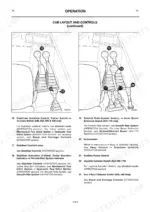
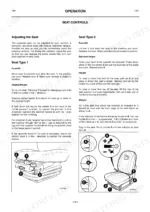
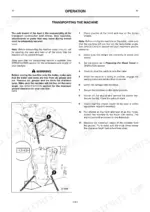
| Operation | 17-97 | Before Entering the Cab, Entering & Leaving the Cab |
| Maintenance | 98-142 | Service Schedules, Engine Oil and Filter, Hydraulic System, Brakes, Battery |
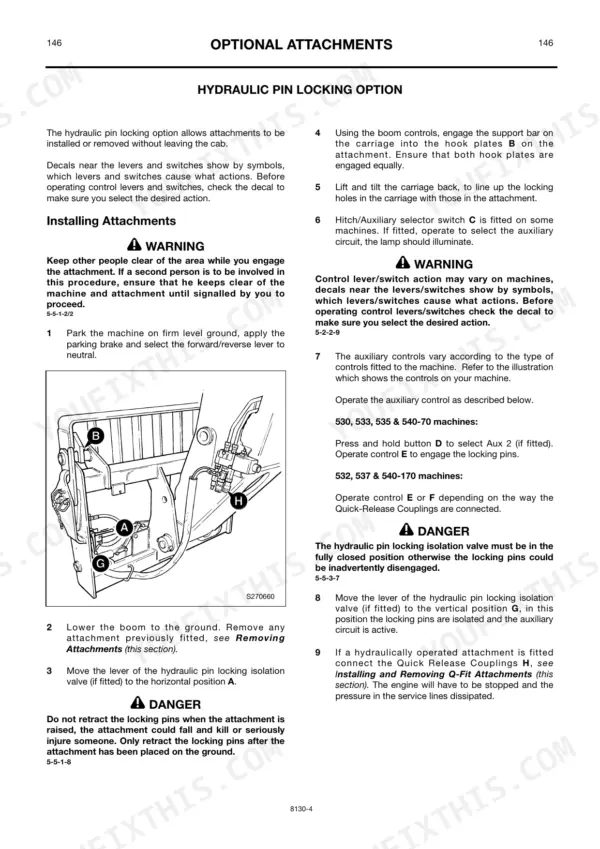
| Optional Attachments | 147-166 | Quick Release Couplings, Hydraulic Pin Locking Option, Extension Jib, Sideshift Carriage, Work Platforms |
| Specifications | 167-212 | Static Dimensions, Performance Dimensions, Tyres and Pressures, Load Charts, Engine Emissions |
| Service Record Sheet | 213 | Scheduled Maintenance, Date, Hour Reading, Annual Insurance Inspection |
| Registration Information | 214 | Dealer Copy, Customer Information, Machine Identification |
Quick Reference Specifications
| Specification | Value | Page |
|---|---|---|
| All Models | ||
| Roadwheel Tightness (Front) | 680 Nm (500 lbf ft) | p. 119 |
| Roadwheel Tightness (Rear) | 680 Nm (500 lbf ft) | p. 119 |
| Fuel Tank Capacity | 125 L (27.5 Gal) | p. 4 |
| Engine Oil Capacity (AA, AB, AR, AK & AM Builds) | 10 L (2.2) | p. 144 |
| Engine Coolant System Capacity | 23 L (5.0) | p. 144 |
| Gearbox Wet Fill Capacity | 21 L (4.6) | p. 144 |
| Axles Housing Capacity | 18 L (3.9) | p. 144 |
| Parking Brake Pad Thickness (Minimum) | 3mm (0.125in) | p. 146 |
| Alternator Drive Belt Slack | 10 mm (3/8 in) | p. 146 |
| All Machines Except 540-170 | ||
| Starter Relay Fuse Rating | 5 | p. 144 |
| 530, 540-70 | ||
| Hydraulic Tank Capacity | 112 L (24.6) | p. 121 |
JCB 530–540 Common Problems This Manual Covers
JCB 530 telehandler will not start on the key but fires up when bypassing the starter circuit
Inspect the ignition circuit and wiring harness connectors for corrosion. Verify the battery voltage is sufficient to turn over the engine. Review the troubleshooting procedures to identify start control faults. Check the fuel level, ensuring the tank holds its 125 L (27.5 Gal) capacity as noted on page 4.
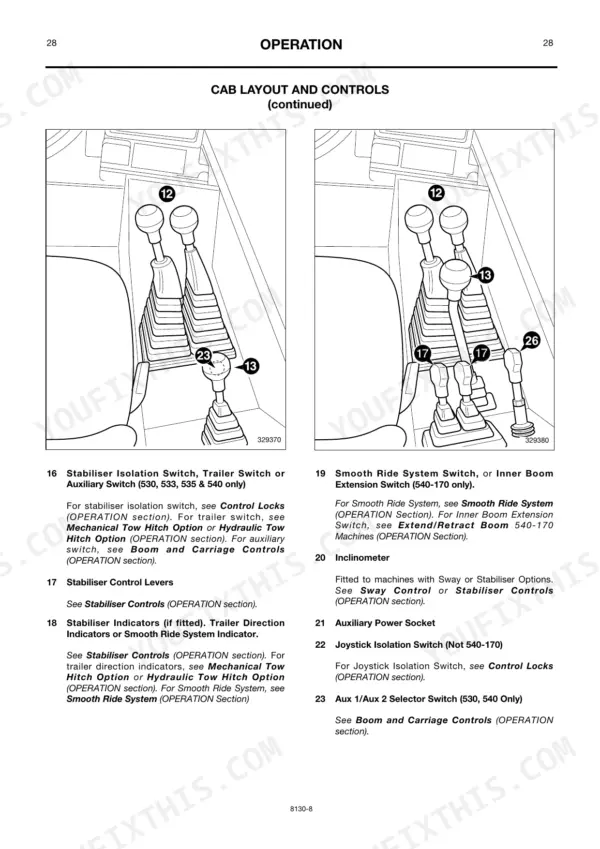
Manual Section: OperationBoom and drive functions disabled with safe load indicator alarm sounding during heavy lift
Lower the load immediately and reposition the machine on firm, level ground. Check the operator controls layout to verify switch positions. Ensure the hydraulic tank is filled to its 112 L (24.6) capacity on applicable models as specified on page 121 before attempting to lift again.
Manual Section: OperationMachine moves slightly during test indicating a faulty parking brake or worn pads
Inspect the parking brake mechanism and measure the pad thickness. Replace the pads if they are worn below the minimum 3mm (0.125in) thickness specified on page 146. Clean any debris from the brake assembly and test the engagement again on a level surface.
Manual Section: Parking Brake Failure p. 146Dashboard warning light flashing indicating high engine coolant temperature during continuous operation
Shut down the engine and allow it to cool completely. Verify the engine oil level is correct, adding up to the 10 L (2.2) capacity shown on page 144 if low. Check the alternator drive belt and inspect the radiator fins for mud or debris blockages.
Manual Section: Engine Coolant Temperature High p. 144Clicking or clunking noise from the axles while driving with the boom lowered
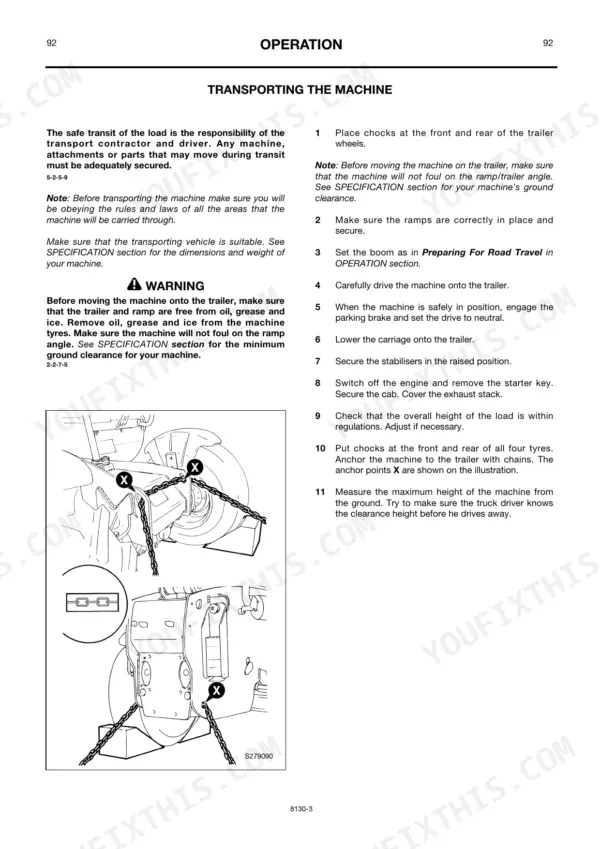
Inspect the front and rear wheel nuts for looseness. Tighten all roadwheel nuts to the required 680 Nm (500 lbf ft) torque specification listed on page 119. Check the axle housing fluid levels and ensure they are filled properly according to the daily maintenance schedule.
Manual Section: Maintenance p. 119Frequently Asked Questions
How do I reset the JCB 530/532/535/540 telehandler fault code or service indicator?
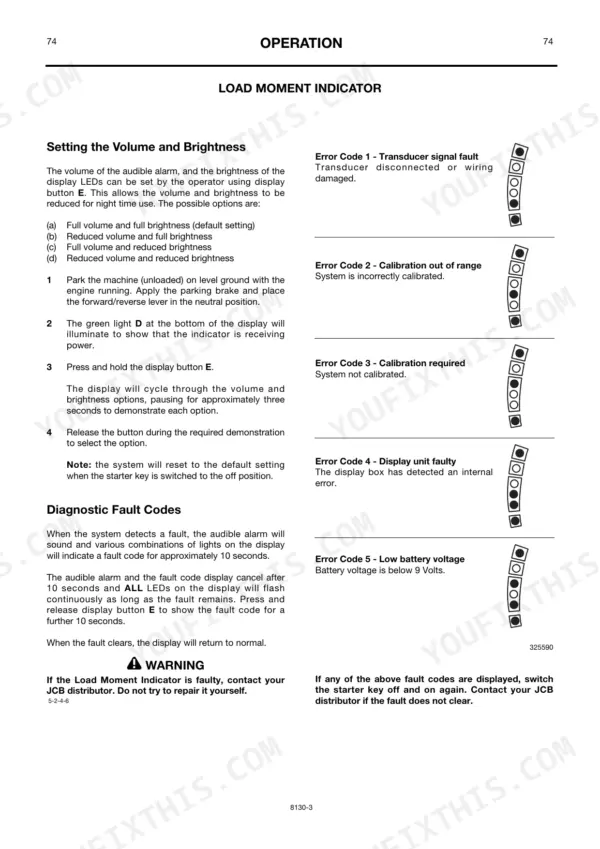
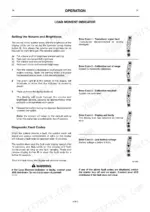
If the Load Moment Indicator (LMI) system detects a fault, various combinations of LEDs will indicate a fault code. If the fault clears, the display will return to normal. If the fault does not clear, switch the starter key off and on again. If the fault still does not clear, contact your JCB distributor. p. 75
What does error code mean on a JCB Loadall telehandler?
The Load Moment Indicator (LMI) can display several error codes: Error Code 1 indicates a transducer signal fault (disconnected or damaged wiring); Error Code 2 means calibration is out of range (incorrectly calibrated system); Error Code 3 signifies calibration is required (system not calibrated); Error Code 4 points to a display unit fault (internal error); and Error Code 5 indicates low battery voltage (below 9 Volts). p. 75
How do I clear an instrument cluster alarm on a JCB 540-70?
When a warning light comes on and an alarm sounds, the only way to cancel the alarm is to set the starter switch to the 'off' position. p. 34
How do I reset JCB 533-105 alarm?
When a warning light comes on and an alarm sounds, the only way to cancel the alarm is to set the starter switch to the 'off' position. p. 34
What are the replacement specifications for starter relay?
For all machines except 540-170, the starter relay has a rating of 5. This information is found in the fuse identification chart. p. 144
What do I get after purchasing this JCB 530 & variants manual?
This is a 226-page searchable PDF ready for immediate download. Works on any device, so pull it up on your phone while you're under the hood. No shipping, no waiting.
Can I print specific sections of this JCB 530 & variants Operator Manual?
Yes. Print the pages or sections you need for your own shop use. Any standard printer works.
Reviews
There are no reviews yet.