
Part of the JCB Operator Manuals.
Make sure your JCB vibratory single drum roller is ready for the dirt before turning the key. This 154-page JCB VM115 operator manual pdf (OEM #9821/1450) covers every daily maintenance check, safety protocol, and operating procedure for the VM115 and VM115D models. Inside, you get complete dashboard indicator explanations, full fluid capacity charts, and step-by-step instructions for safely operating the vibration system. Open up to detailed service schedules that walk you through every pre-start inspection, battery check, and filter change to keep your machine out of the shop. Verify your steering lock angle is hitting +/- 35 degrees and torque those wheel nuts between 560 and 600 Nm before hitting the grade. Preventative maintenance beats expensive downtime every single time. Grab this bookmarked digital download, open it on your tablet right in the cab, and get to work.
What's Inside This JCB VM115, VM115D, VM115PD Operator Manual
| System | Pages | Key Topics |
|---|---|---|
| Safety Notices | 7-8 | Important Information, Operator Manual, Safety Warnings |
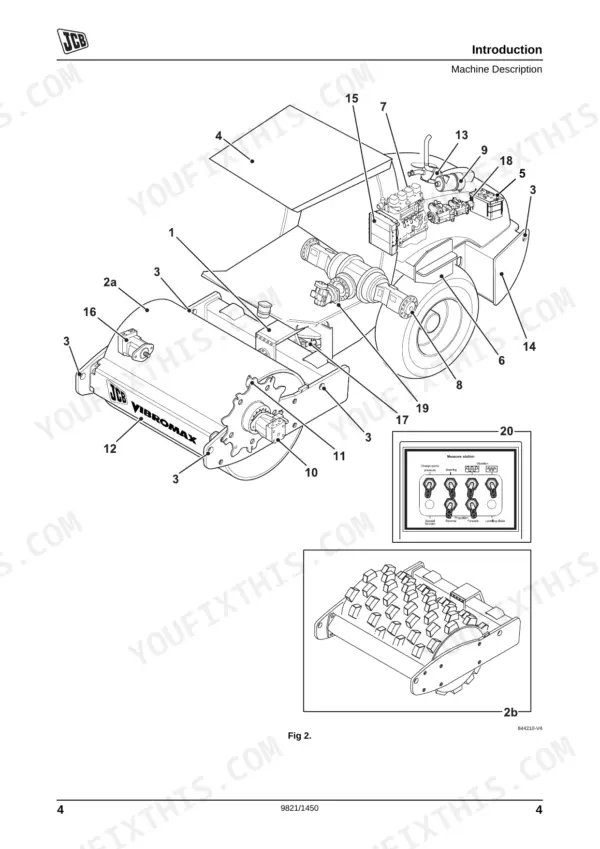
| Introduction | 9-28 | Machine Description, Safety Check List, Safety Labels, Identifying Your Machine |
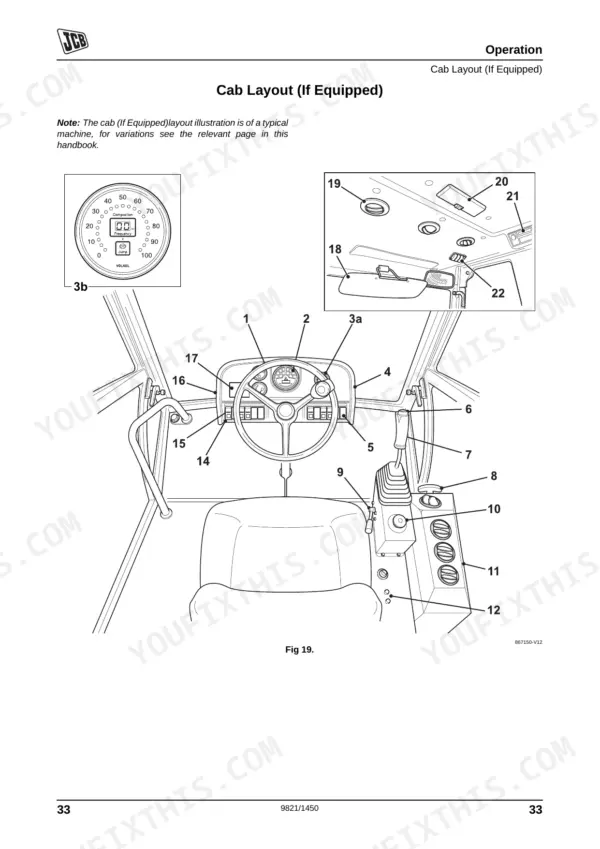
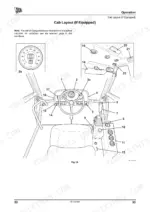
| Operation | 29-76 | Before Entering the Cab, Entering and Leaving the Cab, Emergency Exit, Doors and Windows (Opening Closing: Upper Door Section), Seat Controls (Introduction) |
| Fluids, Lubricants and Capacities | 81-84 | Coolant Mixtures, Fuel |
| Tools | 85 | Toolbox (If Fitted), Carrying Tools Into the Machine |
| Prepare the Machine for Maintenance | 86 | Introduction, Make the Machine Safe |
| Cleaning the Machine | 87-89 | Introduction, Prepare the Machine |
| Check the Machine for Damage | 90-92 | Check the Machine Body and Structure, Check the Tyres, Check the Hydraulic Hoses and Fittings, Check the Seat and Seat Belt |
| Access Panels | 93 | Battery Access Panel, Engine Cover |
| Brakes | 94 | Testing the Park Brake |
| Electrical System | 95-101 | Battery, Jump Starting the Engine, Fuses, Relays |
| Engine | 102-110 | Oil and Filter, Coolant, Drive Belt, Front End Accessory Drive (Fead) Belt |
| Fuel System | 111-116 | Introduction, Low Fuel Levels, Filling the Tank, Draining the Fuel Tank |
| Hydraulic System | 117-154 | Introduction, Releasing the Hydraulic Pressure, Oil and Filter |
Quick Reference Specifications
| Specification | Value | Page |
|---|---|---|
| VM115 | ||
| Wheel Nut Torque | 560-600 Nm | p. 135 |
| VM115D, VM115PD | ||
| Tyre Pressures | 13-20 Psi | p. 147 |
| Vibration System 1st Stage Frequency | 1860 rpm | p. 143 |
| All Models | ||
| Steering Lock Angle | +/- 35° | p. 143 |
| Turning Radius, Inner | 3400 mm | p. 143 |
| Whole Body Vibration (WBV) | 0.5 m/s² | p. 146 |
| Hand Arm Vibration (HAV) | 2.5 m/s² | p. 146 |
JCB VM115, VM115D, VM115PD Common Problems This Manual Covers
Hydrostatic drive slips on steep inclines or uneven terrain with poor traction.
Inspect the tyres for damage and verify inflation pressures are between 13-20 Psi as shown on page 147. Ensure the steering lock angle does not exceed +/- 35° during tight maneuvers. Replace any worn tyres before returning the compactor to service.
Manual Section: Check the Machine for Damage p. 147Engine temperature gauge reads excessively high during continuous heavy compaction operation in hot weather.
Clean the radiator and coolers thoroughly as outlined on page 87. Verify the engine coolant level is topped up to the specified capacity per the Fluids, Lubricants and Capacities section (pages 81-84). Check the drive belt tension and inspect all hoses for leaks before restarting.
Manual Section: Cleaning the Machine p. 89Park brake fails to hold the machine stationary on a slope after engine shutdown.
Test the park brake functionality before operation as detailed on page 94. Inspect the ROPS structure bolt B torque per the specification on page 91. Never operate the machine on grades if the daily brake test fails.
Manual Section: Brakes p. 94Frequently Asked Questions
How do I reset the JCB VM115 fault code?
For warning lights indicating various fault conditions, the only way to cancel the alarm is to set the starter to 'OFF'. This action will clear the fault alarm. p. 53
How do I clear the JCB vibromax warning light?
A warning light on the JCB VM115 or VM115D indicates a fault condition — when it illuminates, an alarm will also sound simultaneously. To clear both the warning light and the alarm, set the starter switch to the 'OFF' position. This is the only cancel method documented in the manual (page 53). p. 53
How to reset JCB VM115 warning lights
To reset the warning lights on the JCB VM115, set the starter to 'OFF' as instructed on page 53. After the alarm is cancelled, inspect the fault that triggered the light before restarting — the manual requires the underlying condition to be addressed, not just the alarm cleared. p. 53
How do you fix JCB VM115D vibratory single drum roller loses power when vibration is turned on?
Check the hydraulic fluid level and inspect for cloudy oil indicating water contamination. Verify the vibration system operates at the correct 1st stage frequency of 1860 rpm as specified on page 143. Clean the machine and hydraulic cooler fins to prevent overheating. p. 143
What format is this manual in?
A 154-page Operator Manual in searchable PDF format, available the moment you complete checkout. View on computer, tablet, or phone, with no shipping wait.
Am I able to print pages from this manual?
Yes. Many mechanics print the section they need for their own shop and bring it to the bench.











Reviews
There are no reviews yet.