
Part of the JCB Operator Manuals.
Need the exact factory maintenance schedule for your Midi Excavator? All 184 pages of this JCB 8080 operator manual PDF focus entirely on daily operation, fluid capacities, and routine service requirements. Inside, you get complete dashboard indicator guides, strict maintenance schedules, and step-by-step pre-start cold checks. Open to the specifications section to find full lifting load charts, safety protocols, and functional test procedures that keep your excavator out of the repair bay. Lock down your track shoe-mounting bolts to 197-236 Am (145-174 lbf ft) and swap the pump exit hose every 2 years or 4000 hours to prevent unexpected hydraulic blowouts on the job site. Ignored daily checks will eventually destroy good equipment. Grab this bookmarked file right now, open it on your phone or tablet, and knock out your morning walkaround with total confidence.
Complete the set for your 8080
- Repair Manual: JCB 8080, 4JG1 Midi Excavator Service Manual (incl. Wiring)
What's Inside This JCB 8080 Operator Manual
| System | Pages | Key Topics |
|---|---|---|
| Safety Notices | 9-10 | Important Information, Operator Manual, Safety Warnings |
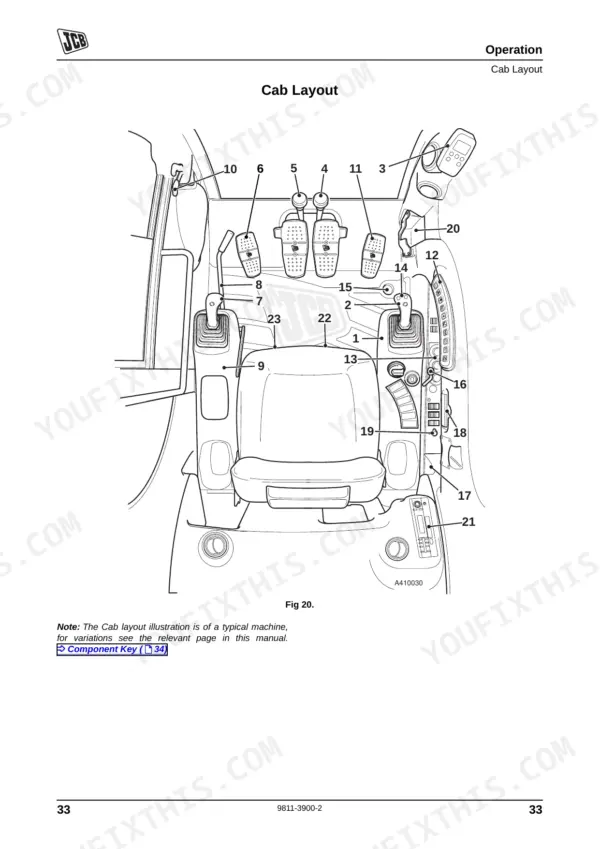
| Introduction | 11-30 | About This Manual, Machine Description, Component Locations, Safety Check List, Operating Safety, Maintenance Safety, Safety Decals, Safety Decal Recognition |
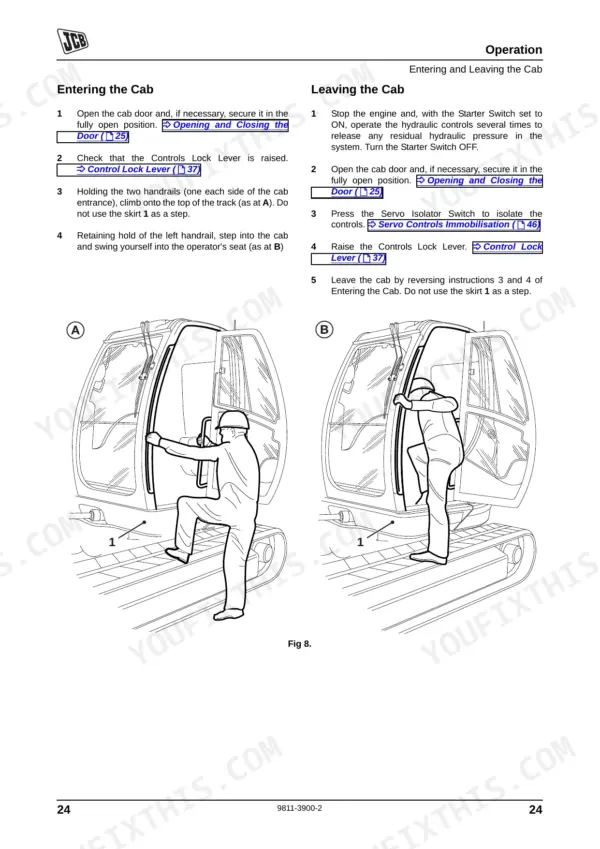
| Operation | 31-100 | Before Entering the Cab, Entering and Leaving the Cab |
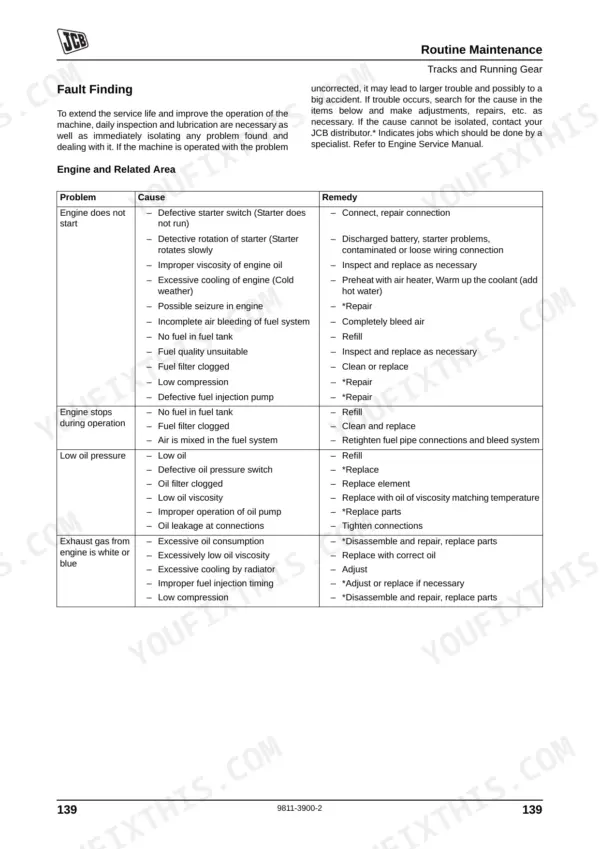
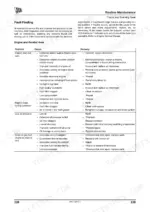
| Routine Maintenance | 101-154 | Service Requirements, Health and Safety, Battery, Service Schedules, Pre-Start Cold Checks, Service Points and Fluid Levels, Functional Test and Final Inspection |
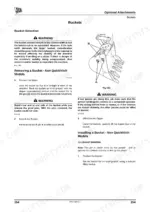
| Optional Attachments | 155-172 | Attachments for Your Machine, Impact Protection, Quick Release Couplings, Quickhitch Assembly, Removal, Buckets, Removing a Bucket From a Quickhitch |
| Specifications | 173-180 | Lifting Regulations and Safe Working Loads, Static Dimensions, Performance Dimensions, Machine Weights, Noise Data, Vibration Data, 8080 |
| Warranty Information | 181-184 | Machine Service Record Sheet, Registration Information |
Quick Reference Specifications
| Specification | Value | Page |
|---|---|---|
| Track shoe-mounting bolts torque | 197 - 236 Am (145 - 174 lbf ft) | p. 147 |
| Pump Exit Hose replacement interval | Every 2 years or every 4000 hours | p. 113 |
| Boom Ram Line Hose replacement interval | Every 2 years or every 4000 hours | p. 113 |
| Oil and Filter Change Interval | Every 500 hours | p. 107 |
| Max. Digging Depth | 4214 mm | p. 175 |
| Dipper Tearout Force | 36 kN | p. 175 |
| Noise Level at Operators Ear (LpA) | 78 dB | p. 177 |
| Whole-body Vibration Emission (8025Z/8030Z) | 0.22 m/s2 | p. 179 |
| Seat Belt Replacement Interval | Every three years | p. 120 |
JCB 8080 Common Problems This Manual Covers
JCB 8080 bucket ram stops working completely while other machine functions still operate normally
Inspect the hydraulic lines for visible leaks or damage. Check the troubleshooting procedures for attachment faults. Replace the bucket ram line hose every 2 years or every 4000 hours according to the schedule on page 113 to prevent sudden circuit failures.
Manual Section: Routine MaintenanceTracks feel loose or show signs of excessive wear and slipping on hard ground
Measure the track sag near the middle roller. Adjust the grease cylinder to achieve the correct rubber track tension for hard ground operation as specified on page 146. Verify the track shoe-mounting bolts are tightened to 197 - 236 Am on page 147.
Manual Section: Routine Maintenance p. 146Engine runs hot and hydraulic system feels sluggish after heavy continuous digging operations
Check the fluid levels before starting the machine. Drain and replace the fluids at the strict oil and filter change interval of every 500 hours found on page 107. Inspect the engine compartment for coolant leaks and clear any debris from the radiator fins.
Manual Section: Routine Maintenance p. 107Seat belt mechanism sticks and fails to retract smoothly during daily pre-start checks
Clean the seat belt mechanism and inspect the webbing for fraying or cuts. Replace the entire assembly at the mandatory seat belt replacement interval of every three years according to page 120. Test the latch engagement before operating the machine.
Manual Section: Routine Maintenance p. 120Frequently Asked Questions
How do I reset the control mode on a JCB 8080 excavator?
The manual describes how to select control patterns (ISO or SAE) using a switch located behind the driver's seat. To change the control mode, remove the fuse box cover, access switch C, and the selected pattern will be indicated on a flashing display on the right console D. The manual does not use the term 'reset' for control modes, but rather 'select'. p. 65
How do I reset a fault code on a JCB 8080?
To address warnings displayed on the EMS panel, press the ACK button. This action will acknowledge the warning message and silence the buzzer, but it will not extinguish the warning lamps or clear the underlying fault. For persistent errors, the manual advises contacting your JCB dealer. p. 48
How do I reset the monitor/display on a JCB 8080?
You can reset specific display values on the EMS monitor. For example, the total hours that the high flow or double acting high flow features are in use (up to 99, 999 max) can be reset to zero by pressing the ACK button in the Set Mode menu. The SET button allows access to the Set Up menu, where various parameters can be adjusted. p. 50
How do I reset servo relief pressure on a JCB 8080 ZTS?
The manual indicates that adjusting relief valve pressure is a specialist job. For issues such as 'Main relief valve pressure set too low' or 'Low pressure setting for the relief valve', the remedy is to '*Adjust pressure', with the asterisk denoting that this task should be done by a specialist. No operator-level procedure is provided for resetting servo relief pressure. p. 152
What are the replacement specifications for Rubber tracks?
Rubber tracks should be visually inspected and replaced if one or more metal cores are missing, steel cord is exposed, more than half of the track is missing, or the track comes off even when fully tensioned. The machine is available with 450mm (18'') rubber tracks. p. 118
How quickly can I access this manual after buying?
You get a 184-page searchable PDF that downloads instantly after checkout. Open it on your laptop, tablet, or phone, and bring it right to the shop floor.
Am I able to print pages from this manual?
Yes. Print individual pages or full chapters for your own shop use, on letter or A4 paper.











Reviews
There are no reviews yet.