
Part of the JCB Operator Manuals.
Looking for the exact factory procedures to run your JCB generator set? This 150-page JCB G60–G115 series operator manual PDF (OEM #9811/4600) covers daily operations, maintenance schedules, and control panel setups for the G60RX, G65X, G65QX, G80RX, G90X, G90QX, G100RX, G115X, and G115QX variants. You get complete digital control panel guides for the CP1, CP2, and ATP1 systems, alongside strict daily service checklists and fluid capacity charts. Open to the fault-finding section for engine, fuel, and coolant diagnostic charts, or trace a short using the factory wiring diagrams. Drain the fuel pre-filter daily and make sure you torque the engine oil drain plug to exactly 40–60 Nm during your scheduled service. A dead generator means a dead job site. Download this bookmarked file right to your tablet, pull up the right specs, and get the power back on.
What's Inside This JCB G60–G115 Series Operator Manual
| System | Pages | Key Topics |
|---|---|---|
| Introduction | 1-16 | Checklists |
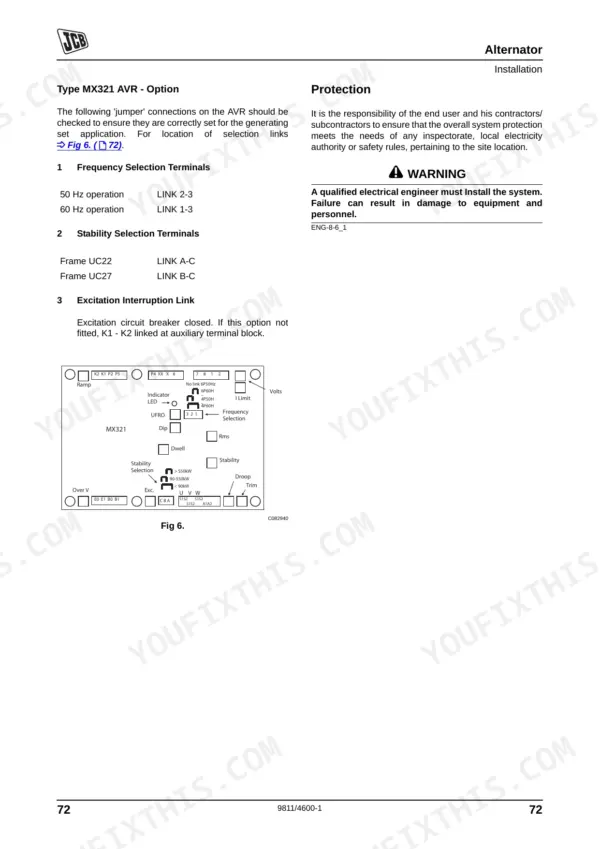
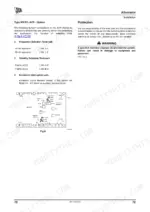
| Installation | 17-26 | Indoor Installations |
| Routine Maintenance | 27-38 | Service Requirements, Health and Safety, Service Schedules, Battery, Cooling System, Pre Start Checks, Checks After Running, Cleaning |
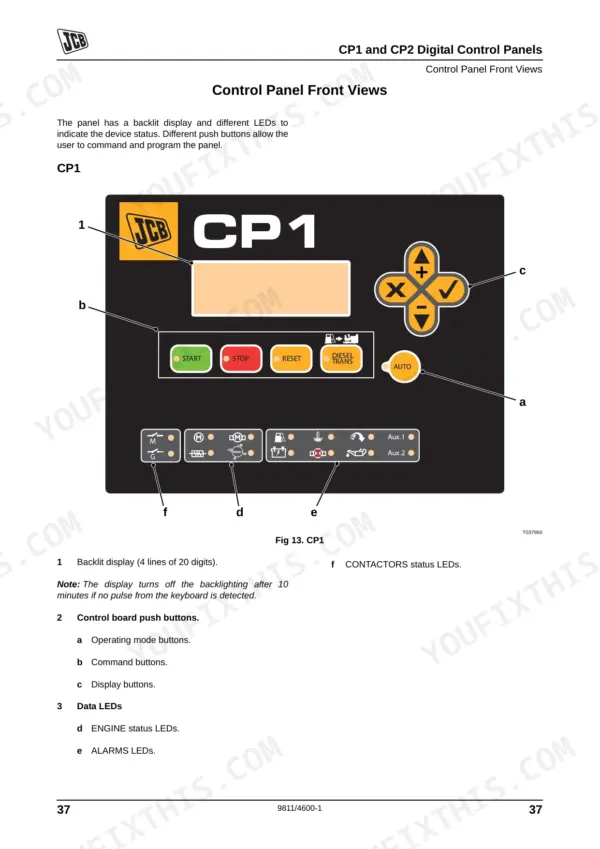
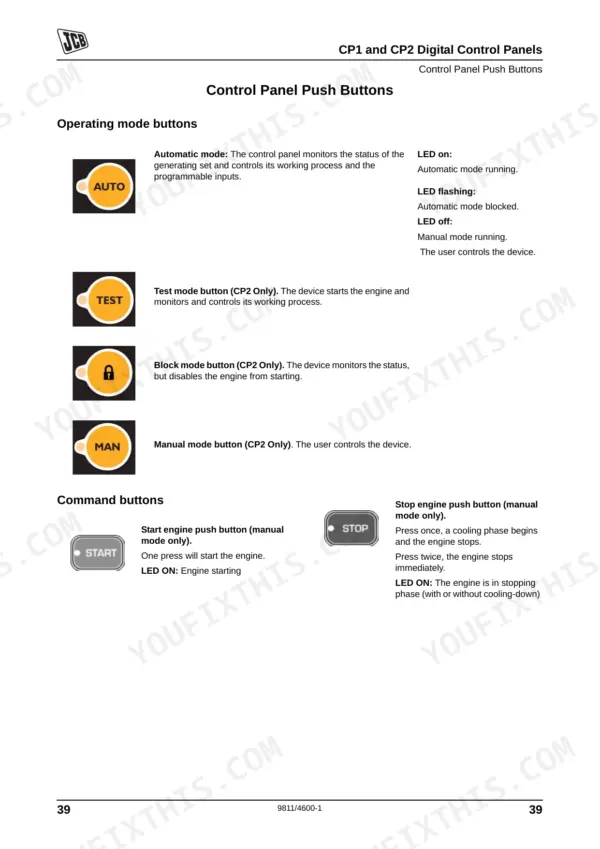
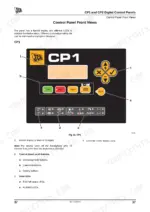
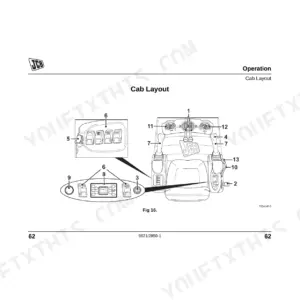
| CP1 and CP2 Digital Control Panels | 39-54 | Control Panel Front Views, Control Panel Push Buttons, Data LEDs, Starting and Stopping - Manual Mode, Starting and Stopping - Automatic Mode, Operational Modes, Alarms |
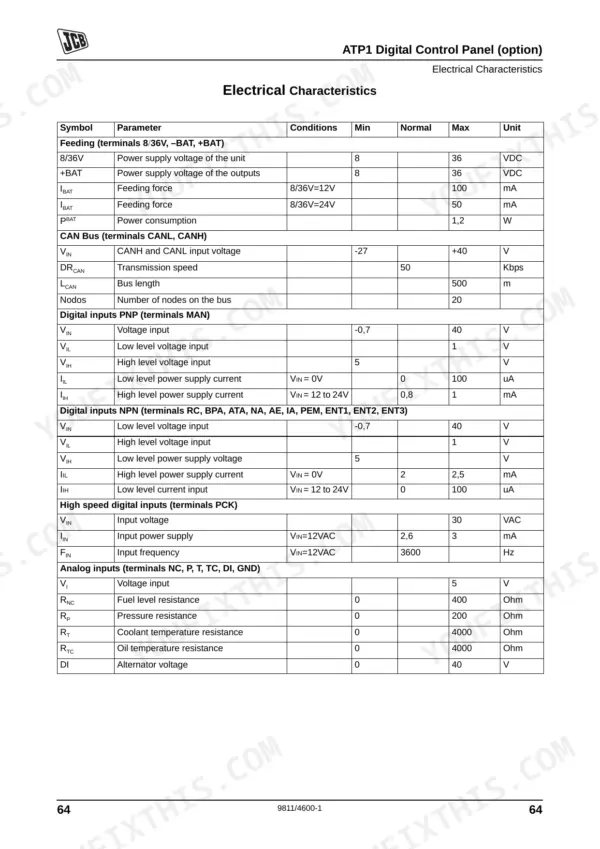
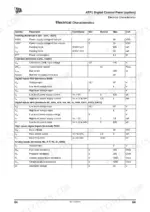
| ATP1 Digital Control Panel (Option) | 55-70 | Control Panel Front View, Control Panel Push Buttons, Data LEDs, Starting and Stopping - Manual Mode, Starting and Stopping - Automatic Mode, Operational Modes, Inputs and Outputs |
| Engine - General Information | 85-86 | Left Side, Right Side, Units of Measurement, Machine / Equipment Related Data, Acronyms and Abbreviations |
| Engine - Identifying the Engine | 87-90 | Engine Identification Plate, Engine Component Identification |
| Engine - Fluids, Lubricants and Capacities | 91-98 | Fuel, Engine Oil and Filter |
| Engine - Routine Maintenance | 99-112 | Cleaning the Engine, Engine Oil and Filter, Engine Cooling System, Engine Fuel System, Air Intake System |
| Engine - Fault Finding | 113-124 | A Charts - Engine, B Charts - Fuel, C Charts - Lubricating Oil, D Charts - Coolant |
| Engine - Technical Data and Specifications | 125-126 | Basic Engine Data |
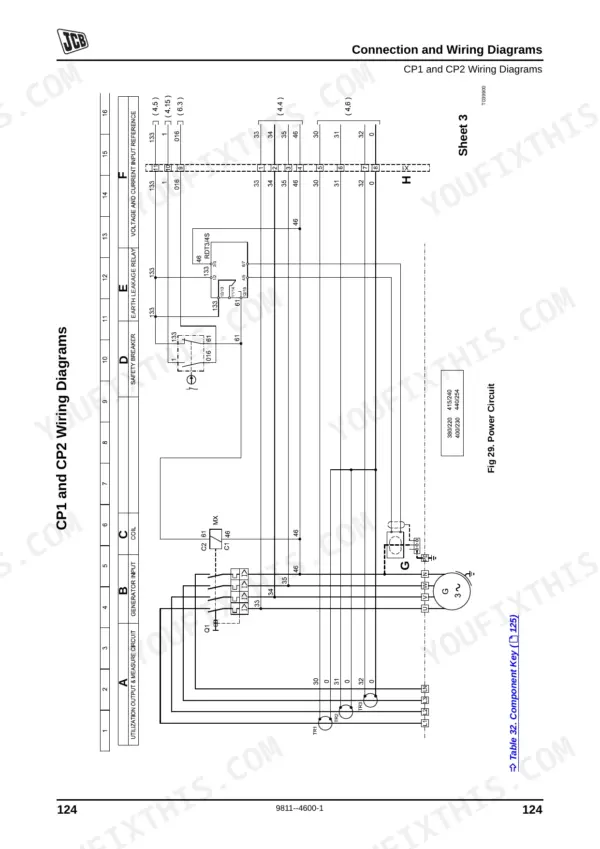
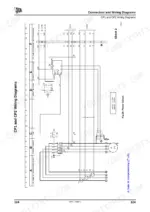
| Connection and Wiring Diagrams | 127-148 | CP1 and CP2 Wiring Diagrams, ATP1 Wiring Diagrams, Socket Wiring - Rental Specification Only |
| Warranty | 149-150 | Warranty Information, JCB Technical Service |
Quick Reference Specifications
| Specification | Value | Page |
|---|---|---|
| Engine oil drain plug torque | 40 - 60 Nm (30 - 44 lbf ft) | p. 102 |
| Engine oil filter housing drain plug torque | 40 - 60 Nm (30 - 44 lbf ft) | p. 102 |
| Battery voltage for charging | below 12.4V | p. 32 |
| Fuel filter strap retaining screw torque | 24 Nm (17.7 lbf ft) | p. 107 |
| Fuel pre-filter draining frequency | DAILY | p. 93 |
| Engine oil capacity (minimum) | 12 (2.6) litres (UK Gal) | p. 91 |
| Engine oil capacity (maximum) | 15 (3.3) litres (UK Gal) | p. 91 |
| Coolant concentration for -40 °C protection | 50% Concentration | p. 33 |
| Coolant concentration for -56 °C protection | 60% Concentration | p. 33 |
| FEAD belt tensioner socket size | 16mm | p. 105 |
| FEAD belt replacement condition | cracks or if it is frayed or has pieces of material missing | p. 105 |
| Low oil pressure alarm action | Immediate engine stop with no cooling | p. 51 |
JCB G60–G115 Series Common Problems This Manual Covers
Water contamination in the fuel system suspected after engine runs poorly or stalls frequently
Drain the fuel pre-filter water separator DAILY as outlined on page 93 to prevent contamination. Inspect the fuel filter elements for blockage. If replacing the filter, torque the strap retaining screw to 24 Nm (17.7 lbf ft) as specified on page 107.
Manual Section: Engine - Routine Maintenance p. 93Coolant temperature warning light activates on the digital control panel and engine shuts down from overheating
Inspect the external radiator matrix for dirt blockage and verify the coolant level. Maintain a 50% Concentration of antifreeze for protection down to -40 °C as shown on page 33. Use a 16mm socket to check the FEAD belt tensioner on page 105.
Manual Section: Engine - Fault Finding p. 33Digital control panel displays a low oil pressure alarm followed by an immediate engine stop
Check the dipstick only after allowing oil to drain back into the sump. Keep the capacity above the 12 (2.6) litres (UK Gal) minimum listed on page 91. If changing the oil, tighten the drain plug to 40 - 60 Nm (30 - 44 lbf ft) as detailed on page 102.
Manual Section: CP1 and CP2 Digital Control Panels p. 91Frequently Asked Questions
How do I reset a JCB G65X generator alarm?
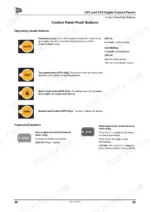
To reset a generator alarm, locate the 'Reset push button' on the control panel. Pressing this button allows the user to acknowledge and clear the alarm condition. The LED for active alarms will be on, and will flash if there are alarms to check. p. 44
How do I clear a fault on a JCB G115X or G115QX?
To clear a fault on a JCB G115X or G115QX generator, use the 'Reset push button' on the control panel. This button allows the user to acknowledge and clear any active alarm conditions. If the LED is flashing, it indicates alarms need to be checked. p. 44
What are the replacement specifications for battery?
The manual states that the electrical system of the generating set will either be 12V or 24V, depending on the size of the unit. However, specific replacement specifications such as Ah rating or CCA are not provided. p. 32
How do you fix cold weather starting issues where the JCB G65X generator set engine will not start or cranks slowly?
Test the battery voltage across the terminals. If the reading drops below 12.4V, recharge or replace the battery following the instructions on page 32. Inspect electrical connections for corrosion and verify the emergency stop button is fully released before attempting another start. p. 32
How quickly can I access this manual after buying?
Instant PDF download. You get the full 150-page searchable Operator Manual immediately after payment. Open it on your laptop, tablet, or phone right in the shop.
Can I print specific sections of this JCB G60–G115 Series Operator Manual?
Yes. Print a chapter or just the pages for the job at hand, for use in your own shop. Any home or office printer works.
Are there wiring harness diagrams in this JCB G60–G115 Series manual?
Yes, an electrical wiring diagram is included to help trace the main circuits.











Reviews
There are no reviews yet.